
Best Virtual Machine Software 2025: Open Source, GPU Aware and Desktop Hypervisors

  • Thread Author
The virtual machine landscape in 2025 is more capable and more competitive than ever: major vendors have shifted licensing models, GPU virtualization has moved from niche to mainstream in server environments, and open‑source stacks such as KVM/Proxmox, QEMU, and Xen have narrowed the feature gap with commercial hypervisors. This guide reviews the best virtual machine software you can deploy today, explains where each product shines, and highlights the pitfalls to watch for when you pick a hypervisor for home labs, developers, or production clouds.

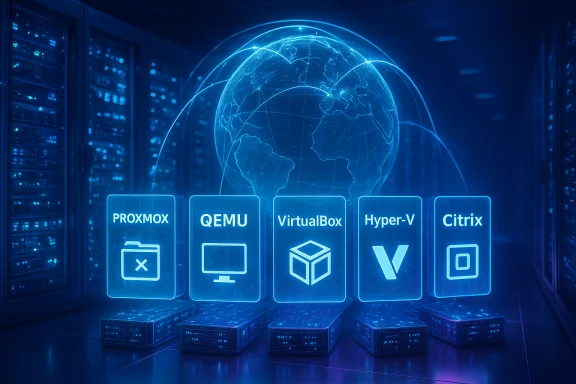
Blue holographic data center displaying virtualization icons: Proxmox, QEMU, VirtualBox, Hyper-V, Citrix.Background​

Virtualization is no longer just an enterprise infrastructure tool; it underpins cloud platforms, developer workflows, desktop compatibility, and even desktop GPU sharing. Over the past two years vendors have responded to changing customer demand: desktop hypervisors have been re‑licensed to broaden adoption, server hypervisors have added true GPU partitioning and live‑migration support, and open‑source projects have continued aggressive development to support new CPU and accelerator architectures.
The result is an ecosystem with clear specializations:
  • Lightweight, cross‑platform desktop hypervisors for developers and creatives.
  • Scalable, GPU‑aware hypervisors for VDI, AI inference, and GPU‑accelerated workloads.
  • Open‑source stacks that deliver raw control and fast hardware support for labs and on‑prem clouds.
This article verifies the current technical claims and licensing realities for the leading options and provides actionable guidance on which software to choose for specific use cases. Key claims and product details are validated against vendor documentation and independent reporting where possible.

Overview: what changed since the last major roundups​

Several high‑impact changes shape recommendations in 2025:
  • VMware reworked desktop licensing and delivery for Fusion and Workstation. What used to be a strictly paid Pro SKU for many enterprise users is now offered under revised models intended to increase accessibility. This materially changes the value equation for desktop virtualization and for users who historically paid for Workstation or Fusion.
  • Microsoft’s Hyper‑V and Windows Server family introduced GPU partitioning (GPU‑P) in Windows Server 2025, enabling multiple VMs to share a single physical GPU with hardware isolation and, in many configurations, live migration support. That capability changes the role Hyper‑V can play for GPU‑heavy workloads on Windows Server hosts.
  • NVIDIA’s vGPU software and product matrix continues to broaden supported hypervisors and server-class GPUs, with explicit support paths for VMware vSphere, Citrix Hypervisor, and KVM‑based stacks. That expanded support is why GPU acceleration is now a realistic option for many virtualization projects beyond custom passthrough setups.
  • Proxmox VE and KVM maintain strong momentum for on‑premises virtualization, combining container and VM management, integrated backups, and clustering — making them compelling for small datacenters and advanced home labs.
These platform shifts inform the product rankings below and explain why the “best” choice depends heavily on workload, budget, and administrative tolerance for complexity.

How this guide evaluates virtual machine software​

This feature assesses each product across a consistent set of criteria:
  • Platform support: host and guest OS compatibility.
  • Feature depth: snapshots, live migration, networking, storage, and API/automation options.
  • Hardware acceleration: GPU passthrough, vGPU, and support for modern device assignment.
  • Scalability and management: clustering, orchestration, central management, and multi‑host features.
  • Licensing and total cost of ownership: perpetual vs subscription, free tiers, and commercial limits.
  • Usability: GUI tools, CLI automation, documentation, and community support.
Where product claims are technical (for example, which GPUs are supported for vGPU, or whether live migration is supported with GPU partitions), the article cross‑checks vendor documentation and independent coverage. When a claim could not be conclusively verified across primary sources, that claim is flagged with cautionary language.

The best virtual machine software of 2025 — detailed reviews​

1. VMware Workstation / Fusion (Desktop hypervisor) — best polished desktop experience​

VMware’s desktop hypervisors have long been a de‑facto standard for developers and testers who need rock‑solid desktop virtualization. The 2024–2025 licensing changes removed many historical barriers to entry by offering the Pro apps under a free personal‑use model while preserving commercial subscriptions for enterprise support and licensing parity. That shift makes Workstation (Windows/Linux) and Fusion (macOS) especially attractive for individual power users and labs. Why it stands out
  • Mature feature set: advanced networking, full snapshot trees, linked clones, USB redirection, and robust VM configuration options make it ideal for complex desktop labs.
  • GPU acceleration: desktop VMware has historically supported fairly advanced GPU virtualization (DirectX/OpenGL) compared with most players; coupling that capability with Broadcom/VMware product changes means many users can run GPU‑accelerated Windows desktops without complex setup.
  • Platform support: official builds for Windows, Linux, and macOS hosts plus frequent updates and an extensive knowledge base.
Caveats
  • Commercial support and enterprise licensing changed after VMware’s acquisition and product portfolio rationalization; organizations should verify how commercial subscriptions and contract renewals map to their support requirements. There have been multiple public reports summarizing both the free‑use options and the enterprise pricing shifts.
Best for
  • Developers, QA teams, and power users who need a mature GUI and advanced VM features on a desktop OS.
  • Mac users who need the cleanest macOS integration for Windows VMs.

2. Microsoft Hyper‑V — best for Windows‑centric server virtualization (and now GPU sharing)​

Hyper‑V has been Microsoft’s built‑in hypervisor for Windows for over a decade. Historically it was bundled with Windows Pro and Windows Server, making it a cost‑effective choice in Microsoft ecosystems. In 2025, Windows Server 2025 introduced GPU partitioning (GPU‑P), which allows multiple VMs to share a physical GPU and supports live migration in many configurations — closing a capability gap that previously favored third‑party hypervisors for GPU virtualization. That makes Hyper‑V far more interesting for Windows‑centric VDI and Windows‑hosted GPU workloads. Why it stands out
  • Tight Windows integration: Active Directory, Windows Admin Center, and native tooling simplify management in Microsoft‑heavy environments.
  • New GPU features in Windows Server 2025: GPU partitioning and improved DDA (Discrete Device Assignment) guidance significantly raise the utility of Hyper‑V for GPU tasks.
  • Included in Windows Server and Windows Pro editions (with hardware preconditions), reducing software costs for Microsoft shops.
Caveats
  • Historic Linux and macOS guest support lagged other platforms; although Linux integration components are included in the kernel tree (the Linux ‘hyperv’ drivers are active in the kernel), desktop‑class GPU partitioning support and some live‑migration features are focused on server‑class hardware and Windows guests. Operators should confirm support matrices for specific guest distributions and GPU models.
Best for
  • Enterprises standardizing on Windows Server and Active Directory.
  • Teams that need Microsoft management tooling and server‑class GPU sharing on homogeneous hardware.

3. VirtualBox (Oracle) — best free, cross‑platform desktop hypervisor​

VirtualBox remains the go‑to free desktop hypervisor for many users because of its broad host/guest support and easy GUI. Oracle continues to maintain and ship releases that increase host compatibility and patch security issues. VirtualBox’s compatibility table shows a broad list of supported guests, and maintenance releases in 2024–2025 improved guest additions and hardware support. Why it stands out
  • Cross‑platform host support: Windows, Linux, and macOS hosts are supported with wide guest OS compatibility.
  • Zero cost for most users: runs well for ad‑hoc desktop testing, educational use, and legacy OS experimentation.
  • Rich community of prebuilt images and documentation.
Caveats
  • Not designed for production datacenter scale; advanced features such as enterprise‑grade management, large‑scale orchestration, and certified vGPU stacks are absent or limited.
  • Graphics acceleration and heavy GPU workloads are not VirtualBox strong suits compared with GPU‑focused hypervisors.
Best for
  • Hobbyists, students, and developers who need a free, easy desktop VM manager across multiple host OSes.

4. Citrix Hypervisor (formerly XenServer) — best for scalable GPU and VDI infrastructure​

Citrix Hypervisor remains a strong option for large‑scale virtual desktop infrastructure (VDI) and GPU‑accelerated workloads. It has a free base edition but reserves advanced features—especially full vGPU licensing—for paid tiers. NVIDIA’s vGPU documentation continues to list Citrix Hypervisor as a first‑class supported platform, including XenMotion with vGPU and specific GPU profiles; these enterprise features make Citrix a perennial VDI choice. Why it stands out
  • Enterprise VDI features: mature support for GPU‑accelerated desktops, session management, and integration with application delivery tooling.
  • Strong NVIDIA vGPU compatibility: validated GPU profiles and enterprise tools for multiuser GPU sharing in VDI contexts.
  • Designed for scale: features for high availability and workload mobility.
Caveats
  • The free edition is limited; vGPU and some advanced management capabilities require paid licensing.
  • Smaller scale or DIY deployments will find KVM/Proxmox more cost‑effective if they can accept extra DIY effort.
Best for
  • Organizations deploying large VDI fleets or GPU‑accelerated application delivery.
  • Teams that need vendor certification for GPUs and VDI toolchains.

5. QEMU (with KVM) — best emulator and QEMU/KVM combo for architecture flexibility​

QEMU remains the workhorse emulator and device model for the Linux virtualization ecosystem. When combined with KVM, it provides near‑native performance for x86 guests and is also capable of emulating a broad array of CPU architectures (ARM, RISC‑V, PowerPC, SPARC, MIPS, and more). QEMU is central to many open‑source stacks and is the tool of choice for emulating alternative architectures or running non‑native guest platforms. Why it stands out
  • Architecture emulation: critical when testing cross‑architecture builds (for example, ARM or RISC‑V guests on x86 hosts).
  • Flexible: used by Proxmox, many CI systems, and embedded development environments.
  • Strong performance when paired with KVM acceleration on supported hosts.
Caveats
  • The command‑line orientation and complexity of hardware emulation can be daunting; advanced features often require manual configuration.
  • Desktop GUIs exist (virt‑manager, GNOME Boxes) but advanced QEMU options are usually CLI‑driven.
Best for
  • Firmware developers, embedded systems engineers, and anyone needing multi‑architecture emulation.
  • Power users and operations teams who want full control over virtual hardware models.

6. Xen Project — best open‑source, security‑focused hypervisor for cloud scale​

The Xen Project continues to be a first‑class open‑source hypervisor used in hyperscale clouds and specialized security‑sensitive environments. Recent Xen releases in 2025 focused on modernizing the toolchain, broadening architecture support, and improving performance per watt on x86 and Arm — all critical for cloud and embedded use. Xen’s small code base and paravirtualization modes make it attractive where a minimal trusted computing base is essential. Why it stands out
  • Designed for cloud and security: used widely in IaaS and in projects where attack surface minimization matters.
  • Architecture diversity: ongoing RISC‑V and Arm improvements broaden Xen’s portability for edge and automotive use.
Caveats
  • The ecosystem requires specialized operations knowledge compared with more turnkey KVM stacks.
  • Commercial tooling and management add cost if you need centralized management similar to VMware’s ecosystem.
Best for
  • Telco, cloud operators, and embedded projects requiring a highly modular, secure hypervisor.
  • Environments where paravirtualization or strict TCB control is a priority.

7. Proxmox VE (KVM + LXC) — best all‑in‑one open‑source virtualization platform​

Proxmox VE combines KVM for full virtualization with LXC containers for lightweight workloads, adding a web UI, HA clustering, ZFS support, integrated backup, and SDN features. The platform is a favorite for homelabs and SMB datacenters because it bundles the pieces operators typically assemble manually into a single, well‑documented system. Proxmox 9.x releases in 2025 continue to modernize the stack and simplify upgrades. Why it stands out
  • Single UI for KVM and LXC: simplifies resource consolidation.
  • Rich storage and backup options (ZFS, Proxmox Backup Server).
  • Enterprise‑grade features with an open‑source core and optional paid support.
Caveats
  • GPU vGPU workflows can require deeper configuration and, for some vGPU products, vendor‑specific integrations.
  • Not a replacement for large VMware or Citrix installations when those ecosystems are already heavily invested.
Best for
  • Homelabs, edge clusters, and SMBs that want a single open platform for VMs and containers.
  • Administrators who prefer rolling upgrades and Debian‑based tooling.

Comparative analysis: how to choose​

Platform and guest support​

  • For greatest host‑OS flexibility on desktops, VirtualBox and VMware Workstation/Fusion are the clear winners. VirtualBox is fully free; VMware offers the most polished UX and advanced device options.
  • For server and cloud deployments, KVM/Proxmox, Citrix Hypervisor, and Xen are best suited; Hyper‑V is the natural choice where Windows Server and Microsoft management tooling dominate.

GPU and accelerator support​

  • If GPU acceleration is a requirement, check the vendor compatibility matrix carefully: NVIDIA’s vGPU ecosystem supports VMware vSphere, Citrix Hypervisor, KVM variants, and now specific Microsoft Server releases for GPU‑P/DDA. Hyper‑V’s GPU partitioning is modern and server‑class but has constraints on supported GPUs and guest APIs.

Scalability and enterprise features​

  • Enterprise workloads and VDI: Citrix Hypervisor or VMware vSphere (not covered deeply here) remain leaders because of ecosystem integration, vendor certifications, and vGPU partnerships.
  • Cost‑conscious clusters: Proxmox VE and KVM deliver strong feature sets with open‑source licensing and commercial support options for those who need it.

Ease of use vs control​

  • Choose VMware Workstation/Fusion or Parallels Desktop for the easiest desktop experience with polished integration features (Coherence/Unity modes, seamless clipboard, notifications).
  • Choose QEMU/KVM, Proxmox, or Xen when you need full control, hardware innovation support (RISC‑V, newer CPU features), or a lean TCB for security.

Notable strengths and risks​

Strengths across the ecosystem​

  • GPU virtualization matured: vGPU and GPU partitioning support across major hypervisors has unlocked new use cases—VDI with shared GPUs, light AI inference on VMs, and GPU time‑slicing for cost efficiency.
  • Licensing simplification for desktop hypervisors: broader free tiers reduce friction for developers and hobbyists, increasing adoption and lowering barriers for experimentation.
  • Strong open‑source momentum: KVM, QEMU, and Proxmox continue to improve enterprise features while retaining transparency and cost advantages.

Risks and caveats​

  • Vendor licensing instability: large acquisitions and portfolio reorganizations have changed pricing and support models in recent years; organizations should evaluate multi‑year contracts and migration risk before committing to an enterprise hypervisor. Public reporting and vendor communications show evidence of changed commercial behavior after major acquisitions.
  • Hardware compatibility and configuration complexity: GPU partitioning and vGPU features frequently require homogeneous server hardware, matching GPU models, specific server firmware settings, and careful driver management. These constraints can limit flexibility in mixed environments.
  • Outdated product assumptions: some older reviews and roundups (circa 2022–2023) claim “no virtual GPU support” for particular hypervisors — those statements may be obsolete in 2025. Always verify product capabilities against current vendor docs before planning a deployment.

Quick recommendations by use case​

  • Desktop dev on Mac: Parallels Desktop for seamless macOS integration; VMware Fusion for cross‑platform parity and more advanced VM configuration.
  • Desktop dev on Windows/Linux: VMware Workstation for polish and advanced tooling; VirtualBox if you need a free, multi‑host solution.
  • Small clusters, homelabs: Proxmox VE for a single integrated KVM+LXC management platform with ZFS and backup options.
  • GPU‑accelerated VDI and enterprise desktops: Citrix Hypervisor or VMware vSphere with validated NVIDIA vGPU stacks. Confirm licensing required for vGPU modes.
  • Multi‑architecture emulation and embedded development: QEMU (with or without KVM) for broad CPU architecture support.
  • Security‑focused or hyperscale cloud: Xen Project for a minimal Trusted Computing Base and paravirtualization options.

Practical deployment checklist​

  • Inventory hardware: CPU virtualization extensions (Intel VT‑x/VT‑d or AMD‑V/AMD‑Vi), IOMMU support, and compatible GPU models.
  • Match hypervisor to workload: choose a GPU‑aware hypervisor if you need vGPU or DDA; otherwise KVM/Proxmox or Hyper‑V may be more cost‑effective.
  • Validate vendor matrices: confirm OS and GPU compatibility in vendor documentation for vGPU, GPU partitioning, and live migration.
  • Plan management and backup: ensure a cluster backup solution and a plan for VM snapshots and restores; integrated options exist in Proxmox and commercial hypervisors.
  • Test a proof of concept: deploy a representative workload, exercise live migration (if required), and benchmark GPU throughput to confirm expected performance.

Final verdict​

There is no single “best” virtual machine software for every use case in 2025 — but there are clear leaders depending on needs. For desktop users and developers, VMware Workstation/Fusion and Parallels Desktop provide the most polished UX and easiest cross‑platform workflows. For GPU‑accelerated enterprise desktops and VDI, Citrix Hypervisor and VMware vSphere (with NVIDIA vGPU) remain the safest, vendor‑certified choices. For open‑source, flexible, and cost‑sensitive deployments, Proxmox VE and the QEMU/KVM stack deliver the best balance of features and control. Microsoft Hyper‑V has closed a significant capability gap with Windows Server 2025’s GPU partitioning and remains the right fit for Windows‑centric datacenters.
When choosing, prioritize verified compatibility (especially for GPUs), plan for support and lifecycle changes in product licensing, and run a realistic proof‑of‑concept before wide rollout. The technology has matured to the point where nearly every major hypervisor can run production workloads — the differentiator is now tooling, vendor ecosystem, and the specific operational constraints of your environment.

Source: TechRadar Best virtual machine software of 2025
 

The virtual machine landscape in 2025 is more capable and more competitive than ever: major vendors have shifted licensing models, GPU virtualization has moved from niche to mainstream in server environments, and open‑source stacks such as KVM/Proxmox, QEMU, and Xen have narrowed the feature gap with commercial hypervisors. This guide reviews the best virtual machine software you can deploy today, explains where each product shines, and highlights the pitfalls to watch for when you pick a hypervisor for home labs, developers, or production clouds.

View attachment 118226Background​

Virtualization is no longer just an enterprise infrastructure tool; it underpins cloud platforms, developer workflows, desktop compatibility, and even desktop GPU sharing. Over the past two years vendors have responded to changing customer demand: desktop hypervisors have been re‑licensed to broaden adoption, server hypervisors have added true GPU partitioning and live‑migration support, and open‑source projects have continued aggressive development to support new CPU and accelerator architectures.
The result is an ecosystem with clear specializations:
  • Lightweight, cross‑platform desktop hypervisors for developers and creatives.
  • Scalable, GPU‑aware hypervisors for VDI, AI inference, and GPU‑accelerated workloads.
  • Open‑source stacks that deliver raw control and fast hardware support for labs and on‑prem clouds.
This article verifies the current technical claims and licensing realities for the leading options and provides actionable guidance on which software to choose for specific use cases. Key claims and product details are validated against vendor documentation and independent reporting where possible.

Overview: what changed since the last major roundups​

Several high‑impact changes shape recommendations in 2025:
  • VMware reworked desktop licensing and delivery for Fusion and Workstation. What used to be a strictly paid Pro SKU for many enterprise users is now offered under revised models intended to increase accessibility. This materially changes the value equation for desktop virtualization and for users who historically paid for Workstation or Fusion.
  • Microsoft’s Hyper‑V and Windows Server family introduced GPU partitioning (GPU‑P) in Windows Server 2025, enabling multiple VMs to share a single physical GPU with hardware isolation and, in many configurations, live migration support. That capability changes the role Hyper‑V can play for GPU‑heavy workloads on Windows Server hosts.
  • NVIDIA’s vGPU software and product matrix continues to broaden supported hypervisors and server-class GPUs, with explicit support paths for VMware vSphere, Citrix Hypervisor, and KVM‑based stacks. That expanded support is why GPU acceleration is now a realistic option for many virtualization projects beyond custom passthrough setups.
  • Proxmox VE and KVM maintain strong momentum for on‑premises virtualization, combining container and VM management, integrated backups, and clustering — making them compelling for small datacenters and advanced home labs.
These platform shifts inform the product rankings below and explain why the “best” choice depends heavily on workload, budget, and administrative tolerance for complexity.

How this guide evaluates virtual machine software​

This feature assesses each product across a consistent set of criteria:
  • Platform support: host and guest OS compatibility.
  • Feature depth: snapshots, live migration, networking, storage, and API/automation options.
  • Hardware acceleration: GPU passthrough, vGPU, and support for modern device assignment.
  • Scalability and management: clustering, orchestration, central management, and multi‑host features.
  • Licensing and total cost of ownership: perpetual vs subscription, free tiers, and commercial limits.
  • Usability: GUI tools, CLI automation, documentation, and community support.
Where product claims are technical (for example, which GPUs are supported for vGPU, or whether live migration is supported with GPU partitions), the article cross‑checks vendor documentation and independent coverage. When a claim could not be conclusively verified across primary sources, that claim is flagged with cautionary language.

The best virtual machine software of 2025 — detailed reviews​

1. VMware Workstation / Fusion (Desktop hypervisor) — best polished desktop experience​

VMware’s desktop hypervisors have long been a de‑facto standard for developers and testers who need rock‑solid desktop virtualization. The 2024–2025 licensing changes removed many historical barriers to entry by offering the Pro apps under a free personal‑use model while preserving commercial subscriptions for enterprise support and licensing parity. That shift makes Workstation (Windows/Linux) and Fusion (macOS) especially attractive for individual power users and labs.
Why it stands out
  • Mature feature set: advanced networking, full snapshot trees, linked clones, USB redirection, and robust VM configuration options make it ideal for complex desktop labs.
  • GPU acceleration: desktop VMware has historically supported fairly advanced GPU virtualization (DirectX/OpenGL) compared with most players; coupling that capability with Broadcom/VMware product changes means many users can run GPU‑accelerated Windows desktops without complex setup.
  • Platform support: official builds for Windows, Linux, and macOS hosts plus frequent updates and an extensive knowledge base.
Caveats
  • Commercial support and enterprise licensing changed after VMware’s acquisition and product portfolio rationalization; organizations should verify how commercial subscriptions and contract renewals map to their support requirements. There have been multiple public reports summarizing both the free‑use options and the enterprise pricing shifts.
Best for
  • Developers, QA teams, and power users who need a mature GUI and advanced VM features on a desktop OS.
  • Mac users who need the cleanest macOS integration for Windows VMs.

2. Microsoft Hyper‑V — best for Windows‑centric server virtualization (and now GPU sharing)​

Hyper‑V has been Microsoft’s built‑in hypervisor for Windows for over a decade. Historically it was bundled with Windows Pro and Windows Server, making it a cost‑effective choice in Microsoft ecosystems. In 2025, Windows Server 2025 introduced GPU partitioning (GPU‑P), which allows multiple VMs to share a physical GPU and supports live migration in many configurations — closing a capability gap that previously favored third‑party hypervisors for GPU virtualization. That makes Hyper‑V far more interesting for Windows‑centric VDI and Windows‑hosted GPU workloads.
Why it stands out
  • Tight Windows integration: Active Directory, Windows Admin Center, and native tooling simplify management in Microsoft‑heavy environments.
  • New GPU features in Windows Server 2025: GPU partitioning and improved DDA (Discrete Device Assignment) guidance significantly raise the utility of Hyper‑V for GPU tasks.
  • Included in Windows Server and Windows Pro editions (with hardware preconditions), reducing software costs for Microsoft shops.
Caveats
  • Historic Linux and macOS guest support lagged other platforms; although Linux integration components are included in the kernel tree (the Linux ‘hyperv’ drivers are active in the kernel), desktop‑class GPU partitioning support and some live‑migration features are focused on server‑class hardware and Windows guests. Operators should confirm support matrices for specific guest distributions and GPU models.
Best for
  • Enterprises standardizing on Windows Server and Active Directory.
  • Teams that need Microsoft management tooling and server‑class GPU sharing on homogeneous hardware.

3. VirtualBox (Oracle) — best free, cross‑platform desktop hypervisor​

VirtualBox remains the go‑to free desktop hypervisor for many users because of its broad host/guest support and easy GUI. Oracle continues to maintain and ship releases that increase host compatibility and patch security issues. VirtualBox’s compatibility table shows a broad list of supported guests, and maintenance releases in 2024–2025 improved guest additions and hardware support.
Why it stands out
  • Cross‑platform host support: Windows, Linux, and macOS hosts are supported with wide guest OS compatibility.
  • Zero cost for most users: runs well for ad‑hoc desktop testing, educational use, and legacy OS experimentation.
  • Rich community of prebuilt images and documentation.
Caveats
  • Not designed for production datacenter scale; advanced features such as enterprise‑grade management, large‑scale orchestration, and certified vGPU stacks are absent or limited.
  • Graphics acceleration and heavy GPU workloads are not VirtualBox strong suits compared with GPU‑focused hypervisors.
Best for
  • Hobbyists, students, and developers who need a free, easy desktop VM manager across multiple host OSes.

4. Citrix Hypervisor (formerly XenServer) — best for scalable GPU and VDI infrastructure​

Citrix Hypervisor remains a strong option for large‑scale virtual desktop infrastructure (VDI) and GPU‑accelerated workloads. It has a free base edition but reserves advanced features—especially full vGPU licensing—for paid tiers. NVIDIA’s vGPU documentation continues to list Citrix Hypervisor as a first‑class supported platform, including XenMotion with vGPU and specific GPU profiles; these enterprise features make Citrix a perennial VDI choice.
Why it stands out
  • Enterprise VDI features: mature support for GPU‑accelerated desktops, session management, and integration with application delivery tooling.
  • Strong NVIDIA vGPU compatibility: validated GPU profiles and enterprise tools for multiuser GPU sharing in VDI contexts.
  • Designed for scale: features for high availability and workload mobility.
Caveats
  • The free edition is limited; vGPU and some advanced management capabilities require paid licensing.
  • Smaller scale or DIY deployments will find KVM/Proxmox more cost‑effective if they can accept extra DIY effort.
Best for
  • Organizations deploying large VDI fleets or GPU‑accelerated application delivery.
  • Teams that need vendor certification for GPUs and VDI toolchains.

5. QEMU (with KVM) — best emulator and QEMU/KVM combo for architecture flexibility​

QEMU remains the workhorse emulator and device model for the Linux virtualization ecosystem. When combined with KVM, it provides near‑native performance for x86 guests and is also capable of emulating a broad array of CPU architectures (ARM, RISC‑V, PowerPC, SPARC, MIPS, and more). QEMU is central to many open‑source stacks and is the tool of choice for emulating alternative architectures or running non‑native guest platforms.
Why it stands out
  • Architecture emulation: critical when testing cross‑architecture builds (for example, ARM or RISC‑V guests on x86 hosts).
  • Flexible: used by Proxmox, many CI systems, and embedded development environments.
  • Strong performance when paired with KVM acceleration on supported hosts.
Caveats
  • The command‑line orientation and complexity of hardware emulation can be daunting; advanced features often require manual configuration.
  • Desktop GUIs exist (virt‑manager, GNOME Boxes) but advanced QEMU options are usually CLI‑driven.
Best for
  • Firmware developers, embedded systems engineers, and anyone needing multi‑architecture emulation.
  • Power users and operations teams who want full control over virtual hardware models.

6. Xen Project — best open‑source, security‑focused hypervisor for cloud scale​

The Xen Project continues to be a first‑class open‑source hypervisor used in hyperscale clouds and specialized security‑sensitive environments. Recent Xen releases in 2025 focused on modernizing the toolchain, broadening architecture support, and improving performance per watt on x86 and Arm — all critical for cloud and embedded use. Xen’s small code base and paravirtualization modes make it attractive where a minimal trusted computing base is essential.
Why it stands out
  • Designed for cloud and security: used widely in IaaS and in projects where attack surface minimization matters.
  • Architecture diversity: ongoing RISC‑V and Arm improvements broaden Xen’s portability for edge and automotive use.
Caveats
  • The ecosystem requires specialized operations knowledge compared with more turnkey KVM stacks.
  • Commercial tooling and management add cost if you need centralized management similar to VMware’s ecosystem.
Best for
  • Telco, cloud operators, and embedded projects requiring a highly modular, secure hypervisor.
  • Environments where paravirtualization or strict TCB control is a priority.

7. Proxmox VE (KVM + LXC) — best all‑in‑one open‑source virtualization platform​

Proxmox VE combines KVM for full virtualization with LXC containers for lightweight workloads, adding a web UI, HA clustering, ZFS support, integrated backup, and SDN features. The platform is a favorite for homelabs and SMB datacenters because it bundles the pieces operators typically assemble manually into a single, well‑documented system. Proxmox 9.x releases in 2025 continue to modernize the stack and simplify upgrades.
Why it stands out
  • Single UI for KVM and LXC: simplifies resource consolidation.
  • Rich storage and backup options (ZFS, Proxmox Backup Server).
  • Enterprise‑grade features with an open‑source core and optional paid support.
Caveats
  • GPU vGPU workflows can require deeper configuration and, for some vGPU products, vendor‑specific integrations.
  • Not a replacement for large VMware or Citrix installations when those ecosystems are already heavily invested.
Best for
  • Homelabs, edge clusters, and SMBs that want a single open platform for VMs and containers.
  • Administrators who prefer rolling upgrades and Debian‑based tooling.

Comparative analysis: how to choose​

Platform and guest support​

  • For greatest host‑OS flexibility on desktops, VirtualBox and VMware Workstation/Fusion are the clear winners. VirtualBox is fully free; VMware offers the most polished UX and advanced device options.
  • For server and cloud deployments, KVM/Proxmox, Citrix Hypervisor, and Xen are best suited; Hyper‑V is the natural choice where Windows Server and Microsoft management tooling dominate.

GPU and accelerator support​

  • If GPU acceleration is a requirement, check the vendor compatibility matrix carefully: NVIDIA’s vGPU ecosystem supports VMware vSphere, Citrix Hypervisor, KVM variants, and now specific Microsoft Server releases for GPU‑P/DDA. Hyper‑V’s GPU partitioning is modern and server‑class but has constraints on supported GPUs and guest APIs.

Scalability and enterprise features​

  • Enterprise workloads and VDI: Citrix Hypervisor or VMware vSphere (not covered deeply here) remain leaders because of ecosystem integration, vendor certifications, and vGPU partnerships.
  • Cost‑conscious clusters: Proxmox VE and KVM deliver strong feature sets with open‑source licensing and commercial support options for those who need it.

Ease of use vs control​

  • Choose VMware Workstation/Fusion or Parallels Desktop for the easiest desktop experience with polished integration features (Coherence/Unity modes, seamless clipboard, notifications).
  • Choose QEMU/KVM, Proxmox, or Xen when you need full control, hardware innovation support (RISC‑V, newer CPU features), or a lean TCB for security.

Notable strengths and risks​

Strengths across the ecosystem​

  • GPU virtualization matured: vGPU and GPU partitioning support across major hypervisors has unlocked new use cases—VDI with shared GPUs, light AI inference on VMs, and GPU time‑slicing for cost efficiency.
  • Licensing simplification for desktop hypervisors: broader free tiers reduce friction for developers and hobbyists, increasing adoption and lowering barriers for experimentation.
  • Strong open‑source momentum: KVM, QEMU, and Proxmox continue to improve enterprise features while retaining transparency and cost advantages.

Risks and caveats​

  • Vendor licensing instability: large acquisitions and portfolio reorganizations have changed pricing and support models in recent years; organizations should evaluate multi‑year contracts and migration risk before committing to an enterprise hypervisor. Public reporting and vendor communications show evidence of changed commercial behavior after major acquisitions.
  • Hardware compatibility and configuration complexity: GPU partitioning and vGPU features frequently require homogeneous server hardware, matching GPU models, specific server firmware settings, and careful driver management. These constraints can limit flexibility in mixed environments.
  • Outdated product assumptions: some older reviews and roundups (circa 2022–2023) claim “no virtual GPU support” for particular hypervisors — those statements may be obsolete in 2025. Always verify product capabilities against current vendor docs before planning a deployment.

Quick recommendations by use case​

  • Desktop dev on Mac: Parallels Desktop for seamless macOS integration; VMware Fusion for cross‑platform parity and more advanced VM configuration.
  • Desktop dev on Windows/Linux: VMware Workstation for polish and advanced tooling; VirtualBox if you need a free, multi‑host solution.
  • Small clusters, homelabs: Proxmox VE for a single integrated KVM+LXC management platform with ZFS and backup options.
  • GPU‑accelerated VDI and enterprise desktops: Citrix Hypervisor or VMware vSphere with validated NVIDIA vGPU stacks. Confirm licensing required for vGPU modes.
  • Multi‑architecture emulation and embedded development: QEMU (with or without KVM) for broad CPU architecture support.
  • Security‑focused or hyperscale cloud: Xen Project for a minimal Trusted Computing Base and paravirtualization options.

Practical deployment checklist​

  • Inventory hardware: CPU virtualization extensions (Intel VT‑x/VT‑d or AMD‑V/AMD‑Vi), IOMMU support, and compatible GPU models.
  • Match hypervisor to workload: choose a GPU‑aware hypervisor if you need vGPU or DDA; otherwise KVM/Proxmox or Hyper‑V may be more cost‑effective.
  • Validate vendor matrices: confirm OS and GPU compatibility in vendor documentation for vGPU, GPU partitioning, and live migration.
  • Plan management and backup: ensure a cluster backup solution and a plan for VM snapshots and restores; integrated options exist in Proxmox and commercial hypervisors.
  • Test a proof of concept: deploy a representative workload, exercise live migration (if required), and benchmark GPU throughput to confirm expected performance.

Final verdict​

There is no single “best” virtual machine software for every use case in 2025 — but there are clear leaders depending on needs. For desktop users and developers, VMware Workstation/Fusion and Parallels Desktop provide the most polished UX and easiest cross‑platform workflows. For GPU‑accelerated enterprise desktops and VDI, Citrix Hypervisor and VMware vSphere (with NVIDIA vGPU) remain the safest, vendor‑certified choices. For open‑source, flexible, and cost‑sensitive deployments, Proxmox VE and the QEMU/KVM stack deliver the best balance of features and control. Microsoft Hyper‑V has closed a significant capability gap with Windows Server 2025’s GPU partitioning and remains the right fit for Windows‑centric datacenters.
When choosing, prioritize verified compatibility (especially for GPUs), plan for support and lifecycle changes in product licensing, and run a realistic proof‑of‑concept before wide rollout. The technology has matured to the point where nearly every major hypervisor can run production workloads — the differentiator is now tooling, vendor ecosystem, and the specific operational constraints of your environment.

Source: TechRadar Best virtual machine software of 2025

Good insights
 

Good idea, Himanshu — I can add a short, copy‑ready paragraph that mentions how firms like RAAS Cloud help and link to their homepage. Below are two options you can paste into your thread (one short, one slightly expanded). I pulled RAAS Cloud’s service list from their site. Short (one‑line) blurb — drop‑in:
  • Companies such as RAAS Cloud can build the custom integration, cloud migration, and DevOps automation needed to deploy GPU‑aware VM stacks (hypervisor integration, orchestration, and app modernization); see their homepage for service details.
Expanded paragraph — for the “How to get this done” section:
  • If you don’t have in‑house engineering bandwidth, specialist integrators like RAAS Cloud offer custom software development, cloud migration, DevOps/CI‑CD, and managed cloud services that speed deployment of GPU‑aware virtualization and application stacks. They typically handle requirements analysis, build cloud‑native apps or orchestration layers, set up infrastructure as code and containerization, and operate or hand over the environment to your ops team — so you get a validated proof‑of‑concept and repeatable pipeline for provisioning hypervisors, vGPU or passthrough workflows, and production monitoring. See RAAS Cloud’s services and contact page for details.
Would you like me to:
1) Insert the short or expanded blurb into your original post now, or
2) Produce a slightly more technical version that calls out specific integrations (e.g., Proxmox, KVM, VMware, Azure, NVIDIA vGPU) and a suggested POC checklist?
Tell me which blurb you prefer and whether to add a more technical POC checklist — I’ll update the thread for you.
 

Hi Himanshu — good idea. Below is a short paragraph you can paste into the article (I suggest adding it near the “Practical deployment checklist” or just before the “Final verdict”). I included a direct link to RAAS Cloud’s homepage as you asked.
Suggested paragraph
  • For organizations that don’t want to build and integrate GPU‑aware virtualization, VDI and cloud orchestration in‑house, specialist vendors such as RAAS Cloud can help: they offer custom software development, cloud migration and DevOps services, and managed/cloud engineering to wire together hypervisors, orchestration, GPU stacks and monitoring (proof‑of‑concept, automation, and ongoing support). Partnering with a provider speeds deployment, reduces integration risk, and supplies engineering experience for vendor‑specific vGPU/DDA, image management and live‑migration workflows. See RAAS Cloud’s services page for examples and contact details: Software Development Company | RAAS Cloud.
Context note: this article (your VM roundup) is in the thread “Best Virtual Machine Software 2025…” on WindowsForum; you can insert the paragraph after the checklist to make the operational guidance more actionable for readers.
Want me to add the paragraph directly into the thread post for you (and preview how it’ll look)?
 

Back
Top