

If you love GarageBand’s simplicity but run Windows, you don’t have to abandon the intuitive “sketch‑to‑song” workflow — several mature, Windows‑friendly DAWs give you the same approachability with more power and flexibility. This feature walks through five of the best GarageBand alternatives for PC, verifies the most important claims about each product, compares workflows and costs, and highlights practical risks and trade‑offs so you can pick the DAW that fits your goals on Windows.
GarageBand built a reputation by lowering the barrier to music production: a friendly UI, drag‑and‑drop loops, basic multi‑track recording and a collection of instruments and presets that let beginners create polished sketches quickly. Apple has never released GarageBand for Windows, so Windows users must choose from available DAWs that approximate GarageBand’s ease while adding Windows‑native features, hardware support, and broader plugin compatibility. Official guidance warns against “GarageBand for Windows” downloads and recommends legitimate DAW alternatives instead. This article summarizes the practical strengths and limits of five top GarageBand alternatives for PC: FL Studio, Ableton Live, Cakewalk by BandLab (and Sonar’s evolution), Reaper, and Studio One. Each profile contains verified facts (pricing model, flagship features, platform details) checked against vendor documentation and independent reporting, and it includes hands‑on recommendations for beginners, live performers and songwriters.
Practical next steps: pick one or two DAWs from the list, install their trials, and spend a few hours recreating one of your GarageBand projects (a simple song or loop). That hands‑on time — coupled with the vendor docs and community threads referenced here — will reveal which DAW matches your workflow and hardware best. Community experience and official vendor docs are complementary resources when moving from macOS to Windows production: both will save time and prevent surprise compatibility problems. Conclusion: GarageBand’s spirit lives on in multiple Windows DAWs — pick the tool that best mirrors how you like to work, and you’ll be producing music on Windows with the same immediacy and creative momentum you loved on macOS.
Source: Windows Report 5 Best GarageBand Alternatives for PC You Can Use on Windows
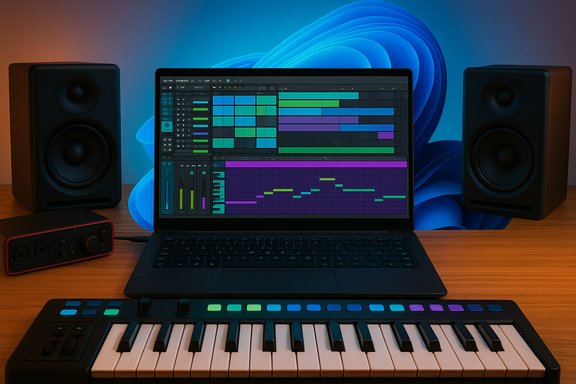 Background / Overview
GarageBand built a reputation by lowering the barrier to music production: a friendly UI, drag‑and‑drop loops, basic multi‑track recording and a collection of instruments and presets that let beginners create polished sketches quickly. Apple has never released GarageBand for Windows, so Windows users must choose from available DAWs that approximate GarageBand’s ease while adding Windows‑native features, hardware support, and broader plugin compatibility. Official guidance warns against “GarageBand for Windows” downloads and recommends legitimate DAW alternatives instead. This article summarizes the practical strengths and limits of five top GarageBand alternatives for PC: FL Studio, Ableton Live, Cakewalk by BandLab (and Sonar’s evolution), Reaper, and Studio One. Each profile contains verified facts (pricing model, flagship features, platform details) checked against vendor documentation and independent reporting, and it includes hands‑on recommendations for beginners, live performers and songwriters.How I verified claims (brief)
To avoid repeating marketing or forum hearsay, the core product claims in each section are cross‑checked against vendor documentation and reputable reporting. Examples:- FL Studio’s Lifetime Free Updates is an explicit Image‑Line policy and described on the product pages and support docs.
- Ableton Live’s Session View and warping engine are documented in the official Ableton manual.
- Cakewalk’s relaunch as a free DAW under BandLab is documented on the Cakewalk pages and widely covered by community posts.
- REAPER’s licensing and the option for a portable install are published directly by Cockos and the REAPER community.
- Studio One’s Melodyne integration and installation workflow are documented by PreSonus support.
1. FL Studio — Best overall GarageBand alternative for PC
Why it’s a top pick
FL Studio is widely recommended for producers at every level because it pairs a beginner‑friendly, pattern‑based workflow with deep, professional features. Its piano roll, step sequencer and loop‑centric layout make it easy to sketch beats and melodies quickly, while its mixer, automation and plugin suite scale cleanly for complex arrangements.What’s accurate (verified)
- Lifetime Free Updates: Image‑Line explicitly offers lifetime free updates to purchasers of FL Studio editions; this is a long‑standing policy and still current. That makes FL Studio a compelling long‑term investment compared with DAWs that require paid major upgrades.
- Feature set: FL Studio ships with a large number of built‑in instruments and sample libraries, a step sequencer optimized for beat making, real‑time audio stretching and broad plugin compatibility. The 2025 updates added AI‑assisted features and an expanded mixer track count in recent releases, which Image‑Line also lists as free updates for license holders.
Strengths
- Fast idea capture: pattern/clip workflow favors loop‑driven production.
- Lifetime updates: lower long‑term cost of ownership if you plan to stick with the platform.
- Massive community resources: templates, presets, tutorials and third‑party content.
Caveats and risks
- The interface (channel rack + playlist + piano roll) is unique and can feel different to users coming from linear DAWs; a short learning investment pays off.
- FL Studio historically emphasized electronic production; while it supports audio recording and traditional arrangements well, some studio engineers prefer alternate DAWs for large, multi‑miked sessions.
- If you rely on very specific third‑party plugins, confirm compatibility and UI behavior after upgrades (Image‑Line’s lifetime update policy covers the DAW itself but not necessarily third‑party plugins).
Who should choose FL Studio
- Songwriters and beat‑makers who want a fast sketching environment and lifetime updates.
- Bedroom producers who value strong built‑in instruments and loop workflows.
2. Ableton Live — Best for live performance and loop‑based creation
Why it stands out
Ableton Live is unique for its Session View, which treats clips and scenes as improv‑friendly building blocks. DJs, electronic musicians and live performers use Live for on‑the‑fly remixing, live looping and controller integration. The same features also make Live great for quickly improvising arrangements and capturing ideas in a non‑linear way.What’s accurate (verified)
- Session View is Ableton’s core differentiator: clips, scenes and the improv grid let you launch musical ideas in any order and record your performance back into the linear Arrangement. The official manual documents clip launch controls, scene behavior and scene tempo/time signature handling.
- Warping engine: Ableton documents its warping tools (time‑stretching and beat sync) used for tempo matching and real‑time audio manipulation. This is central to Live’s live playback and DJ workflows.
Strengths
- Unmatched for live sets and looped improvisation.
- Tight controller ecosystem (Push, Maschine, many MIDI controllers).
- Warping and time‑stretching are industry‑grade, making beat‑matching and sample manipulation simple.
Caveats and risks
- Ableton’s workflow is distinctive and optimized for electronic and performance contexts. Traditional multitrack recording workflows (multi‑mic drum editing, complex comping) can be less direct than in linear DAWs unless you adapt to Live’s features.
- Ableton Live is a premium product with tiered pricing — evaluate the features you need (e.g., Max for Live) before purchase.
Who should choose Ableton Live
- Performers, DJs and electronic producers who need an instrument for stage and studio.
- Producers who want instant sound manipulation and performance‑first routing.
3. Cakewalk by BandLab (and Sonar evolution) — The best free GarageBand alternative for PC
Why it matters
If budget is a core constraint, Cakewalk offers a full‑featured, Windows‑native DAW with robust recording, mixing and routing capabilities — and it’s free. Historically SONAR (by Cakewalk Inc. was a paid, pro‑level DAW; BandLab acquired and reintroduced Cakewalk as a free download that retains deep feature parity with many paid DAWs.What’s accurate (verified)
- Cakewalk by BandLab is available free to Windows users — BandLab relaunched the SONAR lineage as Cakewalk and made it free to download. The legacy Cakewalk documentation and BandLab announcements confirm this status.
- VST3 support and a modern 64‑bit audio engine are present; community threads and official docs discuss VST2/VST3 behavior and plugin compatibility (some plugin combinations can cause issues depending on vendors). Testing plugins on your system remains necessary.
Strengths
- Truly free: professional features like unlimited tracks, advanced automation and a ProChannel mixer are included.
- Windows‑native: deep integration with ASIO and common Windows audio drivers.
- Great for traditional band/rock/pop recording workflows.
Caveats and risks
- Plugin compatibility: mixing VST2 and VST3 instances can occasionally trigger issues depending on the plugin vendor; user reports recommend testing specific plugins before committing to a large project.
- BandLab’s roadmap has evolved (recent community discussion indicates changes and the rebranding of some editions), so verify current download pages and installer behavior before migrating an active project. Community threads signal active development and occasional migration pain points.
Who should choose Cakewalk
- Users who want a fully capable recording/mixing DAW without license costs.
- Home studios recording bands, guitarists, vocalists and traditional multitrack sessions.
4. REAPER — The highly customizable, lightweight option
Why it’s on this list
REAPER is prized for speed, low resource use and a licensing model that’s flexible for indie musicians. It is small, configurable, and can be adapted into many workflows — from simple sketching to complex routing for post production.What’s accurate (verified)
- License and trial: REAPER offers a full, fully functional 60‑day evaluation with no restrictions. Purchase options include a low‑cost discounted license (~$60) and a commercial license (~$225). The official purchase page documents both price tiers and the licensing terms (install on multiple machines, use on one at a time).
- Portable installation: REAPER supports an official portable install option that places all configs in the install folder so you can run REAPER from a USB drive or an external SSD. The REAPER blog and community posts explain how to enable portable mode.
Strengths
- Extremely configurable: themes, toolbars, custom actions and scripting let you tailor the UI and workflow tightly to your needs.
- Lightweight and fast: excellent on older or low‑powered Windows hardware.
- Generous evaluation and affordable license for home users.
Caveats and risks
- Out of the box, REAPER looks utilitarian; there’s a steeper initial setup to match the polish of consumer DAWs (but many mature themes and starter templates are available).
- Plugin and project portability: portable installs are powerful but require careful management of plugin paths and shared libraries; moving projects between machines requires matching plugin installs or consolidating rendered tracks. Community threads emphasize verifying plugin parity when moving portable installs between systems.
Who should choose REAPER
- Users who want a low‑cost, high‑performance DAW that they can customize and run on modest hardware.
- Producers who move between machines or want a portable production environment.
5. Studio One (PreSonus) — Best for songwriting and single‑window workflows
Why it’s recommended
Studio One positions itself as an all‑in‑one environment from idea to master: comfortable songwriting tools, drag‑and‑drop workflows, project/mix/master pages and bundled tools (including Melodyne Essential in some Professional bundles). Songwriters enjoy Studio One’s chord detection, dedicated Project page and clear single‑window workflow.What’s accurate (verified)
- Melodyne integration: Studio One Professional integrates with Celemony Melodyne, and PreSonus documentation describes the “Edit with Melodyne” flow: claim and install Melodyne Essential through Studio One’s installation interface, and use the right‑click audio event command to open Melodyne for pitch/timing editing. PreSonus’ knowledge base offers installation and activation steps.
- Workflow features: drag‑and‑drop arrangement, dedicated Project (mastering) page, chord detection and Melodyne workflow are standard selling points documented by PreSonus and in product literature.
Strengths
- Polished single‑window experience: songwriting features (chord track, detection tools) speed arrangement and composition.
- Tight hardware integration with PreSonus interfaces (when used), and a full mastering page.
- Melodyne essentials are bundled or available with Studio One Professional, which is attractive for vocal production.
Caveats and risks
- Melodyne bundling often provides an Essentials tier; advanced Melodyne features require upgrading to higher Celemony versions. Activation and ARA behavior sometimes vary by OS and plugin version — PreSonus support pages and community threads show occasional hiccups and recommend keeping both Studio One and Melodyne updated.
- Some users report edge cases when using ARA or event FX workflows — test your specific vocal workflows (especially if you rely heavily on ARA) before committing a large project.
Who should choose Studio One
- Songwriters and producers who want a clean, single‑window environment from idea to master.
- Producers who want built‑in pitch editing (Melodyne), mastering tools and drag‑and‑drop ease.
Side‑by‑side quick comparison
- FL Studio: best for beat making, lifetime updates, huge library of instruments. Great GarageBand alternative for electronic producers.
- Ableton Live: best for live performance and loop‑based composition. Session View is the key differentiator.
- Cakewalk by BandLab: best no‑cost option for traditional studio recording on Windows. Powerful mixing and editing for zero license fees.
- REAPER: best value and customization. Lightweight, portable, and scriptable with a modest license.
- Studio One: best for songwriting and single‑window polish; bundled Melodyne workflows for vocal tuning are a plus.
Practical setup tips — moving from GarageBand to Windows
- Choose a trial first: download the free trials (FL Studio trial has limitations on saving, REAPER’s trial is fully functional for 60 days, Cakewalk is free) and build one small project in each to test recording, MIDI, and plugin loading.
- Match audio drivers: use an ASIO driver for low latency. If your audio interface lacks native ASIO, use ASIO4ALL as a stopgap.
- Check plugin compatibility: confirm your favorite VSTs work (and whether they supply VST2 or VST3 versions). Some users report VST2/VST3 mix quirks in Cakewalk and other DAWs; test early.
- Learn the core workflow: pattern/piano‑roll (FL Studio), session/clip launching (Ableton Live), event/track comping (Cakewalk/Studio One) — invest 1–3 hours in workflow tutorials to reduce friction.
- Keep a small set of starter templates and practice: create a vocal, guitar and beat template that includes your input routing, buffer settings and a simple FX chain to speed up sessions.
Risks, limitations and what to watch for
- Pirated or “GarageBand for Windows” downloads are scams: avoid unofficial installers or APKs — they risk malware and legal issues. Official guidance and reputable tech outlets warn against unofficial GarageBand builds and emphasize legitimate DAW alternatives for Windows.
- Plugin compatibility and VST versions: VST2 is obsolete but still used; mixing VST2 and VST3 in a session can sometimes create instability depending on plugin vendors. Test your main plugins on the DAW before migrating legacy projects.
- Hardware and driver differences: macOS and Windows driver stacks differ. Verify your audio interface drivers are up to date and compatible with your chosen DAW; some features (like low latency monitoring) can behave differently on Windows.
- Portable installs and moving projects: portable DAW installs are convenient, but project portability depends on installed plugins and sample locations. If you rely on many third‑party plugins, consolidate or render stems for portability. Community threads show portable REAPER setups work well but need careful plugin path management.
Buying advice and checklist
- If you want the closest analog to GarageBand’s “sketch quickly, finish later” workflow with a large sound library and minimal upgrade costs: consider FL Studio (lifetime free updates are a real, vendor‑documented policy).
- If you perform live or want spontaneous arrangement tools: Ableton Live is the best match due to Session View and its warping engine.
- If you want zero cost and robust studio features on Windows: Cakewalk by BandLab is a standout choice; just verify plugin compatibility.
- If you prioritize small footprint, affordability and customization: REAPER is the most practical, especially for older hardware and portable workflows.
- If you’re a songwriter who wants an integrated path to mixing and mastering, and bundled pitch editing tools: Studio One is ideal, especially where Melodyne integration matters.
- Your audio interface drivers are supported on Windows.
- Your most important third‑party plugins have compatible VST versions on Windows.
- What each DAW trial allows you to save and export (REAPER’s trial is fully functional; FL Studio’s free trial has save/load caveats depending on version).
Final thoughts
There is no single “GarageBand for Windows” replacement that copies Apple’s exact UI, but there are excellent Windows DAWs that reproduce GarageBand’s core promise — a fast, friendly environment where you can capture ideas and produce finished songs. FL Studio stands out for its combination of approachability and lifetime updates, while Cakewalk gives you pro‑grade tools at no cost. Ableton Live is unmatched for live and loop‑based performance, REAPER rewards tinkerers and low‑spec machines, and Studio One bundles songwriter‑friendly features and integrated pitch editing.Practical next steps: pick one or two DAWs from the list, install their trials, and spend a few hours recreating one of your GarageBand projects (a simple song or loop). That hands‑on time — coupled with the vendor docs and community threads referenced here — will reveal which DAW matches your workflow and hardware best. Community experience and official vendor docs are complementary resources when moving from macOS to Windows production: both will save time and prevent surprise compatibility problems. Conclusion: GarageBand’s spirit lives on in multiple Windows DAWs — pick the tool that best mirrors how you like to work, and you’ll be producing music on Windows with the same immediacy and creative momentum you loved on macOS.
Source: Windows Report 5 Best GarageBand Alternatives for PC You Can Use on Windows
