

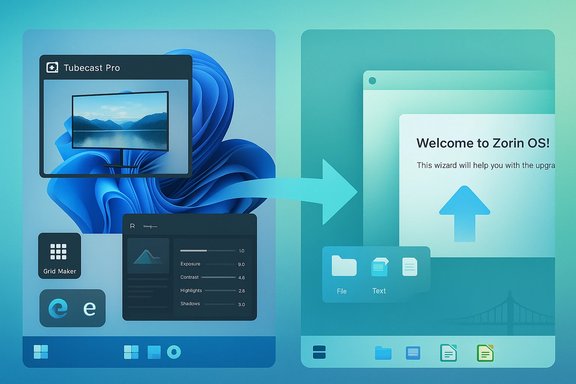
This week’s tech roundups landed at two predictable but important intersections: a compact BetaNews sweep of practical Microsoft Store finds and platform notes for Windows users, and a high‑profile push from the Linux desktop camp with Zorin OS 16.3 — a release the project pitches as a friendly, Windows‑like alternative that many will find tempting. The pair of stories together encapsulate two currents PC users face today: incremental, low‑risk improvements inside the Windows ecosystem (useful apps, lightweight utilities, and firmware/tooling nudges) and the louder, risk/reward proposition of migrating to an alternative operating system. This feature unpacks both pieces, verifies the load‑bearing technical claims, and lays out a clear, practical verdict for consumers, creators, and IT professionals who are weighing whether to try a new app or attempt a platform migration.
BetaNews’ weekly “Best Windows apps” roundups function as a curated discovery engine: short, capsule reviews that surface one or two headline picks along with several smaller utility and platform notes. The recent editions under review highlight a mix of consumer‑facing apps — notably Tubecast Pro (a native YouTube client) and Polarr Photo Editor (a pro‑grade editor packaged for the Microsoft Store) — plus small productivity utilities and a handful of platform‑level items that matter to administrators (an updated Windows SDK and a Surface Pro 3 UEFI firmware update were both flagged). These lists are intentionally concise: they are discovery leads rather than exhaustive tests, and BetaNews repeatedly advises readers to verify Store pages and test features before broad adoption.
At the same time, the Zorin Group’s announcement of Zorin OS 16.3 is a clearly signaled move to make switching easier for Windows users: it ships the new Zorin OS Upgrader, refreshed core apps (including LibreOffice updates), and a set of quality‑of‑life fixes aimed at improving compatibility and the overall out‑of‑the‑box experience. The upstream release notes and independent coverage confirm that 16.3 is an incremental but meaningful polish to the Zorin 16 series, intended to reduce friction for mainstream Windows migrants.
The practical takeaway is simple: use BetaNews-style roundups to discover small, useful apps and utilities, but treat platform changes and firmware updates as high‑impact operations that demand lab testing. Zorin OS 16.3 makes trying Linux significantly easier for many users, but “switching” remains a project — one worth doing carefully, not impulsively. For anyone who values stability, familiar applications, and enterprise compatibility, the safest path is staged experimentation: test the apps, trial the distro, and only then decide whether a full migration is the right move.
Source: BetaNews https://betanews.com/series/best-wi...3-release-a-superior-alternative-to-windows/]
 Background / Overview
BetaNews’ weekly “Best Windows apps” roundups function as a curated discovery engine: short, capsule reviews that surface one or two headline picks along with several smaller utility and platform notes. The recent editions under review highlight a mix of consumer‑facing apps — notably Tubecast Pro (a native YouTube client) and Polarr Photo Editor (a pro‑grade editor packaged for the Microsoft Store) — plus small productivity utilities and a handful of platform‑level items that matter to administrators (an updated Windows SDK and a Surface Pro 3 UEFI firmware update were both flagged). These lists are intentionally concise: they are discovery leads rather than exhaustive tests, and BetaNews repeatedly advises readers to verify Store pages and test features before broad adoption.At the same time, the Zorin Group’s announcement of Zorin OS 16.3 is a clearly signaled move to make switching easier for Windows users: it ships the new Zorin OS Upgrader, refreshed core apps (including LibreOffice updates), and a set of quality‑of‑life fixes aimed at improving compatibility and the overall out‑of‑the‑box experience. The upstream release notes and independent coverage confirm that 16.3 is an incremental but meaningful polish to the Zorin 16 series, intended to reduce friction for mainstream Windows migrants.
What BetaNews actually reported — the facts, verified
Headline picks and practical takeaways
BetaNews’ recent issues named two standout Store apps across the editions under review:- Tubecast Pro — highlighted as “App of the Week” for bundling broad casting support (Chromecast, AirPlay, DLNA and some consoles), background audio playback, offline downloads where permitted, and multi‑quality streaming. The app has a long presence across Windows platforms and a changelog that documents sustained casting support and codec/feature fixes. External coverage and the developer’s own changelog corroborate these capabilities.
- Polarr Photo Editor — featured as the creative pick for providing a compact but deep editing environment with RAW handling, masking tools, extensive presets, and a pro tier that unlocks advanced features like stacked masks and batch export. Polarr’s product pages and established reviews confirm the editor’s pro feature set and Store packaging.
- Grid Maker for Instagram, WinDynamicDesktop, Norton Safe Web (Edge extension) — small, focused utilities with obvious consumer uses. BetaNews frames these as useful discovery items to try in noncritical contexts.
- Platform items: a Windows SDK update aimed at developers and a Surface Pro 3 UEFI firmware update that was referenced with a specific build number in the roundup. The SDK item is the type of release developers should track via Microsoft’s developer channels. The firmware reference is operationally significant for IT teams and should be staged and tested before deployment. BetaNews explicitly warns admins to verify vendor pages and changelogs.
Strengths of the BetaNews roundups
- Signal‑first curation: short, focused reads that surface interesting Store arrivals and a small number of platform updates without noise.
- Actionable, low‑friction leads: most items are easy to try (small downloads, trial tiers, or free apps), making the column useful for quickly discovering productivity or entertainment wins.
- Operational framing for admins: when platform updates are mentioned (SDK drops, firmware/UEFI binaries), BetaNews flags them as high‑priority items for testing and staging rather than immediate rollout.
Important caveats and verification notes
- Store metadata can be ambiguous. App names and SKUs often collide; publisher metadata and exact permissions vary by region and over time. BetaNews’ brief format cannot substitute for checking the Store entry and release notes yourself.
- Third‑party media clients rely on upstream APIs. Casting features, offline behavior, and DRM/codec support can change when platform providers change their policies or APIs. Hands‑on verification is required for high‑resolution playback, DRM content, and offline saves.
- Firmware and UEFI specifics require caution. The roundup referenced a Surface Pro 3 UEFI build number in the text; independent Microsoft update histories show many UEFI versions across years, and the exact version string BetaNews quoted (see the original roundup) could not be robustly verified in public Microsoft documentation at the same specificity during review. Treat that particular numeric claim as operationally noteworthy but technically fragile — verify the exact build and changelog on Microsoft’s official Surface update pages before installing.
Zorin OS 16.3: what it is, and what the claims mean
The release — verified highlights
Zorin OS 16.3 is an incremental update in the Zorin 16 series that focuses on the following practical improvements:- Zorin OS Upgrader — a central feature of 16.3. It allows in‑place upgrades between Zorin releases and between editions (Core → Pro) without a full reinstall, preserving files and settings. This is a major ease‑of‑migration win for less technical users.
- Updated core apps and toolchain: includes newer LibreOffice builds and refreshed default applications intended to improve Microsoft Office compatibility and reduce post‑install update work.
- Quality‑of‑life and compatibility fixes: translations, updated drivers (notably NVIDIA packaging in earlier point releases), improved hardware support, and tweaks to Zorin Connect for better cross‑device integration.
The headline claim: “you should switch from Microsoft Windows 11 immediately”
The BetaNews headline the user provided frames Zorin 16.3 as a call to immediate migration away from Windows 11. That is an editorial stance rather than a purely factual claim, and it deserves unpacking.- Fact: Zorin OS 16.3 materially improves the migration story (Upgrader, updated apps, UI tweaks resembling Windows), lowering the technical barrier for many users. That claim is verifiable via Zorin’s release notes.
- Counterpoint: “Switch immediately” is context dependent. Migration from Windows 11 to Linux is a project, not a one‑click decision. It involves:
- Confirming hardware compatibility (Wi‑Fi, GPU, special peripherals).
- Ensuring critical apps have viable Linux alternatives or reliable Windows‑on‑Linux paths (Wine, Bottles, virtualization).
- Accounting for enterprise requirements (domain join, MDM, licensed software, group policy).
- Backing up and testing user profiles, printers, and cloud sync behavior.
Cross‑checks and independent verification (key claims)
- Zorin OS 16.3 release and Upgrader: confirmed on Zorin’s official blog and reflected in independent Linux news sites that mirror release notes. The Upgrader is a documented new feature for 16.3.
- Polarr Photo Editor capabilities (RAW support, masking, pro tier): verified on Polarr’s official site and reviewed historically by Windows‑focused outlets. The Store packaging and trial/purchase model are confirmed.
- Tubecast Pro casting features: corroborated by the app’s changelog and long‑running coverage — Tubecast historically supported Chromecast, DLNA, AirPlay and a range of casting targets, plus offline downloads and background audio in its Pro variants. Expect API‑driven fragility though (YouTube API changes have periodically broken third‑party clients).
- Surface Pro 3 UEFI firmware specifics: BetaNews flagged a UEFI binary and a numeric version in its roundup; Microsoft’s update history and independent trackers show multiple UEFI versions across years, but locating that exact numeric string in authoritative Microsoft KB pages was inconclusive during verification. Treat the specific version number as requiring confirmation on Microsoft’s Surface update pages before acting.
Critical analysis — strengths, risks and practical guidance
The positives: why each story matters
- BetaNews’ weekly app roundups deliver high‑signal discovery. Users find practical picks (media players, editors, niche utilities) they can try with low friction. The format excels at surfacing small wins — apps that improve day‑to‑day productivity or add convenience.
- Zorin OS 16.3 is an example of matured Linux desktop engineering: real upgrade tooling, better default apps, and a Windows‑familiar UI lower the entry cost for non‑technical users. The Upgrader is a pragmatic improvement that addresses a major migration friction point.
- For power users and IT pros, the combination is instructive: conservative experimentation with new apps (try‑and‑verify) and measured platform evaluation (lab tests, hardware checks) is the safest way to extract value while controlling risk.
The risks and potential downsides
- Third‑party app fragility. Media clients that rely on online APIs (YouTube, streaming services) can break or lose features when upstream providers change policies or protocols. Tubecast Pro’s casting and download features may change over time; don’t rely on a single third‑party client for critical workflows.
- Firmware and UEFI updates are high‑risk. An incorrect or misapplied UEFI/firmware update can break boot chains, management tooling, or security profiles. Always stage firmware updates in a test lab and confirm the vendor changelog precisely. BetaNews flagged a Surface Pro 3 UEFI update, but that particular numeric claim should be validated on Microsoft’s official download/update history before any rollout.
- Platform migration complexity. Zorin OS 16.3 smooths the upgrade path inside Zorin, but migrating entire workflows from Windows 11 to Linux involves validation for:
- Licensed, proprietary software (DAWs, Adobe CC, niche CAD or enterprise applications).
- Peripherals and drivers (special printers, scanner TWAIN drivers, proprietary USB devices).
- Enterprise integrations (Active Directory, MDM, VPN clients, custom sign‑on tooling).
Practical checklists and step‑by‑step guidance
If you want to try the BetaNews apps (fast test plan)
- Identify the use case: media playback, photo editing, social posting, or diagnostics.
- On a noncritical machine or VM, install the app from the Microsoft Store and confirm publisher metadata.
- Test core features with real content:
- For Tubecast Pro: confirm casting to your devices, background audio, and offline save behavior with the content types you use.
- For Polarr: import sample RAW files, test masks and batch export fidelity.
- Confirm privacy and update cadence: check the app’s privacy policy and last update date.
- If the app will be used in production or on shared machines, pilot with a small user cohort and collect feedback for two weeks.
If you’re exploring Zorin OS 16.3 as a Windows replacement
- Preparation (before you touch production hardware)
- Back up everything: images, profiles, cloud sync settings and a full system image.
- Inventory critical apps and drivers: flag any that lack Linux-native alternatives.
- Assemble a test machine or a spare laptop for a 1–2 week trial.
- Migration steps (safe path)
- Create a live USB and boot Zorin 16.3 in live mode to test hardware support (Wi‑Fi, Bluetooth, GPU, touchscreen).
- Install on a spare machine or perform a dual‑boot to retain Windows while you test.
- Use the Zorin OS Upgrader path only after confirming app and peripheral functionality in the live session.
- After a successful dual‑boot trial, consider a full migration on a machine with no critical Windows‑only dependencies.
- Enterprise considerations
- Discuss MDM and patching strategies with IT leadership; Linux desktops often require different management tooling.
- Validate licensing and compliance for any audited software.
- Pilot a small group (5–10 users) across a representative slice of workflows before a broader rollout.
Final verdict — what readers should take away
- BetaNews’ weekly roundups are valuable for practical discovery: try small, low‑risk apps (Polarr, Tubecast Pro, dynamic wallpaper utilities) in noncritical contexts and use the short list as a discovery map, not a deployment checklist. Verify Store SKUs, publisher metadata, and test key features before any production use.
- Zorin OS 16.3 is a legitimately improved Linux desktop release. The Zorin OS Upgrader and updated core apps materially reduce the friction of trying Linux for users who primarily use mainstream web apps, office suites and consumer‑grade creative tools. For hobbyists, students, and many knowledge workers, a trial on spare hardware or as a dual‑boot is now easier and more attractive than ever. However, the entreaty to “switch immediately” is too reductive for most users; migration requires planning, backups and hardware/software verification.
- For administrators, the actionable advice remains unchanged: stage and test. Firmware/UEFI binaries and SDK drops mentioned in app roundups should be validated against official vendor changelogs and applied in a controlled lab before broad rollout. Where BetaNews flags operational items, follow up directly with vendor pages and official downloads for exact version numbers and security notes.
Quick reference — verified links between the reporting and the facts
- BetaNews’ weekly “Best Windows apps” format is a curated discovery column that mixes consumer apps and platform notes; treat it as a lead generator and verify each item independently.
- Tubecast Pro’s long‑running feature set (casting, background audio, offline downloads) is corroborated by historical changelogs and contemporary coverage, but API dependence introduces future risk.
- Polarr Photo Editor’s pro features (RAW support, advanced masking, batch export) are documented on Polarr’s site and supported by reviews; the pro tier unlocks advanced functions.
- Zorin OS 16.3’s introduction of the Zorin OS Upgrader and refreshed core apps is confirmed by Zorin’s official release notes and independent Linux news summaries. The Upgrader meaningfully reduces reinstall friction for many users.
- Any firmware/UEFI numeric identifiers mentioned in quick roundups should be confirmed on vendor update pages before deployment; one such numeric claim flagged in the BetaNews roundup could not be conclusively matched to a single Microsoft KB entry during verification and should be treated with caution.
The practical takeaway is simple: use BetaNews-style roundups to discover small, useful apps and utilities, but treat platform changes and firmware updates as high‑impact operations that demand lab testing. Zorin OS 16.3 makes trying Linux significantly easier for many users, but “switching” remains a project — one worth doing carefully, not impulsively. For anyone who values stability, familiar applications, and enterprise compatibility, the safest path is staged experimentation: test the apps, trial the distro, and only then decide whether a full migration is the right move.
Source: BetaNews https://betanews.com/series/best-wi...3-release-a-superior-alternative-to-windows/]
