

Millions of Windows 10 users are being urged to act now after security researchers and national incident response teams flagged a pair of escalating threats: a widespread fake browser update campaign delivering remote-access malware and an ongoing stream of high‑severity Windows vulnerabilities that can be chained into full system compromise.
The story has two running threads that intersect: social‑engineering campaigns that trick users into installing malicious software, and platform vulnerabilities that let attackers turn footholds into persistent, high‑privilege access.
Key technical points observable in advisories and patches:
For home users, the single best defensive move is simple: update automatically, be skeptical of in‑page installers, and enable MFA. For enterprises, the imperative is to close the window of exposure through prioritized patching, focused hunt activities, and by teaching employees the one‑line rule: updates come from the vendor, not from sites.
Security incidents of this kind will continue to evolve—threat actors adapt quickly—but the combination of improved detection, rapid patching, and better user habits materially reduces success rates for these campaigns. Stay vigilant, validate warnings against official vendor channels, and treat any unexpected installer as the most likely vector of compromise until proven otherwise.
Conclusion
The reports are a timely reminder that the weakest link in modern IT is often the intersection of human trust and unpatched software. The remedy is not glamorous: rigorous patching, sensible defaults, layered detection, and simple user rules—applied consistently—will blunt the most effective malicious campaigns today and reduce the risk of an ordinary Windows 10 machine becoming an attacker’s beachhead.
Source: Inbox.lv News feed at Inbox.lv -
 Background
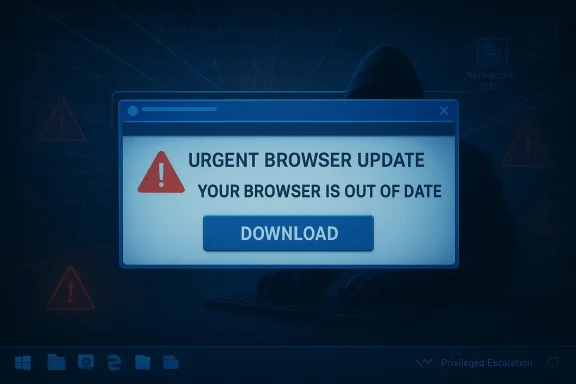
The story has two running threads that intersect: social‑engineering campaigns that trick users into installing malicious software, and platform vulnerabilities that let attackers turn footholds into persistent, high‑privilege access.- On the social‑engineering front, multiple researchers observed adversaries injecting malicious JavaScript into otherwise legitimate websites to display faux "browser update" prompts. When clicked, those prompts download a remote access trojan (NetSupport RAT) and, in recent incidents, a secondary credential‑stealing payload known as StealC. This campaign has been described in incident reports and press coverage as active and convincing enough to defeat casual defenses.
- On the vulnerability side, national Computer Emergency Response Teams (including CERT‑In) and commercial researchers continue to publish advisories about Windows kernel and component privilege‑escalation flaws and other high‑severity bugs that affect multiple supported Windows 10 builds. Those advisories consistently stress that unpatched systems remain susceptible to local and remote escalation paths that attackers can combine with social‑engineering lures.
Anatomy of the fake‑update campaign
How the lure works
Attackers begin by getting user traffic to a compromised or maliciously configured site (phishing links, malvertising, and redirected ad flows are common delivery methods). On page load, injected JavaScript presents a modal or full‑screen prompt that looks like a browser or component update. The text typically claims an urgent security issue and offers a download button—exactly the behavior most users have been trained to accept for trusted updates.The payload chain
Once a user clicks the fake prompt, the chain commonly observed in recent incidents is:- A staged downloader is fetched (often via obfuscated JavaScript or a long Base64 blob).
- The downloader persists an executable or uses DLL side‑loading / fileless PowerShell to load a payload in memory.
- NetSupport RAT (a feature‑rich remote access tool widely abused by adversaries) is installed to provide remote control and further payload fetch capability.
- NetSupport then pulls a secondary credential‑stealer (reported as StealC in multiple investigations), which harvests saved passwords, session cookies and other secrets.
Why it’s effective
- The UI mimicry is convincing: attackers re‑use logos, modal styling, and language to simulate legitimate browser or plugin update prompts.
- Many users assume “updates are good” and that browsers will never ask for manual installers; attackers weaponize that trust and urgency.
- The combination of obfuscation, redirection infrastructure, and fileless techniques reduces detection by signature‑based tools.
The Windows vulnerability angle (why an infected Windows 10 becomes a disaster)
Recent advisories—from national CERTs and independent researchers—highlight multiple privilege‑escalation and code‑execution flaws affecting Windows components and the kernel. These vulnerabilities are valuable because they let attackers turn a non‑privileged foothold into SYSTEM access, install kernel drivers, tamper with security controls, and hide persistent components.Key technical points observable in advisories and patches:
- Several advisories describe use‑after‑free and race conditions in kernel components or graphics drivers that permit local privilege escalation when paired with arbitrary code execution. Patches typically require cumulative updates and sometimes specific build‑level fixes.
- Some Windows updates that patch privilege escalation flaws have had side effects in enterprise environments (for example, stricter User Account Control behavior causing unexpected prompts in specific scenarios), illustrating that patching can be operationally disruptive but remains essential for security. Enterprises should plan for testing and staged rollouts.
- CERT‑style advisories routinely list affected builds and provide CVE identifiers; those CVEs are the coordinates defenders use to validate whether a host is vulnerable. If a CVE is disclosed and actively exploited, it is treated as a high‑priority remediation item.
What researchers and responders are recommending
Researchers and vendors are converging on several concrete mitigations, many of which are practical for both home users and enterprises:- Do not accept or run browser‑style update installers from webpages. Use the browser’s built‑in update mechanism or the official vendor UI. Keep browsers set to auto‑update.
- Apply Windows updates and vendor patches immediately—test in staging for enterprises, but prioritize security updates when CVEs are known to be exploited.
- Harden scripting environments (restrict PowerShell execution policies, enable ScriptBlock logging and AMSI where possible) to detect or block fileless loaders.
- Monitor for anomalous process relationships: suspicious processes spawning network connections, mfpmp.exe or other legitimate processes behaving unusually, and unexpected writes to %APPDATA% or registry run keys.
- Block known malicious domains and redirect chains at the DNS or proxy level using threat‑intelligence feeds.
Step‑by‑step remediation for Windows 10 home users (do this now)
- Close any browser windows showing an unsolicited "update" modal and do not click the prompt.
- Reboot the system, then open your browser and use its built‑in update function (Settings → About or Help → About). Allow the browser to update and restart. If the browser reports that it is up to date, that is further evidence the popup was malicious.
- Run a full scan with an up‑to‑date antivirus/antimalware product. Where possible, use an EDR or second‑opinion scanner that catches behavioral indicators.
- Check Task Manager and Autoruns for unknown processes and persistent entries; remove anything suspicious only after documenting indicators and, if needed, consulting a professional.
- Change critical passwords (email, banking) from a clean device if you suspect credential theft; enable multifactor authentication (MFA) on all supported accounts.
Enterprise guidance: containment, detection, and long‑term resilience
Enterprises must treat this as a combined people + platform problem. Tactical measures:- Patch management: prioritize CVEs flagged as actively exploited and push cumulative Windows updates across staging and production with rollback plans and Known Issue Rollback (KIR) where available.
- Network restrictions: block known malicious domains and certificate‑pin suspicious redirect chains at the web proxy and DNS level. Feed the proxy with IOCs published by Unit 42 and other intelligence providers.
- Endpoint detection: deploy or tune EDR signatures to detect NetSupport RAT activity, abnormal parent/child process relationships, DLL side‑loading patterns, and PowerShell script anomalies.
- User training: run phishing simulations and targeted awareness about never downloading executables from web popups claiming to be browser or plugin updates. Teach the rule: updates come from vendor UI, not site popups.
- Incident response playbooks: define steps for isolating an infected host, credential rotation, forensic collection, and legal/communications escalation. Capture evidence early—NetSupport RAT and similar tools are known to remove artifacts that complicate attribution.
Detection recipes defenders can implement now
- Create EDR rules that look for:
- Obfuscated JavaScript downloads with long Base64 strings or large eval‑style constructs.
- Browser‑spawned downloaders writing to %APPDATA%, %TEMP% with subsequent network connections.
- mspm.exe / msmpeng.exe (or other legitimate processes) spawning unsigned child modules or processes that make outbound network connections.
- SIEM alerts:
- Unusual PowerShell command lines (encoded commands, Invoke‑Expression) and new persistence entry creations.
- Outgoing connections to newly registered or low‑reputation domains shortly after a web session.
- Network controls:
- Block the domains and URLs associated with the redirect chains listed by active threat reports; route suspect traffic to a sinkhole for analysis.
Critical analysis: strengths, weaknesses, and unanswered questions
Strengths of current defenses and responses
- Researchers and vendors are publishing timely IOCs and behavioral indicators; Unit 42’s detailed telemetry and subsequent press coverage have given defenders concrete signals to block and detect the campaign.
- Browsers’ automatic update mechanisms remain a strong line of defense for users who let them run; the attackers largely rely on tricking people into bypassing these mechanisms.
- EDR and modern detection tools can identify unusual parent/child relationships and script behaviors that static AV may miss.
Risks and gaps
- Human factors are the primary weakness: realistic UI mimicry and social pressure (urgent wording) still succeed with alarming regularity, particularly for nontechnical users.
- The attack chain leverages fileless and DLL side‑loading techniques that can bypass signature‑based scanners and complicate cleanup. Furthermore, RATs like NetSupport have legitimate business uses, which can blind defenders relying on simple allow/deny lists.
- Patch deployment remains inconsistent across organizations and home users; advisory notices are useful, but operational constraints and concerns about update side effects delay remediation. That delay creates a window for exploitation.
Unverified assertions and cautionary notes
- While multiple reports document NetSupport RAT and StealC in observed campaigns, exact infection counts, actor attribution, and full long‑term impact remain partially opaque; public reporting often lacks comprehensive telemetry for scale estimates. Treat any claim about "millions infected" or similar wide totals as unverified unless backed by shared telemetry.
- Some vendor blogs or marketing posts conflating detection guidance with product promotion should be read critically; however, independent threat‑intel teams and reputable outlets (Unit 42, mainstream security reporting) provide the most defensible technical detail.
Practical checklist: what to do in the next 24–72 hours
- For all users:
- Verify Windows Update is enabled and install any pending OS and browser updates.
- Do not click on in‑page "update" popups; instead, update via the browser or application menu.
- Run a full antimalware scan and a second‑opinion scanner if available; reset critical passwords from a known‑clean device if compromise is suspected.
- For small‑to‑medium IT teams:
- Patch exposed Windows builds per vendor advisories, prioritize CVEs that are publicly disclosed or actively exploited.
- Add DNS/proxy blocks for domains associated with recent campaigns and tune web filters to flag unusual redirect behavior.
- Push a brief awareness note to staff: “Do not install updates from web popups—use browser menus.”
- For large enterprises and MSPs:
- Run targeted hunts for NetSupport RAT indicators and the StealC credential exfiltration patterns; stage remediation playbooks and credential resets for high‑value accounts.
- Coordinate with threat‑intelligence providers and apply domain/IP blocks at scale; consider blocking anonymous document hosts and newly registered domains by policy.
Why this matters beyond an individual machine
A successful compromise of a single Windows 10 endpoint can quickly escalate into a broader incident: stolen credentials lead to lateral movement, remote access tools enable data exfiltration, and privilege escalation bugs let attackers move from user context to full system control. In mixed environments with shared services, file shares, and weak segmentation, the time from initial click to enterprise‑wide breach can be measured in hours. The combined presence of convincing social engineering and unpatched OS weaknesses makes rapid response and layered defenses essential.Final assessment and recommendations
The immediate danger is real but manageable with coordinated action: do not click web popups that claim to be browser or component updates; patch Windows and browsers promptly; harden scripting controls and endpoint telemetry; and treat any suspicious install or unexplained remote‑access connection as a high‑priority incident.For home users, the single best defensive move is simple: update automatically, be skeptical of in‑page installers, and enable MFA. For enterprises, the imperative is to close the window of exposure through prioritized patching, focused hunt activities, and by teaching employees the one‑line rule: updates come from the vendor, not from sites.
Security incidents of this kind will continue to evolve—threat actors adapt quickly—but the combination of improved detection, rapid patching, and better user habits materially reduces success rates for these campaigns. Stay vigilant, validate warnings against official vendor channels, and treat any unexpected installer as the most likely vector of compromise until proven otherwise.
Conclusion
The reports are a timely reminder that the weakest link in modern IT is often the intersection of human trust and unpatched software. The remedy is not glamorous: rigorous patching, sensible defaults, layered detection, and simple user rules—applied consistently—will blunt the most effective malicious campaigns today and reduce the risk of an ordinary Windows 10 machine becoming an attacker’s beachhead.
Source: Inbox.lv News feed at Inbox.lv -
