
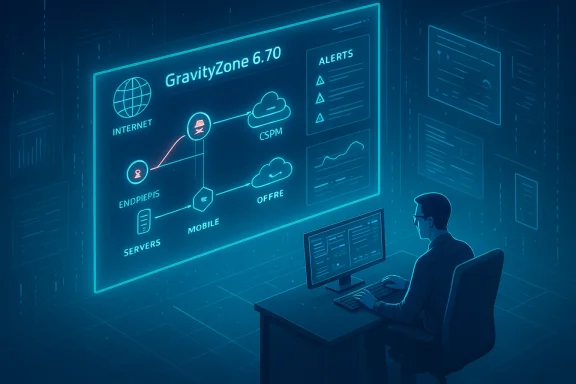
Bitdefender’s February 2026 GravityZone release (v6.70) is a dense, operationally focused update that layers new detection, investigation, and attack-surface reduction capabilities on top of an already broad XDR and risk-management platform. The release introduces a proactive Breach Path visualization (controlled availability), substantive usability and policy refinements to PHASR (Proactive Hardening and Attack Surface Reduction), deeper EASM configuration, bulk-remediation for Microsoft 365 mail via the Office 365 Sensor, a redesigned Organizational Incident Graph with richer contextual actions, clearer KSPM cluster visibility, partner-focused MDR enrollment simplifications, an expanded Integrations hub, meaningful Incidents API extensions, and an optional paid add‑on to continue core protection on legacy Windows platforms. These changes are clearly aimed at shortening analyst MTTR, reducing administrative friction, and moving more remediation actions into a single console.
Bitdefender GravityZone has steadily evolved into a unified prevention‑detection‑response platform that blends endpoint telemetry, cloud posture signals, and extended detection capabilities. The v6.70 update continues that trajectory: the emphasis is on converging telemetry (endpoints, CSPM/EASM, email) into attacker-centric views and automated remediation actions, while giving SOC teams faster ways to act from investigation artifacts rather than bouncing between vendor portals. The release notes and feature descriptions in the vendor announcement provide the canonical list of additions and UX changes introduced in February 2026.
Why this matters: attacker‑centric path analysis reduces noisy, low‑impact ticket churn by highlighting the small set of fixes that cut off realistic lateral movement. For organizations running hybrid workloads (endpoints + cloud) that combination is increasingly valuable—attackers routinely chain an exposed internet asset to a misconfigured identity or endpoint control to reach high-value targets.
Operational caveat: Breach Path is new and initially controlled — expect gradual expansion of data sources (Bitdefender indicates plans for EASM and other signals) and a typical tuning period where the team must validate correlations and prioritize remediation based on business context rather than raw scoring.
Operational tip: ensure the domains you register are the correct authority for your public assets and that any owned subsidiary or acquired domains are included in your scan scope to limit orphaned asset noise.
Security note: bulk deletion is powerful but must be used with clear change control and audit trails; false positives in similarity matching can cause loss of legitimate user data if used indiscriminately. GravityZone’s additions to the API (see below) enable programmatic control and status reporting to support safe automation.
Security teams confronted with polyglot clusters and ephemeral workloads should pair these visibility improvements with automated remediation playbooks and runtime controls; posture fixes alone do not prevent exploitation of workloads that are already running.
Context and verification: Microsoft’s lifecycle pages confirm the core end‑of‑support timelines that make such an add‑on relevant—Windows 8.1 reached end of support on January 10, 2023, and Windows Server lifecycle pages record Extended End Dates for older server SKUs (for example, Windows Server 2008 R2’s Extended End Date was January 14, 2020, although ESU programs and special commercial arrangements created longer paid lifelines in some enterprise cases). These official Microsoft lifecycle entries explain why third‑party extended‑support add‑ons and migration bridges remain a business need.
Industry note: some server SKUs received multi‑year commercial extensions (ESU, Premium Assurance) under specific licensing programs; recent reporting also highlights final contract expirations for very old SKUs in 2026, adding nuance to statements about “official support.” Administrators should align their remediation and compliance documentation to exact lifecycle dates for each SKU in their environment.
However, the very features that accelerate remediation also raise operational risk if deployed without governance: bulk email deletion, behavioral blocking, and automated exception changes require disciplined staging, logging, and legal controls. The legacy Windows add‑on is useful as a bridge, but organizations should treat it as a temporary mitigation while executing a firm migration plan aligned with Microsoft lifecycle timelines.
Bitdefender’s v6.70 release is a pragmatic, analyst-first update that brings several key remediation capabilities closer to the point of detection. When thoughtfully deployed, these features will measurably reduce MTTR and improve SOC efficiency; when used without careful governance, they could increase operational risk. The sensible approach is staged adoption: pilot the strongest features, harden API and governance, and adopt Breach Path and PHASR as risk‑prioritization tools rather than blunt enforcement levers. The result should be a leaner, faster SOC that can close attack paths before adversaries exploit them—a tangible improvement in modern threat defense.
Source: Bitdefender https://www.bitdefender.com/en-gb/blog/businessinsights/whats-new-gravityzone-february-2026/
 Background
Bitdefender GravityZone has steadily evolved into a unified prevention‑detection‑response platform that blends endpoint telemetry, cloud posture signals, and extended detection capabilities. The v6.70 update continues that trajectory: the emphasis is on converging telemetry (endpoints, CSPM/EASM, email) into attacker-centric views and automated remediation actions, while giving SOC teams faster ways to act from investigation artifacts rather than bouncing between vendor portals. The release notes and feature descriptions in the vendor announcement provide the canonical list of additions and UX changes introduced in February 2026. What’s new for security analysts
Breach Path (Controlled Availability)
Breach Path is a notable strategic addition: it correlates endpoint findings with Cloud Security Posture Management (CSPM) signals to build a visual model of potential attacker paths through an environment. Initially gated as Controlled Availability, the feature is intended to help teams identify the most exploitable chains of vulnerability + misconfiguration that could yield compromise, and to prioritize mitigations accordingly. This attacker-path view is surfaced in Risk Management and aims to shift remediation from single-item triage to path-based disruption.Why this matters: attacker‑centric path analysis reduces noisy, low‑impact ticket churn by highlighting the small set of fixes that cut off realistic lateral movement. For organizations running hybrid workloads (endpoints + cloud) that combination is increasingly valuable—attackers routinely chain an exposed internet asset to a misconfigured identity or endpoint control to reach high-value targets.
Operational caveat: Breach Path is new and initially controlled — expect gradual expansion of data sources (Bitdefender indicates plans for EASM and other signals) and a typical tuning period where the team must validate correlations and prioritize remediation based on business context rather than raw scoring.
PHASR Dashboard and Management Enhancements
PHASR (Proactive Hardening and Attack Surface Reduction) receives a set of usability and reliability updates that are small in isolation but important in aggregate: a dynamic UI that progressively loads list items during vertical resizing, behavioral side panels that reflect selected categories/restriction sources, Smart Views on monitored rules, and health reporting that aligns PHASR module state in the Health Dashboard with endpoint status. These changes reduce context switching for analysts and make it easier to confirm that enforcement state matches console-reported state.- Benefits: faster validation loops, clearer debugging when rules don’t apply, and faster triage for LOTL (Living‑Off‑The‑Land) patterns.
- Watchouts: behavioral blocking needs careful phase‑in to avoid productivity breaks; use monitored mode and Smart Views to validate before enforcing.
EASM Configuration Enhancements
The External Attack Surface Management (EASM) settings are extended so organizations can register up to five primary top-level domains and optionally add an Organization name to improve attribution of discovered assets. This is a practical change: better attribution reduces false positives and helps correlate disparate internet-facing assets back to a company, which is essential for tidy attack-surface inventories.Operational tip: ensure the domains you register are the correct authority for your public assets and that any owned subsidiary or acquired domains are included in your scan scope to limit orphaned asset noise.
Office 365 Sensor — Delete similar emails (bulk remediation)
The GravityZone Office 365 Sensor now supports a console-initiated “Delete similar emails” remediation directly from an email incident’s graph. That means analysts can remove all email copies matching an incident’s similarity hash (or specific mail IDs) across mailboxes from within GravityZone—reducing need to pivot to Microsoft Defender or do manual mailbox hunting. This capability reduces MTTR for phishing and spam campaigns and centralizes response workflows.Security note: bulk deletion is powerful but must be used with clear change control and audit trails; false positives in similarity matching can cause loss of legitimate user data if used indiscriminately. GravityZone’s additions to the API (see below) enable programmatic control and status reporting to support safe automation.
Enhanced Incident Investigation: Redesigned Organizational Incident Graph
The Incident Graph redesign is the release’s biggest UX upgrade for analysts. The changes include:- A reorganized node details panel (General, new Detected on field).
- Aggregated infrastructure details for endpoints/servers (IPs/MACs).
- Alerts grouped by severity by default, with a Group selector to reorganize by timeline, kill chain phase, sensor, or incident ID.
- Search box for instant filtering, zoom controls, zoom-level indicator, Reset zoom button, and direct node linking to share context with teammates.
- A single unified Response actions menu offering Mitigation & Remediation, Investigation & Containment, and Hardening & Refinement actions, including on‑node Risk scans, Patch scans, IOC scans, and Malware scans.
- Contextual pivots: VirusTotal/Bitdefender IntelliZone lookups, Add IP/URL as exception to Network Protection policy, and View risks linking to Risk Management. Historical Search queries can be auto‑built from alert context and opened in a new tab.
KSPM (Kubernetes Security Posture Management) updates
KSPM receives navigational improvements that make cluster topology more explicit inside the Risk Management console: administrators can now view node counts and node names from the Network page for a selected cluster. This small but practical change speeds cluster-level triage and aligns KSPM views with how platform teams reason about Kubernetes resources.Security teams confronted with polyglot clusters and ephemeral workloads should pair these visibility improvements with automated remediation playbooks and runtime controls; posture fixes alone do not prevent exploitation of workloads that are already running.
MDR enrollment and partner management improvements
Bitdefender’s MDR enrollment flow was simplified for MSPs and Distributors. The Contact details for MDR form was redesigned, MSPs can enroll without having MDR enabled for resale to fill out contact details, and monthly subscription management ordering constraints were relaxed. Distributors can now enroll and manage customers within their management hierarchy from the MDR portal. These changes are partner‑facing but have operational significance: they reduce onboarding friction and administrative back‑and‑forth, which accelerates time-to-protection for customers using Bitdefender’s managed service.What’s new for administrators
Integrations hub expansion
The Integrations hub grows by 25 new cards, with individual XDR sensor cards and a broad set of Mobile Security MDM integration cards (Microsoft Intune, Ivanti, VMware Workspace ONE, Jamf, IBM MaaS360, BlackBerry, Citrix, SOTI MobiControl, and more). Each card serves as a launching point into the corresponding configuration path, reducing discovery time when expanding detection telemetry across devices and mobile fleets. This catalog approach reduces admin friction when adding sensors or MDM connectors and acts as a single-pane-of-glass starting point for integrations.API Enhancements (Incidents and Push Notifications)
The Incidents API now supports several operationally meaningful extensions:- createCustomRule with a targets parameter to scope rules to companies programmatically.
- getCustomRulesList returns targets.
- updateCustomRule allows editing by Rule ID.
- takeRequestAccessAction for bulk allow/deny of Request Access recommendations with per-item status.
- getSimilarEmails to retrieve similar emails for a given mail item.
- createResponseAction now supports Delete similar emails action for Microsoft 365 with actionType and targets.
- getResponseActionStatus returns an outcome attribute to indicate deletion success/failure per mail item.
- Push Notifications: new incident_number parameter in new-incident event for improved external correlation.
GravityZone support for Windows legacy versions (paid add-on)
Recognizing that many organizations still operate legacy Windows servers and desktops, Bitdefender now offers an optional paid add‑on to provide continued core protection and limited management for legacy platforms such as Windows 7, Windows 8, Windows 8.1, Windows Server 2008 R2, and Windows Server 2012/2012 R2. The vendor frames this as a migration bridge to let organizations harden and phase out unsupported systems without losing basic endpoint protections in the interim.Context and verification: Microsoft’s lifecycle pages confirm the core end‑of‑support timelines that make such an add‑on relevant—Windows 8.1 reached end of support on January 10, 2023, and Windows Server lifecycle pages record Extended End Dates for older server SKUs (for example, Windows Server 2008 R2’s Extended End Date was January 14, 2020, although ESU programs and special commercial arrangements created longer paid lifelines in some enterprise cases). These official Microsoft lifecycle entries explain why third‑party extended‑support add‑ons and migration bridges remain a business need.
Industry note: some server SKUs received multi‑year commercial extensions (ESU, Premium Assurance) under specific licensing programs; recent reporting also highlights final contract expirations for very old SKUs in 2026, adding nuance to statements about “official support.” Administrators should align their remediation and compliance documentation to exact lifecycle dates for each SKU in their environment.
Critical analysis — strengths, tradeoffs, and risks
Strengths: consolidation, faster remediation, and analyst ergonomics
- The strongest theme of v6.70 is consolidation: Bitdefender moves more investigative context and remediation capability into GravityZone (email deletion, on‑node scans, exception management), helping SOCs avoid portal-hopping.
- The Incident Graph redesign and contextual pivots (VirusTotal/IntelliZone) are particularly valuable for small to mid-sized SOCs that lack deep tooling integrations today.
- API improvements enable mature automation and managed-service scale by allowing programmatic rule scoping, bulk request handling, and action status reporting.
- EASM attribution improvements and Breach Path (attacker-path visualization) reflect a modern, risk-based approach to remediation prioritization that aligns with attacker TTPs.
Tradeoffs and operational risks
- Complexity and change management: introducing powerful console-initiated deletions, automated response actions, and behavioral blocking increases blast-radius risk if policies are misconfigured or similarity algorithms misclassify content.
- False positives and business disruption: PHASR behavioral blocks and bulk email deletions are effective but can disrupt users or delete legitimate mail. Rigorous staging in monitored mode, fine-grained test scopes, and staged enforcement are critical.
- Data residency and compliance: deleting emails or making bulk changes in mailboxes has regulatory and legal implications in certain jurisdictions. Governance workflows and legal holds must be integrated into response runbooks before enabling bulk remediation features.
- Attribution and mapping accuracy: Breach Path depends on accurate correlation of CSPM and endpoint signals. In immature telemetry environments, path models can over- or under-estimate risk; teams should validate prioritized paths with business owners before sweeping remediation.
Security and supply-chain considerations
- API automation reduces manual toil but increases the need for secure API credentials, granular API scopes, and hardened automation principals. Treat API clients like privileged identities: rotate keys, apply least privilege, and monitor for abnormal use.
- Legacy support add‑ons are pragmatic but should not become a permanent compliance crutch. Unsupported OSes increase risk and can complicate incident response; organizations should document compensating controls, segmentation, and migration timelines if they purchase an add‑on. Microsoft lifecycle documents and external coverage make clear that unsupported OSes lack mainstream security updates and present compliance exposure.
Practical recommendations for adoption
- Inventory and staging
- Start with a cleaning pass: inventory endpoints, mailboxes, and cloud assets that will be impacted by PHASR, Office 365 sensor deletions, and Breach Path remediation.
- Put PHASR rules into monitored mode and use Smart Views to validate before enforcement. Use small pilot groups to confirm functional and business impact.
- Define governance & approval workflows
- Establish an emergency response workflow that includes Legal/Compliance signoff for bulk-deletion actions and formal audit trails for any mailbox removals.
- Use the Incidents API’s getResponseActionStatus outcome field to build automatic evidence packages for compliance and ticketing systems.
- Harden API automation
- Create dedicated, scoped service accounts for API use, enable multi‑factor authentication for admin access, and monitor API key usage. Leverage the new push notification incident_number to correlate external systems reliably.
- Validate Breach Path outcomes
- Use the Breach Path visualizations as a prioritization input, not a single source of truth; validate high-risk paths with asset owners and run controlled risk scans and patching before enforcing network-level blocks.
- Plan legacy OS migration
- If the GravityZone legacy add‑on is purchased, document the timeline and compensating controls (network segmentation, intrusion detection, limited admin rights). Pair the add‑on purchase with a firm migration schedule to modern OSes; do not rely on the add‑on as a forever solution. Cross-check Microsoft lifecycle dates for your specific SKUs to satisfy auditors.
Recommendations for partners and MSPs
- Use the simplified MDR enrollment flows to accelerate customer onboarding, but retain strict customer scoping and role separation to avoid accidental cross-customer actions.
- Integrate the new Incidents API methods into PSA/ticketing workflows to minimize manual triage: for example, automatically open a ticket when takeRequestAccessAction returns failure codes or when getResponseActionStatus returns partial outcomes requiring manual remediation.
- For MSPs managing many tenants, treat the createCustomRule targets parameter and getCustomRulesList targets return as a governance tool: ensure custom rules are auditable and that rule lifecycle workflows are enforced programmatically.
Final verdict
Bitdefender GravityZone v6.70 is a strong release for organizations that want to centralize detection-to-remediation flows and reduce SOC friction. The combination of Breach Path, enhanced PHASR ergonomics, EASM attribution, in-console bulk email remediation, and a redesigned Incident Graph materially reduces the time and clicks between identifying a suspicious chain and taking corrective action. API enhancements and integration catalog expansion reinforce GravityZone’s utility for MSPs and automation-first SOCs.However, the very features that accelerate remediation also raise operational risk if deployed without governance: bulk email deletion, behavioral blocking, and automated exception changes require disciplined staging, logging, and legal controls. The legacy Windows add‑on is useful as a bridge, but organizations should treat it as a temporary mitigation while executing a firm migration plan aligned with Microsoft lifecycle timelines.
Quick adoption checklist (operational playbook)
- Inventory: Confirm list of top-level domains, mailboxes, endpoints, cloud assets.
- Pilot: Enable PHASR in monitored mode for a small cohort; test Delete similar emails in a controlled incident.
- Governance: Create approval flow for bulk deletions and maintain legal holds.
- Automation: Configure API clients with least privilege; test createResponseAction and getResponseActionStatus workflows.
- Validation: Use Breach Path to prioritize fixes, but validate with owners before network/patch enforcement.
- Migration: If using the legacy Windows add‑on, publish a timeline and compensating controls to auditors.
Bitdefender’s v6.70 release is a pragmatic, analyst-first update that brings several key remediation capabilities closer to the point of detection. When thoughtfully deployed, these features will measurably reduce MTTR and improve SOC efficiency; when used without careful governance, they could increase operational risk. The sensible approach is staged adoption: pilot the strongest features, harden API and governance, and adopt Breach Path and PHASR as risk‑prioritization tools rather than blunt enforcement levers. The result should be a leaner, faster SOC that can close attack paths before adversaries exploit them—a tangible improvement in modern threat defense.
Source: Bitdefender https://www.bitdefender.com/en-gb/blog/businessinsights/whats-new-gravityzone-february-2026/
