

Microsoft’s decision to turn over BitLocker recovery keys to investigators in a Guam fraud probe has forced a reckoning: the disk‑level encryption built into Windows remains cryptographically strong, but the way keys are managed and backed up turns encryption into a choice between recoverability and true secrecy.
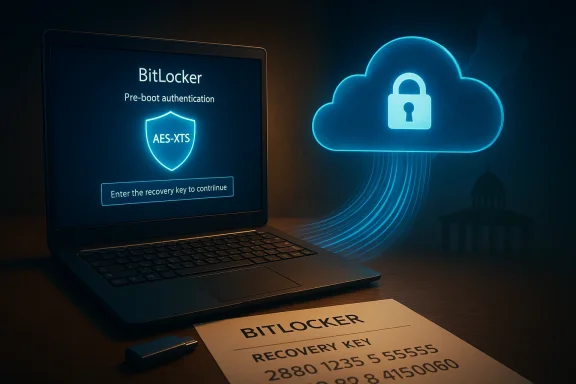
Microsoft’s BitLocker is the default full‑disk encryption technology for many modern Windows devices. It uses industry‑standard AES-based algorithms (XTS‑AES is the contemporary default, with 128‑ and 256‑bit options) and typical deployments rely on a TPM to tie keys to device state. Those cryptographic primitives are sound; the practical weakness isn’t the cipher, it’s where the recovery key ends up.
Last year federal agents seized three laptops in an investigation into alleged Pandemic Unemployment Assistance fraud in Guam. Because the drives were BitLocker‑protected and investigators could not access them via forensic methods, the FBI served a legal request on Microsoft for the devices’ recovery keys. Microsoft produced the keys, investigators decrypted the disks and obtained evidentiary images used in prosecution. Multiple outlets — including Forbes and TechCrunch — reported the disclosure, and local Guam press previously documented the case’s warrants and discovery timeline.
This is the first prominent, public instance where Microsoft has been reported to supply BitLocker recovery keys to law enforcement, but the functional architecture that made that possible has been in place for years: during device setup, recovery keys are frequently backed up automatically to the user’s Microsoft account or, for managed devices, to Entra/Azure AD or Active Directory. That default behavior is a deliberate product choice that optimizes recoverability and supportability at the cost of creating a centralized custody point for keys.
Key legal realities to note:
For the average user the tradeoff may be acceptable — fewer support calls and fewer lost photos. For activists, lawyers, journalists, and anyone whose safety depends on strict secrecy, default cloud escrow is the wrong default. The only meaningful cure is deliberate design and policy change: make choices visible, make high‑privacy paths accessible and simple, and ensure legal and technical safeguards limit the collateral consequences when providers are compelled to produce keys. The balance between recoverability and absolute privacy is not a technological inevitability — it is a product decision that must be made deliberately, transparently, and with the user’s informed consent.
Source: theregister.com Surrender as a service: Microsoft unlocks BitLocker for feds
 Background
Microsoft’s BitLocker is the default full‑disk encryption technology for many modern Windows devices. It uses industry‑standard AES-based algorithms (XTS‑AES is the contemporary default, with 128‑ and 256‑bit options) and typical deployments rely on a TPM to tie keys to device state. Those cryptographic primitives are sound; the practical weakness isn’t the cipher, it’s where the recovery key ends up.Last year federal agents seized three laptops in an investigation into alleged Pandemic Unemployment Assistance fraud in Guam. Because the drives were BitLocker‑protected and investigators could not access them via forensic methods, the FBI served a legal request on Microsoft for the devices’ recovery keys. Microsoft produced the keys, investigators decrypted the disks and obtained evidentiary images used in prosecution. Multiple outlets — including Forbes and TechCrunch — reported the disclosure, and local Guam press previously documented the case’s warrants and discovery timeline.
This is the first prominent, public instance where Microsoft has been reported to supply BitLocker recovery keys to law enforcement, but the functional architecture that made that possible has been in place for years: during device setup, recovery keys are frequently backed up automatically to the user’s Microsoft account or, for managed devices, to Entra/Azure AD or Active Directory. That default behavior is a deliberate product choice that optimizes recoverability and supportability at the cost of creating a centralized custody point for keys.
How BitLocker key backup actually works
Two parts: cryptography vs. key management
BitLocker’s encryption algorithms and platform integration (TPM, pre‑boot auth options) provide strong protection against direct cryptographic attacks on the disk. The Volume Master Key and the encryption algorithms — the hard parts of encryption — remain secure unless the key material is revealed. But BitLocker’s recovery key is a separate protector: possession of that key by itself will decrypt the volume. In short, the cryptography is robust; the key‑escrow model is what matters operationally.Default backup behaviors and where keys go
- Consumer devices that meet automatic device‑encryption criteria commonly back up the BitLocker recovery key to the associated Microsoft account during out‑of‑box setup.
- Managed devices typically escrow keys to the organization’s Entra/Azure AD or legacy Active Directory.
- Users and admins can choose alternatives — print the recovery key, save it to a USB drive, or store it offline — but those options are not the default for many devices.
Technical safeguards you might expect — and what’s actually implemented
- BitLocker supports TPM + PIN, TPM‑only, USB protector, and password‑only modes; adding a pre‑boot PIN raises the bar for attacker access when the device is stolen, but it does not change the fact that a recovery key will unlock the volume if the key is available elsewhere.
- Enterprises can use customer‑managed keys (BYOK) and HSM‑backed key systems for cloud services and configure Active Directory / Azure AD to control key custody and retrieval logging. These options require planning and administrative work; they’re available, but not automatic for consumer setups.
The Guam case: what we can verify and what remains opaque
What is verifiable in public reporting:- Investigators seized three BitLocker‑protected laptops in the Guam investigation and, after technical access failed, the FBI obtained a legal order seeking recovery keys that Microsoft held; Microsoft provided those keys and the drives were decrypted for evidentiary analysis. This sequence is reported in Forbes and corroborated by multiple outlets and local Guam reporting.
- Microsoft publicly acknowledged that it provides BitLocker recovery keys when it has them and receives valid legal process, and the company told reporters it receives roughly two dozen such requests per year on average. That figure and the company statements were reported by Forbes.
- Microsoft’s law‑enforcement guidance continues to state it will not give governments the company’s own master encryption keys or the ability to break encryption, while also noting that Microsoft typically stores customer recovery keys by default and will produce customer data when legally compelled.
- Internal operational details about how recovery keys are encrypted at rest within Microsoft’s systems, the exact chain of custody when a key is produced, and which teams or instruments can access raw keys are not fully transparent in public filings. Those are operational facts companies rarely publish in full. Any claim that Microsoft stores keys “in plaintext” or that keys are trivially accessible without controls should be flagged as an assertion unless supported by internal evidence; reporting to date demonstrates only that keys were retrievable under legal process.
Industry comparisons: Apple, Google, Meta — design choices matter
The Guam episode revived a key differentiation between platform models.- Apple offers Advanced Data Protection for iCloud as an opt‑in, end‑to‑end encryption mode that shifts key custody toward the user and away from Apple for most categories (photos, backups, Notes, etc.). When ADP is enabled Apple says it cannot decrypt most iCloud content. Turning ADP on transfers recovery responsibility to user‑controlled methods such as recovery keys or recovery contacts. Apple’s support pages document those tradeoffs clearly.
- Meta and other services have introduced client‑side encrypted or cryptographically hardened backup options for messaging and cloud backups that limit provider access to decryption keys unless users opt into server‑escrowed solutions.
Legal mechanics and the policy landscape
When a provider holds customer keys or content, domestic legal frameworks give courts the authority to compel production of material in a service provider’s possession. Microsoft’s transparency reports and law‑enforcement guidance make the basics explicit: the company reviews legal demands, discloses only when compelled, and seeks to protect customers’ rights where permitted. But the presence of a recovery key in a provider’s custody materially changes the cost/benefit of law enforcement: instead of expensive, time‑consuming technical work or contractor‑assisted exploits, authorities can serve process on the custodian of the keys to obtain full drive access.Key legal realities to note:
- A warrant or equivalent legal process is typically required for content disclosures; providers evaluate demands against applicable law.
- Secrecy or nondisclosure orders may accompany some demands; transparency reports may only partially reflect these incidents because of legal limits.
- The U.S. CLOUD Act and cross‑border legal instruments also complicate jurisdictional questions; a U.S. provider can be compelled to produce data it stores or controls even if the infrastructure is physically located abroad in some circumstances.
- Product design changes (defaulting to provider‑blind backup) would raise the cost of recovery and support but offer stronger user secrecy by default.
- Procedural reforms around warrants, minimization, and notification could limit overcollection after decrypted images are produced.
- Greater enterprise adoption of customer‑managed key systems would reduce the number of keys in provider custody available to investigators.
The practical security and privacy implications
Breadth of exposure
A BitLocker recovery key decrypts an entire volume. When Microsoft produced keys for the Guam laptops, investigators gained access not to a narrow dataset but to everything on the drives — personal documents, communications, logs and histories, and any unrelated artifacts. That “all‑or‑nothing” property magnifies concerns about overcollection and scope creep during investigations.Single point of failure and systemic risk
Centralized custody of recovery keys expands the attack surface:- Account compromise (phishing, credential stuffing) can expose recovery keys.
- Cloud infrastructure compromise or misconfiguration could let attackers access stored keys at scale.
- Insider misuse or coerced disclosure remains a realistic risk vector.
Usability tradeoffs that shape defaults
Microsoft’s design choices — automatic backup to reduce data‑loss incidents and to lower helpdesk burden — are defensible from a product and business perspective. In managed enterprise contexts centralized key escrow facilitates device recovery, asset re‑provisioning, and lawful forensic needs. However, those same design choices mean that consumers and privacy‑sensitive organizations must take explicit steps to avoid provider custody if they want the strongest secrecy guarantees.Practical steps every Windows user and administrator should take now
The decision tree below runs from modest checks to enterprise safeguards. These are operationally realistic actions that reduce the chance someone other than the device owner can decrypt a drive without their cooperation.- Check where your recovery key is stored.
- Sign into the same Microsoft account used on the device and inspect the BitLocker recovery keys page; managed devices should be checked in Azure AD / Intune. If a key is present and you want stronger control, take steps below to change custody.
- For individuals: prefer offline key storage when secrecy matters.
- Export and securely store the recovery key offline (USB, printed copy in a safe), then remove or avoid cloud backup. Note: this increases the risk of permanent data loss if the offline key is misplaced.
- Use pre‑boot authentication (TPM + PIN) where possible.
- Requiring a PIN at startup reduces the risk that a stolen device can be powered on and unlocked without the user. It does not, however, prevent decryption via a recovery key held elsewhere.
- For organizations: adopt customer‑managed key (CMK) strategies.
- Use HSM‑backed key management, BYOK models, or escrow to on‑premises Active Directory with strict access controls and audit trails. Implement legal review processes for any recovery key retrieval.
- Tighten account and administrative security.
- Enforce strong multi‑factor authentication, monitor for suspicious access, limit administrative access to key stores, and require multi‑person approval for any key retrieval actions.
- Where extreme secrecy is required, use separate, verifiable end‑to‑end encryption on specific data (file‑level encryption) or run OS instances that you configure to never back up keys to a cloud provider.
Critical analysis: strengths, tradeoffs, and risks
Notable strengths
- Usability and data recovery: Microsoft’s default escrow reduces device‑lost data incidents and simplifies helpdesk support for millions of users.
- Enterprise manageability: Centralized key escrow enables large organizations to recover drives during employee turnover or device loss and to perform legitimate compliance and forensic operations.
- Legal compliance and process: Microsoft’s transparency reports, legal review teams, and stated principles create predictable procedures for government requests, which can be important for rule‑of‑law enforcement and enterprise governance.
Significant risks and shortcomings
- Architectural asymmetry: By choosing defaults that place keys in provider custody, Microsoft creates a path for compelled disclosure that is technically straightforward and legally attainable — a design that diverges from providers that offer provider‑blind encryption modes by default.
- Potential for overcollection: A recovery key unlocks full drives; warrants that obtain a recovery key yield complete disk images, increasing the risk of unrelated data exposure and downstream privacy harms.
- Concentration risk: Centralized key storage increases the consequences of a cloud breach, insider abuse, or administrative coercion — all realistic adversarial scenarios.
- Transparency gap: Public reporting confirms Microsoft provided keys in the Guam matter, but operational details about access controls, key encryption at rest, and internal review processes remain non‑public and therefore difficult to evaluate fully. Reported numbers of key requests per year are useful as a baseline, but granular metrics (e.g., how often keys are stored vs. not stored, how often production was compelled) are harder to verify without more transparent logs.
Balanced perspective
Microsoft’s architecture is a product decision that favors recoverability and manageability. That choice is valuable for many consumers and enterprises where irreversible data loss is a dominant risk. But it is not the right default for users whose threat model places undiscoverability above recoverability. The critical fault line is that few consumer users understand that default encryption can be undone by compelling the cloud custodian to turn over recovery keys. Informed consent — making defaults match the user’s likely threat model — is where current product design falls short.Policy considerations and what regulators, enterprises, and vendors should do
- Product teams should clearly label the privacy implications of the default backup choices during setup, and make strong‑privacy options more discoverable rather than hiding them behind admin manuals.
- Regulators and legislators should consider targeted reforms to secrecy order regimes and post‑production minimization rules so that when providers do hand over recovery keys, the resulting decrypted images are subject to strict judicial limits and auditing to reduce overcollection.
- Large enterprise customers should demand customer‑managed key options (BYOK/CMK) in procurement contracts and verify processes through third‑party audits and contractual logging commitments.
- Vendors should consider offering a “privacy first” default for consumer devices in high‑risk jurisdictions, or at least prompt users explicitly during OOBE with a simple, understandable tradeoff screen: “Store recovery key in Microsoft cloud for easy recovery — or keep it offline for stronger confidentiality?” and require explicit consent.
What to watch next
- Whether Microsoft changes onboarding defaults or adds a simpler, clearly explained provider‑blind key option for consumers.
- Whether Congress, courts, or regulatory agencies introduce greater transparency requirements for the production of decryption keys, including notice to affected users when nondisclosure orders expire.
- Whether other providers revise defaults or publish more granular metrics about key custody and disclosures; industry divergence will shape procurement and public trust choices going forward.
Conclusion
The Guam case is a vivid demonstration of a fundamental truth: encryption is only as private as its key‑management model. BitLocker’s cryptography remains sound; what changed is the guarantee of exclusivity. When a recovery key is escrowed with a cloud provider, the provider becomes a legal fulcrum — a practical and lawful route for investigators to decrypt entire devices.For the average user the tradeoff may be acceptable — fewer support calls and fewer lost photos. For activists, lawyers, journalists, and anyone whose safety depends on strict secrecy, default cloud escrow is the wrong default. The only meaningful cure is deliberate design and policy change: make choices visible, make high‑privacy paths accessible and simple, and ensure legal and technical safeguards limit the collateral consequences when providers are compelled to produce keys. The balance between recoverability and absolute privacy is not a technological inevitability — it is a product decision that must be made deliberately, transparently, and with the user’s informed consent.
Source: theregister.com Surrender as a service: Microsoft unlocks BitLocker for feds
