

BrowserOS’s incremental update cycle continues to shape the emerging category of “agentic” browsers — the project’s recent 0.36.x milestones (Neowin’s short listing for 0.36.2 prompted this look) are another signal that BrowserOS is maturing quickly as a privacy‑first Chromium fork that runs AI agents locally and targets users who want automation inside the browser, not telemetry-driven cloud services.
BrowserOS is an open‑source, Chromium‑based browser built expressly to host agentic workflows: think natural‑language instructions that cause the browser to click, extract, summarize, and synthesize web content without you writing automation scripts. The project positions itself as privacy‑first — agents can run locally or via user‑provided API keys (OpenAI, Anthropic, Google Gemini), and local model support (Ollama / LMStudio) is a key selling point. The project is publicly hosted on GitHub with active releases and a visible changelog; the repo documents a rapid cadence of feature work (Teach Mode, MCP server, richer agent tooling) together with frequent bug‑fix releases. That public development model gives technical users an opportunity to audit behavior and contribute, while the AGPL‑3.0 licensing ensures derivative work remains open. Why this matters to Windows power users: BrowserOS aims to combine the familiarity and extension ecosystem of Chromium with a new mental model — the browser as the place you delegate repetitive browsing tasks to an AI "assistant" that operates on your logged-in sessions and on local data. For users, that offers potential time savings and a route to automation that doesn’t require separate bots or scripts. For IT and security teams, it raises a distinct set of governance and threat‑model questions that must be weighed carefully.
Key references used during verification and reporting: BrowserOS official product and docs, BrowserOS GitHub repository and releases, Homebrew cask metadata, and independent coverage/roundups. Where a Neowin article was referenced by the user, attempts to fetch the live page for direct quotes were met with access restrictions; the product’s own release assets and repository are the authoritative sources for release‑specific verification.
Source: Neowin https://www.neowin.net/software/browseros-0362/
 Background / Overview
BrowserOS is an open‑source, Chromium‑based browser built expressly to host agentic workflows: think natural‑language instructions that cause the browser to click, extract, summarize, and synthesize web content without you writing automation scripts. The project positions itself as privacy‑first — agents can run locally or via user‑provided API keys (OpenAI, Anthropic, Google Gemini), and local model support (Ollama / LMStudio) is a key selling point. The project is publicly hosted on GitHub with active releases and a visible changelog; the repo documents a rapid cadence of feature work (Teach Mode, MCP server, richer agent tooling) together with frequent bug‑fix releases. That public development model gives technical users an opportunity to audit behavior and contribute, while the AGPL‑3.0 licensing ensures derivative work remains open. Why this matters to Windows power users: BrowserOS aims to combine the familiarity and extension ecosystem of Chromium with a new mental model — the browser as the place you delegate repetitive browsing tasks to an AI "assistant" that operates on your logged-in sessions and on local data. For users, that offers potential time savings and a route to automation that doesn’t require separate bots or scripts. For IT and security teams, it raises a distinct set of governance and threat‑model questions that must be weighed carefully. What BrowserOS is shipping (and what a patch release like 0.36.2 typically represents)
Core product pillars
- Local agent execution: Agents can run locally or against cloud LLMs using your API keys. This is marketed as a privacy advantage because BrowserOS does not proxy your prompts through its own servers.
- Chromium compatibility: Extensions and the familiar UI model are retained so users can migrate easily.
- MCP server / agent tooling: BrowserOS has invested in an integrated MCP server and tooling to make complex, multi‑step automations more reliable. Earlier releases explicitly showcase Teach Mode and improved agent reliability.
- Open source and community‑driven: AGPL licensing, GitHub development, and community docs reduce opaque telemetry concerns and allow third‑party inspection.
What a minor release number (0.36.2) usually means
On projects with an active cadence, a minor increment such as 0.36.2 usually bundles:- stability and security fixes,
- small UX tweaks to agent controls and LLM provider flows,
- packaging updates for OS install experience (Windows/macOS builds),
- incremental agent reliability improvements and edge‑case bug fixes.
Deep dive: technical features to verify (and what the sources say)
1. Local model / BYOK support and Ollama integration
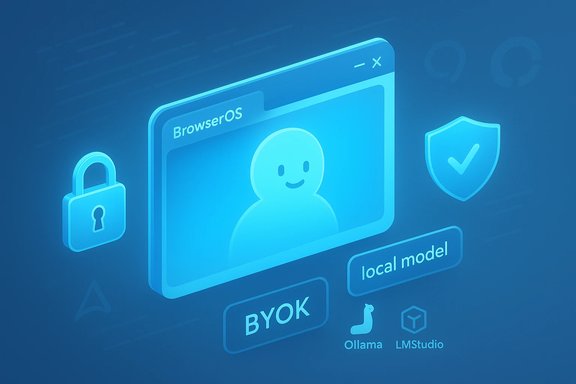
BrowserOS promotes Bring‑Your‑Own‑Key (BYOK) and local models through Ollama/LMStudio. The official docs and product pages show clear guidance for connecting OpenAI, Anthropic, Gemini API keys, or pointing to a local Ollama instance — an explicit privacy architecture choice. If you configure local Ollama models, prompts and responses remain on your machine, reducing data exposure to third parties. This claim is corroborated by the project documentation and the project's public FAQ. Practical verification steps for administrators:- Confirm whether the installer you download includes any telemetry binaries or data‑collection agents.
- During initial setup, check the LLM provider dialog for whether keys are stored locally and whether any outbound proxies are listed by default.
- If using Ollama, ensure the local model endpoint is running under a limited permission user account.
2. Extension compatibility and Chromium upstreaming
BrowserOS is a Chromium fork and claims to be compatible with the Chrome extension ecosystem — a vital compatibility promise. The GitHub repo and project README call this out repeatedly and the release notes show active work on keeping the Chromium intake up to date. That makes extensions a low-friction path for users moving from Chrome, but also means BrowserOS inherits the same extension attack surface as Chromium if users install untrusted extensions.3. Agentic automation and session access
By design, BrowserOS agents act inside the browser and can use the user’s authenticated sessions to perform actions. That is the feature: agents fill forms, click through pages, scrape content, and interact with web apps using the browser session context. This capability is extremely powerful for productivity but also increases risk if an agent is malicious or if an attacker can trigger an automation flow. The project emphasizes local execution to limit third‑party data leakage, but programmatic session access remains a fundamental risk vector.4. Packaging and platform support
BrowserOS provides binaries for Windows and macOS and advertises forthcoming Linux support; package managers and community casks provide visibility into platform packaging and versioning. For example, Homebrew’s cask lists BrowserOS at 0.36.0 for macOS and shows installers that target macOS >= 12 in the cask metadata (this is useful to confirm installation requirements). If you manage fleets or developer workstations, verify the exact cask/version and the certificate signing used for the Windows installer before broad rollout.Security, privacy, and operational risk analysis
Strengths — what BrowserOS does well
- Privacy‑forward architecture: The project prioritizes local model execution and BYOK, reducing the default tendency to leak prompts to vendor clouds. That design is verifiable in the documentation and code paths.
- Open source transparency: AGPL license and public GitHub releases let SOCs and security teams audit code and follow commits. This is a major benefit compared with closed, web‑service‑first competitors.
- Rapid iteration and active releases: The team’s frequent tags and release notes show real engineering momentum, which means bugs and security issues can be addressed quickly if properly triaged.
Risks and mitigation points
- Agent privilege and session access: Agents run inside the browser and can act with the privileges of the signed‑in user. If an agent is compromised (malicious MCP module, or crafted input that triggers an unsafe agent action) it can perform actions on behalf of the user, including exfiltrating tokens, moving funds, or altering content on behalf of the user. Mitigation: enable strict extension policies, limit which MCPs are installable in managed environments, and require code review for any third‑party MCPs used in production.
- Supply chain and packaging: Community reports and forum threads show users occasionally encounter Windows installer warnings or difficulty installing unsigned packages (some users reported SmartScreen or Windows warnings when installing early builds). For fleet deployment, insist on signed installers, verify checksums, and test silently in an isolated environment before broad rollout.
- LLM provider exposure: While BrowserOS supports local models, many users will bring cloud API keys (OpenAI/Gemini/Claude). That means prompts and scraped content could reach third‑party clouds under your account. For sensitive workflows, require local models or restrict provider choices via policy.
- Extension and plugin risk: Chromium extension compatibility is a convenience but also an inherited attack surface. Use managed extension whitelists and enterprise policies to prevent unvetted extensions from being installed at scale.
Enterprise posture checklist
- Validate installer signatures and checksums for the exact BrowserOS version you plan to deploy.
- Configure LLM provider policy: disallow cloud BYOK for high‑risk groups; enforce local Ollama models where data sensitivity is high.
- Set a managed extensions whitelist and enable automatic blocking of unknown MCP installs.
- Run dynamic agent audits: exercise audit trails that show what automations executed, when, and under whose credentials. (If the product lacks this, demand it before enterprise adoption.
Community signals and practical experience
Multiple community writeups and coverage describe BrowserOS’s pitch and early traction. AlternativeTo and mainstream directories summarize the same feature set and adoption claims, and coverage from regional outlets (for example, Gigazine and Fondo’s launch writeup) corroborate BrowserOS’s positioning as an open‑source agentic browser and note the product’s cross‑model support. These independent references help confirm the high‑level product story: privacy‑first, local models supported, and rapid development. Community troubleshooting threads show two recurring practical themes:- Installer and Windows warnings: a small number of Windows users report SmartScreen or installer problems when sideloading early releases — a normal hazard for early open‑source desktop apps without wide code signing or notarization. Admins should plan for that in pilot deployments.
- Rapidly evolving UX: frequent releases mean the admin and end‑user experience can shift between versions; treat early releases as “preview” and validate automation flows before trusting them for production tasks.
How to evaluate 0.36.2 (or any incremental BrowserOS release) before you install
- Read the GitHub release notes for the exact tag and review attached assets (installer checksums, signatures). If the release lacks a signed installer, treat it as experimental.
- Scan the installer and any shipped binaries with your endpoint protection tooling and verify expected publisher metadata. 3. Test agent flows in an isolated account and confirm that no unexpected outbound connections occur (especially to third‑party MCPs or telemetry endpoints). 4. Validate LLM provider settings and check whether keys are stored locally and encrypted. 5. Confirm managed policy controls for extension installs and MCP modules.
Strengths, reservations, and the verdict
BrowserOS demonstrates several important strengths for Windows power users and privacy‑conscious professionals:- Inventive product model: integrating agentic automation directly into the browser is a high‑leverage idea for productivity, especially for research, extraction, and repetitive form work.
- Transparency: public GitHub development and AGPL licensing reduce hidden telemetry risk and allow for third‑party audit.
- Flexible LLM strategy: BYOK plus local model options are a practical compromise between capability and privacy.
- Privilege model: agents acting under user credentials are a double‑edged sword; this capability heightens the need for governance, code review of MCPs, and operational controls.
- Installer trust and supply chain: early Windows installers may trigger SmartScreen or similar warnings; enterprises should insist on signed, verifiable packages and internal validation before wide deployment.
- Operational maturity: frequent releases are good for fixes, but they also mean the product interface and automation behaviors can change rapidly; treat current versions as preview until release processes and enterprise controls are clearly documented.
Practical next steps for Windows users and IT admins
- If you’re a curious power user: install in a sandbox, test Teach Mode and basic agent automations with non‑sensitive accounts, and verify which LLM providers the browser connects to by default. Use local models if you have them available.
- If you’re an IT admin evaluating BrowserOS: require signed installer artifacts, run a pilot cohort under MDM policies that enforce extension whitelists and deny unapproved MCP installations, and mandate local model use (Ollama) where data sensitivity is high.
- If you manage security policy: instrument agent auditing, block unknown outbound domains at the network edge, and create an incident response runbook for suspicious agent activity (agents acting as users can be used in social‑engineering style attacks if left uncontrolled).
Closing summary
The Neowin listing for BrowserOS 0.36.2 served as a prompt to re‑examine a fast‑moving open‑source project that is reshaping expectations about what a browser can automate. Because direct scraping of the Neowin page was not possible during verification, the analysis above relies on BrowserOS’s official documentation, GitHub releases, community directories, and independent writeups to corroborate the project's claims. In short: BrowserOS’s local‑first agent model and open‑source approach are credible and verifiable in the project materials, but its power to act with user credentials means governance and supply‑chain controls must be front and center before deploying it beyond early adopters.Key references used during verification and reporting: BrowserOS official product and docs, BrowserOS GitHub repository and releases, Homebrew cask metadata, and independent coverage/roundups. Where a Neowin article was referenced by the user, attempts to fetch the live page for direct quotes were met with access restrictions; the product’s own release assets and repository are the authoritative sources for release‑specific verification.
Source: Neowin https://www.neowin.net/software/browseros-0362/
