

October’s budget planning should be where strategy meets delivery: if hybrid work, modern devices, and AI workflows aren’t in your line-itemed investments, chances are your organization will be playing catch-up through 2026. Microsoft’s guidance and the broader research community argue the case bluntly—AI-enabled workflows tied to the right devices and management systems are not “nice to have”; they’re a measurable productivity lever that IT and finance must budget for now.
Hybrid work didn’t end with pandemic-era policies; it evolved into a permanent operating model that mixes remote, in-office, and on-the-road collaboration. The business problem has shifted: it’s no longer “should we be hybrid?” but “how do we make hybrid work reliably productive, secure, and measurable?” Modern AI—contextual assistants, task agents, and on-device inference—is the missing ingredient for many teams because it binds data, processes, and people into faster decisions and less friction. McKinsey’s analysis quantifies the market-level upside: generative AI alone has the potential to deliver roughly $2.6–$4.4 trillion in annual productivity value across dozens of corporate use cases, underlining why investment now matters. Microsoft’s recent messaging frames the same thesis in practical product terms: AI copilots and agent services (Copilot, Copilot Actions, Copilot Studio, Azure AI Foundry) plus a new device class (Copilot+ PCs) are intended to accelerate hybrid workflows—by embedding AI where people already work (Office apps, Teams, file services) and by placing some inference on-device for speed and privacy. Those elements combine to reduce context switching, automate routine work, and surface next actions directly where decisions happen.
Hybrid work optimized with AI isn’t a single project—it's a capability that requires device alignment, disciplined workflow design, and enterprise-grade governance. The economic case is real (McKinsey’s multi-trillion-dollar estimates are a strong directional signal), but the path to value is pragmatic: pilot narrowly, measure defensibly, and scale with controls. Microsoft’s emerging stack—Copilot, Copilot+ PCs, Azure AI Foundry, and Teams intelligence—gives organizations a plausible route to that capability, but the difference between wasted spend and meaningful productivity gains will be how rigorously IT leaders pair pilots with policy and procurement discipline.
Source: Microsoft How to boost hybrid work with AI workflows
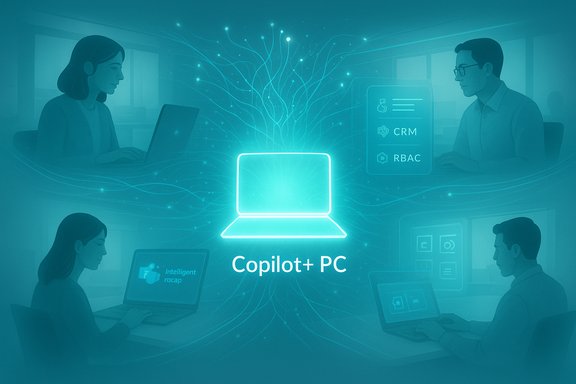 Background
Hybrid work didn’t end with pandemic-era policies; it evolved into a permanent operating model that mixes remote, in-office, and on-the-road collaboration. The business problem has shifted: it’s no longer “should we be hybrid?” but “how do we make hybrid work reliably productive, secure, and measurable?” Modern AI—contextual assistants, task agents, and on-device inference—is the missing ingredient for many teams because it binds data, processes, and people into faster decisions and less friction. McKinsey’s analysis quantifies the market-level upside: generative AI alone has the potential to deliver roughly $2.6–$4.4 trillion in annual productivity value across dozens of corporate use cases, underlining why investment now matters. Microsoft’s recent messaging frames the same thesis in practical product terms: AI copilots and agent services (Copilot, Copilot Actions, Copilot Studio, Azure AI Foundry) plus a new device class (Copilot+ PCs) are intended to accelerate hybrid workflows—by embedding AI where people already work (Office apps, Teams, file services) and by placing some inference on-device for speed and privacy. Those elements combine to reduce context switching, automate routine work, and surface next actions directly where decisions happen. Why hybrid work fails (and how AI fixes it)
Most hybrid work failures aren’t cultural—they’re systemic. Common gaps include:- Siloed information (files, chat, CRM data not connected).
- Repetitive manual work (summaries, meeting follow-ups, basic research).
- Device inconsistency and management friction.
- Slow, centralized processes for routine decisions.
The Microsoft stack for hybrid AI workflows — what to care about
Microsoft 365 Copilot and Copilot Actions
- What it does: In-app generative assistance across Word, Excel, Outlook, and Teams for drafting, summarization, and data interpretation. Copilot Actions extend that with push-button automations and scripted micro-workflows that execute routine tasks from natural language prompts. These features remove manual steps and lower the activation energy for non-technical users.
- Why it matters for hybrid teams: Reduces meeting overhead, produces consistent follow-ups, and surfaces context-aware suggestions that keep remote and office workers aligned without extra coordination meetings. Evidence from early adopter case studies shows measurable time savings when Copilot is used to create pre-reads, recap meetings, and draft standard communications.
Copilot+ PCs (the device side of the equation)
- What they are: A new category of Windows 11 devices with high-performance NPUs (Neural Processing Units) designed to run local inference and offload latency- and privacy-sensitive AI tasks. The spec Microsoft sets for Copilot+ PCs is a 40+ TOPS NPU baseline, plus minimum memory and storage thresholds; the intent is consistent, fast, and private on-device AI experiences like real-time translation, Recall, and low-latency content generation.
- Procurement reality: Copilot+ PCs are a tactical investment—benefits concentrate where low latency or on-device privacy matters (executives, knowledge workers, customer-facing staff). IT leaders must weigh fleet homogeneity against cost and application compatibility (ARM vs x86 tradeoffs). Independent tech coverage and Microsoft’s own FAQ confirm the 40+ TOPS requirement and the dozens of device models introduced since 2024.
Azure AI Foundry & Foundry Agent Service
- What it does: A platform for building, deploying, and governing production-grade AI agents at scale. Foundry supports multi-agent orchestration, model choice (including third-party and hosted models), and enterprise-grade controls for grounding agents in internal data sources like SharePoint or Microsoft Fabric. It’s the bridge between a pilot Copilot experience and integrated, cross-application automation.
- Why it matters for enterprises: Foundry is designed for regulated and large-scale environments where traceability, observability, and governance are required. It’s purpose-built for the lifecycle problems enterprises encounter when turning prototypes into SLA-backed services.
Teams intelligence: Intelligent Recap, Live Translate, and meeting agents
- Capabilities: AI-generated meeting chapters, speaker timelines, action extraction, audio recaps, and multi-language translation; available under Teams Premium or Microsoft 365 Copilot licensing. The combination turns transitory conversations into searchable business inputs and automates follow-ups.
- Impact for hybrid work: Meetings become reliably recorded inputs for downstream workflows, which is critical when teammates are distributed across time zones. Enabled correctly, these features reduce redundancies and lower rework caused by missed context.
Device and management considerations — making AI work at scale
Deploying AI-enabled hybrid work isn’t just about licenses; it’s a device and lifecycle play.Hardware strategy
- Targeted Copilot+ rollouts: Prioritize Copilot+ PCs for roles that directly benefit from on-device inference (executives, analysts, customer-facing teams). A mixed-fleet approach often makes sense: keep a Copilot+ tranche for high-value users and standard Windows 11 devices for others to control cost. Microsoft’s device guidance is explicit about the 40+ TOPS NPU requirement for Copilot+ certification.
- Compatibility checks: Validate legacy applications and performance on ARM-based options where relevant; test critical line-of-business apps in pilot groups before mass procurement. Industry reviewers and device reports have documented the practical tradeoffs between ARM and x86 Copilot+ systems.
Endpoint management (Intune + Windows Autopatch)
- Update and settings governance: Windows Autopatch and Microsoft Intune remain central. Windows Autopatch streamlines update orchestration for fleets while Intune lets IT manage configuration, feature access (including enabling/disabling Copilot features), and target policies by group. Microsoft documents recommended update channel and update management tactics for Copilot rollouts and confirms Intune’s growing Copilot integration for admin workflows.
- Policy controls: Intune now includes controls and Copilot-backed admin experiences for operational queries (e.g., natural-language queries against device inventory), and admins can use Intune to disable or restrict Copilot features where compliance requires. Those controls are critical for regulated environments.
Designing AI workflows for hybrid teams — a practical playbook
Moving from idea to impact requires a structured approach. The following steps are a field-tested path to scale AI workflows in hybrid environments.- Identify the friction points
- Map your top 8-12 time-consuming activities (emails, meeting capture, handoffs, status gathering). Prioritize those with repetitive structure and high frequency.
- Pick rapid pilots
- Start with a single business function (e.g., sales call summarization + CRM update) or an operational task (IT service desk triage). Use Copilot Actions or a Foundry agent for end-to-end pilot automation.
- Set measurable KPIs
- Track cycle time, handoff errors, time-to-decision, and employee experience (NPS or time reclaimed). Measure before and during the pilot.
- Build governance by design
- Define permitted data sources, model routing (cloud vs tenant-hosted), and approvals for agent actions. Use Azure AI Foundry and Copilot Studio where you need lifecycle controls and observability.
- Train users, then scale
- Use small-group training and Click to Do features to expose workflows in-place, reducing the training burden. Once KPIs move, scale by role and region.
- Reassess device allocation
- After pilot success, evaluate whether Copilot+ hardware materially improved latency, privacy, or user adoption—then expand procurement accordingly.
Security, compliance, and governance — the non-negotiables
AI workflows amplify both productivity and risk. Governance is the difference between a useful assistant and a compliance liability.- Data grounding and access controls: Agents must be explicitly grounded in approved data sources (SharePoint, OneDrive, CRM) with RBAC and auditing. Azure AI Foundry supports grounding, private virtual networks, and observability to make agents auditable.
- Model routing and locality: Choose whether inference should happen on-device (Copilot+), in a tenant-hosted model, or via managed models. Each has tradeoffs for latency, cost, and data residency. Microsoft’s platform allows hybrid routing to meet regulatory needs.
- Security Copilot and detection: Security teams should leverage Security Copilot for incident triage while establishing separate guardrails for business-facing agents. Security Copilot integrates threat intelligence with tenant data to accelerate response—an example of AI helping to reduce risk, not increase it.
- Privacy by default on endpoints: Features like Recall (a timeline of user activity) must be opt-in and managed tightly; Microsoft’s preview rollout emphasized on-device encryption and opt-in controls. Ensure policies and employee communications cover retention, access, and opt-out options.
Cost, procurement, and TCO — how to budget
AI workflows add three cost categories to the standard IT budget:- Licensing and consumption (Copilot seats, Azure AI Foundry model usage).
- Endpoint refresh for Copilot+ PCs (selective rollout).
- Operational costs for governance, observability, and agent lifecycle management.
- Run a controlled TEI (Total Economic Impact) pilot. Microsoft and Forrester case studies show substantial ROI in some scenarios, but results vary by role and deployment quality. Use short pilots to build defensible adoption cases with quantified time savings before committing to broad procurement.
- Model consumption costs for high-volume agent operations; Azure Foundry pricing varies by model choice and usage pattern. Prefer role-based Copilot licensing for knowledge workers who will use it heavily, and standard M365 for lower usage groups.
Risks and mitigations — the checklist CIOs should own
- Risk: Over-automation of high-stakes decisions.
- Mitigation: Require human-in-the-loop approvals for agent actions that impact finance, HR, or legal.
- Risk: Data leakage via poorly grounded agents.
- Mitigation: Lock agents to authorized data sources and use tenant-hosted storage; enforce content-filtering and red-teaming before production.
- Risk: Hidden consumption costs (model usage).
- Mitigation: Implement cost observability and limit model choice by workflow. Azure Foundry and platform dashboards can surface expense trends.
- Risk: Device fragmentation and application compatibility.
- Mitigation: Pilot Copilot+ devices with critical apps; maintain a mixed-fleet strategy until compatibility and ROI are clear.
Quick 12-month rollout roadmap (executable)
- Month 0–1: Executive alignment and budget approval with measurable KPIs (time saved, cycle reduction).
- Month 1–3: Discovery sprint—map top 10 processes and select two pilot workflows (one knowledge work, one operational).
- Month 3–6: Pilot implementation using Copilot Actions and a Foundry agent; enroll 50–200 users. Apply Intune policies and Windows Autopatch channels for those devices.
- Month 6–9: Measure outcomes, expand Copilot seats to more knowledge workers, and evaluate Copilot+ PC benefits for the pilot cohort.
- Month 9–12: Operationalize governance, automate model routing, document SLAs for agents, and scale based on ROI.
What success looks like — concrete metrics
- Reclaimed time per knowledge worker: target 20–45 minutes/day depending on role.
- Reduction in meeting follow-ups: 30–60% fewer clarification messages after we enable intelligent recaps.
- Faster onboarding: 25% faster first-week ramp when Copilot-generated playbooks and learning pages are used.
- Cost impact: Measure TCO with a TEI study; Forrester/Microsoft models suggest strong ROI when Copilot is used consistently across critical roles, but outcomes depend on discipline in rollout.
Critical analysis — strengths and limits
Strengths
- End-to-end product alignment: Microsoft offers a full stack—client, cloud, and management—reducing integration friction for organizations already invested in the Microsoft ecosystem. Azure AI Foundry plus Copilot and Teams form a cohesive surface for hybrid workflows.
- On-device privacy and speed: Copilot+ NPUs enable low-latency experiences and keep sensitive inference local—useful for legal, finance, and regulated workflows.
- Enterprise governance: Foundry and Intune provide enterprise controls for lifecycle management, identity, and observability—aligned with real-world compliance needs.
Risks and limits
- Over-promising vs pragmatic outcomes: Many published productivity figures are context-dependent. Vendors and early case studies report large gains, but measured outcomes depend heavily on pilot design, change management, and role fit. Treat headline numbers as directional and validate with controlled pilots.
- Cost and complexity: Consumption-based models and multi-model routing can create unpredictable costs without strict controls. Azure Foundry’s flexibility brings power—and potential cost—if not monitored.
- Device and app compatibility friction: Copilot+ PCs have platform differences (ARM/x86) that can affect legacy apps—procure carefully and pilot broadly before wholesale refreshes.
Final recommendations for IT leaders and procurement
- Treat AI workflows as a program, not a single tool buy: combine pilot, governance, device strategy, and operational metrics before committing to enterprise-wide purchases.
- Prioritize where latency or privacy matters for Copilot+ hardware, and use mixed fleets elsewhere to control TCO.
- Use Azure AI Foundry for regulated, production-grade agents and Copilot Studio for fast internal experimentation; keep model routing and grounding explicit.
- Lock down governance and observability from day one: audits, RBAC, and retention policies must be in place before agents act on corporate systems.
- Measure returns with a TEI-style approach: quantify time reclaimed, error reduction, and role-specific productivity gains before scaling licensing and device refresh waves.
Hybrid work optimized with AI isn’t a single project—it's a capability that requires device alignment, disciplined workflow design, and enterprise-grade governance. The economic case is real (McKinsey’s multi-trillion-dollar estimates are a strong directional signal), but the path to value is pragmatic: pilot narrowly, measure defensibly, and scale with controls. Microsoft’s emerging stack—Copilot, Copilot+ PCs, Azure AI Foundry, and Teams intelligence—gives organizations a plausible route to that capability, but the difference between wasted spend and meaningful productivity gains will be how rigorously IT leaders pair pilots with policy and procurement discipline.
Source: Microsoft How to boost hybrid work with AI workflows
