Build Began as a Windows Conference and Slowly Stopped Being One
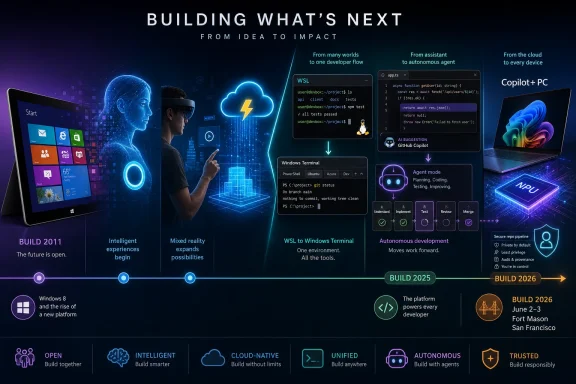
The first Microsoft Build in 2011 was, in the most literal sense, a Windows event. The company gathered developers in Anaheim, handed them Samsung tablets, and asked them to believe in Windows 8, Metro, touch-first apps, and a new software model that was supposed to carry Microsoft into the post-PC age. It was an ambitious pitch, but also a defensive one: Apple had the iPad, Google had Android, and Microsoft needed developers to treat Windows tablets as the next frontier rather than a late answer to someone else’s revolution.
That debut established the Build formula. Microsoft would use the event to preview platform shifts before customers felt them, give developers early tools, and wrap the whole exercise in a story about where computing was going. In 2011, that story was tiled interfaces, app stores, and one operating system that could stretch from desktop PCs to touch devices.
The problem was not that Microsoft lacked conviction. The problem was that the market did not move in the direction Microsoft wanted quickly enough, and Windows 8 asked too much of too many people at once. Build 2012 and Build 2013 therefore became exercises in refinement and repair: Windows 8 apps, Windows Phone 8, Azure, and then Windows 8.1, which tried to soften the shock of the new without admitting the old had won.
Looking back, those early years are valuable because they show Build in its purest Windows-era form. The operating system was still the center of gravity, Azure was important but not yet defining, and developer loyalty was measured by whether Microsoft could convince people to build for its client platforms. The keynote stage was a mirror of the company’s hierarchy: Windows first, everything else orbiting around it.
Nadella Turned Build Into a Public Strategy Memo
Satya Nadella’s first Build as CEO in 2014 mattered because it changed the premise of the conference. His “mobile-first, cloud-first” framing was awkwardly phrased but strategically blunt: Microsoft could no longer behave as though Windows ownership guaranteed relevance. Developers were building for iOS, Android, Linux, and the web, and Microsoft needed to meet them there.
Build 2014 carried the old and new Microsoft side by side. Windows Phone 8.1 and Cortana still represented the company’s hope that it could compete directly in mobile platforms. But the open-sourcing of Roslyn, the .NET compiler platform, pointed toward a different future, one in which Microsoft would court developers by lowering walls rather than raising them.
The move was symbolic, but symbols matter in developer relations. Microsoft had spent years being treated with suspicion by open-source communities, and Build became one of the places where the company tried to perform its cultural conversion in public. Azure SQL expansion and a redesigned Azure portal were not just product updates; they were signs that Microsoft’s center was shifting from boxed software to services.
The following year made the transition harder to miss. Build 2015 introduced Microsoft Edge, Universal Windows Platform, HoloLens demos, and Windows 10 developer previews. But the announcement that aged best was Visual Studio Code, a free cross-platform editor for Windows, macOS, and Linux. It was not the loudest thing on stage, yet it may have been the clearest expression of Nadella-era Microsoft: go where developers already are, then become indispensable.
Visual Studio Code Was the Quiet Earthquake
Visual Studio Code’s Build 2015 debut looks almost modest in hindsight. It was a code editor, not an operating system; a developer tool, not a hardware category; a free download, not a revenue engine by itself. But VS Code became one of Microsoft’s most consequential developer products because it reached beyond the Windows faithful.
That mattered because the developer world had changed. Web developers were already living in cross-platform tooling. Cloud developers were deploying to Linux. Startups were not waiting for Microsoft’s permission to define modern development workflows. By making VS Code lightweight, extensible, and available everywhere, Microsoft inserted itself into daily developer habits without demanding a platform conversion.
Build is often remembered for its big theatrical moments, but its real importance lies in announcements that compound quietly. VS Code did not require the industry to buy into a grand Windows vision. It simply became useful enough to become normal. That is a more durable form of influence than keynote applause.
The same pattern would repeat with GitHub after Microsoft’s acquisition, and later with Copilot. The winning move was not to drag developers back to Redmond’s preferred stack. It was to occupy the tools, repositories, editors, and cloud services that define the developer’s working day.
Linux on Windows Marked Microsoft’s Most Unthinkable Surrender
Build 2016 produced one of those announcements that would have sounded absurd a decade earlier: Bash on Windows. The Windows Subsystem for Linux allowed developers to run Linux command-line tools on Windows without dual-booting or maintaining a separate virtual machine. It was practical, popular, and ideologically explosive.
For years, Windows and Linux had been treated as rival civilizations. Developers who needed Linux tools often treated Windows as a compromise environment, suitable for Office and corporate desktops but less comfortable for modern server-side work. WSL acknowledged reality: if Microsoft wanted Windows to remain viable as a developer workstation, it had to bring Linux workflows closer rather than pretend they did not matter.
The 2016 conference also featured Microsoft’s “Conversation as a Platform” push, the Bot Framework, and Xamarin becoming free for Visual Studio users. Some of that aged better than the rest. The bot wave of that era promised more than it delivered, but Xamarin and WSL fit the broader strategy of reducing friction for developers who needed to ship across platforms.
WSL 2 in 2019 completed the argument by moving from a translation layer to a real Linux kernel. Alongside Windows Terminal, it gave Microsoft a credible answer to developers who had long preferred Unix-like environments. The deeper point was not that Windows had become Linux. It was that Microsoft finally understood Windows had to coexist with Linux as a first-class development reality.
Azure Became the Conference’s Real Operating System
As Windows lost its monopoly on Microsoft’s imagination, Azure became Build’s connective tissue. The shift did not happen in one dramatic moment. It happened through repeated announcements: storage and compute updates, Azure SQL expansion, Service Fabric, Azure Functions, Cosmos DB, Azure Arc, Container Apps, and the broader data platform.
By Build 2017, the conference had moved to Seattle and Microsoft was speaking more fluently about globally distributed cloud infrastructure than about client operating systems. Azure Cosmos DB’s launch captured the new posture. Microsoft was not merely selling hosting; it was selling managed abstractions for developers building systems that had to span regions, data models, and availability demands.
This was the period when Build stopped being easy to summarize for ordinary PC users. The most important announcements were often infrastructure services, developer APIs, database changes, and deployment tools. That made the conference less glamorous but more strategically important. Microsoft was training developers to think of Azure as the layer underneath everything else.
The cloud also changed Build’s audience. Windows developers still mattered, but so did enterprise architects, DevOps teams, data engineers, open-source maintainers, and startup founders. Build became less about writing apps for Microsoft platforms and more about writing software with Microsoft somewhere in the stack.
The Pandemic Forced Build to Prove It Was More Than a Convention Hall
Build 2020 could have been a lost year. Instead, the pandemic forced Microsoft to turn the conference into a free digital event, and that move exposed both the strengths and limits of the old in-person model. Suddenly the audience was not constrained by airfare, hotels, or a badge allocation. The conference became more accessible, even as it lost the hallway conversations that make developer events valuable.
The announcements were substantial. Project Reunion, later renamed the Windows App SDK, tried to unify the fractured world of Win32 and UWP development. Windows Terminal reached 1.0, WSL 2 shipped with the Windows 10 May 2020 Update, and winget entered public preview. For Windows enthusiasts, this was a strangely practical Build: less spectacle, more repair work.
That repair work mattered because Windows development had become messy. Microsoft’s attempts to create a clean modern app platform had left developers navigating overlapping models, partial migrations, and shifting guidance. The Windows App SDK was an admission that the future would not be won by pretending Win32 would disappear.
Build 2021 remained virtual and teased what would become Windows 11. Nadella’s hint about a major Windows update showed that the client OS still had narrative power. But even then, the conference’s center of mass was developer velocity, Teams extensibility, Power Platform, Azure Arc, and the Visual Studio roadmap. Windows was important again, but no longer alone.
The AI Era Did Not Start With ChatGPT on Stage
The common shorthand says Microsoft’s AI era began when Copilot branding swallowed the product line. Build’s timeline tells a subtler story. Build 2022’s Azure OpenAI Service announcement was the infrastructure move that made the later Copilot explosion possible.
That is the announcement in the modern Build timeline that deserves more weight than it often receives. It put OpenAI’s models behind Azure’s enterprise wrapper, giving Microsoft a way to sell generative AI to organizations that cared about identity, compliance, data handling, and procurement. The product story that followed — Copilot in Microsoft 365, Windows, Edge, GitHub, and security tools — depended on that commercial plumbing.
Build 2022 also introduced Azure Container Apps and Project Volterra, showing that Microsoft was thinking about cloud-native development and ARM-native Windows development at the same time. But Azure OpenAI was the hinge. It turned AI from a research-adjacent capability into something Microsoft could package, meter, govern, and sell.
That distinction matters because it separates demo culture from platform strategy. A model demo can impress a keynote audience. A managed enterprise service can change budgets, architecture diagrams, and roadmaps. Build 2022 was where the second version became visible.
Copilot Turned Build Into a Single-Theme Conference
Build 2023 was the year Microsoft stopped treating AI as one track among many and made it the organizing principle for nearly everything. Copilot appeared across Windows 11, Microsoft 365, Edge, and GitHub, while the Microsoft-OpenAI partnership became central to the company’s developer pitch. Bing’s role in ChatGPT and plugin distribution through Microsoft channels tied the consumer, developer, and cloud stories together.
The coherence was impressive, but also risky. Microsoft had spent years building Build as a multi-platform developer conference: Windows, Azure, GitHub, Visual Studio, Teams, Power Platform, databases, security, and devices. The Copilot era threatened to flatten all of that into a single message: add AI to everything.
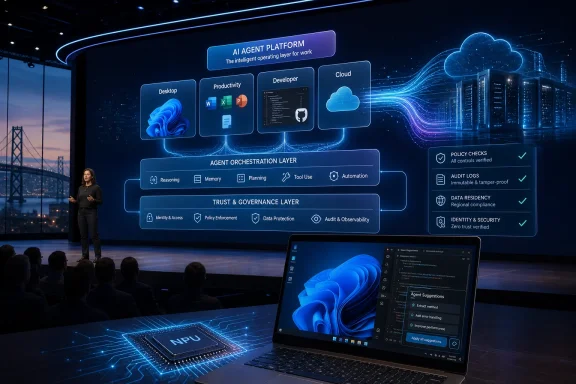
Build 2024 doubled down with Copilot+ PCs, GPT-4o on Azure AI, Team Copilot, Phi-3 models, and GitHub Copilot updates. Copilot+ PCs were especially revealing because they moved the AI pitch back onto the Windows hardware roadmap. After years of cloud-first messaging, Microsoft was again asking users and developers to care about the capabilities of the local PC — this time measured in neural processing performance rather than CPU clock speed or touch support.
The launch also showed how difficult the AI PC message would be. Developers needed APIs, users needed trust, OEMs needed differentiation, and enterprises needed governance. The Copilot+ label promised a new class of Windows machine, but the value of that class depended on software experiences that were still emerging.
Agents Are Microsoft’s New Platform Bet
Build 2025 pushed the narrative from assistants to agents. More than 50 AI-related announcements framed the conference around systems that could reason, act, write code, analyze information, and perform work with less direct prompting. GitHub Copilot’s coding agent drew attention because it moved Copilot from suggestion engine toward autonomous software maintenance.
That transition is larger than a feature upgrade. Autocomplete helps a developer type faster. An agent that opens pull requests changes workflow, review culture, accountability, and the definition of junior development work. It also raises uncomfortable questions about trust, security, licensing, and who owns the mistakes made by semi-autonomous tools.
Microsoft 365 Copilot’s Researcher and Analyst agents pointed the same idea at office work. The pitch was not simply that AI could summarize email or draft text. It was that AI could become a role-like participant in professional workflows, taking on bounded tasks that previously belonged to analysts, assistants, or operations staff.
The open-sourcing of most of WSL at Build 2025 was a reminder that Microsoft still knows how to earn developer goodwill through conventional means. But the gravitational pull was obvious. Build had become the place where Microsoft explains how much work it thinks AI agents can absorb — and where developers decide whether to believe it.
San Francisco Is Not Just a Venue Change
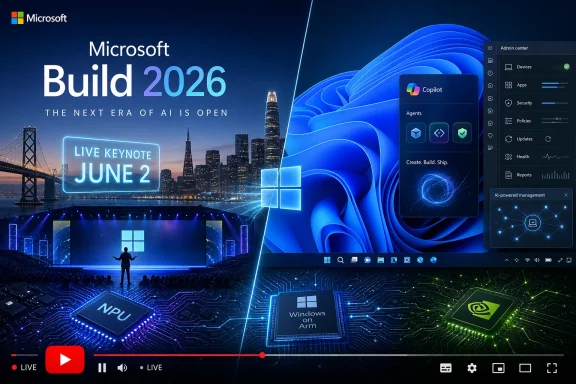
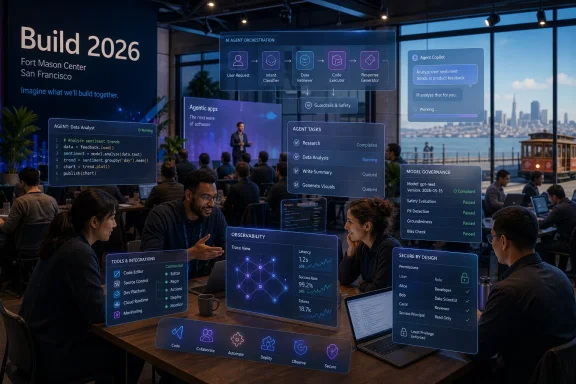
That brings us to Build 2026, and the move back to San Francisco. Microsoft has held Build in California before, but the 2026 relocation carries a different meaning than the Moscone years. San Francisco is now shorthand for the AI startup ecosystem, model labs, venture capital, agent frameworks, and the unsettled developer culture forming around generative systems.
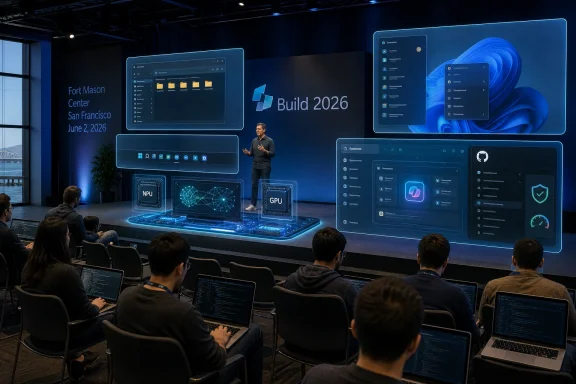
Fort Mason Center is also a smaller, more intimate venue than the large convention spaces associated with past Build events. The reported cap of roughly 2,500 in-person attendees suggests Microsoft is trading scale for density. That is a telling choice for a company that can stream to the world but still wants selected developers, partners, and engineers in the same rooms.
The official framing around real code, real systems, and hands-on AI workflows reinforces the point. Build 2026 is being positioned less as a broadcast spectacle and more as a working session for people building with AI. The online audience will still get the keynote theater, but the in-person value proposition is proximity: product engineers, live systems, and other developers who are wrestling with the same uncertain stack.
This is Microsoft adapting to the fact that AI developer platforms are not settled. In the Windows 8 era, Microsoft could hand attendees tablets and say, “Build for this.” In the AI agent era, the company has to say something more complicated: build with these models, these tools, these governance layers, these IDE integrations, these cloud services, and these still-evolving assumptions about what software is.
The Paid Timeline Still Reveals a Real Story
The TechRadar Pro timeline arrives as part of a paid partnership with Microsoft, and readers should treat that context seriously. Vendor-funded editorial packages tend to emphasize continuity, momentum, and strategic clarity. They are less likely to dwell on failed bets, abandoned frameworks, product confusion, or the gap between keynote demos and production deployments.
Still, the chronology is useful because Microsoft’s developer history is unusually visible through Build. Windows 8, Cortana, UWP, HoloLens, bots, WSL, Windows Terminal, Azure OpenAI, Copilot, Copilot+ PCs, and agents all appeared in or around this conference series. Some became foundations. Some became cautionary tales. All of them show what Microsoft wanted developers to believe at a given moment.
That is why the timeline should not be read as a victory lap. It is better understood as a sediment core. Each year preserves a layer of Microsoft’s assumptions about the future: touch-first Windows, mobile parity, cloud-first services, open-source reconciliation, Linux coexistence, remote collaboration, low-code fusion, AI copilots, and now agentic work.
The most interesting thing is how often Microsoft had to revise its story without abandoning the conference as the place to tell it. Build survived Windows 8’s backlash, Windows Phone’s collapse, the pandemic, the move to cloud, and the AI pivot because its real product was never any single SDK. Its real product was developer permission.
Windows Users Still Have Skin in This Game
For WindowsForum readers, the temptation is to see Build as increasingly distant from everyday Windows use. Azure services, model catalogs, agent frameworks, and GitHub workflows can feel remote from the practical concerns of installing updates, managing drivers, configuring devices, and keeping PCs stable. But Build’s announcements have a way of reaching the desktop eventually.
WSL is the cleanest example. What began as a developer feature became one of the reasons Windows remains credible for technical users who might otherwise prefer Linux or macOS. Windows Terminal and winget followed the same path: developer-oriented tools that improved the platform’s everyday power-user experience.
Copilot+ PCs may follow that route, though the outcome is not guaranteed. If on-device AI produces genuinely useful local features, better developer APIs, and privacy-preserving workflows, then Build 2024’s hardware turn will look prescient. If it produces branding confusion and uneven experiences gated by new silicon, it will feel more like another attempt to manufacture a PC upgrade cycle.
Administrators should watch Build for a different reason. Microsoft’s developer announcements often foreshadow management burdens. New app models, identity integrations, agent permissions, local AI runtimes, and cloud-connected developer tools all create policy questions. The keynote tells you what Microsoft wants developers to adopt; the sessions often hint at what IT will have to govern later.
The Next Build Is Really About Trust
Microsoft’s AI problem in 2026 is not whether it can produce announcements. It can. The harder problem is trust: trust that agents will behave within boundaries, trust that Copilot features will respect organizational data, trust that Windows AI features will not outrun user consent, and trust that developers can build on Microsoft’s AI stack without being trapped by fast-changing abstractions.
That is why Build 2026’s smaller format may be smart. AI development is not just a matter of publishing APIs. Developers need to understand failure modes, cost controls, model selection, evaluation, grounding, permissions, observability, and deployment patterns. Those topics are difficult to communicate through a keynote alone.
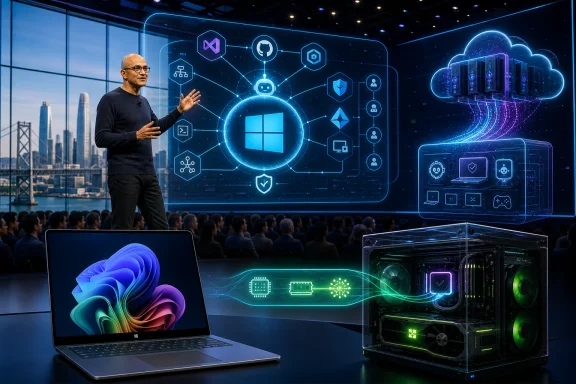
The move also reflects the competitive pressure around Microsoft. OpenAI, Google, Anthropic, Amazon, Meta, Apple, and a wide field of startups are all trying to define parts of the AI development stack. Microsoft’s advantage is not that it has every best model or every best interface. Its advantage is integration: GitHub, VS Code, Azure, Windows, Microsoft 365, Entra, Teams, and enterprise sales all under one roof.
But integration cuts both ways. Developers like convenience until it becomes lock-in. Administrators like centralization until it becomes blast radius. Windows users like new capabilities until they feel imposed. Build 2026 will therefore need to do more than announce the next Copilot feature. It will need to make Microsoft’s AI platform feel buildable, governable, and worth betting on.
Sixteen Years of Build Compress Into One San Francisco Test
The most concrete lessons from Build’s history are not nostalgic; they are operational. Microsoft has used this conference to reset developer expectations before, and the 2026 edition looks like another reset point.
- Build began in 2011 as a Windows 8 developer launchpad, but its center of gravity has steadily moved toward Azure, GitHub, open-source tooling, and AI.
- The announcements that aged best were often practical developer tools, including Visual Studio Code, WSL, Windows Terminal, winget, and Azure OpenAI Service.
- Microsoft’s biggest Build-era reversals came when it stopped forcing developers into Windows-only assumptions and started meeting them across Linux, macOS, cloud, and open-source workflows.
- The Copilot era has made Build more coherent but also more dependent on Microsoft proving that AI features can become reliable production systems.
- Build 2026’s smaller San Francisco format suggests Microsoft wants deeper engagement with AI builders rather than merely a larger keynote audience.
- Windows users and IT administrators should watch Build because developer platform shifts often become tomorrow’s desktop features, management policies, and security concerns.
Microsoft Build’s first 16 years trace a company learning, sometimes painfully, that developer loyalty cannot be commanded by operating-system dominance alone. The 2026 conference will test the next version of that lesson: whether Microsoft can turn its enormous AI distribution advantage into a platform developers trust enough to build on, administrators can govern without dread, and Windows users can experience as progress rather than intrusion.
References
- 16 years of Microsoft Build: A timeline of key announcements, panels, and sessions - TechRadar TechRadar · Tue, 19 May 2026 09:36:25 GMT