

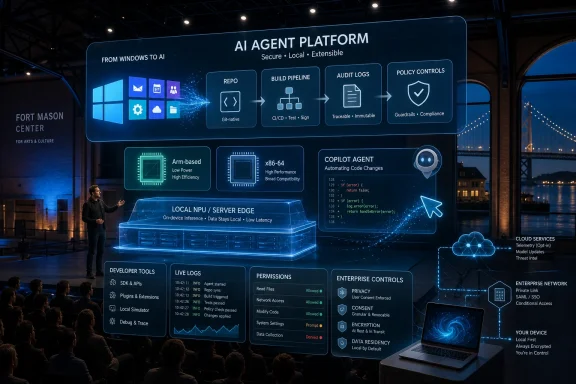
Microsoft Build 2026 runs June 2–3 at Fort Mason Center in San Francisco and online, with Microsoft expected to center the conference on Windows, Copilot, AI agents, developer tooling, and the next phase of Arm-based PCs. The useful way to read this year’s show is not as a hunt for a Windows 12 logo, but as a referendum on whether Microsoft can turn its AI story into a platform developers actually want to build on. Build has always been where Microsoft tells developers what kind of Windows it wants them to believe in. In 2026, that pitch is likely to be less about the desktop shell and more about who gets to control the intelligent layer sitting on top of it.
Build returning to San Francisco is not just a venue note. It puts Microsoft’s developer conference closer to the venture-backed AI companies, tooling startups, and chip vendors that now define the speed of the software industry. Seattle remains Microsoft’s home, but San Francisco is where the company has to prove that Windows, Azure, GitHub, and Copilot are not merely enterprise defaults in a world increasingly shaped by agentic software.
That matters because the old Build formula is under strain. For years, Microsoft could use the conference to unveil APIs, preview SDKs, talk up Visual Studio, and rely on the gravitational pull of Windows and Office to keep developers listening. Today, developers are being courted by model providers, browser vendors, cloud platforms, open-source frameworks, and hardware companies that all claim to be the new center of gravity.
The PCMag framing gets the surface-level excitement right: Copilot, Arm hardware, and the future of Windows are the right things to watch. But the deeper story is whether Microsoft can stitch those pieces together. Copilot without a credible local runtime is a web service with a keyboard shortcut. Arm without app confidence is a battery-life story with compatibility footnotes. Windows without a developer narrative is just an installed base waiting to be managed.
Build 2026 is therefore less likely to be remembered for one giant announcement than for the coherence of the pitch. Microsoft needs to show that the Windows PC can become an AI development target, an AI runtime, and an AI client at the same time. That is an ambitious triangle, and it is exactly where the company’s recent Windows strategy has been pointing.
The more consequential issue is whether Windows 11 is becoming a shell around a set of AI services and local inference capabilities. That shift does not require a new major version number. It requires APIs, permissions, hardware baselines, developer tooling, and enough user trust that people do not immediately disable the new features.
Microsoft’s public Windows messaging has already moved in that direction. The company no longer treats the PC merely as the place where apps run. It increasingly treats it as a device with local context, local acceleration, and local models that can participate in a broader Copilot ecosystem. That is a much bigger change than a Start menu redesign, and it is also harder to explain.
The risk is that users experience this as creep rather than progress. Windows enthusiasts have long memories, and features that feel bolted on tend to become symbols of Microsoft overreach. Build gives Microsoft a chance to describe the developer-side architecture before the user-side reaction hardens into another round of “why is this in my taskbar?”
That distinction is likely to shape Build 2026. Microsoft’s strongest AI demos will not be the ones where a chatbot answers a general question. They will be the ones where an agent understands a repo, modifies a project, tests the change, explains the risk, and hands control back to the developer at the right moment. That is where Copilot becomes less like Clippy with better models and more like an automation layer for modern software work.
Windows needs a version of that same move. A Copilot that opens apps and summarizes documents is useful, but not yet transformative. A Copilot-aware Windows platform that gives developers safe ways to expose app actions, local data, model choices, and device capabilities could change what Windows software feels like over the next several years.
The catch is that Microsoft has to avoid turning every app into a plugin farm. Developers do not want another brittle integration surface that only works well in keynote demos. They want contracts, diagnostics, permission models, lifecycle rules, and distribution paths that make sense. If Build 2026 is serious, the most important Copilot announcements will probably look boring at first glance.
Reports and pre-event signaling point toward Nvidia and Microsoft using this season of conferences to push a new class of Windows on Arm machines. If that materializes, it would change the Windows hardware conversation in a way that matters beyond benchmarks. Nvidia entering the Windows PC CPU story would bring GPU credibility, AI acceleration muscle, and a developer ecosystem that already dominates much of the machine-learning stack.
That does not mean x86 is suddenly in danger of vanishing from Windows desks. Intel and AMD remain deeply entrenched, and enterprise fleets move slowly for good reasons. But it does mean Windows is entering a more heterogeneous hardware phase. The same app may need to run well on Intel, AMD, Qualcomm, Nvidia Arm silicon, local NPUs, discrete GPUs, cloud GPUs, and virtual desktops.
Build is where Microsoft has to make that complexity look manageable. Developers will need better guidance on native Arm builds, emulation boundaries, performance profiling, driver expectations, AI model deployment, and store packaging. If Microsoft wants Arm PCs to feel mainstream, it cannot leave app makers to discover the edge cases after customers complain.
Copilot+ PCs were supposed to solve that by creating a Windows hardware baseline for local AI features. The strategy made sense: define a minimum NPU capability, give OEMs a badge, and ship features that show why the silicon matters. But the rollout also exposed the challenge. Some features were delayed, some were controversial, and many users still struggle to articulate why their next laptop must have an NPU.
Build 2026 can help close that gap, but only if Microsoft talks to developers as much as it talks to OEMs. Hardware becomes meaningful when software targets it confidently. If developers can use local models for transcription, search, image processing, semantic indexing, privacy-preserving classification, and offline assistance without becoming experts in every vendor’s silicon stack, the AI PC starts to have a reason to exist.
This is where Windows has an advantage if Microsoft executes. The company controls the OS, owns major developer tools, operates a massive cloud, has GitHub, and can coordinate with OEMs. Few companies can connect local inference, cloud fallback, identity, management, and distribution at Windows scale. The question is whether Microsoft can make that advantage feel like a platform instead of a bundle of branded initiatives.
That is especially true for AI agents. A demo agent that books travel or triages a ticket is easy to admire and hard to trust. The real enterprise questions arrive immediately afterward. What identity does it act under? What logs prove what it did? How do administrators restrict it? How does a developer test failure modes? What happens when a model changes behavior after an update?
Microsoft is better positioned than most companies to answer those questions because enterprise control is part of its institutional DNA. Entra, Intune, Defender, Purview, Azure, GitHub, and Windows management are all pieces of a governance story. But those pieces have to meet developers where they work, not just appear as compliance slides for CIOs.
The most credible Build announcements will therefore be the ones that make AI systems more inspectable. Developers do not need Microsoft to tell them agents are powerful. They need Microsoft to show how agents can be constrained, audited, evaluated, and integrated into existing software delivery practices. The platform that wins may not be the one with the flashiest demo; it may be the one that makes the demo survivable in production.
That matters because developer trust does not automatically flow from Windows market share. Many developers use Windows because their company gives them a Windows machine. They use GitHub because their work lives there. If Microsoft wants to shape the next generation of software development, GitHub is the more natural control plane.
Expect Build to emphasize agentic development workflows: issue-to-code paths, automated pull request assistance, test generation, security review, documentation updates, and possibly deeper integration with Azure deployment targets. The pitch will be that Copilot is moving from helping developers type to helping teams move work through the pipeline.
The danger is that coding agents can produce a new kind of technical debt at machine speed. A tool that writes boilerplate is helpful. A tool that makes architectural decisions, updates dependencies, and modifies infrastructure needs adult supervision. Microsoft’s challenge is to sell acceleration without pretending that review, ownership, and accountability have become obsolete.
That will be especially true this year. AI features touch data governance, privacy, user training, network behavior, storage, identity, and incident response. Even local AI is not automatically simple. If a feature indexes user activity, stores embeddings, invokes cloud services, or lets an agent act across applications, administrators need controls before users need enthusiasm.
Microsoft appears to understand this better than many of its competitors. The company knows that enterprise adoption depends on toggles, policy templates, audit logs, licensing clarity, and documentation. But the history of Windows also shows that controls sometimes arrive after the marketing push. Admins have learned to wait for the second or third revision before trusting the first wave of a new experience.
Build 2026 should be judged partly on how much of the AI story is manageable on day one. Can organizations disable features cleanly? Can they separate consumer Copilot behavior from enterprise Copilot behavior? Can they keep sensitive workloads local? Can they prove what an agent accessed? These questions are not anti-innovation. They are the price of deploying innovation to machines that contain real work.
That mark matters because Recall was not a random feature. It was an early expression of Microsoft’s belief that the PC should understand context over time. That is also the foundation many useful AI features will require. Search, summarization, workflow automation, and personal assistance all get better when the system knows more about what the user has done.
The tension is not going away. Users want computers that help them find things, remember context, and reduce repetitive work. They also do not want their operating system to feel like a flight recorder for their private life. Microsoft’s task is to prove that local processing, encryption, opt-in design, and administrative controls are not just mitigation language but binding product principles.
Build is not a consumer privacy town hall, but developers will still be watching for the architecture. If Microsoft wants third-party software to participate in Windows AI experiences, it must define how context is shared, how consent is granted, and how data boundaries are enforced. Otherwise, every new capability will inherit the suspicion created by the last one.
That could make Windows less important. Microsoft’s counterargument is that Windows remains the richest client for identity, hardware acceleration, local files, native apps, enterprise management, gaming, and specialized workflows. The PC is still where many users combine browser work, legacy applications, local peripherals, and high-performance tools.
AI makes this boundary more interesting. A cloud-only assistant can be powerful, but it lacks direct access to local application state, offline data, device sensors, and system-level workflows. A purely local assistant can be private and responsive, but it may lack the model scale and enterprise knowledge available in the cloud. Windows can become valuable if it brokers the two.
That is likely where Microsoft wants to go. The company can frame Windows as the local edge of its AI platform: a place where models, agents, apps, and cloud services meet under user and administrator control. It is a compelling idea. It is also a difficult one, because every boundary crossing creates a security, privacy, latency, or reliability question.
This is especially important for Windows enthusiasts who want a clean product announcement. Microsoft’s platform changes often arrive as a constellation rather than a single comet. A new Windows capability might depend on a Store component, a Visual Studio extension, a GitHub feature, an Azure service, an NPU requirement, and an enterprise policy setting. That makes for messy coverage but real strategic movement.
The same applies to Arm. A flashy laptop announcement is useful, but the developer story decides whether users feel the difference after the battery test is over. Native app availability, driver coverage, peripheral behavior, virtualization support, and game compatibility will matter more than any one keynote chart.
For WindowsForum readers, the right posture is curiosity with a healthy distrust of slogans. Microsoft is almost certainly going to describe a more intelligent Windows. The question is whether that intelligence shows up as better workflows, better performance, and better developer opportunity — or as another layer of services users must tame.
Part of that is historical. Windows users have seen unwanted prompts, confusing defaults, ads in system surfaces, account nudges, Edge pressure, and feature churn. Even when individual changes are defensible in isolation, the cumulative effect is suspicion. An AI-powered Windows must overcome that before it asks for broader permissions.
Developers have a related concern. They want Microsoft platforms to be stable enough to invest in. If the company introduces a new AI framework, renames it, folds it into another stack, changes its licensing assumptions, or restricts its best features to narrow hardware classes, developers will route around it. The AI boom is moving quickly, but platform trust still compounds slowly.
That is why Build 2026 has to be more disciplined than bombastic. Microsoft can afford excitement, but it cannot afford vagueness. The company must show how Windows AI development works, what hardware is required, what is optional, what is enterprise-ready, and what remains experimental. The future of Windows does not need more branding. It needs sharper commitments.
A few signals will be worth watching closely:
 Microsoft Brings Build Back to the City Where Platform Wars Are Won
Build returning to San Francisco is not just a venue note. It puts Microsoft’s developer conference closer to the venture-backed AI companies, tooling startups, and chip vendors that now define the speed of the software industry. Seattle remains Microsoft’s home, but San Francisco is where the company has to prove that Windows, Azure, GitHub, and Copilot are not merely enterprise defaults in a world increasingly shaped by agentic software.That matters because the old Build formula is under strain. For years, Microsoft could use the conference to unveil APIs, preview SDKs, talk up Visual Studio, and rely on the gravitational pull of Windows and Office to keep developers listening. Today, developers are being courted by model providers, browser vendors, cloud platforms, open-source frameworks, and hardware companies that all claim to be the new center of gravity.
The PCMag framing gets the surface-level excitement right: Copilot, Arm hardware, and the future of Windows are the right things to watch. But the deeper story is whether Microsoft can stitch those pieces together. Copilot without a credible local runtime is a web service with a keyboard shortcut. Arm without app confidence is a battery-life story with compatibility footnotes. Windows without a developer narrative is just an installed base waiting to be managed.
Build 2026 is therefore less likely to be remembered for one giant announcement than for the coherence of the pitch. Microsoft needs to show that the Windows PC can become an AI development target, an AI runtime, and an AI client at the same time. That is an ambitious triangle, and it is exactly where the company’s recent Windows strategy has been pointing.
The Windows 12 Watch Is a Distraction From the Real Operating System Shift
Every Build preview now seems obliged to ask whether Microsoft will show Windows 12. That is understandable, but it is also the least interesting version of the question. Microsoft has spent the last two years teaching users that Windows can change underneath them through feature drops, Copilot updates, Store-delivered components, and cloud-connected experiences without a new box on a retail shelf.The more consequential issue is whether Windows 11 is becoming a shell around a set of AI services and local inference capabilities. That shift does not require a new major version number. It requires APIs, permissions, hardware baselines, developer tooling, and enough user trust that people do not immediately disable the new features.
Microsoft’s public Windows messaging has already moved in that direction. The company no longer treats the PC merely as the place where apps run. It increasingly treats it as a device with local context, local acceleration, and local models that can participate in a broader Copilot ecosystem. That is a much bigger change than a Start menu redesign, and it is also harder to explain.
The risk is that users experience this as creep rather than progress. Windows enthusiasts have long memories, and features that feel bolted on tend to become symbols of Microsoft overreach. Build gives Microsoft a chance to describe the developer-side architecture before the user-side reaction hardens into another round of “why is this in my taskbar?”
Copilot Has to Graduate From Feature to Substrate
Copilot is everywhere in Microsoft’s product line, which is not the same thing as being indispensable. For Windows users, Copilot has often felt like a branded assistant in search of a workflow. For developers, the GitHub Copilot story has been much stronger because it sits directly in the act of writing, reviewing, and shipping code.That distinction is likely to shape Build 2026. Microsoft’s strongest AI demos will not be the ones where a chatbot answers a general question. They will be the ones where an agent understands a repo, modifies a project, tests the change, explains the risk, and hands control back to the developer at the right moment. That is where Copilot becomes less like Clippy with better models and more like an automation layer for modern software work.
Windows needs a version of that same move. A Copilot that opens apps and summarizes documents is useful, but not yet transformative. A Copilot-aware Windows platform that gives developers safe ways to expose app actions, local data, model choices, and device capabilities could change what Windows software feels like over the next several years.
The catch is that Microsoft has to avoid turning every app into a plugin farm. Developers do not want another brittle integration surface that only works well in keynote demos. They want contracts, diagnostics, permission models, lifecycle rules, and distribution paths that make sense. If Build 2026 is serious, the most important Copilot announcements will probably look boring at first glance.
Arm Is No Longer a Side Quest for Windows
Windows on Arm has lived through enough false starts that skepticism is not only fair; it is earned. Surface RT was a warning, Surface Pro X was a compromise, and even the better Snapdragon X-era machines had to fight years of assumptions about compatibility. But the situation heading into Build 2026 is different because the Arm PC is no longer just a Microsoft-Qualcomm experiment.Reports and pre-event signaling point toward Nvidia and Microsoft using this season of conferences to push a new class of Windows on Arm machines. If that materializes, it would change the Windows hardware conversation in a way that matters beyond benchmarks. Nvidia entering the Windows PC CPU story would bring GPU credibility, AI acceleration muscle, and a developer ecosystem that already dominates much of the machine-learning stack.
That does not mean x86 is suddenly in danger of vanishing from Windows desks. Intel and AMD remain deeply entrenched, and enterprise fleets move slowly for good reasons. But it does mean Windows is entering a more heterogeneous hardware phase. The same app may need to run well on Intel, AMD, Qualcomm, Nvidia Arm silicon, local NPUs, discrete GPUs, cloud GPUs, and virtual desktops.
Build is where Microsoft has to make that complexity look manageable. Developers will need better guidance on native Arm builds, emulation boundaries, performance profiling, driver expectations, AI model deployment, and store packaging. If Microsoft wants Arm PCs to feel mainstream, it cannot leave app makers to discover the edge cases after customers complain.
The AI PC Needs Software Worth the Sticker
The phrase AI PC has been doing a lot of marketing work for hardware vendors. NPUs have appeared in spec sheets faster than compelling local AI experiences have appeared in daily workflows. That gap is dangerous because users eventually notice when a premium device category feels like a badge rather than a capability.Copilot+ PCs were supposed to solve that by creating a Windows hardware baseline for local AI features. The strategy made sense: define a minimum NPU capability, give OEMs a badge, and ship features that show why the silicon matters. But the rollout also exposed the challenge. Some features were delayed, some were controversial, and many users still struggle to articulate why their next laptop must have an NPU.
Build 2026 can help close that gap, but only if Microsoft talks to developers as much as it talks to OEMs. Hardware becomes meaningful when software targets it confidently. If developers can use local models for transcription, search, image processing, semantic indexing, privacy-preserving classification, and offline assistance without becoming experts in every vendor’s silicon stack, the AI PC starts to have a reason to exist.
This is where Windows has an advantage if Microsoft executes. The company controls the OS, owns major developer tools, operates a massive cloud, has GitHub, and can coordinate with OEMs. Few companies can connect local inference, cloud fallback, identity, management, and distribution at Windows scale. The question is whether Microsoft can make that advantage feel like a platform instead of a bundle of branded initiatives.
Developers Will Listen for APIs, Not Adjectives
The Build keynote will almost certainly be full of words like agents, multimodal, secure, responsible, and productivity. Those words are now table stakes. The developer audience will be listening for verbs: build, test, deploy, observe, revoke, debug, package, meter, and roll back.That is especially true for AI agents. A demo agent that books travel or triages a ticket is easy to admire and hard to trust. The real enterprise questions arrive immediately afterward. What identity does it act under? What logs prove what it did? How do administrators restrict it? How does a developer test failure modes? What happens when a model changes behavior after an update?
Microsoft is better positioned than most companies to answer those questions because enterprise control is part of its institutional DNA. Entra, Intune, Defender, Purview, Azure, GitHub, and Windows management are all pieces of a governance story. But those pieces have to meet developers where they work, not just appear as compliance slides for CIOs.
The most credible Build announcements will therefore be the ones that make AI systems more inspectable. Developers do not need Microsoft to tell them agents are powerful. They need Microsoft to show how agents can be constrained, audited, evaluated, and integrated into existing software delivery practices. The platform that wins may not be the one with the flashiest demo; it may be the one that makes the demo survivable in production.
GitHub Is Microsoft’s Most Convincing AI Product
If Windows is the emotional center of Build for this audience, GitHub may be the strategic center. GitHub Copilot gave Microsoft a working proof point for AI-assisted labor before much of the industry had moved past chat windows. It also gave the company a direct relationship with developers across languages, platforms, and employers.That matters because developer trust does not automatically flow from Windows market share. Many developers use Windows because their company gives them a Windows machine. They use GitHub because their work lives there. If Microsoft wants to shape the next generation of software development, GitHub is the more natural control plane.
Expect Build to emphasize agentic development workflows: issue-to-code paths, automated pull request assistance, test generation, security review, documentation updates, and possibly deeper integration with Azure deployment targets. The pitch will be that Copilot is moving from helping developers type to helping teams move work through the pipeline.
The danger is that coding agents can produce a new kind of technical debt at machine speed. A tool that writes boilerplate is helpful. A tool that makes architectural decisions, updates dependencies, and modifies infrastructure needs adult supervision. Microsoft’s challenge is to sell acceleration without pretending that review, ownership, and accountability have become obsolete.
Windows Admins Will Read the Fine Print
For sysadmins and IT pros, Build can be a strange event. The conference speaks in developer optimism, but the consequences often land in deployment rings, help desks, endpoint policies, and procurement meetings. Every exciting new Windows capability eventually becomes a question about supportability.That will be especially true this year. AI features touch data governance, privacy, user training, network behavior, storage, identity, and incident response. Even local AI is not automatically simple. If a feature indexes user activity, stores embeddings, invokes cloud services, or lets an agent act across applications, administrators need controls before users need enthusiasm.
Microsoft appears to understand this better than many of its competitors. The company knows that enterprise adoption depends on toggles, policy templates, audit logs, licensing clarity, and documentation. But the history of Windows also shows that controls sometimes arrive after the marketing push. Admins have learned to wait for the second or third revision before trusting the first wave of a new experience.
Build 2026 should be judged partly on how much of the AI story is manageable on day one. Can organizations disable features cleanly? Can they separate consumer Copilot behavior from enterprise Copilot behavior? Can they keep sensitive workloads local? Can they prove what an agent accessed? These questions are not anti-innovation. They are the price of deploying innovation to machines that contain real work.
Recall Still Shadows the Conversation
No discussion of AI on Windows can fully escape the privacy debate around Recall. Microsoft’s original pitch for a searchable memory of PC activity collided with obvious concerns about surveillance, sensitive data, and user consent. The company revised the feature and its rollout, but the episode left a mark.That mark matters because Recall was not a random feature. It was an early expression of Microsoft’s belief that the PC should understand context over time. That is also the foundation many useful AI features will require. Search, summarization, workflow automation, and personal assistance all get better when the system knows more about what the user has done.
The tension is not going away. Users want computers that help them find things, remember context, and reduce repetitive work. They also do not want their operating system to feel like a flight recorder for their private life. Microsoft’s task is to prove that local processing, encryption, opt-in design, and administrative controls are not just mitigation language but binding product principles.
Build is not a consumer privacy town hall, but developers will still be watching for the architecture. If Microsoft wants third-party software to participate in Windows AI experiences, it must define how context is shared, how consent is granted, and how data boundaries are enforced. Otherwise, every new capability will inherit the suspicion created by the last one.
The Browser, the Cloud, and the Desktop Are Colliding Again
One of the oddities of modern Windows is that some of Microsoft’s most important platform bets no longer require Windows at all. GitHub runs everywhere. Azure runs everywhere. Copilot runs in the browser. Microsoft 365 has long since become a cloud service first and a Windows application suite second.That could make Windows less important. Microsoft’s counterargument is that Windows remains the richest client for identity, hardware acceleration, local files, native apps, enterprise management, gaming, and specialized workflows. The PC is still where many users combine browser work, legacy applications, local peripherals, and high-performance tools.
AI makes this boundary more interesting. A cloud-only assistant can be powerful, but it lacks direct access to local application state, offline data, device sensors, and system-level workflows. A purely local assistant can be private and responsive, but it may lack the model scale and enterprise knowledge available in the cloud. Windows can become valuable if it brokers the two.
That is likely where Microsoft wants to go. The company can frame Windows as the local edge of its AI platform: a place where models, agents, apps, and cloud services meet under user and administrator control. It is a compelling idea. It is also a difficult one, because every boundary crossing creates a security, privacy, latency, or reliability question.
Build’s Most Important Windows News May Be Hidden in Developer Sessions
Keynotes dominate coverage, but Build’s practical direction often lives in the sessions. Session titles about local AI, Windows app development, Arm readiness, GitHub workflows, and Azure integration may reveal more than polished stage demos. Developers should watch for the unglamorous details: SDK maturity, supported languages, tooling quality, sample apps, deployment requirements, and compatibility notes.This is especially important for Windows enthusiasts who want a clean product announcement. Microsoft’s platform changes often arrive as a constellation rather than a single comet. A new Windows capability might depend on a Store component, a Visual Studio extension, a GitHub feature, an Azure service, an NPU requirement, and an enterprise policy setting. That makes for messy coverage but real strategic movement.
The same applies to Arm. A flashy laptop announcement is useful, but the developer story decides whether users feel the difference after the battery test is over. Native app availability, driver coverage, peripheral behavior, virtualization support, and game compatibility will matter more than any one keynote chart.
For WindowsForum readers, the right posture is curiosity with a healthy distrust of slogans. Microsoft is almost certainly going to describe a more intelligent Windows. The question is whether that intelligence shows up as better workflows, better performance, and better developer opportunity — or as another layer of services users must tame.
The San Francisco Bet Comes With a Developer Trust Deficit
Microsoft enters Build 2026 with genuine advantages. It has Windows, Azure, GitHub, Office, Visual Studio, Teams, Defender, and deep enterprise relationships. It also has a credibility problem whenever it asks users and developers to accept more automation inside the operating system.Part of that is historical. Windows users have seen unwanted prompts, confusing defaults, ads in system surfaces, account nudges, Edge pressure, and feature churn. Even when individual changes are defensible in isolation, the cumulative effect is suspicion. An AI-powered Windows must overcome that before it asks for broader permissions.
Developers have a related concern. They want Microsoft platforms to be stable enough to invest in. If the company introduces a new AI framework, renames it, folds it into another stack, changes its licensing assumptions, or restricts its best features to narrow hardware classes, developers will route around it. The AI boom is moving quickly, but platform trust still compounds slowly.
That is why Build 2026 has to be more disciplined than bombastic. Microsoft can afford excitement, but it cannot afford vagueness. The company must show how Windows AI development works, what hardware is required, what is optional, what is enterprise-ready, and what remains experimental. The future of Windows does not need more branding. It needs sharper commitments.
The Announcements That Will Matter After the Keynote Lights Go Down
The most durable Build 2026 news will be the news that changes what developers and IT teams do next week, next quarter, or during the next hardware refresh. That is a higher bar than an impressive demo. It requires Microsoft to connect the keynote to practical adoption.A few signals will be worth watching closely:
- Microsoft needs to explain whether local AI on Windows is becoming a general developer platform or remains a showcase for selected first-party experiences.
- The company needs to make Windows on Arm feel like a normal deployment target rather than a compatibility adventure for motivated early adopters.
- Copilot’s next phase has to include real developer and administrator controls, not just more places where an assistant appears.
- Nvidia’s expected role in the Windows PC ecosystem could reshape AI PC expectations if it produces credible hardware and software support rather than another speculative badge.
- Enterprise buyers should look for management, audit, and data-boundary details before treating any agentic Windows feature as production-ready.
- Windows enthusiasts should pay less attention to whether Microsoft says “Windows 12” and more attention to how much of Windows becomes programmable by AI.
References
- Primary source: PCMag UK
Published: 2026-06-01T19:10:28.867592
Loading…
uk.pcmag.com - Related coverage: techradar.com
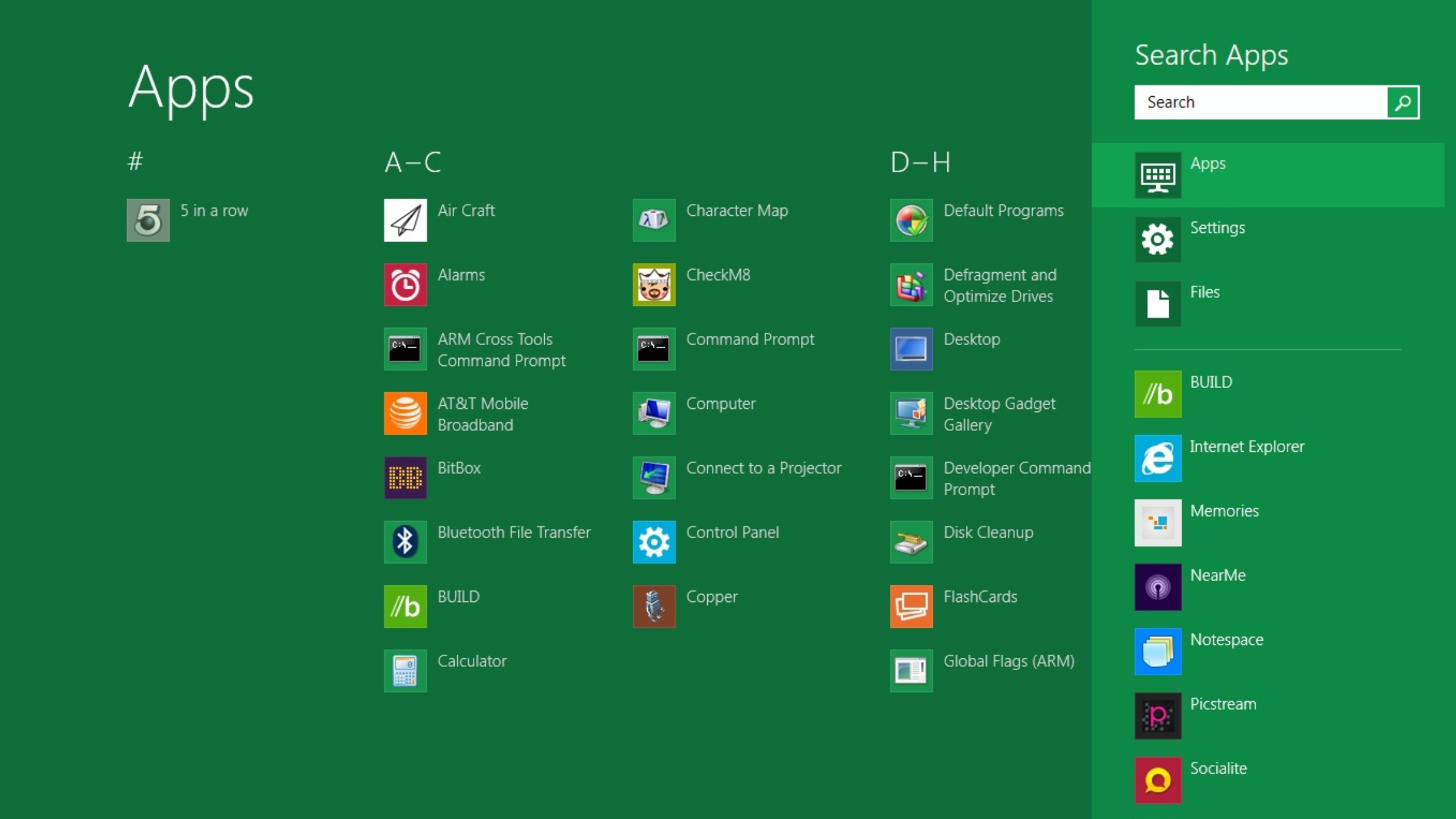
10 products that launched at Microsoft Build — and what happened to them
From Windows 8 to Copilot, here’s everything that was born at Buildwww.techradar.com
- Related coverage: tomshardware.com
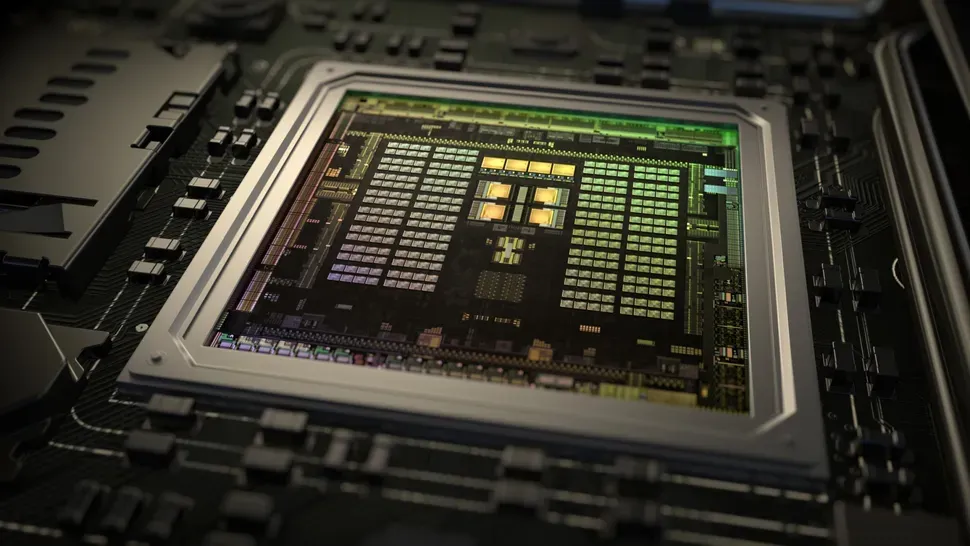
Nvidia and Microsoft tease "a new era of PC" ahead of Computex 2026 — coordinated social media posts could indicate that rumored N1X laptops will be Windows on Arm systems
An Nvidia-powered Arm PC running Windows could inspire new local AI experiences beyond Copilot+.www.tomshardware.com
- Related coverage: windowscentral.com
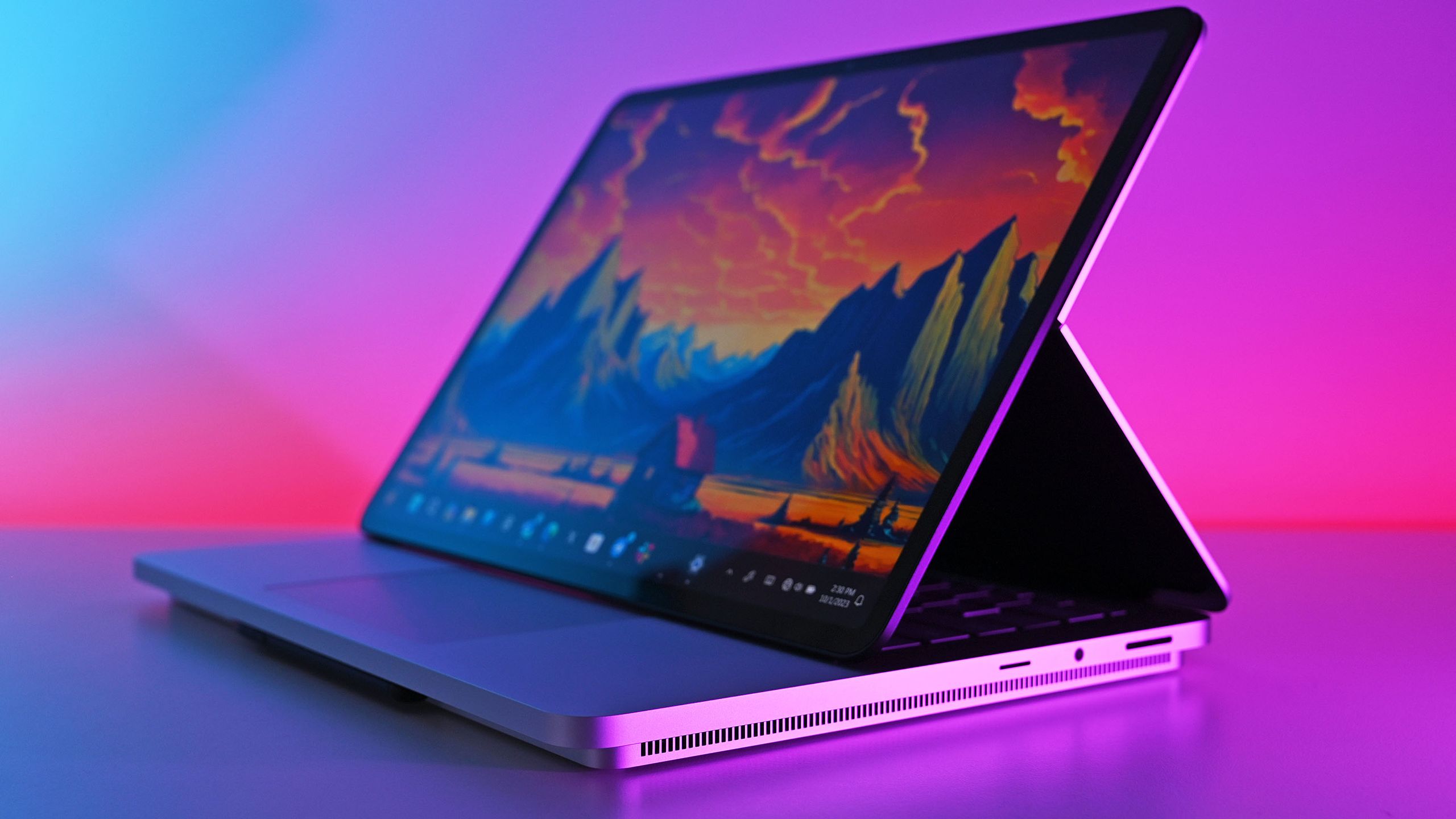
Is the rumored N1X the lifeline Surface has been waiting for?
Microsoft and NVIDIA’s coordinated “new era of PC” tease that hints at a new Surface. www.windowscentral.com
- Related coverage: axios.com

Scoop: First Windows PCs powered by Nvidia chips to debut next week
The chips will appear in Microsoft Surface computers and PCs from other manufacturers.www.axios.com
- Related coverage: tomsguide.com
Loading…
www.tomsguide.com
- Related coverage: notebookcheck.com
Microsoft Build 2026: Das erwartet Zuschauer bei der Keynote am 2. Juni
Die Microsoft Build 2026 beginnt am 2. Juni in San Francisco. Im Mittelpunkt stehen KI-Agenten, Neuerungen für GitHub Copilot sowie lokale KI-Funktionen für Windows. Das können Entwickler von der Konferenz erwarten. www.notebookcheck.com
- Related coverage: nvidia.com

- Related coverage: thurrott.com

Microsoft's Build 2026 Session Catalog is Now Live
Microsoft has published the full session catalog for its Build 2026 developer conference, which will be held in San Francisco on June 2-3. www.thurrott.com
- Related coverage: ebisuda.net
Microsoft Build 2026がサンフランシスコに移転——AIエージェント・信頼性・開発者プラットフォーム刷新を6月2〜3日に発表
Build 2026は10年ぶりにSF開催。AIエージェント自律実行・Responsible AI・AI Foundry for Windows SDKが主軸に。 www.ebisuda.net
- Related coverage: windowsforum.com
Loading…
windowsforum.com - Related coverage: pcworld.com
Loading…
www.pcworld.com - Related coverage: notebookcheck.nl
Loading…
www.notebookcheck.nl - Related coverage: ia-medias.com
Loading…
www.ia-medias.com - Related coverage: tech.yahoo.com
Loading…
tech.yahoo.com