

If you want to play Rockstar’s cult classic Bully on a modern Windows PC, the short answer is: yes — Bully: Scholarship Edition is still available and playable on Windows 7/8/10, but the experience today is a mix of nostalgia, small technical headaches, and excellent community fixes that make the game worthwhile. This feature walks through what the PC edition is, what you need to run it, where to get it safely, how to fix the common issues (including the default 30 FPS cap), and what to expect in day‑to‑day play — with practical, verified steps and risk warnings for Windows users.
Bully began life as a Rockstar Games release for PlayStation 2 in October 2006 and quickly became a distinctive, much‑loved open‑world title focused on schoolyard satire and character-driven missions. Rockstar later remastered that original as Bully: Scholarship Edition; the Scholarship Edition launched on Xbox 360 and Wii in March 2008 and reached Windows later that year. The Scholarship Edition bundles the original game with new classes, missions and minor content additions while using a ported engine that reflects last‑generation design choices. Bully’s premise — playing as 15‑year‑old Jimmy Hopkins navigating Bullworth Academy’s cliques, classes and pranks — remains its defining appeal. The Scholarship Edition preserves that tone and expands certain content, but the PC port has historically had technical rough spots that community patches and mods now largely address.
If you’d like, a companion checklist of specific download links and the exact SilentPatch + widescreen mod filenames used by the community can be prepared (with step‑by‑step screenshots). That walk‑through will include exact file names, recommended backup locations, and an ordered install sequence proven to produce a stable Bully experience on Windows 7/8/10.
Source: PrioriData Download Bully for PC – Windows 7/8/10 | Priori Data
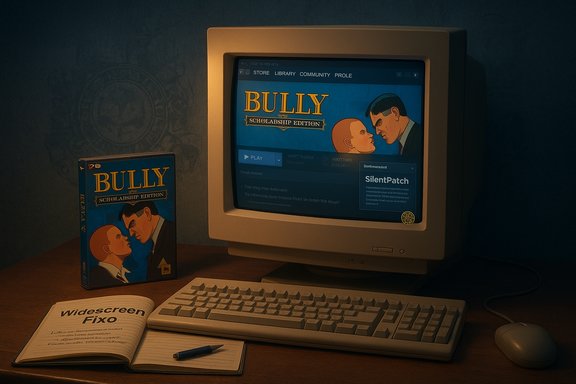 Background / Overview
Bully began life as a Rockstar Games release for PlayStation 2 in October 2006 and quickly became a distinctive, much‑loved open‑world title focused on schoolyard satire and character-driven missions. Rockstar later remastered that original as Bully: Scholarship Edition; the Scholarship Edition launched on Xbox 360 and Wii in March 2008 and reached Windows later that year. The Scholarship Edition bundles the original game with new classes, missions and minor content additions while using a ported engine that reflects last‑generation design choices. Bully’s premise — playing as 15‑year‑old Jimmy Hopkins navigating Bullworth Academy’s cliques, classes and pranks — remains its defining appeal. The Scholarship Edition preserves that tone and expands certain content, but the PC port has historically had technical rough spots that community patches and mods now largely address. What the PC version actually is (the facts)
- Original game release: PlayStation 2 — October 2006. Scholarship Edition: Xbox 360/Wii March 2008; Windows release in October 2008.
- ESRB rating: T (Teen) for language, crude humor, sexual themes and mild violence. This remains the official consumer rating for the Scholarship Edition.
- Official minimum PC requirements (current Steam listing): 1 GB RAM, DirectX 9.0c / Shader Model 3.0 GPU compatibility, and 4.7 GB disk space. Keyboard/mouse and Xbox 360 controller support are listed as supported input options. These are the store‑page numbers you should plan against if you’re on older hardware.
Why you should consider the Scholarship Edition on PC
- Definitive single‑player content: the Scholarship Edition collects the original story plus extra missions and classes, producing a fuller experience than the PS2 original.
- Light hardware needs: even older desktop laptops can attempt the game with low settings; the Steam page lists just 1 GB of RAM as the formal minimum. That makes Bully attractive for low‑spec rigs and older Windows PCs.
- Active mod/patch community: a mature mod scene offers widescreen fixes, texture overhauls and “SilentPatch”‑style stability improvements that address the port’s rough edges. These community resources are well documented and long lived.
Where to buy and why you should prefer official stores
The safest, most reliable way to get the PC edition is through a reputable storefront (Steam is the most common PC channel). Official stores provide signed installers, automatic updates, and a clear entitlement path for re‑downloads and refunds where applicable. Use those sources rather than random download portals. Practical precautions — create a Windows restore point, scan installers, and prefer Steam/Epic/GOG when available. A few important notes on alternative channels:- GOG users have petitioned for a DRM‑free release and the game appears on wishlists, but a current, officially supported, DRM‑free GOG release is not the canonical source right now (check the store). If you see “GOG sell Bully” claims, treat them as time‑sensitive and verify in the GOG storefront because availability has shifted historically.
- Avoid aggregator download wrappers (third‑party sites that route downloads through “safe downloaders”) — they may bundle unwanted offers. Always prefer the publisher or a major storefront.
Minimum system requirements and practical expectations (verified)
The Steam store lists the PC requirements that are the authoritative baseline for users planning to install:- OS: Windows XP / Windows Vista (legacy list — Steam will run the client on modern Windows as well)
- CPU: Intel Pentium 4 (3+ GHz) / AMD Athlon 3000+ (original guidance)
- Memory: 1 GB RAM
- Graphics: DirectX 9.0c Shader Model 3.0 compatible (examples historically include Nvidia 6800/7300 or ATI X1300+ class)
- Hard Drive: 4.7 GB free space
- Input: Keyboard/Mouse; Xbox 360 controller supported.
Known PC problems — and how to fix them
The Scholarship Edition PC port arrived as a console‑to‑PC conversion and carried several problems that modern users still encounter. The community has produced robust fixes; here’s a practical breakdown and verification of the steps you’ll likely need.Common issues
- Crashes and random lockups on 64‑bit Windows with >2 GB RAM (fixed in later community patches).
- Widescreen and FOV stretching — menus and HUD sometimes appear wrong in widescreen resolutions. Community widescreen patches correct this.
- Framerate instability and a default 30 FPS cap on the PC/existing ports: the game defaults to 30 FPS and may stutter on certain machines; community fixes and “fps‑cap removal” utilities exist.
Community patches and fixes (verified)
- SilentPatch / Bully community patches: well‑maintained unofficial patches (SilentPatch, CookieMonsterPL and others) add stability fixes, remove a number of crashes, and expose options (including the ability to change or remove the FPS cap via a configuration file). These patches are mature and widely recommended by long‑time PC players.
- FPS cap removal: the community provides recompiled executables and small patches that remove the 30 FPS cap. Guides exist (for example, the PCGamingWiki / SteamSolo instructions) that walk you through replacing the executable or applying a patch; caveats include mission glitches with some replacements, so keep backups of original files. SilentPatch later provided a configurable FPS cap option as a safer route.
- Widescreen fixes and texture mods: NexusMods and other mod archives host texture overhauls and PS2 texture packs that modernize visuals; widescreen fixes and FOV patches are also commonly used. Always get mods from trusted community hubs and read the install instructions.
Practical step-by-step remediation checklist (high level)
- Buy and install Bully: Scholarship Edition from Steam (recommended).
- Launch to confirm the base game runs on your PC; note any install errors (DirectX prompts). If the installer fails on DirectX, manually install DirectX 9 runtime packages first.
- Back up the game folder and any executable files before applying third‑party patches. Always keep a copy of the original EXE.
- Apply SilentPatch (or the community patch recommended by PCGamingWiki) to fix crashes and add options such as a configurable FPS cap. If you prefer manual unlocks, follow a community guide — but be mindful that some mission bugs were reported with older widescale EXE swaps.
- Install widescreen/FOV and optional texture overhauls from NexusMods (or equivalent trusted sources). Enable V‑Sync/limit appropriately after unlocking framerate to avoid tearing.
Framerate: the 30 FPS cap and how to handle it (verified)
A repeated community observation is that Scholarship Edition behavior is tied to an internal frame limiter that defaults to 30 FPS. That limiter exists because the port reuses timing assumptions from consoles; when you simply “unlock” the framerate without other fixes, physics or cutscene timing can be affected. The community’s SilentPatch specifically addresses this by adding a configurable FPS cap and fixing timing issues so the game behaves correctly when allowed to run higher than 30 FPS. In short: you can unlock the framerate, but use the SilentPatch or tested community fixes rather than blunt EXE swaps unless you’re prepared for occasional mission oddities.Controls and peripherals
The Steam product page lists Xbox 360 controller support; Xbox/DirectInput and XInput controllers are broadly functional on PC. Keyboard and mouse are supported, but many players prefer a controller for comfort. If you plan to use third‑party controllers, keep driver mapping tools (Steam Input, x360ce, etc. in mind for fine‑tuning.How long is the game? (time commitment)
If you’re asking how long Bully takes to finish: aggregated playtime data shows a typical main‑story run of around 15 hours, with main + extras near 20 hours, and completionist play taking roughly 28–30 hours. Those numbers come from community‑driven playtime trackers and are consistent across multiple reports. If you’re playing for nostalgia and side content, expect 20–40 hours depending on completion goals.Content suitability and parental considerations
Bully is rated T (Teen). The game contains mild violence, crude humor, language and sexual themes appropriate for teens, not young children. That rating and content descriptors are documented by the ESRB and should guide parental decisions.Mods and community content — benefits and risks
- Benefits: graphical upgrades, widescreen/FOV fixes, stability patches (SilentPatch), and quality‑of‑life mods that modernize the experience. These improve resolution, remove odd UI scaling and fix crashes on newer Windows builds.
- Risks: mods can introduce malware if sourced from untrusted portals; some mods change the executable and can break mission scripting or multiplayer elements (if applicable). Always download mods from established hubs (NexusMods, PCGamingWiki links) and scan downloaded files. Back up saves before extensive modding.
Step‑by‑step: download, install and make the game playable (concise how‑to)
- Install Steam and sign in (or use another reputable store if you prefer). Purchase and download Bully: Scholarship Edition from the store. Steam will show the system requirements and the install size (≈4.7 GB).
- Launch the game once to confirm the basic install. If the launcher or installer requests DirectX 9 components and fails, install the official DirectX 9 runtime package and re‑try.
- Create a backup of the game folder (copy the entire Bully folder). This makes it easy to revert if a mod or replacement EXE causes issues.
- Visit PCGamingWiki and the SilentPatch thread to download the SilentPatch or the recommended community compatibility pack. Install per instructions — these patches fix crashes and add an FPS cap option.
- If desired, add the widescreen fix and a texture mod from NexusMods; install as the mod author directs and test the game after each addition.
- If you want higher than 30 FPS, use SilentPatch’s FPS option or the documented removal guide; after enabling, test missions that previously showed odd behavior (backup EXE makes restoring simple).
Best alternatives if you liked Bully’s vibe
If the boarding‑school, social clique or teenage coming‑of‑age elements are what draw you in, consider these PC titles (each offers a different take on teen life / social simulation or narrative):- The Sims 4 (+ High School Years mod/expansions) — social simulation and life management.
- Life is Strange — a story‑driven narrative about teenage life and difficult choices.
- Persona 4 Golden — Japanese RPG that mixes school life simulation with dungeon crawling and social links (PC Steam release).
- My Time at Portia — community‑driven crafting and social simulation with town activities.
Strengths, caveats and the final verdict
Strengths
- Unique setting and writing: Bully remains one of Rockstar’s most characterful single‑player experiences; its satire and mission design are memorable.
- Lightweight requirements: easy to run on modest hardware once patched.
- Mature mod/patch ecosystem: community patches fix most of the port’s shortcomings and can materially improve performance and compatibility.
Caveats / risks
- Port quirks: the PC port needs community fixes for a smooth modern experience — don’t expect a plug‑and‑play AAA port. SilentPatch and other community efforts are effectively required on modern Windows systems.
- Mod provenance: only install community fixes from trusted hubs; third‑party repacks or unverified downloads can introduce risk. Prefer official stores and verified community projects.
- GOG / DRM‑free availability fluctuates: claims that GOG “sells Bully” have varied over time — verify availability at the store and prefer official storefronts.
If you’d like, a companion checklist of specific download links and the exact SilentPatch + widescreen mod filenames used by the community can be prepared (with step‑by‑step screenshots). That walk‑through will include exact file names, recommended backup locations, and an ordered install sequence proven to produce a stable Bully experience on Windows 7/8/10.
Source: PrioriData Download Bully for PC – Windows 7/8/10 | Priori Data
