

BunsenLabs Carbon arrives as a pragmatic bridge between the minimalist past of CrunchBang and the Wayland-driven future of Debian, shipping a Debian 13 “Trixie” base while carefully reworking the desktop stack so the distribution can run cleanly on both X11 and Wayland-powered compositors without abandoning the lightweight, keyboard-focused experience that drew users to the project in the first place.
BunsenLabs began life as the community continuation of CrunchBang, itself a slim, configuration-forward Debian spin that gained a cult following for delivering a usable, keyboard-first desktop in a tiny footprint. Over the past decade BunsenLabs has steadily evolved: preserving the spirit of CrunchBang while quietly modernizing components as upstream ecosystems shifted toward new tooling and standards.
The new Carbon release is the project’s first major refresh built on Debian 13 “Trixie.” It’s a clear, deliberate step: update the base system and kernel, adopt packages that are Wayland-aware where practical, and restructure some of the desktop defaults so the distro can run on both classic X.org/Openbox sessions and Wayland sessions based on the lightweight labwc compositor. Crucially, Carbon still defaults to Openbox on X11; the maintainers are preparing for Wayland without forcing users to switch overnight.
This release is not a cosmetic facelift alone. It represents a philosophy of gradual modernization: keep what’s fast and familiar, replace what presents deployment, theming, or maintainability issues across both display servers, and build a migration path that respects end-user customizations.
Key changes include:
The move from tint2 to xfce4-panel is especially notable because it shows the project favouring maintainability and tooling over strict adherence to the historical CrunchBang aesthetic. xfce4-panel brings a GUI for panel settings, which many users will appreciate, and its plugins and theming mechanisms are more actively maintained than tint2’s niche ecosystem. At the same time, the project has kept paths open for users who prefer the old look: older preset profiles that rely on tint2 remain accessible and can be installed on demand.
On the packaging front, the Carbon release removes some legacy packages that are increasingly unnecessary on modern hardware — for example, a legacy Intel X.Org driver that previously targeted pre-2007 GPUs. This is a pragmatic choice that reduces ISO size and maintenance surface, but it also explicitly ends official 32-bit ISO images for Carbon; 32-bit users are expected to remain on older BunsenLabs releases until their upstream LTS support expires.
One practical consequence of modernizing picom and other compositing elements is an increased reliance on OpenGL and 3D acceleration. That’s fine on a real laptop or desktop with functioning GPU drivers, but it surfaces as an important caveat for virtual machines, older GPUs, and certain embedded devices.
Notable UX changes:
However, these figures are environment-dependent. RAM and disk use will differ based on kernel selection, which packages are installed by default or added later, and whether compositing/OpenGL is active. In particular, if you enable compositing without hardware acceleration (for example, inside a VM without 3D acceleration), the compositor may fail or fall back to underpowered modes, which can increase CPU load and make the system feel heavier.
If low memory or old GPUs are a constraint for you, follow two practical guidelines:
Practical caveats to bear in mind:
If you’re choosing between the two:
BunsenLabs Carbon demonstrates a model that other niche desktop projects can follow: make conservative defaults comfortable, provide modern alternatives for users who want them, and keep the customization pathways intact. That approach helps preserve the unique value proposition of lightweight, configurable desktops while keeping them usable on modern hardware.
For long-time users who cherish the original aesthetic, Carbon requires a small adjustment; for users who want a lightweight, Debian 13-based desktop that will play nicely with Wayland and modern compositors, Carbon is a thoughtful and forward-looking choice. As always with community distributions, the wise path is to test on representative hardware, back up custom configurations, and adopt compositing and Wayland features incrementally. If you do that, Carbon gives you the best of both worlds: a fast, minimalist desktop that’s ready for the next chapter of the Linux display server era.
Source: theregister.com BunsenLabs Carbon keeps the flame alive with Debian 13
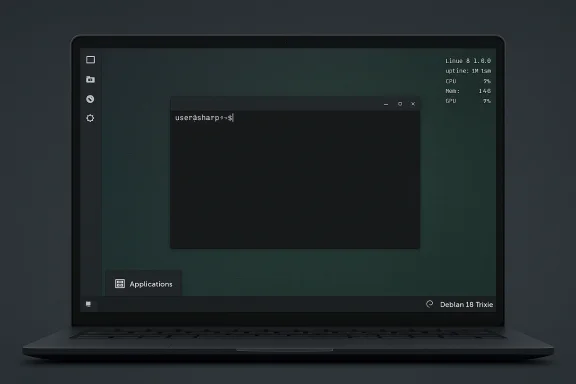 Background / Overview
BunsenLabs began life as the community continuation of CrunchBang, itself a slim, configuration-forward Debian spin that gained a cult following for delivering a usable, keyboard-first desktop in a tiny footprint. Over the past decade BunsenLabs has steadily evolved: preserving the spirit of CrunchBang while quietly modernizing components as upstream ecosystems shifted toward new tooling and standards.The new Carbon release is the project’s first major refresh built on Debian 13 “Trixie.” It’s a clear, deliberate step: update the base system and kernel, adopt packages that are Wayland-aware where practical, and restructure some of the desktop defaults so the distro can run on both classic X.org/Openbox sessions and Wayland sessions based on the lightweight labwc compositor. Crucially, Carbon still defaults to Openbox on X11; the maintainers are preparing for Wayland without forcing users to switch overnight.
This release is not a cosmetic facelift alone. It represents a philosophy of gradual modernization: keep what’s fast and familiar, replace what presents deployment, theming, or maintainability issues across both display servers, and build a migration path that respects end-user customizations.
What’s new in Carbon: practical changes that matter
The high-level changes in Carbon revolve around three goals: Wayland readiness, easier GUI configuration, and modern packaging for common desktop tasks. The release swaps several classic CrunchBang-era pieces for alternatives that work well on both X11 and Wayland, and reorganizes configuration locations to make future transitions smoother.Key changes include:
- Debian 13 “Trixie” base and up-to-date kernel — Carbon ships on the new stable foundation, bringing security updates, newer drivers, and a modern Linux kernel series with long-term support.
- Wayland readiness via labwc — The BunsenLabs session can now launch Wayland sessions where supported, with the maintainers preparing a future metapackage to make a base Wayland session easy to add.
- Application and panel swaps:
- tint2 (the traditional, compact panel) replaced by xfce4-panel
- lxterminal replaced by xfce4-terminal
- nitrogen replaced by xwwall + feh
- lxappearance replaced by nwg-look
- arandr replaced by lxrandr
- policykit-1-gnome replaced by mate-polkit
- New launcher consistency — A
bl-menuwrapper lets a single menu launcher operate in both X11 and Wayland sessions, sidestepping a long-standing pain point where launcher behavior diverged between display servers. - Blob theming manager improvements — The theme utility has gained support for saving and restoring xfce4-panel profiles, new Carbon-themed presets, and better handling of older tint2-based presets.
- Picom and compositing updates — Picom configuration files were updated to match modern compositors, which increasingly assume OpenGL/3D acceleration is available.
- Repository and installer tweaks — Live images use modern compression and APT improvements; system locales and sensible defaults are more predictable out of the box.
Under the hood: configuration, packaging and compatibility
Carbon’s maintainers have reorganized configuration to make the system easier to manage and migrate. Openbox and labwc configuration files have been moved into a distribution-specific location to avoid clobbering user dotfiles and to provide a clean separation between upstream defaults and local overrides. This makes it easier for users to preserve their customizations during upgrades.The move from tint2 to xfce4-panel is especially notable because it shows the project favouring maintainability and tooling over strict adherence to the historical CrunchBang aesthetic. xfce4-panel brings a GUI for panel settings, which many users will appreciate, and its plugins and theming mechanisms are more actively maintained than tint2’s niche ecosystem. At the same time, the project has kept paths open for users who prefer the old look: older preset profiles that rely on tint2 remain accessible and can be installed on demand.
On the packaging front, the Carbon release removes some legacy packages that are increasingly unnecessary on modern hardware — for example, a legacy Intel X.Org driver that previously targeted pre-2007 GPUs. This is a pragmatic choice that reduces ISO size and maintenance surface, but it also explicitly ends official 32-bit ISO images for Carbon; 32-bit users are expected to remain on older BunsenLabs releases until their upstream LTS support expires.
One practical consequence of modernizing picom and other compositing elements is an increased reliance on OpenGL and 3D acceleration. That’s fine on a real laptop or desktop with functioning GPU drivers, but it surfaces as an important caveat for virtual machines, older GPUs, and certain embedded devices.
User experience: look, feel and workflow
If you’re coming from older BunsenLabs or CrunchBang, Carbon will feel familiar yet subtly different. The distribution keeps the core Openbox layout: a compact, keyboard-friendly environment with a vertical left-side panel, no desktop icons by default, and Conky for system metrics and hotkey reminders.Notable UX changes:
- Panel behavior — The tint2 multi-section desktop indicator is replaced by xfce4-panel’s simpler desktop indicator. The new indicator shows virtual desktops differently and changes how users visualize multiple workspaces. This is not a functionality regression — you still get workspace switching and task awareness — but it does change the visual cues that long-term users rely on.
- Theming and visual polish — Carbon tilts away from the austere monochrome CrunchBang look toward slightly richer shading and gradients. It remains restrained, but it is arguably more approachable to newcomers who prefer GUI-based customization.
- Menu and launchers —
bl-menupreserves the CrunchBang-style application menu while decoupling it from differences between X11 and Wayland sessions. That keeps keyboard-first operation intact and reduces confusion when moving between sessions. - Terminal and config tools — Replacing lxterminal with xfce4-terminal and moving LXDE configuration pieces to Wayland-aware alternatives makes day-to-day configuration smoother — especially for users who want GUI panels to adjust things rather than editing raw config files.
Performance and resource footprint: still light, but measure for yourself
A major selling point of BunsenLabs has always been its small resource footprint. Early testing and reviews of Carbon report that it remains lean: with modest memory use measured at idle and a small installed footprint on disk compared to many contemporary desktop distributions. Those reported numbers vary between reviewers and testbeds — for example, one reviewer noted idle RAM around the 500–600 MB range and an installed disk usage in the low gigabytes.However, these figures are environment-dependent. RAM and disk use will differ based on kernel selection, which packages are installed by default or added later, and whether compositing/OpenGL is active. In particular, if you enable compositing without hardware acceleration (for example, inside a VM without 3D acceleration), the compositor may fail or fall back to underpowered modes, which can increase CPU load and make the system feel heavier.
If low memory or old GPUs are a constraint for you, follow two practical guidelines:
- Test Carbon live on the target hardware or VM before committing to installation.
- If running in a VM, enable 3D acceleration and OpenGL in the VM settings or disable the compositor to avoid picom/OpenGL issues.
Hardware, VM and Wayland caveats
Carbon is properly prepared for Wayland, but Wayland support on Linux is a moving target in the real world. The maintainers have done the sensible thing: make Wayland-capable packages available, ensure common utilities are Wayland-aware, and still default to Openbox on X11.Practical caveats to bear in mind:
- OpenGL/compositor requirement — Modern compositors and updated picom configurations assume OpenGL/3D acceleration. That can cause broken or unusable desktops in VMs that don’t expose GPU acceleration. The recommended fix in a VM environment is to enable Guest 3D acceleration or, if that isn’t possible, disable compositing.
- 32-bit support dropped — Carbon no longer ships 32-bit ISO images. Users of very old, 32-bit-only hardware must remain on older BunsenLabs releases or find alternate lightweight distros.
- Driver availability — Moving to Debian 13 means newer kernels and driver stacks. That’s a good thing for modern hardware, but infrequently some older GPUs (or third-party driver scenarios) might require extra configuration. Test and confirm driver behavior on critical systems.
- Wayland application readiness — While many apps are Wayland-aware now, not every legacy piece behaves perfectly. BunsenLabs mitigates this by favouring tools that work on both X11 and Wayland, but corner cases remain — especially with graphical tools that assume X11-only behavior.
Comparing Carbon with CrunchBang++ and other lightweight options
The BunsenLabs project is not the only community continuation of CrunchBang. CrunchBang++ (CB++) is another active successor that tends to be more conservative: it keeps closer to the original CrunchBang look-and-feel and remains firmly X11/Openbox focused. Where CB++ is conservative and consistent, BunsenLabs has become more experimental, embracing a hybrid approach that eases the path to Wayland.If you’re choosing between the two:
- Choose CrunchBang++ if you want a near-identical CrunchBang experience with minimal surprises and a strict commitment to the traditional stack.
- Choose BunsenLabs Carbon if you want an up-to-date Debian 13 base, Wayland readiness, and a slightly more polished out-of-the-box tooling experience (GUI panel configuration, easier theming, and a more actively modernized package set).
Strengths: why Carbon is an important release
- Practical Wayland migration path — Carbon prepares users and administrators to move to Wayland without forcing a big, disruptive change. That’s valuable for users who want modern display-server behavior but aren’t ready to rebuild their entire workflow.
- Modern base and security — Shipping on Debian 13 provides new security fixes, updated packages, and newer kernels that expand hardware support.
- Maintainability and tooling — Replacing hard-to-maintain or X-only tools with cross-compatible alternatives reduces long-term maintenance cost for both developers and users.
- Lightweight baseline retained — Despite modernization, Carbon keeps a small footprint and fast performance compared to full desktop environments.
- Community-driven polish — Improved theming tooling and sensible defaults show attention to the typical BunsenLabs audience: users who like to tweak but appreciate thoughtful defaults.
Risks and downsides: where to be cautious
- Loss of distinctive visual identity — Replacing tint2 and other CrunchBang-era components moves the aesthetic away from the original trademark look. For some users this will be a loss.
- Potential for compositing fragility — The increased dependency on OpenGL for the compositor introduces fragility on VM platforms and very old GPUs.
- Upgrade friction — Changes to configuration locations and defaults mean that upgrades need careful attention: backups and manual merges of dotfiles may be required.
- Limited maintenance resources — Smaller community projects are inevitably sensitive to volunteer availability. Shifts in maintainer bandwidth could slow follow-up fixes and refinements after a major release.
- Unpredictable application corner cases on Wayland — Some niche GUI apps still assume X11 semantics and may require workarounds or Xwayland fallback, which adds complexity for certain workflows.
Practical guide: testing and early adoption checklist
If you’re considering Carbon, here’s a practical checklist to help you adopt it safely:- Test the live image on target hardware or VM
- Boot Carbon live and verify display behavior and input device support.
- Check compositor behavior; disable compositing if the desktop is unusable in a VM without GPU acceleration.
- Verify hardware acceleration
- Ensure your system exposes 3D acceleration (GPU drivers, VM settings). If not, plan to disable picom compositing.
- Back up your dotfiles and Openbox configs
- Copy ~/.config/openbox and any custom Conky or panel configs before upgrading. Carbon relocates defaults, so preserve your customizations.
- Try the
bl-menuand panel presets - See how the new menu wrapper behaves across sessions. Install tint2 if you want the original look (older presets may prompt installation).
- Plan for 32-bit hardware
- If you rely on 32-bit machines, remain on the older Boron release or move to an alternative distro that still supports your architecture.
- Gradually enable Wayland
- Add labwc and Wayland sessions deliberately rather than switching wholesale. Use Xwayland as a compatibility layer for legacy apps.
- Watch for package deprecations
- Note removed packages (legacy Intel drivers, old Qt5 theming plugins) and identify replacements if your workflow depends on them.
The larger picture: why this matters for lightweight desktops
The Carbon release highlights a broader trend in small, community-driven distributions: the balancing act between heritage and evolution. Lightweight distros are no longer just about reducing resource usage; they’re also about providing a smooth path through the ecosystem shifts — Wayland replacing X11, modern compositor expectations, and ever-more aggressive upstream deprecations.BunsenLabs Carbon demonstrates a model that other niche desktop projects can follow: make conservative defaults comfortable, provide modern alternatives for users who want them, and keep the customization pathways intact. That approach helps preserve the unique value proposition of lightweight, configurable desktops while keeping them usable on modern hardware.
Conclusion
BunsenLabs Carbon is a mature, pragmatic release that keeps the flame of CrunchBang alive while recognizing that the desktop stack has changed. It walks a careful line: retaining Openbox and the keyboard-driven philosophy that users love, while updating core components so the distro runs sensibly on Wayland-capable systems and modern hardware. The default look is slightly less idiosyncratic than older CrunchBang-era builds, but the trade-off is a lower-maintenance, more consistent experience across display servers.For long-time users who cherish the original aesthetic, Carbon requires a small adjustment; for users who want a lightweight, Debian 13-based desktop that will play nicely with Wayland and modern compositors, Carbon is a thoughtful and forward-looking choice. As always with community distributions, the wise path is to test on representative hardware, back up custom configurations, and adopt compositing and Wayland features incrementally. If you do that, Carbon gives you the best of both worlds: a fast, minimalist desktop that’s ready for the next chapter of the Linux display server era.
Source: theregister.com BunsenLabs Carbon keeps the flame alive with Debian 13
