

I spent a long weekend turning hours of recorded interviews into searchable text without uploading a single file to the cloud — and the tool that made it practical is Buzz, an open‑source desktop app that runs OpenAI’s Whisper models locally and puts offline AI transcription within reach for Windows users, macOS users, and Linux users. Buzz’s combination of local-first design, multiple Whisper backends (including whisper.cpp and faster‑whisper), and easy installers (winget, Flatpak, App Store builds) means you can transcribe sensitive interviews on your laptop in a privacy‑conscious way — provided you understand the hardware trade‑offs, accuracy limits, and security caveats that come with running large speech models locally.
Offline AI transcription has moved from niche tinkering to practical everyday use because of two converging trends: robust, open weights and implementations of Whisper, and performance‑oriented reimplementations (C++ ports, CTranslate2 backends, and GPU‑accelerated runtimes). Buzz stitches these pieces together into a usable desktop app that supports multiple backends, lets you choose model sizes (tiny → large‑v3), and exports transcripts to plain text and subtitle formats for immediate publication or editing. The project’s documentation and release notes confirm supported platforms, install paths (winget/Flatpak/Snap/App Store), and continued updates that add GPU acceleration and workflow improvements. Why this matters now
Source: MakeUseOf I transcribed hours of interviews offline using this open-source tool
 Background / Overview
Offline AI transcription has moved from niche tinkering to practical everyday use because of two converging trends: robust, open weights and implementations of Whisper, and performance‑oriented reimplementations (C++ ports, CTranslate2 backends, and GPU‑accelerated runtimes). Buzz stitches these pieces together into a usable desktop app that supports multiple backends, lets you choose model sizes (tiny → large‑v3), and exports transcripts to plain text and subtitle formats for immediate publication or editing. The project’s documentation and release notes confirm supported platforms, install paths (winget/Flatpak/Snap/App Store), and continued updates that add GPU acceleration and workflow improvements. Why this matters now- Privacy: Cloud transcription services require uploads and often attach unclear data‑use terms; local transcription keeps recordings on your device.
- Cost: Local workflows avoid subscription limits and per‑minute API charges — you pay only for hardware and (occasionally) larger storage or GPU drivers.
- Speed: New runtimes and quantized models can make local transcription faster than naive cloud roundtrips for large batches, especially on machines with decent GPUs or modern CPUs.
What Buzz actually is (and what it isn’t)
The promise: local, friction‑free transcription
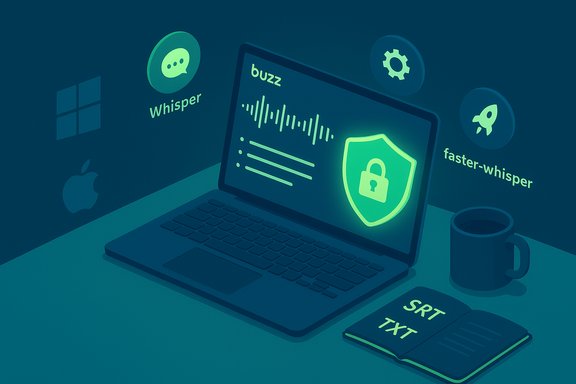
Buzz is a desktop app (Windows / macOS / Linux) that exposes Whisper‑based transcription without requiring command‑line plumbing. It supports:- Multiple Whisper backends: OpenAI’s original Whisper, whisper.cpp (C/C++ port), and faster‑whisper (CTranslate2 backend) so you can match performance to your hardware.
- Model sizes from tiny → base → small → medium → large (including large‑v3).
- Common export formats: plain TXT, SRT, VTT for subtitling or web players.
- Live (mic) recording and file transcription with queueing and a transcription viewer for playback and search.
The reality check: it’s not a cloud SaaS with collaboration features
Buzz deliberately focuses on transcription and local editing. It does not include:- Enterprise‑grade collaborative editors, cloud storage, or built‑in summarization features.
- Fully frictionless real‑time streaming on low‑end hardware (real‑time mic capture is resource‑heavy and often shows a few seconds of lag on many setups).
- A polished, subscription‑driven marketing experience — it’s an open‑source tool with frequent community contributions and a pragmatic UI.
How the different Whisper implementations affect you
Understanding the available Whisper backends is essential for choosing a workflow that balances speed, accuracy, and system requirements.- Whisper (OpenAI reference implementation): The original PyTorch codebase. Accurate but relatively heavy on RAM and GPU memory. Good for accuracy‑first workflows when you have high VRAM or can accept slower runtimes.
- whisper.cpp: A C/C++ port built on the ggml stack optimized for CPU and Vulkan GPU acceleration. Very efficient for CPU‑only scenarios and supports cross‑platform GPU acceleration (Vulkan/Metal) that helps on laptops without high‑end CUDA GPUs. It reduces memory allocations and can run on lower‑power machines.
- faster‑whisper: A CTranslate2‑based implementation that is often several times faster than the original Whisper while using less memory; it supports quantized runtimes and efficient GPU execution for much faster throughput on capable GPUs. Benchmarks show it can transcribe the same audio in a fraction of the time compared with the reference implementation depending on model and precision.
Real‑world performance: what to expect and why hardware matters
Local transcription performance is tightly coupled to:- Model size: bigger models (large‑v3) improve accuracy for messy audio and non‑English languages, but need more RAM/VRAM.
- Backend: faster‑whisper and whisper.cpp are optimized for speed and memory; openai/whisper favors simplicity and compatibility.
- GPU availability: CUDA GPUs (NVIDIA) with enough VRAM yield the fastest runtimes; Vulkan/Metal help on other platforms but performance varies.
- Audio quality: clean, close‑mic interviews yield far better transcripts than distant or noisy recordings.
- Published user stories often describe a 45‑minute recording transcribed in ~15 minutes on a mid‑range gaming laptop (e.g., RTX 4060, 16 GB RAM). That’s plausible if buzzy model selection, a GPU‑accelerated backend, and favorable audio conditions align — but it’s an anecdote, not a guaranteed baseline for every machine. Test a short sample before committing to long batches.
Accuracy: strengths, failure modes, and how to manage editing
Whisper and its derivatives are strong for clean speech in major languages. Still, several recurring accuracy caveats deserve attention:- Proper nouns and rare technical terms: models commonly mis‑spell names, companies, or domain‑specific jargon.
- Crosstalk and overlapping voices: ASR systems tend to collapse overlapping speech into a single stream; diarization (who said what) is not always solved by a single‑pass transcript.
- Accents and low‑resource languages: performance degrades for accents and languages underrepresented in training data; large‑v3 reduces errors but does not eliminate them.
- Background noise and recording chain: microphone quality, room acoustics, and gain staging matter a lot for final accuracy.
- Use a high‑quality mic and record at sensible levels (peak −6 dBFS recommended).
- Run a short 1‑2 minute sample through your chosen model and backend to check accuracy.
- Prefer medium or large models for interviews with heavy jargon, multiple speakers, or accented speech; pick tiny/base for speed and drafting.
- Add a human QC step: treat automatic transcripts as 80–95% drafts depending on the model and audio quality.
Privacy, threat model, and an important new caveat
Local transcription substantially reduces the most obvious privacy risk: uploading sensitive interviews to third‑party servers. Buzz runs everything on‑device; recordings and generated transcripts do not need to leave your machine unless you explicitly export them or configure upload hooks. That design is a major win for journalists, source protection, and privacy‑sensitive research. The project documentation and download manifests emphasize local operation and offline models. But there’s a second, more subtle privacy dimension that has become a major talking point in 2025: metadata leakage from streaming APIs. Recent research (Whisper Leak) demonstrates that encrypted streaming of LLM responses can leak topical information through packet sizes and timing patterns — a side channel that can allow passive observers to infer whether a remote LLM session is about a sensitive topic even when the payload is encrypted. For users relying on cloud transcription or cloud LLMs for sensitive work, this is a reminder that TLS encryption alone does not eliminate every risk. On‑device transcription like Buzz avoids that specific remote metadata risk because the model runs locally (no streaming to a provider), but users should still be mindful of operational security: network backups, telemetry, or optional upload features in some apps can change the threat model. Key privacy checklist- Confirm Buzz is installed from an official release (GitHub/winget/Flatpak) — avoid repackaged binaries.
- Disable any automatic upload or “share” feature unless intentionally used.
- For device‑level security, encrypt disk backups and control who has physical access to your machine.
- If you must use cloud providers for translation or summarization, prefer explicit, auditable APIs and consider the Microsoft Whisper Leak mitigations discussion when evaluating vendors.
Installation and safe deployment on Windows (practical steps)
Buzz makes installation straightforward for most platforms, but a few practical tips avoid common pitfalls:- Install from official channels:
- winget package: winget install ChidiWilliams.Buzz for a convenient, scriptable Windows install. winget releases and alternative GUIs list official download links.
- For Flatpak/Snap: use your distro package manager to ensure sandboxing.
- PyPI: available as buzz‑captions if you prefer a pip workflow (advanced users).
- Watch for unsigned installers: Buzz builds may not be code‑signed in some release channels; Windows will warn — verify checksums and prefer winget or the GitHub Releases page.
- FFmpeg: Buzz uses FFmpeg for decoding many media formats; the installer typically bundles FFmpeg dependencies on Windows, but double‑check if you install via PyPI or custom methods.
- GPU drivers: for CUDA acceleration (faster‑whisper or OpenAI Whisper PyTorch), install the matching NVIDIA CUDA/cuDNN drivers. For whisper.cpp Vulkan acceleration, ensure GPU drivers support Vulkan and are current. The GitHub docs explain build flags for CUDA/Vulkan.
- Decide install channel: winget (Windows), brew/cask or App Store (macOS), Flatpak/Snap (Linux).
- Install FFmpeg if not bundled.
- If using GPU acceleration, install appropriate GPU drivers and runtime dependencies (CUDA/cuDNN for NVIDIA; Vulkan drivers for other vendors).
- Download desired Whisper models (Buzz UI will typically manage model downloads for you).
Workflow tips for journalists, podcasters, and researchers
- Batch transcribe: queue files overnight on your laptop. Use medium models for a good speed/accuracy balance; reserve large‑v3 for high‑value recordings needing the best accuracy.
- Use exports for subtitles: SRT/VTT exports speed subtitling workflows; use timecodes for publishing video interviews.
- Build a post‑processing step: a lightweight human edit pass or a second‑pass quality check can turn a 90–95% automated transcript into a publish‑ready document quickly.
- Keep an audit trail: store a separate encrypted copy of raw audio; keep transcripts in a separate, permissioned folder. If sources require anonymity, redact names and metadata before sharing.
- For multilingual work: test languages early; large‑v3 improves coverage but expect errors for very low‑resource languages and dialects.
Risks, supply‑chain considerations, and maintenance
Open‑source tooling is powerful, but it comes with operational responsibilities:- Repackaged binaries: prefer winget/Flatpak/GitHub releases; avoid third‑party .exe mirrors with unknown provenance. Community threads consistently highlight repackaging risks and recommend official installers for supply‑chain safety.
- AV heuristics: some installers or virtual audio drivers (needed for loopback recording) can trigger endpoint protections. For managed corporate devices, consult IT before installing.
- Updates: keep Buzz and the underlying runtimes (whisper.cpp, faster‑whisper libraries, FFmpeg) updated to benefit from performance and security fixes. Buzz releases have added Vulkan support and other performance improvements; track those updates if you rely on GPU acceleration.
Final assessment — who should use Buzz and when
Buzz sits in a sweet spot for many Windows users:- Ideal for: freelance journalists, researchers, podcasters, and small media teams who must transcribe sensitive audio without sending files to the cloud and who can tolerate a short local learning curve.
- Not ideal for: teams that require cloud collaboration, enterprise support contracts, or integrated AI summarization and content repurposing — those use cases are better served by paid SaaS with collaboration features, albeit with privacy trade‑offs.
- True offline transcription capability that keeps source audio local.
- Supports multiple optimized backends so users can tune speed vs. accuracy.
- Free, open source, and actively maintained; releases add real performance gains (Vulkan GPU support, faster‑whisper improvements).
- Hardware matters: expect longer runs on low‑end hardware and plan accordingly.
- Accuracy is not perfect: expect human edits, especially for names and jargon.
- Supply‑chain and installer hygiene: verify sources and watch unsigned installers.
- Metadata threats apply to cloud streaming: Buzz avoids that class of remote metadata leakage, but if you later mix in cloud translation/summarization, re‑evaluate the threat model given recent research into metadata side channels.
Conclusion
Offline AI transcription is no longer a hobbyist pursuit — it’s a practical, privacy‑first workflow that is ready for production use if you set expectations correctly. Buzz combines flexible Whisper backends, convenient installers (including winget on Windows), and a focused transcription viewer that turns what used to be “a lot of tedious typing” into a background task that finishes while you do other editorial work. For journalists trimming hours of interviews, researchers archiving oral histories, and creators who value confidentiality, Buzz delivers a rare set of trade‑offs: strong privacy, no recurring cost, and high performance — provided you pay attention to model selection, hardware needs, and secure installation practices. Test a representative sample, pick the backend and model that match your audio quality and deadlines, and build a short human QC pass into every pipeline. That’s the fastest path from raw audio to publication‑ready text without giving up privacy or control.Source: MakeUseOf I transcribed hours of interviews offline using this open-source tool
