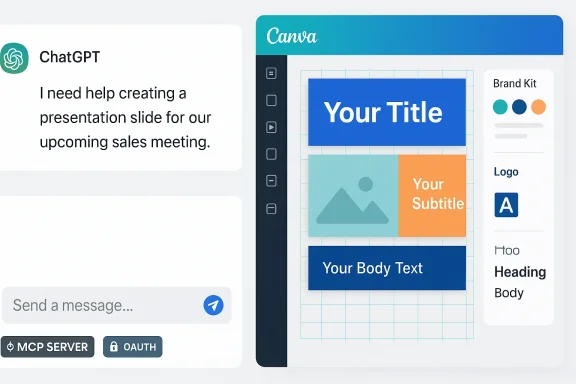
Canva’s design engine now rides shotgun inside ChatGPT, letting users turn a text prompt into a finished, on‑brand visual without leaving the chat — a change that promises to solve one of generative AI’s most durable headaches: neat, but off‑brand creative output.
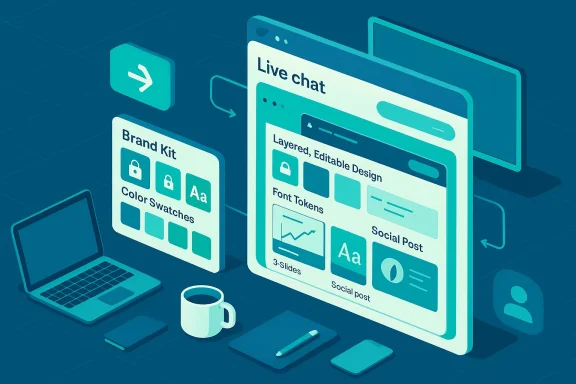
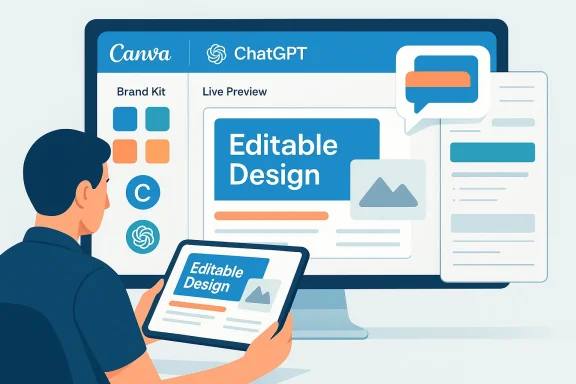
Canva has expanded its AI connector to embed full design creation and Brand Kit enforcement directly inside AI assistants, starting with ChatGPT. The company’s announcement explains that users can connect a Canva Brand Kit — the centralized repository for logos, fonts, colors, and templates — and then ask ChatGPT to generate, preview, edit, translate, and export a design that already respects those brand rules. The same capability recently rolled out for Anthropic’s Claude, and Canva says the feature is available to ChatGPT users on Free, Plus and Pro plans outside select regions.
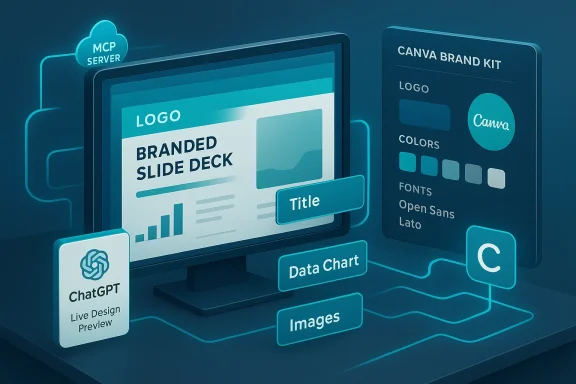
This work is powered by three linked pieces: the Canva Design Model (for editable, layered design outputs), the Canva AI tools and copilot features, and the Canva Model Context Protocol (MCP) Server — a connector that lets AI assistants access a user’s Canva workspace for context and action. Canva and press coverage say the MCP Server has already generated millions of designs across ChatGPT, Claude and Microsoft Copilot — a figure the company places at more than 12 million to date. That number is reported by Canva and repeated by independent outlets.
Why this matters now: brands and marketing teams have long treated visual identity as a fragile asset. AI promised speed, but first drafts were often generic and required manual rework to align with brand rules. Embedding brand intelligence where employees already converse with assistants removes a switchover step — and, if it works as advertised, changes AI from idea generator to one‑stop creative pipeline.
That said, the rollout raises practical and governance questions: region‑specific availability, enterprise access controls, auditability, licensing enforcement, and content accuracy. Many of Canva’s usage metrics (such as the “12 million designs” figure) are company reported and useful as directional scale indicators, but organizations should validate outcomes with a careful pilot before broad adoption.
For teams that depend on brand consistency and speed — marketing departments, distributed sales forces, and agencies — the value proposition is clear: faster production of shareable, brand‑safe visuals. The right approach for IT and creative leaders is a measured one: pilot quickly, instrument everything, and build governance that protects brand value while allowing the organization to reap the productivity gains AI now promises.
In short: the ChatGPT + Canva Brand Kit coupling is not just a productivity trick — it’s a structural shift in how visual identity participates in AI workflows. If enterprises manage the risks, it could finally deliver on AI’s long‑promised ROI for real, usable creative work.
Source: The Chronicle PH Canva plugs brand intelligence into ChatGPT, ending off-brand AI design headaches
 Background
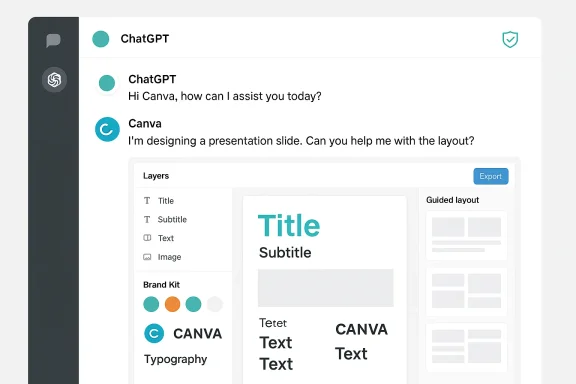
Canva has expanded its AI connector to embed full design creation and Brand Kit enforcement directly inside AI assistants, starting with ChatGPT. The company’s announcement explains that users can connect a Canva Brand Kit — the centralized repository for logos, fonts, colors, and templates — and then ask ChatGPT to generate, preview, edit, translate, and export a design that already respects those brand rules. The same capability recently rolled out for Anthropic’s Claude, and Canva says the feature is available to ChatGPT users on Free, Plus and Pro plans outside select regions. This work is powered by three linked pieces: the Canva Design Model (for editable, layered design outputs), the Canva AI tools and copilot features, and the Canva Model Context Protocol (MCP) Server — a connector that lets AI assistants access a user’s Canva workspace for context and action. Canva and press coverage say the MCP Server has already generated millions of designs across ChatGPT, Claude and Microsoft Copilot — a figure the company places at more than 12 million to date. That number is reported by Canva and repeated by independent outlets.
Why this matters now: brands and marketing teams have long treated visual identity as a fragile asset. AI promised speed, but first drafts were often generic and required manual rework to align with brand rules. Embedding brand intelligence where employees already converse with assistants removes a switchover step — and, if it works as advertised, changes AI from idea generator to one‑stop creative pipeline.
What exactly is new — a technical overview
The Canva app in ChatGPT: what you can do
- Generate brand‑aligned visuals from plain‑language prompts inside a ChatGPT conversation.
- Preview and edit designs inline (full‑screen preview) without having to open Canva separately.
- Apply an existing Canva Brand Kit automatically so designs use the right fonts, color palettes, logos, and approved layouts.
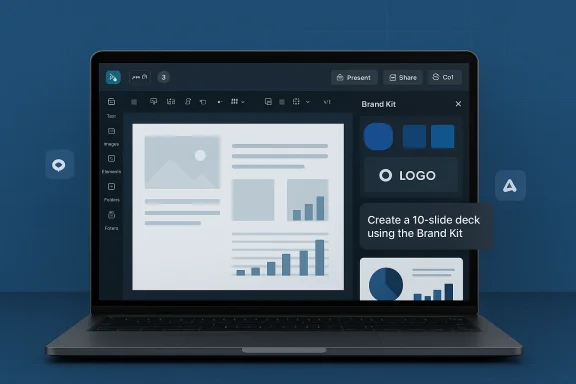
- Use features such as Guided Presentation Builder — structure a presentation with AI guidance and then render slides to match brand rules.
The plumbing: MCP Server and context flows
Canva’s Model Context Protocol (MCP) Server is the connective tissue. It exposes design assets and brand context securely to AI assistants so the assistant doesn’t just suggest copy or an image — it calls into Canva’s design model, requests an editable project, and returns an in‑chat preview that users can iterate on. This architecture is meant to preserve editability (layers, text, templates) rather than producing static, flattened outputs. The Verge, Canva’s newsroom and Business Wire detail how MCP is positioned as an open interoperability layer used by multiple assistants.Availability and platform notes
Canva states the capability is rolling out broadly in ChatGPT, with region and plan exceptions noted in its release (e.g., some EU availability caveats). Anthropic’s Claude was the first to receive on‑brand generation via the same connector. Reporters consistently point to an expanding footprint across major assistants, including Microsoft Copilot.Why this is a meaningful step for teams and creators
Speed without the usual cleanup
One of AI’s early productivity wins was reduced draft time — but teams often spent the saved time reformatting visuals to match brand rules. Embedding Brand Kit logic directly into assistants reduces the “regenerate then re‑format” loop, turning a brainstorm into a client‑ready asset more often on the first pass. That means fewer rounds of designer edits, faster campaign launches, and less friction for multi‑location teams that need consistent creative at scale.A practical win for distributed workforces
Large, distributed organizations with many localized content creators — for example, brokerages, retail franchises, and global marketing teams — often balance brand control with local flexibility. eXp Realty’s marketing team highlights how Brand Kits let agents scale personal branding without diluting the corporate identity; the ChatGPT integration promises to make that even faster by shortening the path from agent prompt to on‑brand asset. The claim is borne out in case studies Canva publishes about enterprise customers.Canva as the “visual layer” of AI workflows
Canva frames itself as the design brain that LLMs call into when a visual asset is needed. Third‑party traffic analysis supports the notion that AI assistants already send meaningful referral volumes to design and visual platforms; Similarweb data shows canva.com leading the Graphics, Multimedia, and Web Design category for AI referrals, and more broadly places Canva among prominent recipients of AI‑driven traffic. That’s an important market signal: assistants are already funneling users to Canva to finish visual work.Strengths: where this will genuinely help
- Integrated brand enforcement: Brand Kits are no longer passive PDFs. They function as active templates and constraints inside AI flows, reducing human error and off‑brand outputs.
- Editable, layered outputs: Because the Canva Design Model produces editable projects rather than flattened images, teams retain the ability to iterate and localize after generation. This preserves designer workflows instead of replacing them.
- Faster iterated workflows: The new Guided Presentation Builder and in‑chat edits let teams iterate copy and layout in the same conversational loop, decreasing back‑and‑forth between people and tools.
- Ecosystem momentum: With MCP adoption across multiple assistants (ChatGPT, Claude, Copilot), Canva’s design layer is portable — meaning prompts and workflows can travel across assistants while keeping brand fidelity.
Risks and caveats — what teams should watch for
1) The “company‑reported” numbers need scrutiny
Canva reports the MCP Server has generated more than 12 million designs across assistants. Independent outlets echo that figure, but it’s a company metric that blends many use cases (from brief templates to full presentation generation). Treat such usage counts as directional, not definitive evidence of enterprise readiness. In other words: impressive scale, but company‑reported.2) Access controls and multi‑tenant governance
Press coverage points out gaps in the public narrative about governance: how Brand Kits are surfaced in shared ChatGPT instances, who can invoke which Brand Kits, and how organizations audit or restrict access when employees use third‑party assistants. Early reporting flagged that Canva had not fully detailed enterprise governance controls in the initial announcements, and organizations should demand clarity before wide rollout.3) Privacy, data residency and regional availability
Canva’s release and commentary explain security under the Canva Shield framework, but regulatory regimes (notably in the EU) often require tighter data residency, consent and vendor controls. Canva’s own rollout notes region exceptions — teams operating in regulated regions should confirm availability and data handling before deploying at scale.4) Hallucinations and brand‑safe content
Even when a design is formatted correctly, the content (claims, product details, legal copy) can be inaccurate if the LLM hallucinates. Designers and legal reviewers must remain in the loop for content that has liability or compliance risk — brand style is only part of “brand safety.” Independent reporting emphasizes that on‑brand appearance does not equate to factually correct or legally safe content.5) Single‑vendor concentration
Making a single design platform the default visualizer inside multiple assistants centralizes risk. Outages, pricing changes, or shifting terms from one vendor could ripple across assistants that rely on Canva as the primary design layer. Enterprises should consider redundancy and exportability of assets. Business Wire and other releases highlight Canva’s dominant positioning, which is strategically valuable but also consolidates dependency.Practical guidance: how to pilot safely and effectively
Quick pilot checklist (ideal for marketing ops)
- Set up a canonical Canva Brand Kit for your core corporate identity and any approved sub‑brands. Ensure fonts, logos, and approved imagery are centrally stored.
- Define a small pilot group of 5–10 users with real use cases (social, decks, event posters) and connect the Canva app inside ChatGPT for them. Confirm region and plan availability.
- Create a governance policy: who may connect Brand Kits to personal assistants, what approvals are required, and how assets are audited. Log all design generations and exports for 30–60 days.
- Test edge cases: translation fidelity, slide‑count versus layout fidelity, legal language generation, and image attributions. Validate outputs with domain experts.
- Measure outcomes: time saved per asset, reduction in design revisions, user satisfaction, and compliance incidents. Use these metrics to decide scale‑up thresholds.
Technical and security checks
- Confirm whether Brand Kit assets remain in your tenant or are cached by the assistant. Ask for a whitepaper or SOC2 evidence if you’re enterprise.
- Verify export formats and lock‑in: ensure designs can be exported as editable files or migrated if vendor relationships change.
- Confirm administrative controls in ChatGPT’s apps directory for which users can install the Canva app and which Brand Kits they may access.
Enterprise governance: a short framework
- Govern: centralize Brand Kit ownership with Marketing/Brand teams, require approvals to expose Brand Kits to assistant integrations.
- Monitor: log generations and exports; sample audits of content accuracy and legal compliance.
- Limit: restrict Brand Kit access by role and project; use separate Brand Kits for pilot and production to avoid accidental public exposure.
- Educate: train users on prompt best practices and the difference between appearance and substantive accuracy.
- Recover: maintain policies and procedures for removing or replacing brand assets if mistakes or leaks occur.
Competitive and market implications
By becoming the go‑to “visual layer” for multiple AI assistants, Canva positions itself beyond a mere design editor — it becomes a platform-as-a-service for brand‑aware generation. That matters for several reasons:- Assistants that natively produce final, branded assets are more useful to enterprises and will be preferred in workflows, shifting user expectations away from separate design tools. Canva’s MCP approach — described as an interoperability standard — helps it scale this model across assistants.
- Traffic patterns suggest AI assistants are already referring users to design resources. Similarweb data shows canva.com leading in the Graphics, Multimedia and Web Design category for AI referrals, indicating demand for externally generated visual assets. That referral momentum is a moat: assistants learn that Canva is where real design work gets finished.
- The move pressures other design and creative platforms to either build similar connectors or risk being bypassed by assistants. Expect accelerated investment in SDKs, APIs and “brand‑aware” design models from competing services.
What to test as an IT or marketing leader this month
- Time to first shareable asset: measure the minutes from prompt to exported, approved visual for a common use case (social post, 3‑slide deck).
- Brand fidelity score: create a rubric for logo placement, color matching and approved fonts, and score outputs from ChatGPT+Canva.
- Content correctness: run a statutory or compliance checklist against language generated for regulated topics. Flag hallucinations and measure frequency.
- Governance test: attempt to access Brand Kits from an unapproved ChatGPT user profile and confirm policies prevent unauthorized generation.
Longer‑term questions and open issues
- Will enterprises be comfortable surfacing controlled Brand Kits into consumer assistants, or will they demand private, on‑prem or Enterprise‑grade connectors with strict data residency? Early rollout notes and region exceptions suggest the latter will be a priority for regulated customers.
- How will licensing and font usage be enforced at scale? Brand Kits may contain proprietary fonts and licensed assets; automated generation increases the risk of inadvertent licensing violations unless the platform enforces usage rules. Press releases highlight Brand Kit enforcement but leave some operational details to be clarified.
- What auditing and provenance tools will be available to prove an asset’s origin, editing history, and the model prompts used to generate it? For legal and IP reasons, traceability will be essential. Current public documentation focuses on capabilities; the provenance story is still emerging.
Final assessment
Canva’s move to plug Brand Kits into ChatGPT is a significant step in turning conversational AI from an ideation layer into a completion layer for creative work. The integration addresses a long‑running pain point — off‑brand AI outputs — and does so with an architecture designed to return editable, brand‑aware projects rather than static images. Early reporting across Canva’s newsroom, Business Wire and independent outlets confirms both the technical approach and the strategic intent to make Canva the visual brain behind multiple assistants.That said, the rollout raises practical and governance questions: region‑specific availability, enterprise access controls, auditability, licensing enforcement, and content accuracy. Many of Canva’s usage metrics (such as the “12 million designs” figure) are company reported and useful as directional scale indicators, but organizations should validate outcomes with a careful pilot before broad adoption.
For teams that depend on brand consistency and speed — marketing departments, distributed sales forces, and agencies — the value proposition is clear: faster production of shareable, brand‑safe visuals. The right approach for IT and creative leaders is a measured one: pilot quickly, instrument everything, and build governance that protects brand value while allowing the organization to reap the productivity gains AI now promises.
In short: the ChatGPT + Canva Brand Kit coupling is not just a productivity trick — it’s a structural shift in how visual identity participates in AI workflows. If enterprises manage the risks, it could finally deliver on AI’s long‑promised ROI for real, usable creative work.
Source: The Chronicle PH Canva plugs brand intelligence into ChatGPT, ending off-brand AI design headaches