

CES 2026 made one thing unmistakably clear: AI stopped being an optional spec line and became the operating layer across PCs, displays, and peripherals — and the devices that impressed most were the ones that treated on‑device intelligence as a first‑class design constraint rather than a sticker on the box.
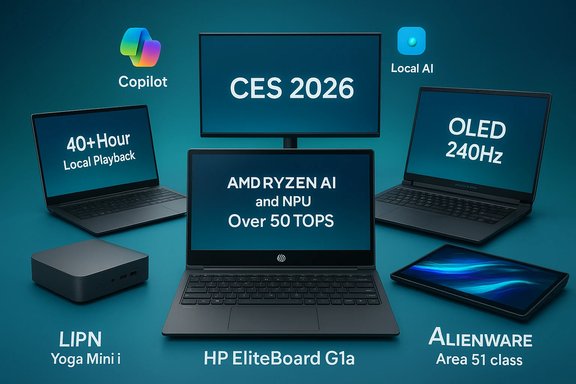
The 2026 Consumer Electronics Show felt less like a parade of incremental refreshes and more like a platform pivot. Chipmakers shipped NPUs into every device class; OEMs rethought form factors to put that local AI horsepower to practical use; and vendors leaned into managed enterprise features, sustainability and serviceability as real procurement considerations. Across laptops, mini‑PCs, AIOs, handhelds and desktop silicon, CES’s standout products showed two common moves:
Strengths on display at CES were plentiful — ingenuity of form, real attempts at serviceability, and a clear move to honest performance-per-watt through integrated NPUs. The risks were equally visible: vendor‑claimed TOPS and battery numbers need independent verification; novel designs raise practical concerns about sustainment, thermals and long‑term support; and the hybrid cloud/local balance will be the battleground for privacy, latency and feature availability.
Buyers should be excited but careful: the window between a headline spec and a dependable daily driver is narrow. Wait for hands‑on reviews that measure sustained performance, thermal consistency, realistic battery life and the actual impact of on‑device AI in your workflows before trading up. The devices that will truly matter in 2026 are the ones that pair innovation with honest, verifiable performance and a roadmap for long‑term support.
Source: Windows Central https://www.windowscentral.com/hardware/best-of-ces-2026-awards/
 Background
The 2026 Consumer Electronics Show felt less like a parade of incremental refreshes and more like a platform pivot. Chipmakers shipped NPUs into every device class; OEMs rethought form factors to put that local AI horsepower to practical use; and vendors leaned into managed enterprise features, sustainability and serviceability as real procurement considerations. Across laptops, mini‑PCs, AIOs, handhelds and desktop silicon, CES’s standout products showed two common moves:- Local-first AI compute — NPUs rated in TOPS (trillions of operations per second) are now being used to reduce latency, protect data privacy and enable offline Copilot-like features.
- Form factor reinvention — creative packaging of full‑function PCs (keyboard PCs, palm‑sized minis, floating AIOs, dual‑screen and rollable concepts) aimed to match how people actually work, create and play.
Overview: what made these picks stand out
Windows Central’s roundup of CES favorites distilled the show into 13 devices that exemplify 2026’s priorities: AI integration, practical innovation, and a willingness to bet on new interactions. Across that list, two themes repeat:- Devices that pair novel hardware design with serviceability and manageability (important for enterprise deployment) tend to be the most interesting.
- Many headline specs — NPUs rated at 50 TOPS, 80 TOPS, ultra‑long battery numbers and multi‑day playback claims — come from vendor testing or platform partners and should be treated as vendor claims until independent benchmarks arrive.
Best innovation: HP EliteBoard G1a — a full PC inside a keyboard
What it is
HP turned an office staple into a portable Copilot+ PC by packing a full Windows‑capable system inside a keyboard chassis. The EliteBoard G1a integrates an AMD Ryzen AI‑class processor, an NPU the company rates above 50 TOPS, upgradable memory and storage, and an option for a small internal battery for untethered use.Key technical claims (vendor)
- 12 mm thin keyboard chassis, ~750 g weight.
- AMD Ryzen AI 300‑series silicon with an NPU rated at “over 50 TOPS.”
- Up to 64 GB DDR5, up to 2 TB PCIe 4.0 NVMe SSD; user‑serviceable modules.
- Two SKUs: fixed USB4 cable with DisplayPort 2.1 passthrough, and detachable‑cable model with removable battery.
Why it mattered
- Practical novelty. Unlike quirky proof‑of‑concept keyboards of the past, this one is purpose‑built for enterprise IT: modularity, repairability and a clear manageability story.
- Local AI for productivity. A 50+ TOPS NPU brings many Copilot+ experiences into the device boundary, reducing round trips to cloud services and protecting some data locally.
Risks and caveats
- Vendor‑claimed TOPS and battery numbers. NPU TOPS and battery runtime predictions are useful comparators but do not equate to real‑world NLP, vision or multitask throughput without measured benchmarks.
- Thermals and sustained performance. A keyboard chassis is thermally constrained compared to a laptop; how well the EliteBoard sustains boost clocks under real workloads remains to be proven.
- Use case constraints. The EliteBoard is designed to be a portable desk PC, not a replacement for power users who need discrete GPUs or full‑sized laptop ergonomics.
Best laptop: Dell XPS 14 / XPS 16 — XPS returns with endurance and refinement
What changed
Dell brought the XPS name back and rebuilt the designs around Intel’s Core Ultra Series 3 (Panther Lake), promising industry‑leading battery life and a reintroduction of user‑friendly details such as a physical function key row.Verified highlights
- Configurations built on Intel Core Ultra Series 3, integrated Intel Arc graphics.
- Battery life claims framed as up to 40+ hours of local video playback (vendor lab numbers).
- Emphasis on refined cooling, OLED and 2K display options, and sustainability in materials.
Why it impressed
- Battery-first design for real mobility. If OEM lab numbers translate to real use, the XPS refresh redefines what a thin-and-light can deliver for day‑long creative sessions and travel.
- Panther Lake’s AI uplift. Series 3 chips bring integrated NPUs that enable on‑device Copilot features without forcing users to pay a discrete‑GPU tax.
Risks and caveats
- Real-world battery figures vary. Dell’s 40‑hour claim is for tightly controlled local playback conditions; typical mixed workloads will be far less.
- Competition is fierce. Ultralight competitors using Snapdragon X2 or AMD Ryzen AI variants may deliver better battery/per‑watt in some usage profiles.
Best gaming laptop: Alienware 16 Area‑51 — big, loud, and unapologetically powerful
What it is
Alienware’s Area‑51 16 is a performance flagship with high‑refresh OLED panels, mechanical keyboard options, and desktop‑class configuration choices that push wattage and thermal design.Confirmed specs
- Up to Intel Core Ultra 9 275HX (up to 24 cores in some variants), configurable with up to NVIDIA RTX 5090 Laptop GPUs.
- OLED QHD+ 240 Hz (or similarly high spec refresh choices), large batteries (96 Whr), and advanced thermal architecture.
Why it stood out
- Desktop‑class ambition in a laptop chassis. Multiple M.2 slots, high wattage cooling and mechanical keyboard options point toward a niche of buyers who want a desktop‑caliber laptop.
- OLED at high refresh rates. Alienware’s anti‑glare OLED panels address a common OLED complaint while preserving HDR depth and color.
Risks and caveats
- Bulk and price. These rigs trade portability for desktop‑adjacent performance — expect high prices and short battery life under heavy gaming.
- Component thermals. Squeezing RTX 5090‑class mobile GPUs into a laptop depends on a robust cooling system; buyers should wait for sustained‑load reviews.
Best 2‑in‑1 laptop: ASUS ROG Zephyrus Duo — dual OLED, creative + gaming workflows
The design
ASUS refined the dual‑screen Duo concept into a 16‑inch dual‑OLED powerhouse targeted at creators who game. Both displays are tall 16:10 OLEDs tuned for color accuracy, HDR and high refresh rates.Verified highlights
- Dual 3K Nebula HDR OLED panels, 120 Hz, both touch capable.
- Up to NVIDIA GeForce RTX 5090 Laptop GPU; Intel Core Ultra top SKUs; ROG Intelligent Cooling, vapor chamber and robust I/O.
Why it matters
- Versatile workflows. The Duo’s screens are genuinely useful for multitasking: full‑screen timeline on main display, reference or tool palettes on the second.
- High‑end creation and gaming. The hardware choices make it a true hybrid for streamers and creators who also want gaming performance.
Risks and caveats
- Battery and weight tradeoffs. Dual displays mean higher power draw and a heavier chassis than single‑screen counterparts.
- Use-case specific. The Duo is ideal for creative professionals; buyers seeking portability above all else should consider lighter ultrabooks.
Best ultrabook: Lenovo Yoga Slim 7i Ultra — sub‑kilogram with flagship silicon
What it achieves
Lenovo squeezed premium performance into a remarkably light chassis: sub‑kilogram weight with up to Intel Core Ultra X9 Series 3 and LPDDR5x‑9600 memory.Highlights
- Weight around 2.15 lb (0.98 kg), 0.55 in thickness.
- Up to Core Ultra X9 with integrated Intel Xe, up to 32 GB LPDDR5x‑9600, and 2 TB PCIe 4.0 NVMe SSD.
Why it impressed
- Performance density. A lightweight chassis that still offers high‑end silicon is valuable for mobile creatives and frequent travelers.
- Build and finish. Premium materials and display choices make it a compelling all‑rounder.
Risks
- Thermal throttling risk. Delivering continuous high performance in a sub‑kilogram design is thermally challenging; sustained workloads will reveal limits.
- Limited upgradability. Extremely thin ultrabooks often solder memory; check configuration choices carefully before purchase.
Best business laptop: HP EliteBook X 14 G2i — pick your silicon
The pitch
HP’s EliteBook X 14 G2i lets buyers choose between Intel, AMD and Qualcomm processors in the same chassis — a bold move that prioritizes platform choice for enterprise deployments.Why it’s notable
- Multi‑architecture design. Offering Intel, AMD and Snapdragon variants in one chassis simplifies procurement and brings true choice to corporate fleets.
- Panther Lake promises. Early impressions of Intel’s next‑gen chips in the EliteBook indicate smooth responsiveness and strong efficiency.
Risks and tradeoffs
- Certification and software parity. Different SoC architectures mean divergent driver stacks and potential application compatibility issues that IT must test.
- Support complexity. Enterprise IT will need clear guidance on firmware and security patching across all supported architectures.
Best mini PC: Lenovo Yoga Mini i — tiny, but capable
What it is
A compact puck‑style mini PC that trades the cuboid box for an even smaller footprint, yet still offers robust specs and a generous port selection.Notable specs
- Up to 32 GB LPDDR5x‑8533, up to 2 TB M.2 PCIe 4.0 NVMe; good port selection for a minimalist desktop.
Why it stood out
- Space efficiency without huge compromise. Ideal for home offices and media-centric desks where a full tower is overkill.
- Port density. The Yoga Mini i keeps useful I/O for external displays and peripherals.
Limitations
- Thermals and performance ceiling. Small cases limit cooling headroom — not ideal for heavy sustained compute.
- Upgrade constraints. Verify which components are user‑serviceable before buying.
Best All‑in‑One PC: Lenovo Yoga AIO i Aura Edition — a floating display with ambient lighting
Design and specs
A 31.5–32‑inch 4K OLED AIO at 165 Hz with adaptive ambient lighting that hides the adjustable stand for a “floating” look. Configurations include Intel Core Ultra Series 3, up to 32 GB LPDDR5x and a 2 TB NVMe SSD.Why it’s compelling
- Creator‑centric features. High refresh 4K OLED and adaptive lighting make it an attractive centerpiece for studios and designer workspaces.
- Integrated hardware and experience. Face ID cameras, Dolby Atmos and color‑accurate panels aim to reduce the need for separate peripherals.
Risks
- Price and ergonomics. AIOs are harder to upgrade; buyers should weigh the benefits of a neat, integrated package against future flexibility.
- Ambient lighting usefulness. Novelty lighting is great for desk aesthetics, but its practical value beyond notifications and synced lighting is limited.
Best display: Dell UltraSharp 52 — the 52‑inch 6K productivity monster
The proposition
A 52‑inch curved ultrawide monitor with a 6K (6144 × 2560), 120 Hz panel aimed squarely at single‑monitor power users.Why it’s a “productivity monster”
- Massive screen real estate for non‑paneled workflows such as trading, large spreadsheets, multi‑document editing, and immersive timeline work.
- Built‑in KVM, Thunderbolt/USB‑C connectivity and workstation features that let one machine drive multiple peripherals.
Practical tradeoffs
- Desk footprint and cost. This monitor demands a serious desk and a premium budget.
- Targeted use case. It’s a specialist tool — transformative for some workflows but excessive for general users.
Best gaming handheld: Lenovo Legion Go 2 (SteamOS variant)
What changed
Lenovo introduced a SteamOS version of the Legion Go 2 to address handheld‑specific performance and battery tradeoffs by shipping a native Steam image.Confirmed highlights
- Same hardware as Windows Legion Go 2: up to AMD Ryzen Z2 Extreme, 8.8‑inch 144 Hz OLED, up to 32 GB LPDDR5X, up to 2 TB NVMe, 74 Wh battery.
- SteamOS SKU aimed at a June release with a starting MSRP around $1,199.
Why it’s relevant
- OS matters on handhelds. SteamOS’s lean stack and console‑centric UX can deliver steadier frame times and battery advantages versus full Windows on handsets.
- Valve partnership momentum. OEMs offering a first‑party SteamOS image reduce friction for buyers who live in Steam.
Caveats
- Feature tradeoffs. SteamOS variants drop some Windows conveniences (for example, biometric login), and software compatibility may differ.
- Price: At $1,199 it’s a premium handheld; compare against the Valve handheld and other alternatives for the best value.
Best desktop CPU: AMD Ryzen 7 9850X3D — a focused, gaming‑first bump
What it is
An iterative refresh of AMD’s X3D family, the 9850X3D raises the boost clock to 5.6 GHz while maintaining 8 cores, 16 threads, 104 MB of combined cache and a 120 W TDP.Why it’s important
- Gaming sweet spot. Higher boost clocks plus abundant 3D V‑Cache target frequency‑sensitive gaming workloads.
- Tactical roadmap move. AMD keeps the AM5 upgrade path active with targeted SKU refinements that benefit gamers without wholesale architecture changes.
Caveats
- Marginal gains. Early vendor materials and press indicate average improvements on the order of a few percent versus the 9800X3D. For many users, the previous generation remains very competitive on price/performance.
- Benchmarks required. Real‑world uplift is game‑dependent; independent reviews will be the decisive measure.
Best laptop CPU: Intel Core Ultra X9 388H — Panther Lake’s flagship
Key specs and claims
- Up to 16 cores (4 performance, 8 efficiency, 4 low‑power efficiency), 16 threads, max turbo around 5.1 GHz.
- Integrated Xe3 graphics and an NPU rated up to 50 TOPS in Intel’s Series 3 (Panther Lake) family.
- Designed to provide a balance of performance, efficiency and on‑device AI.
Why it matters
- Integrated AI as mainstream. A 50 TOPS NPU across high‑tier mobile SKUs brings Copilot+ features to more thin‑and‑light designs without discrete GPUs.
- Process maturity. Intel’s 18A platform claims mark a manufacturing milestone with broad OEM adoption already planned.
Caution
- TOPS vs. real application performance. TOPS is a throughput metric; it doesn’t directly translate to model latency, accuracy or memory capabilities. Real application testing is required to judge user impact.
Best sequel: ASUS Zenbook A16 — Snapdragon X2 Elite Extreme arrives
What it is
ASUS scaled up its Zenbook family with an A16 model powered by Qualcomm’s Snapdragon X2 Elite Extreme SoC with an 18‑core design and an NPU advertised at up to 80 TOPS.Why the Snapdragon presence matters
- Arm on Windows is maturing. High‑NPU Snapdragon variants deliver impressive battery life and strong AI inference performance in lightweight chassis.
- New performance balance. The Zenbook A16 positions large‑screen ultraportables as both thin and capable for AI tasks that traditionally required x86 silicon.
Caveats
- x86 compatibility considerations. Native Arm builds and emulation nuance remain a factor; IT teams and power users should validate application compatibility.
- Vendor‑claimed TOPS and battery numbers. As always, verify with independent benchmarks.
Practical buying guidance and enterprise considerations
- Evaluate real‑world benchmarks, not just TOPS or lab battery numbers. Vendor TOPS and playback hours are useful for comparison but don’t substitute for sustained, application‑level tests.
- For enterprise purchases, prioritize serviceability, centralized management, and long‑term firmware support. Devices like the EliteBoard and certain Aura Edition models explicitly address these concerns.
- If on‑device privacy matters, verify which features run locally versus which rely on cloud services and which cloud endpoints are involved.
- For handheld and ultra‑portable gaming, try both OS variants when available — SteamOS often yields steadier handheld performance, while Windows retains broader compatibility.
- Consider total cost of ownership: repairability, upgrade paths and energy efficiency matter over a device lifecycle.
What to watch for in 2026 testing cycles
- Independent validation of NPU capabilities across representative workloads: LLM latency, vision pipelines, real‑time transcription and on‑device multimodal tasks.
- Thermal behavior in novel form factors: keyboard PCs, sub‑kilogram ultrabooks, and dual‑OLED laptops.
- Battery life in mixed workloads (productivity + background AI), not just local video playback.
- Security posture for Copilot+ devices: hardware‑enforced protections, firmware update cadence, and telemetry defaults.
Conclusion
CES 2026 didn’t just debut a slate of eye‑catching gadgets — it articulated a new product taxonomy for personal computing built around local AI acceleration, smarter form factors and procurement pragmatism. The EliteBoard G1a’s audacious keyboard‑PC, Dell’s revived XPS focus on battery endurance, Alienware’s Area‑51 desktop ambitions in a laptop shell, and the widespread arrival of high‑TOPS NPUs all point to a single truth: 2026’s most meaningful innovations are those that pair on‑device intelligence with tangible improvements to how people work, create and play.Strengths on display at CES were plentiful — ingenuity of form, real attempts at serviceability, and a clear move to honest performance-per-watt through integrated NPUs. The risks were equally visible: vendor‑claimed TOPS and battery numbers need independent verification; novel designs raise practical concerns about sustainment, thermals and long‑term support; and the hybrid cloud/local balance will be the battleground for privacy, latency and feature availability.
Buyers should be excited but careful: the window between a headline spec and a dependable daily driver is narrow. Wait for hands‑on reviews that measure sustained performance, thermal consistency, realistic battery life and the actual impact of on‑device AI in your workflows before trading up. The devices that will truly matter in 2026 are the ones that pair innovation with honest, verifiable performance and a roadmap for long‑term support.
Source: Windows Central https://www.windowscentral.com/hardware/best-of-ces-2026-awards/
