

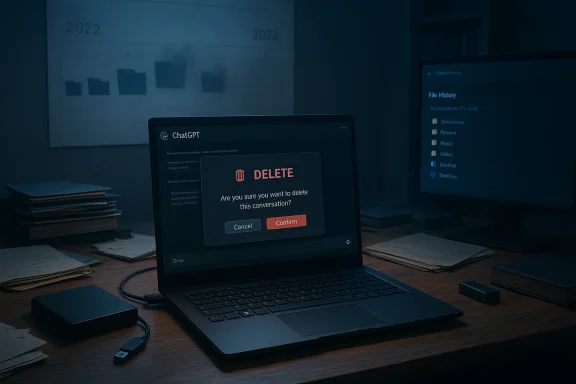
Two years of a professor’s academic scaffolding — grant drafts, lecture materials, exam banks and publication revisions — vanished in an instant when a single change to ChatGPT’s data controls emptied his workspace, and there was no undo, no support recovery, and no comeback from the company he’d paid to avoid exactly this sort of disaster.
In late January, a high‑profile account from Professor Marcel Bucher of the University of Cologne described how he used ChatGPT Plus daily for professional work and then lost two years’ worth of that work after toggling a data‑consent setting. He reported that, after switching the control, “At that moment, all of my chats were permanently deleted and the project folders were emptied — two years of carefully structured academic work disappeared.” The incident set off an immediate storm of debate about whether conversational AI workspaces are reliable places to store professional research, what safeguards vendors must provide, and how institutions should govern AI adoption in scholarly workflows.
This is not an isolated type of failure. Over recent years, cloud‑hosted systems and managed AI services have produced multiple high‑visibility data incidents — from long‑term storage errors to accounts locked out with little recourse — and legal knock‑on effects have further complicated how providers treat deleted content. Those contexts matter here because they change both what vendors can promise and what users should reasonably expect.
Importantly, this design tradeoff sits at the tension between two legitimate goals:
That legal complexity matters because it alters the expectations of permanence: while the product UI may make deletion final for typical recovery channels, in litigation or compliance contexts the vendor may be required to hold or produce material that was otherwise deleted. Conversely, for most users the practical reality remains: support channels and the UI will not restore deleted chat content.
This inconsistency is precisely why many commentators — and the professor in his account — call for better in‑product warnings, a time‑limited trash/recovery mechanism, or at least an automated export option for users who discover they’ve turned a destructive control on by mistake.
Companies that want to own professional workflows must design for recoverability as well as privacy. That means offering ways for users to opt into retention, automated exports, or paid archival services that preserve the productivity gains while limiting catastrophic downside.
AI can and should improve how we work, but only if the tools are designed to protect the things that matter most: the ideas, drafts and evidence we cannot recreate with a click.
Source: Windows Central ChatGPT deleted 2 years of a professor's research — there's no undo button
 Background
In late January, a high‑profile account from Professor Marcel Bucher of the University of Cologne described how he used ChatGPT Plus daily for professional work and then lost two years’ worth of that work after toggling a data‑consent setting. He reported that, after switching the control, “At that moment, all of my chats were permanently deleted and the project folders were emptied — two years of carefully structured academic work disappeared.” The incident set off an immediate storm of debate about whether conversational AI workspaces are reliable places to store professional research, what safeguards vendors must provide, and how institutions should govern AI adoption in scholarly workflows.This is not an isolated type of failure. Over recent years, cloud‑hosted systems and managed AI services have produced multiple high‑visibility data incidents — from long‑term storage errors to accounts locked out with little recourse — and legal knock‑on effects have further complicated how providers treat deleted content. Those contexts matter here because they change both what vendors can promise and what users should reasonably expect.
What actually happened: a concise timeline
- Professor Bucher used ChatGPT Plus as a daily research and teaching assistant: drafting emails, structuring grant proposals, iterating publication drafts, preparing lectures, creating exams and analysing student responses.
- In August, he temporarily disabled a ChatGPT “data consent” option to test whether the tool would still work without OpenAI having permission to use his data.
- Immediately after toggling that control, his chat history and project folders were gone — no warning, no undo, and no way to restore them through the UI.
- He contacted OpenAI; the initial contact was an AI responder and, after persistence, a human agent confirmed support could not recover the content. OpenAI said deleted chats cannot be recovered via the UI, APIs, or support, framing deletion as aligned with privacy best practices.
- Partial local copies and exports rescued some items, but large portions of iterative prompts, revisions and project structure were lost forever.
Overview: why this matters to Windows users, researchers and IT pros
- Researchers routinely rely on tools that remember context and preserve iterative drafts. Conversational AI ups productivity by keeping a running history of prompts and outputs; treating that history as a writable, versioned workspace is attractive — and risky.
- Many professionals, especially academics, now mix cloud‑only workflows with local copies. But the unique affordance of a chat workspace — conversation continuity, threaded project folders, and rapid draft retrieval — makes it tempting to use it as a primary repository.
- For Windows users and IT teams, the incident is a reminder that local backup policies, scheduled exports, and integration between productivity ecosystems and AI tools are no longer optional.
The technical anatomy: data consent, retention and deletion
Understanding why this deletion was irreversible requires a short primer on how consumer AI chat services typically treat chats and files.- Chat history is usually stored server‑side, tied to user accounts. That makes chat continuity and cross‑device access possible.
- Providers expose data controls (opt‑in/opt‑out for training, settings for temporary chats) that adjust whether chats are used to improve models and how long they are retained.
- Deletion actions in many services are permanent by design: a confirmation prompt may appear in the UI, but once a conversation is deleted it may be scheduled for permanent purge and removed from the visible interface immediately.
- Some companies practice privacy by design for deletions — meaning the system intentionally does not keep user‑visible backups that support staff can restore. That reduces the attack surface for unauthorized retention, but it also eliminates recovery avenues when deletions are accidental or the result of software/UX errors.
Importantly, this design tradeoff sits at the tension between two legitimate goals:
- Privacy and user control — make it possible for users to erase traces quickly and permanently.
- Safety, reliability and recoverability — provide some guardrails (trash/undo, time‑limited recovery) when destructive actions could destroy irreplaceable work.
OpenAI’s response and the broader policy context
OpenAI has a multilayered posture on deleted content. On the consumer side, their documentation states chats are deleted and scheduled for permanent deletion; the company advises users to keep their own backups for professional work. At the same time, legal proceedings (notably preservation requests in litigation) have previously compelled OpenAI to preserve certain deleted chats for investigatory purposes, creating an uneasy middle ground where "deleted from the UI" does not always equal "completely destroyed."That legal complexity matters because it alters the expectations of permanence: while the product UI may make deletion final for typical recovery channels, in litigation or compliance contexts the vendor may be required to hold or produce material that was otherwise deleted. Conversely, for most users the practical reality remains: support channels and the UI will not restore deleted chat content.
This inconsistency is precisely why many commentators — and the professor in his account — call for better in‑product warnings, a time‑limited trash/recovery mechanism, or at least an automated export option for users who discover they’ve turned a destructive control on by mistake.
Strengths of chat‑based AI workspaces
It’s important to balance the critique: conversational AI workspaces offer real, measurable benefits that explain why professionals adopted them in the first place.- Speed: AI can draft emails, structure arguments, and spin up lecture notes in minutes.
- Context continuity: models maintain conversation context across turns, which accelerates iterative refinement.
- Multimodal convenience: modern chat products often accept file uploads, images, transcripts and code, centralizing related artifacts in one thread.
- Accessibility: for many researchers with limited time, having a responsive drafting assistant reduces friction between idea and deliverable.
Risks and systemic weaknesses exposed
Several structural risks emerge from this incident:- Treating ephemeral UI history as primary storage. Chat logs were designed as conversational history, not a robust document management system with versioning, audit trails and guaranteed backups.
- Ambiguous or dangerous UI affordances. Controls labeled for privacy or training consent that also trigger destructive deletion violate the principle of least astonishment; users expect privacy toggles to alter how their data is used, not to purge entire workspaces.
- Insufficient recovery options. No trash folder, no time‑limited undo and no recoverable endpoint means human error is permanent.
- Support limitations for consumer tiers. Paid consumer tiers do not necessarily receive recoverability help — the ability to escalate to a vendor that can restore lost data is often reserved for enterprise customers with specific contracts.
- Legal and compliance complexity. Court orders and preservation demands create a messy backdrop where vendors may be required to retain or produce data they otherwise planned to destroy — adding uncertainty for users relying on a "delete = erased" mental model.
Practical, actionable recovery and mitigation steps for Windows users
If you run Windows and use ChatGPT or similar chat assistants as a companion in your work, here are concrete, practical steps to reduce the chance of catastrophic loss. These are ordered and numbered so you can implement quickly.- Export and backup regularly
- Use the product’s export or data‑download feature at the end of major sessions (weekly for intense projects).
- Save exports to a versioned local folder (e.g., a dedicated project directory inside your OneDrive or an external drive).
- Treat chat content like source files
- Paste important iterations into local documents and save them with versioned filenames (Draft_v1.docx, Draft_v2.docx).
- Use Git or another version control system for text files, even for non‑code documents; Git handles diffs and rollback.
- Turn on Windows backup features
- Enable File History or a schedule of System Image Backups for your Documents folder.
- If you use OneDrive, ensure Files On‑Demand is configured for automatic local copies of critical files and enable version history.
- Use automated exports and scripting
- Consider a daily script that exports the chat (if the service supports an API) or downloads a transcript, then archives it to your local backup folder.
- For non‑API workflows, use a clipboard‑to‑file workflow: copy the full chat before closing a session and paste into a dated text file.
- Maintain an offline archive
- Keep at least one offline copy on a physically separate external SSD or encrypted USB drive; rotate drives periodically and store one offsite if the content is irreplaceable.
- Leverage enterprise/edu offerings where appropriate
- If your university offers a managed ChatGPT Edu or enterprise tenancy, opt into those services: they often provide better governance, domain verification and audit trails, plus contractual data assurances.
- Adopt a simple "export checklist" for major milestones
- Before submitting a grant, sharing a draft, or closing a semester, export relevant chat threads and create a local timestamped snapshot.
- Configure alerts and local monitoring
- Use file change watchers or backup logs to alert you when exports occur (or fail). A simple scheduled task that checks the size and date of backup files prevents silent failures.
Recommendations for product designers and platform vendors
This incident is as much an engineering and UX failure as it is a user mistake. Vendors should consider these product changes to protect professional users:- Provide a Trash or 30‑day recovery window for deleted chats (with opt‑out for users who want instant permanent deletion), and make that behavior explicit in the UI.
- Require dual confirmation for destructive actions on folders or projects, not just single chat deletion prompts.
- Offer automated periodic exports for paid plans: allow users to opt into a nightly export to a cloud or S3 bucket they control.
- Make data consent controls explicit and isolated: a setting that disables training should not implicitly delete work.
- Provide tiered support recovery — even if permanent deletion is default, paid subscribers should be able to pay for a time‑limited archival restore service or have a clear, transparent policy explaining why restoration is impossible.
- Expose audit trails and a “last backup” view in Settings so users can see when their workspace was last saved externally.
Institutional and governance measures
Universities, research labs and businesses can lower organizational risk by:- Defining permitted AI tool usage in official policy: where consumer chat tools are allowed, what may be stored there, and what must be backed up in institutional systems.
- Requiring project backups for grant proposals and publications as part of normal document lifecycle management.
- Offering managed AI tenancies (ChatGPT Edu, enterprise copilot, tenant‑managed assistants) that keep logs within institutional control and provide compliance features.
- Training faculty and staff on how to use chat tools without exposing IP or violating data handling rules.
- Integrating chat exports into institutional repositories (e.g., a nightly ingest to a university Git or DMS for high‑value projects).
Legal and compliance perspective — what to know
Two legal pressures shape the landscape:- Litigation preservation orders can force vendors to retain deleted data in special stores that are not exposed to users, complicating the apparent finality of “deletion.”
- Data protection laws and contractual obligations may require either the erasure of user data or retention for compliance, depending on jurisdiction and account type (consumer vs enterprise).
Why this is a trust problem for AI vendors
Trust is the currency of productivity tools. When users rely on an assistant for high‑value work, they expect:- predictable data handling,
- clear and discoverable safeguards,
- and meaningful recovery options for accidental deletion.
Companies that want to own professional workflows must design for recoverability as well as privacy. That means offering ways for users to opt into retention, automated exports, or paid archival services that preserve the productivity gains while limiting catastrophic downside.
A few hard truths and ambiguous areas
- Hard truth: If you store the only copy of important work inside a third‑party chat history and that history is deleted, recovery is likely impossible for consumer accounts.
- Hard truth: Paid consumer tiers do not automatically equal enterprise‑grade data guarantees.
- Ambiguous area: The exact UI sequence that deleted the professor’s work — whether it was a bug, a mislabeled control, or a tragic click — remains unclear to the public. That ambiguity is precisely why vendors must design interfaces that prevent ambiguity by separating privacy toggles from destructive actions.
- Cautionary note: Some reporting and social commentary criticized the professor’s backup practices. That debate is beside the point: the incident reveals a gap between product semantics and user expectations that vendors must address.
A checklist for readers — five immediate actions
- Export any ChatGPT threads that contain important, irreplaceable content today.
- Copy drafts into local files and commit them to a versioning system (OneDrive + File History or Git).
- Enable Windows File History or a scheduled system image of your working directory.
- If you manage or advise researchers, mandate AI export policies for grant and publication drafts.
- Consider enterprise AI offerings for institutional work whenever possible.
Conclusion
The loss suffered by Professor Bucher is a vivid, avoidable‑if‑treated‑seriously cautionary tale: conversational AI offers enormous productivity benefits, but without reasonable product‑level recovery options and clearer governance, that convenience becomes a liability. Vendors must reconcile privacy‑first deletion defaults with the realities of professional workflows. Institutions must treat chat histories as auxiliary productivity layers, not single sources of truth. And individual professionals — Windows users included — must add a robust layer of backups and exports to their routines.AI can and should improve how we work, but only if the tools are designed to protect the things that matter most: the ideas, drafts and evidence we cannot recreate with a click.
Source: Windows Central ChatGPT deleted 2 years of a professor's research — there's no undo button
