

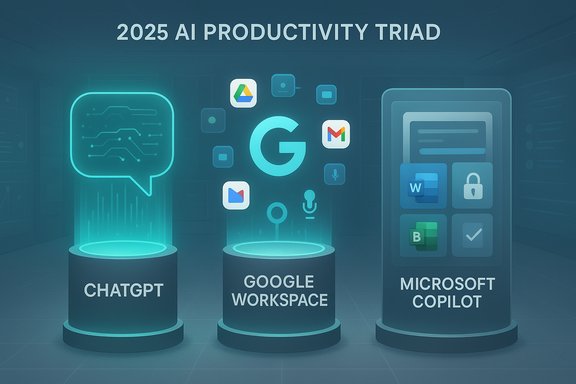
In 2025 the productivity-app landscape is dominated not by a single runaway winner but by three competing design philosophies: ChatGPT as the flexible, all‑purpose assistant; Google Gemini as the multimodal researcher and creator that lives inside Google Workspace; and Microsoft Copilot as the enterprise‑grounded copilot embedded deep in Windows and Microsoft 365. That division—generalist, ecosystem‑native, and enterprise‑governed—shapes which app actually improves your workflow, and it explains why PCMag’s recent roundups still recommend ChatGPT as the best overall chatbot while warning that integrations and governance make Gemini or Copilot the smarter choice for many users.
The last two years have turned generative AI from a novelty into a practical productivity layer. Assistants are now multimodal (text, voice, image and video), they integrate directly with email, docs, calendars and cloud storage, and vendors are packaging advanced models into consumer and enterprise subscriptions. These changes mean the “best” productivity app depends more on how you work than on a single accuracy metric: do you need long‑document reasoning, in‑document automation, tenant‑level governance, or creative image/video outputs? Forum and roundup coverage in 2024–2025 emphasizes those trade‑offs and shows a clear pattern: match tool to job, not the other way around.
What to watch in 2025
For Windows‑centric users and IT teams, the pragmatic path is to pilot two assistants (one ecosystem copilot, one flexible generalist), insist on contractual non‑training guarantees where sensitive data is involved, and enforce least privilege on permissions and plugins. That balanced approach unlocks the real productivity upside of AI—faster drafting, cleaner research, and automated busywork—while limiting the legal, privacy and accuracy risks that still accompany generative systems in 2025.
Source: PCMag UK The Best Productivity Apps for 2025
 Background / Overview
The last two years have turned generative AI from a novelty into a practical productivity layer. Assistants are now multimodal (text, voice, image and video), they integrate directly with email, docs, calendars and cloud storage, and vendors are packaging advanced models into consumer and enterprise subscriptions. These changes mean the “best” productivity app depends more on how you work than on a single accuracy metric: do you need long‑document reasoning, in‑document automation, tenant‑level governance, or creative image/video outputs? Forum and roundup coverage in 2024–2025 emphasizes those trade‑offs and shows a clear pattern: match tool to job, not the other way around.What to watch in 2025
- Multimodal inputs: camera + voice + text in a single assistant.
- Ecosystem integration: AI inside Gmail/Docs or Word/Excel changes where the work happens.
- Governance vs convenience: enterprise non‑training contracts and admin controls vs consumer feature breadth.
- Subscription bundling: vendors bundling AI access into storage or office suites at roughly the same $15–$25/month band.
The Big Three: Strengths, Pricing and Practical Trade‑offs
ChatGPT (OpenAI) — the flexible generalist
ChatGPT remains the go‑to for drafting, brainstorming, coding help, and creative ideation because it pairs broad model capabilities with customizability (plugins, custom GPTs) and cross‑platform continuity. The product offering in 2025 continues to provide a free tier plus two paid consumer tiers: Plus at $20/month and Pro at $200/month, alongside business/enterprise options with stronger admin controls and no‑training guarantees on some plans. Those official prices and tier descriptions are published on OpenAI’s pricing pages. Why choose ChatGPT- Versatility: excels at long‑form writing, ideation, and iterative tasks.
- Ecosystem breadth: large third‑party ecosystem (plugins, integrations).
- Cross‑device continuity: mobile and desktop clients keep context synced.
- Deep integrations lacking: ChatGPT is not natively embedded inside Word or Gmail the way Copilot or Gemini can be.
- Legal exposure: OpenAI is facing significant litigation from publishers alleging unlawful use of copyrighted materials for model training, exemplified by the April 24, 2025 lawsuit from publisher Ziff Davis. That litigation is active and could affect enterprise contracts and data‑use guarantees.
- Hallucinations: generalist models still produce plausible‑sounding but incorrect statements; outputs should be treated as draft material for verification.
Google Gemini — the multimodal research and creative workhorse
Google positioned Gemini as a multimodal assistant explicitly designed to plug into Google Workspace, Android and Google Photos. For users whose workflows revolve around Gmail, Drive and Docs, Gemini’s native ability to create, edit and ground output in your Drive content is a big multiplier. Google bundles its advanced consumer features under Google One AI / Gemini Advanced, commonly offered at around $19.99/month (pricing and packages vary by region and bundling). Industry coverage and Google One communications confirm the $19.99 AI Premium band and the linkage between Gemini Advanced and Google One AI Premium. Why choose Gemini- Multimodality at scale: camera + voice + image/video generation integrated into workflows.
- In‑document automation: generate and edit Docs, summarize long Drive files, and create emails directly in Gmail.
- Strong research features: specialized “Deep Research” capabilities and very large context windows on premium tiers.
- Ecosystem lock‑in: full value requires committing to Google services; enterprises must verify data residency and contract terms.
- Feature gating: highest‑end multimodal and creative features are often reserved for paid tiers or regionally phased rollouts.
- Marketing claims: vendor advertising about token counts or proprietary model labels should be treated cautiously and verified for your tenant.
Microsoft Copilot — enterprise integration and governance on Windows
Microsoft’s strategy places Copilot inside Windows, Office apps, Teams and OneDrive, making it the default choice for organizations whose files and identities live in Microsoft 365. Microsoft has made Copilot broadly available to consumer subscribers (Personal/Family) and consolidated advanced Copilot features into a consumer bundle called Microsoft 365 Premium (announced in fall 2025) that prices around $19.99/month for individuals, combining Office with Copilot‑level features and higher usage limits. Microsoft also emphasizes tenant grounding, Graph connectors and Purview‑style governance for enterprise customers—features that matter when your assistant is allowed to see corporate documents. Why choose Copilot- Seamless Office integration: Copilot sits in Word, Excel, PowerPoint and Outlook where the work already happens.
- Enterprise controls: admin governance, non‑training contractual assurances on many commercial plans, and connectors to tenant data.
- Windows optimization: Copilot features are surfaced in Windows UX patterns for quick contextual assistance.
- Licensing complexity: Microsoft parcels Copilot features across SKUs and has recently repackaged consumer options, which complicates up‑front cost estimation for SMBs.
- Functional scope: Copilot is optimized for structured office tasks; for unconstrained creative research or experimental multimodal outputs you may still prefer Gemini or ChatGPT depending on the job.
Other Notable Contenders
Claude (Anthropic) — long‑form reasoning and safety
Anthropic’s Claude family focuses on safety‑centric design and long‑context drafting. Claude’s models (Sonnet, Opus, Haiku) are often recommended where long, consistent voice and contractual non‑training assurances matter. Anthropic publishes model pages and API pricing that indicate high context windows (200K tokens and special extended modes) and per‑token pricing for API customers. For teams that need long‑document cohesion or stronger enterprise privacy terms, Claude is a compelling option. Verify exact context windows and pricing for your contract.Perplexity — citation‑forward search and summarization
Perplexity has built a niche as a research‑forward answer engine that attaches citations to responses, which reduces manual verification time for many tasks. Perplexity’s Sonar offerings and developer docs set out pricing and capability differences between Pro and API levels; its emphasis is rapid, citation‑aware results rather than multimodal creative features. For journalists, academics and lawyers seeking quick, source‑anchored answers, Perplexity is a useful complement to larger assistants.Niche and local models
A growing set of mobile and local options (on‑device models, small LLMs) exist for privacy‑sensitive tasks—useful when you cannot send data to a cloud model. They trade capability for locality but are increasingly practical for routine text tasks or PII‑sensitive workstreams.Windows‑Centric Productivity: What Matters for Desktop Users
Windows users gain unique value from assistants that integrate with desktop apps and local files. The practical picks and tactics for a Windows workbench are:- Use Microsoft Copilot when your files, calendars and teams all live in Microsoft 365; Copilot’s ability to act on tenant data and remain under admin controls is decisive for regulated work.
- Combine ChatGPT for creative drafting and third‑party plugins, and Copilot for document automation. Many knowledge‑worker workflows benefit from a two‑tool approach: one flexible generalist and one ecosystem copilot.
- Keep handy utilities that increase frictionless productivity on Windows: PowerToys (FancyZones, PowerRename), Snipping Tool (with OCR and recording), UniGetUI for package installs, and Flow Launcher for fast app/file launching—small apps that multiply the benefit of an assistant.
Legal, Privacy and Governance — The Real Constraints on Adoption
AI productivity gains are closely tied to data policy. Several high‑profile lawsuits and regulatory actions in 2024–2025 make that clear.- Publisher litigation: Ziff Davis filed a copyright suit against OpenAI in April 2025 alleging model training on copyrighted editorial material; the case is part of a larger sweep of publisher claims that could reshape contractual obligations around training data and enterprise guarantees. The complaint and related docket activity are public and actively evolving.
- Contractual non‑training options: large vendors now offer enterprise plans that specifically promise not to use tenant data to train foundation models—an essential clause for regulated enterprises.
- On‑device vs cloud processing: for truly private inputs (PHI, PCI, customer lists), prefer local models or explicit non‑training contracts; otherwise treat every cloud call as potentially retained unless contractually excluded.
A Practical Deployment Checklist for Teams (numbered)
- Classify data: identify the categories of information that must never leave controlled systems (PHI, PII, IP).
- Pilot two assistants per workflow: one ecosystem copilot (Copilot or Gemini) and one specialist/generalist (ChatGPT or Claude) for 30 days.
- Audit app permissions: camera, mic, keyboard, file access—enforce least privilege via MDM.
- Demand written guarantees: non‑training, data residency, retention and deletion timelines in vendor contracts.
- Configure admin controls: plugin whitelists, rate limits, tenant connectors and DLP rules.
- Create human‑in‑the‑loop gates: require sign‑off on legal, financial or client‑facing outputs.
- Track spend: monitor API and subscription usage—metered calls accumulate fast.
Strengths, Risks and the Middle Way
The current generation of productivity apps offers measurable benefits:- Time savings: summaries, first drafts, and spreadsheet automations shave hours from routine work.
- Multimodal convenience: camera + voice + text inputs compress research and creation cycles.
- Ecosystem efficiency: deep integrations let AI act directly on documents and mail.
- Hallucinations: generative outputs must be verified; never treat them as authoritative for legal, medical or financial decisions.
- Data exposure: consumer tiers often process prompts server‑side and may use data for model improvement unless contractually excluded.
- Subscription creep: the base $19–$25/month band for consumer AI features is common, but team costs and metered API spend can escalate quickly.
- Legal churn: litigation and policy actions could change vendor feature sets or contractual obligations rapidly.
Quick Recommendations by Persona
- General knowledge worker who drafts and iterates: ChatGPT Plus for flexibility and plugin access; pair with a citation tool for research.
- Google Workspace power user (Docs, Gmail, Photos): Gemini Advanced (Google One AI) for camera‑enabled workflows and Deep Research.
- Windows / Microsoft 365 customers and regulated teams: Microsoft Copilot / Microsoft 365 Premium for governance and in‑app automation.
- Research and journalism: Perplexity for citation‑forward answers and Sonar APIs.
- Long‑form drafting with privacy needs: Claude (Anthropic) where enterprise non‑training terms and large context windows are required.
What to Verify Before You Commit
- Exact feature gating per region and account (voice, video, long‑context access).
- Whether your vendor will use your prompts or files to train public models—get it in writing.
- Pricing at scale: per‑token, per‑generation and API quotas.
- Plugin and connector governance: can admins disable third‑party plugins?
Conclusion
The “best productivity app” in 2025 is no longer one tool that fits all—but a decision about trade‑offs. ChatGPT offers the most flexible creative and drafting surface; Google Gemini brings multimodal research and creation tightly into Google apps; and Microsoft Copilot delivers the governance and in‑app automation that Windows and enterprise users need. Each has a roughly similar consumer price anchor in the $19–$25/month band, but the real costs, risks and benefits depend on data governance, licensing, and how deeply a team ties its workflows into one ecosystem.For Windows‑centric users and IT teams, the pragmatic path is to pilot two assistants (one ecosystem copilot, one flexible generalist), insist on contractual non‑training guarantees where sensitive data is involved, and enforce least privilege on permissions and plugins. That balanced approach unlocks the real productivity upside of AI—faster drafting, cleaner research, and automated busywork—while limiting the legal, privacy and accuracy risks that still accompany generative systems in 2025.
Source: PCMag UK The Best Productivity Apps for 2025
