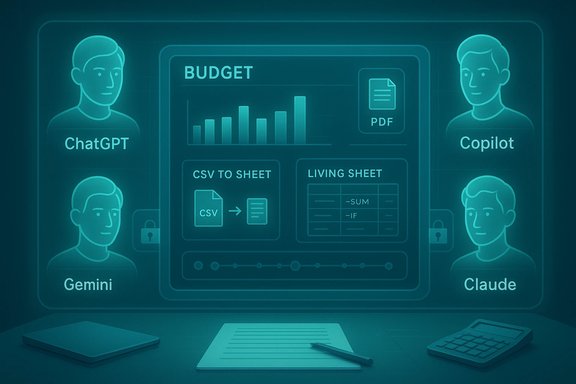
AI personal‑finance assistants are no longer curiosities — they are practical tools that can speed up budgeting, summarize dense plan documents, and automate spreadsheet work, but choosing the right one requires matching capabilities to where your data lives, how much auditability you need, and how you plan to verify results.
AI assistants such as ChatGPT, Google Gemini, Microsoft Copilot, and Anthropic Claude have moved from experimental chatbots to integrated productivity features. They share common underlying technologies — large language models, retrieval layers, and connector APIs — but their real-world value for personal finance stems from differences in ecosystem integration, context‑window capacity, privacy controls, and governance options. These practical differences determine whether an assistant is merely handy for learning or actually useful for reconciling bank statements, reviewing 401(k) plan PDFs, or automating Excel scenarios.
Across multiple hands‑on comparisons and vendor documentation, three evaluation axes repeatedly determine suitability for money work:
Source: newspressnow.com Comparing AI personal finance assistants: ChatGPT, Gemini, Copilot and Claude
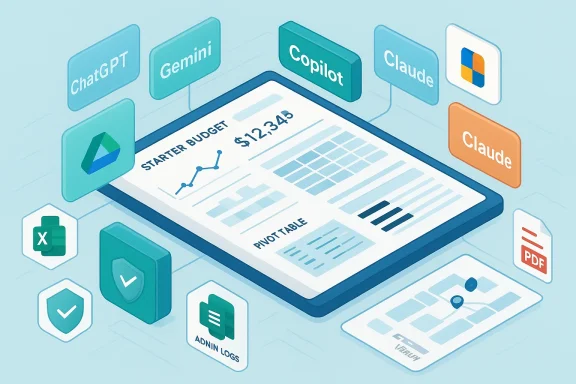 Background
AI assistants such as ChatGPT, Google Gemini, Microsoft Copilot, and Anthropic Claude have moved from experimental chatbots to integrated productivity features. They share common underlying technologies — large language models, retrieval layers, and connector APIs — but their real-world value for personal finance stems from differences in ecosystem integration, context‑window capacity, privacy controls, and governance options. These practical differences determine whether an assistant is merely handy for learning or actually useful for reconciling bank statements, reviewing 401(k) plan PDFs, or automating Excel scenarios.Across multiple hands‑on comparisons and vendor documentation, three evaluation axes repeatedly determine suitability for money work:
- Where your data lives (Google Drive, Microsoft 365, local files, or multiple places).
- Grounding and provenance (web retrieval, authenticated connectors, or manual paste).
- Governance and privacy (non‑training clauses, tenant grounding, admin logs, data residency).
Quick comparative snapshot
- ChatGPT — Best generalist for learning, drafting, and plugin‑driven automation. Strong at plain‑English explanations and iterative drafting; broad plugin ecosystem for connectors.
- Gemini — Best for Google Workspace users. Seamless with Gmail, Drive, Docs, and Sheets; good at exporting parsed statements to Sheets and pulling live web data.
- Microsoft Copilot — Best for Windows and Microsoft 365 tenants. Deep Excel automation and tenant grounding with admin logging and Purview integration for auditable trails.
- Claude — Best for long documents and conservative summarization. Designed for very large context windows and safety‑first responses, useful when you need auditable, traceable summaries of lengthy disclosures.
Deep dive: ChatGPT — the flexible generalist
What ChatGPT does exceptionally well
ChatGPT excels at conversational explanations, iterative drafting, and rapid prototyping of budgets and emails. It’s the fastest on‑ramp for turning messy notes or a cleaned CSV into a readable monthly budget or a debt‑repayment plan. The platform’s plugin and Custom GPT ecosystems enable authenticated connectors and automated exports when configured correctly, which makes ChatGPT a versatile drafting hub.Practical use cases
- Converting a redacted bank CSV into categorized expenses and a starter budget.
- Explaining Roth vs. Traditional contributions in plain English for a particular tax bracket.
- Drafting concise follow‑up questions for your financial advisor after uploading meeting notes.
Strengths and limits
- Strength: natural language fluency and broad plugin marketplace that enables secure connectors without pasting credentials in many cases.
- Limit: Grounding depends on retrieval modes or plugins. Without explicit retrieval, jurisdictional rules and up‑to‑date market rates may be out of date. Hallucinations — confidently stated inaccuracies — remain a real risk for computed totals and legal/tax interpretations. Verify figures programmatically in spreadsheets.
Best fit
Individuals who want plain‑English teaching, drafting, and a flexible automation hub — especially if they are comfortable pairing ChatGPT with a citation‑forward verification tool.Deep dive: Google Gemini — Workspace‑native and web‑grounded
What Gemini does best
Gemini is optimized for users who keep their finance data in Google Drive and Sheets. It simplifies extracting invoices and statements into structured Sheets with formulas and scenario tabs and can pull live web data (e.g., current mortgage indices or FX rates) when configured with Google’s retrieval layers. If your workflow revolves around Gmail, Drive, Docs, and Sheets, Gemini reduces friction dramatically.Practical use cases
- Summarizing an inbox of billing emails and placing vendor totals in a Sheets reconciliation tab.
- Exporting a Drive‑stored PDF statement into a working spreadsheet with prebuilt formulas.
- Quick web‑grounded checks of market headlines or interest‑rate changes.
Strengths and limits
- Strength: direct Sheets export and seamless Drive integration that streamlines reconciliation tasks.
- Limit: Ecosystem lock‑in. The best value requires Workspace connectivity, which introduces governance tradeoffs if shared Drives hold sensitive files. Confirm data‑use and non‑training contractual language for business plans before uploading regulated documents.
Best fit
Users heavily invested in Google Workspace who favor quick spreadsheet exports and live web grounding.Deep dive: Microsoft Copilot — tenant grounding and Excel automation
What Copilot does best
Copilot shines inside Microsoft 365: it generates complex Excel formulas, reconciles across multiple workbooks, and drafts context‑aware emails in Outlook or SharePoint. Copilot’s tenant grounding, Microsoft Graph integration, and Purview logging provide audit trails and admin controls that enterprise or privacy‑sensitive users need. That governance posture is why small businesses and regulated workflows often prefer Copilot when their files already live in a Microsoft tenant.Practical use cases
- Reconciling payroll exports across Excel sheets stored in SharePoint within a tenant.
- Generating template‑consistent creditor negotiation emails from meeting notes in Outlook.
- Running tenant‑scoped Excel macros or formula generation on protected workbooks.
Strengths and limits
- Strength: governance and auditable tenant grounding — Copilot supports SSO, admin controls, and logging that are critical for regulated finance tasks.
- Limit: Copilot’s advantages diminish if your finance data lives outside Microsoft 365. Licensing and SKU complexity require careful verification of which Copilot capabilities are included in a particular plan.
Best fit
Windows and Microsoft 365 users who need deep Excel power combined with enterprise controls.Deep dive: Claude — long‑context specialist and conservative summarizer
What Claude does best
Anthropic Claude is designed for long‑form reasoning and conservative outputs. It can ingest very large documents in a single session and tends to produce outputs that prefer caution over confident but potentially wrong assertions. This makes Claude a strong fit for summarizing multi‑year financial statements, plan documents, or regulatory disclosures where traceability and auditable phrasing matter.Practical use cases
- Summarizing a lengthy 401(k) plan document and producing a short list of action items to discuss with an advisor.
- Producing conservative, traceable narratives for regulator‑facing communications or creditor negotiations.
- Handling batch processing of long PDFs, provided you model token costs carefully.
Strengths and limits
- Strength: very large context windows and a safety‑first posture that reduces confident hallucinations and yields auditable summaries. Paid tiers advertise hundreds of thousands to enterprise‑scale token windows for very long documents.
- Limit: long‑context processing can be pricey due to token economics; public usage metrics may undercount private enterprise deployments. Test token costs before scaling.
Best fit
Users who must process long, complex documents and prioritize conservative, auditable outputs.Common practical tasks and exactly how to approach them
1. Budget audit from a bank CSV
- Step 1: Export transactions into a CSV and redact account numbers or SSNs.
- Step 2: Use an assistant to classify transactions into categories, flag subscriptions, and produce a starter monthly budget.
- Step 3: Verify all computed totals in Excel/Sheets using pivot sums or cross‑sums rather than relying solely on the assistant’s narrative totals.
2. Explain a 401(k) match and vesting schedule
- Upload the plan PDF (redacted) or paste key clauses. Ask the assistant to summarize vesting rules, employer match formula, and possible action items. Use Claude or a long‑context mode if the document is very long. Cross‑check fee figures and legal language against the original plan document.
3. Debt management and scenario planning
- Provide a cleaned spreadsheet with balances, interest rates, and payment terms. Ask for multiple payoff scenarios (snowball vs. avalanche) and have the assistant compute interest savings. Validate formulas in Excel/Sheets and test edge cases (deferred interest, variable rates).
4. Drafting correspondence
- Use the assistant to draft polite, concise emails to HR or creditors. Keep drafts as first passes — human review is essential before sending. Claude and ChatGPT both perform well for drafting; Copilot will produce tenant‑scoped drafts if your mail is in Outlook.
Safety and privacy checklist — non‑negotiables
Before using any assistant for finance tasks:- Turn on multi‑factor authentication (MFA) and strengthen account security.
- Prefer OAuth connectors and read‑only scopes where available; never paste credentials into a chat window.
- Strip or redact direct identifiers (bank account numbers, routing numbers, Social Security numbers) before uploading documents.
- For regulated data, insist on enterprise contracts with explicit non‑training clauses and data residency terms. Don’t assume consumer plans provide these protections.
- Keep a human validation gate for any action that moves money, files taxes, or changes legal standing.
Hallucinations, provenance, and verification strategies
Hallucinations — plausible but incorrect assertions — are the most consequential technical failure mode for finance prompts. Independent testing has documented that assistants can invent figures, misattribute allowances, or apply tax rules incorrectly. The recommended mitigations are:- Use retrieval‑grounded modes or a citation‑forward verification tool that returns sources for factual claims.
- Adopt a two‑assistant workflow: one assistant for drafting (high fluency) and a second, citation‑first tool (or manual sourcing) for verification.
- Programmatically verify computed totals in a spreadsheet (pivot sums, checksums) rather than relying on narrative totals.
Pricing, context windows, and token economics — what to watch
- Consumer premium tiers for many assistants often cluster in a similar price band (commonly around $19–$20/month) for advanced consumer access, but enterprise SKUs vary widely. Compare plan features, not just price.
- Claude and other long‑context models price long documents differently — token economics can dominate monthly costs for high‑volume document processing. Pilot with representative documents to estimate spend.
- Copilot enterprise and tenant offerings may carry per‑user add‑on costs that differ from consumer bundles; verify which SKU contains the features you need (Excel automation, agents, tenant grounding).
A pragmatic rollout checklist (7–14 day pilot)
- Map primary finance tasks (top 2–3) you want to accelerate: budgeting, 401(k) summaries, debt planning.
- Create redacted/sandbox files for testing. Remove account numbers and SSNs.
- Pilot two assistants per task (one drafting assistant + one verification assistant). Measure accuracy, time saved, and token/quota usage.
- Confirm data‑use clauses and enable privacy settings (non‑training, data residency) before processing regulated documents.
- Require human approval for any action that moves money, files taxes, or legally binds you. Keep logs and snapshots of AI outputs used in decisions.
Critical appraisal — strengths, risks, and where vendors overclaim
Notable strengths
- Modern assistants deliver real, measurable productivity gains for drafting, spreadsheet automation, and summarizing long documents when matched to the right ecosystem.
- Governance features (tenant grounding, admin logs, non‑training contractual options) are now available and are decisive for regulated workflows.
Significant risks
- Hallucinations and synthesis errors remain persistent and dangerous for finance tasks. Even polished narrative outputs can hide miscomputed totals or false legal interpretations.
- Privacy and contractual ambiguity: consumer chats may be used for training unless you explicitly select a plan or contract that excludes training. Don’t assume privacy defaults protect regulated data.
- Cost volatility: token economics, per‑token API pricing, and enterprise surcharges for long‑context processing mean that heavy usage can quickly exceed simple subscription fees.
Where vendors tend to overclaim
- Fixed numbers for context window sizes, single‑quarter pricing, or precise model rollout timelines. Treat these as provisional and verify current vendor documentation before planning large‑scale use.
Final recommendations — pick, pilot, and pair
- If you primarily want plain‑English explanations and rapid drafting: start with ChatGPT, then pair it with a citation‑first verification tool for facts and totals.
- If your finance documents live in Google Drive/Sheets: choose Gemini for the fastest path from a PDF or email to a working spreadsheet and for web‑grounded facts.
- If you operate inside Microsoft 365 and need governance and Excel automation: deploy Copilot under tenant contracts. Enforce admin controls and audit logging.
- If you must process very long documents and prioritize conservative, auditable language: evaluate Claude while modeling token costs.
Conclusion
AI assistants can materially accelerate everyday money tasks — from producing tidy starter budgets to summarizing dense plan documents — but they are not substitutes for licensed financial or legal advice. The practical choice among ChatGPT, Gemini, Copilot, and Claude depends less on model marketing and more on ecosystem fit, grounding, governance, and how you will verify outputs. Treat AI as a drafting partner, insist on human and programmatic verification for financial numbers, avoid pasting sensitive identifiers, and confirm contractual privacy guarantees before processing regulated data. With careful piloting and basic controls in place, these tools can be powerful productivity enhancers; without those controls, they risk producing convincing mistakes with real financial impact.Source: newspressnow.com Comparing AI personal finance assistants: ChatGPT, Gemini, Copilot and Claude