

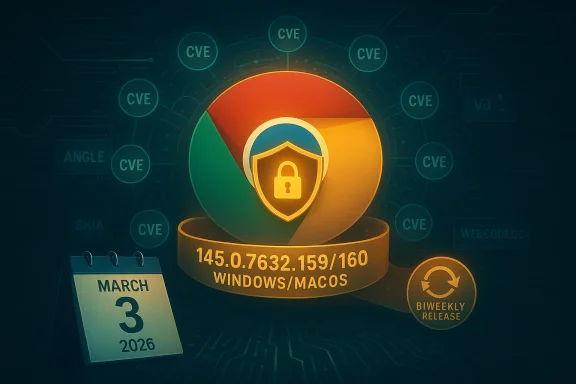
Google rolled out an emergency Stable‑channel update for the Chrome 145 line on March 3, 2026, moving desktop builds to 145.0.7632.159/160 (Windows/macOS) and 145.0.7632.159 (Linux) to address a batch of serious security holes — ten distinct vulnerabilities that span graphics libraries, the JavaScript engine, web codecs, and multiple browser subsystems.
Chrome’s March 3, 2026 Stable update is a focused security release: Google’s official Stable Channel announcement lists 10 security fixes included in the 145.0.7632.159/160 builds for desktop platforms. This update follows the initial rollout of Chrome 145 earlier in February and continues a pattern we’ve seen across 2025–2026 where Google issues milestone releases and then ships targeted follow-ups as high‑risk bugs are found and fixed.
The March 3 update is notable for the mix of components affected. The high‑risk entries include integer overflows and heap buffer overflows in graphics and media subsystems — areas historically attractive to attackers because they can sometimes be leveraged to escape the renderer sandbox or achieve remote code execution. Google’s release also shows substantial bounty awards for multiple discoveries, indicating both the severity and the quality of researcher reports that prompted the fixes.
In parallel with these security patches, Google has confirmed a separate product‑level shift in its release cadence: Chrome is moving to a faster biweekly major release schedule later in 2026, a change that will affect how quickly both feature and security updates propagate. For administrators and security teams, the combination of frequent releases and emergency security patches underlines the need for stronger update automation and faster patch validation workflows.
A couple of important contextual points:
Actionable guidance, summarized:
In short: install the update, validate in your environment, and lean on your security telemetry to detect any post‑patch anomalies. The risk is real; the fix is available — make the update part of your immediate security routine.
Source: BornCity Google Chrome 145.0.7632.159/160 fixes 10 vulnerabilities
 Background / Overview
Chrome’s March 3, 2026 Stable update is a focused security release: Google’s official Stable Channel announcement lists 10 security fixes included in the 145.0.7632.159/160 builds for desktop platforms. This update follows the initial rollout of Chrome 145 earlier in February and continues a pattern we’ve seen across 2025–2026 where Google issues milestone releases and then ships targeted follow-ups as high‑risk bugs are found and fixed.The March 3 update is notable for the mix of components affected. The high‑risk entries include integer overflows and heap buffer overflows in graphics and media subsystems — areas historically attractive to attackers because they can sometimes be leveraged to escape the renderer sandbox or achieve remote code execution. Google’s release also shows substantial bounty awards for multiple discoveries, indicating both the severity and the quality of researcher reports that prompted the fixes.
In parallel with these security patches, Google has confirmed a separate product‑level shift in its release cadence: Chrome is moving to a faster biweekly major release schedule later in 2026, a change that will affect how quickly both feature and security updates propagate. For administrators and security teams, the combination of frequent releases and emergency security patches underlines the need for stronger update automation and faster patch validation workflows.
What was fixed in 145.0.7632.159/160 (the March 3 update)
Google’s Stable Channel announcement enumerates the ten security issues fixed in this update. For readers who need a concise technical inventory, here’s the curated list with the component impacted, the nature of the defect, and details Google provided in their release briefing:- CVE‑2026‑3536 — ANGLE (Integer overflow). Reported by cinzinga (Feb 18, 2026). Google marked this as critical and awarded a substantial bounty. ANGLE translates WebGL calls to platform graphics APIs and an integer overflow there can cause memory corruption in GPU code paths.
- CVE‑2026‑3537 — PowerVR (Object lifecycle issue). Reported by Zhihua Yao (Jan 8, 2026). Also flagged critical. Issues in vendor GPU drivers or their integration can enable out‑of‑bounds reads/writes.
- CVE‑2026‑3538 — Skia (Integer overflow). Reported by Symeon Paraschoudis (Feb 17, 2026). Skia is Chrome’s 2D graphics engine; integer overflows in rendering code can lead to crashes or memory corruption.
- CVE‑2026‑3539 — DevTools (Object lifecycle). Reported by Zhenpeng (Leo) Lin (Feb 12, 2026). Classified high severity.
- CVE‑2026‑3540 — WebAudio (Inappropriate implementation). Reported by Davi Antônio Cruz (Feb 14, 2026). High severity; audio processing flaws can sometimes be abused to crash or hijack processes.
- CVE‑2026‑3541 — CSS (Inappropriate implementation). Reported by Syn4pse (Feb 16, 2026). High severity; CSS parsing/processing bugs are common attack vectors for remote rendering issues.
- CVE‑2026‑3542 — WebAssembly (Inappropriate implementation). Reported by qymag1c (Feb 17, 2026). High severity; flaws in WebAssembly handling can undermine sandboxing.
- CVE‑2026‑3543 — V8 (Inappropriate implementation). Reported by qymag1c (Feb 18, 2026). High severity; V8 remains a frequent source of high‑impact browser vulnerabilities.
- CVE‑2026‑3544 — WebCodecs (Heap buffer overflow). Reported Feb 19, 2026. High severity; WebCodecs handles low‑level media decoding and buffer overflows here are particularly serious for remote compromise risk.
- CVE‑2026‑3545 — Navigation (Insufficient data validation). Reported by Google (Feb 24, 2026). High severity; navigation policy and URL processing bugs can expose logic flaws and data leakage.
Why these fixes matter — a technical perspective
To make sense of risk, it helps to group the fixes by the browser subsystems involved and explain the real‑world attack surface each presents.Graphics and rendering (ANGLE, Skia, PowerVR)
- Why attackers like graphics code: Graphics pipelines process untrusted content like WebGL, images, and canvas operations. They interact with GPU drivers and platform graphics APIs, combining complex memory management with platform‑specific code.
- Types of defects: Integer overflows (ANGLE, Skia) and object lifecycle issues (PowerVR) can lead to heap or stack corruption. When an attacker can craft web content to trigger memory corruption, that can be an initial step toward arbitrary code execution.
- Sandbox escape potential: If corruption can be steered to overwrite function pointers or control structures, an advanced exploit chain might pivot from the renderer sandbox to system code, especially on platforms with fragile GPU driver integrations.
JavaScript engine and WebAssembly (V8, WebAssembly)
- Why V8 and Wasm are sensitive: Both parse and execute complex, JIT‑compiled code. Bugs here can produce type confusion, out‑of‑bounds memory access, or JIT spray opportunities that are highly useful for exploit authors.
- Impact of “inappropriate implementation” issues: These are often logic bugs where boundary conditions or state transitions aren’t validated properly. They can lead to crashes, memory corruption, or mis‑evaluated permissions.
Media pipelines (WebCodecs, WebAudio)
- Media is binary and complex: Media codecs and buffers handle compressed binary streams. Buffer overflows in WebCodecs are especially critical because they operate on decoded data buffers and can be triggered by crafted media.
- High exploitability: Historically, media codec vulnerabilities have been used in remote compromise campaigns because a single crafted media file can cause predictable memory layout changes.
CSS, DevTools, and Navigation
- CSS and parsing engines: CSS parser bugs can be triggered by a web page and lead to rendering engine crashes or memory corruption. CSS-related bugs have been used to trigger remote crashes and, rarely, to facilitate further exploitation.
- DevTools and navigation logic: Bugs here are often less likely to be used as initial remote RCE vectors, but mistakes in object lifecycles and data validation can enable privilege escalations or information disclosure in complex attack scenarios.
Risk assessment: exploitability and real‑world exposure
Google’s March 3 release does not, in its bulletin, say any of these ten CVEs are being exploited in the wild. That statement is important: not all high‑severity CVEs necessarily become real‑world attacks. However, the nature of several fixes (integer overflow, heap buffer overflow, V8/WebCodecs) does place them in the category of bugs that are potentially exploitable for remote code execution.A couple of important contextual points:
- In early February 2026, Google patched a separately tracked zero‑day related to CSS parsing (CVE‑2026‑2441) after confirming active exploitation. That earlier incident demonstrates that attackers remain motivated to target browser parsing engines and that timely updates can be critical.
- Google’s policy of restricting details until the update is broadly deployed means some technical specifics will remain private for a short period. This reduces short‑term exploitation risk but complicates detection for defenders who want indicators of compromise.
How to update — immediate steps for users and admins
For individuals and small organizations, updating Chrome is straightforward. For enterprises and managed fleets, planning and testing remain essential.For individual users — quick steps
- Open Chrome’s main menu (three dots at the top right).
- Navigate to Help → About Google Chrome.
- Chrome will automatically check and download updates; click Relaunch to finish the installation.
- Verify the version number is 145.0.7632.159 (Linux) or 145.0.7632.159/160 (Windows/macOS).
For IT administrators and managed fleets
- Prioritize deployment to high‑risk and high‑exposure groups first (security operations, execs, sensitive business units).
- Use your management tooling (GPO, MSI packages, enterprise update servers, or Chrome Browser Cloud Management) to push the 145.0.7632.159/160 binaries.
- If you run an Extended Stable channel or an Enterprise channel with staged rollout, apply a golden‑image test to a pilot group and monitor for functional regressions before wide deployment.
- Ensure endpoint management and EDR signatures are updated to detect anomalous renderer crashes or suspicious use of web‑based exploit vectors.
- Communicate to users about the update and schedule a maintenance window if automatic restarts are needed.
Detection and mitigation guidance for security teams
Detecting exploitation of these specific CVEs without public exploit indicators can be challenging. However, the following measures help reduce risk and detect potential abuse:- Prioritize telemetry collection: Ensure logs capture renderer process crashes, frequent tab crashes, GPU‑process failures, and abnormal GPU driver messages. These can be early signs of exploit attempts.
- EDR behavioral rules: Create detection rules for unexpected process creation following browser crashes, memory corruption symptoms, or suspicious use of scripting within renderer contexts.
- Network isolation for suspicious devices: If a browser on a host starts crashing or exhibits unusual behavior, isolate the host and gather forensic artifacts (memory captures, crash dumps) before remediation.
- Block risky content sources: Use web content filtering to reduce exposure to untrusted media hosting and ad networks known for delivering malformed media or exploit code.
- Harden defenses: Configure strict site isolation policies, enable Process Per SiteInstance (if not already default), and restrict unneeded features like remote debugging when not in use.
- Monitor third‑party integrations: Extensions, external plugins, or embedded webviews (Electron-based apps, custom in‑house browsers) may not receive the same automatic updates — inventory them and ensure they are patched.
Enterprise patching strategy — practical tips
Patching speed must be balanced with stability. Follow these pragmatic steps:- Triage risk: Identify which groups process sensitive data. Prioritize their devices for immediate patching.
- Pilot test: Deploy to a small group (10–15%) for 24–72 hours to monitor regressions or site compatibility issues.
- Phased rollout: Expand deployment in waves, monitoring endpoint telemetry and helpdesk tickets for site breakage or performance regressions.
- Fallback plan: Prepare rollback or remediation instructions if the update causes critical breakage for internal apps. Maintain a copy of the previous MSI or installer for emergency rollback, and communicate expected behavior to affected teams.
- Coordinate with app owners: Some internal apps rely on specific Chrome behavior; involve application owners early to avoid service disruptions.
Broader implications: what this says about modern browser security
A few high‑level takeaways emerge from this update cycle:- Browsers remain prime targets. The diversity of components patched — graphics stacks, JavaScript, WebAssembly, media codecs — highlights how many different codebases coexist in a modern browser. Each is an attractive target for attackers because exploiting them can have high impact.
- Researcher ecosystem matters. Large bounties and credited researchers show the public/private security ecosystem is active. Bug bounty programs continue to surface critical issues that might otherwise be weaponized.
- Faster release cycles change the game. Google’s announced move to a two‑week major release cadence (scheduled to take effect later in 2026) will reduce the time between feature and security milestones. That’s good for delivering fixes quickly, but it also raises operational pressure on IT teams to validate and deploy more frequent updates.
- Supply‑chain ripple effects. Chromium’s ecosystem includes many third‑party browsers (Edge, Vivaldi, Brave, Opera). Each vendor must integrate and test Chromium security fixes and push their own updates, which can create windows of differential exposure across browsers that use the same underlying engine.
What to tell non‑technical users (short and clear)
- Update Chrome now. Open Chrome → Help → About Google Chrome → Relaunch.
- If you use a work computer, contact your IT helpdesk — they may schedule controlled updates.
- Avoid opening suspicious links or downloading unknown media files until your browser is updated.
- If your browser crashes repeatedly or behaves strangely after visiting a website, pause browsing and notify IT.
Unverifiable or unclear claims (caveats and notes)
- Google’s release restricts details for some bugs until updates are widely applied. That means exact exploitability timelines, proof‑of‑concept artifacts, and technical exploit chains are intentionally limited in public documentation for a short period.
- Some reporting across outlets referenced previous Chrome 145 milestones that included different counts of CVEs (e.g., earlier builds of Chrome 145 carried fixes for 11 vulnerabilities). Those earlier counts reflect prior releases and different micro‑builds of Chrome 145; they are not contradictory to the March 3 update, which explicitly lists ten fixes for the 145.0.7632.159/160 builds.
- Any claim that a particular CVE from this March 3 list is already being exploited in the wild is not supported by Google’s official March 3 advisory. If evidence of in‑the‑wild exploitation emerges, expect Google or major security vendors to publish confirmation shortly afterward.
Final assessment and recommendations
This March 3, 2026 Chrome Stable update is a priority security release and should be treated as such. The combination of graphics, media, JavaScript engine, and navigation parsing fixes includes several high‑impact classes of vulnerability (integer overflows, heap buffer overflows, object lifecycle bugs) that historically have been used in live exploit chains.Actionable guidance, summarized:
- For all desktop users: update to Chrome 145.0.7632.159/160 immediately.
- For IT and security teams: accelerate staged rollouts, prioritize high‑value hosts, increase monitoring of renderer crashes and anomalous network behavior, and gather crash dumps from suspicious endpoints.
- For organizations with extended release policies: use pilot staging to validate updates quickly but do not delay remediation beyond what your risk profile allows.
- For defenders: assume attackers will continue probing media and graphics pipelines and enhance detection around media processing and renderer process abnormalities.
In short: install the update, validate in your environment, and lean on your security telemetry to detect any post‑patch anomalies. The risk is real; the fix is available — make the update part of your immediate security routine.
Source: BornCity Google Chrome 145.0.7632.159/160 fixes 10 vulnerabilities
