

Code:
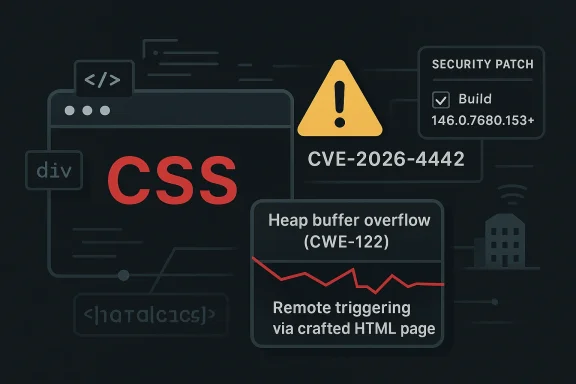
A newly disclosed **heap buffer overflow in Chrome’s CSS engine** has put one of the browser’s most ubiquitous attack surfaces back under the microscope. The flaw, tracked as **CVE-2026-4442**, affects Google Chrome versions prior to **146.0.7680.153** and, according to Microsoft’s Security Update Guide entry, could let a remote attacker abuse a crafted HTML page to trigger heap corruption. Google rates the issue **High**, and the NVD enrichment shows a **CVSS 3.1 score of 8.8**, with network reachability, low attack complexity, and required user interaction. The big takeaway is simple: a browser security bug in CSS is not “just a rendering issue” — in 2026, it is a potential foothold for full compromise. ([chromereleases.googleblog.com](https://chromereleases.googleblog.com/2026/03/stable-channel-update-for-desktop_12.html)

## Overview

Chrome and Chromium have spent years hardening the browser against memory corruption, but the web platform remains a sprawling target. CSS sounds innocuous to casual users, yet browser styling engines parse deeply nested selectors, animations, layout rules, custom properties, and a constant stream of edge-case content from the open web. That complexity creates fertile ground for buffer overflows, use-after-free conditions, and parser confusion bugs that can be triggered through ordinary page visits. The fact that this issue sits in CSS underscores how security problems often hide in the least glamorous layers of a browser.

The disclosure also fits a familiar Chrome pattern: patch fast, limit public detail until most users are updated, then publish enough to help defenders catch up. Google’s Chrome Releases notes routinely keep bug details restricted while fixes roll out, and that practice is visible in the March 2026 update cadence around Chrome 146. By the time CVE-2026-4442 appeared in public tracking, Chrome had already been moving through 146 builds and maintenance updates on a rapid schedule. ([chromereleases.googleblog.com](https://chromereleases.googleblog.com/2026/03/stable-channel-update-for-desktop_10.html)

This matters well beyond consumer browsing. In enterprise environments, Chrome is not just a browser; it is the delivery layer for SaaS, identity portals, admin consoles, collaboration tools, and web apps that are effectively part of the desktop. A remotely reachable memory corruption flaw in a core browser component is therefore a platform risk, not an isolated app bug. Security teams that treat browser patching as routine hygiene will likely miss the operational reality that a single missed update can expose a broad fleet to exploitation.

Microsoft’s inclusion of the issue in the Security Update Guide is another reminder that Chromium flaws ripple across the Windows ecosystem. Microsoft publishes CVE records for products and components that touch its software estate, and it has increasingly emphasized machine-readable security data to help customers accelerate response. In practice, that means an issue like CVE-2026-4442 should be visible not only to Chrome administrators, but also to defenders managing Edge, Windows endpoints, and browser-dependent enterprise workflows. ([msrc.microsoft.com](https://msrc.microsoft.com/blog/2024/11/toward-greater-transparency-publishing-machine-readable-csaf-files/)

At a broader level, CVE-2026-4442 is another entry in the long-running story of browser memory safety. The modern browser is a sandboxed, multi-process system, but a successful memory corruption bug can still become the first domino in an exploit chain. That is why even “just” a crafted HTML page remains a serious security signal in 2026. *The web is the attack surface*, and browser vendors know it.

---

## What CVE-2026-4442 Actually Is

The core problem is a **heap buffer overflow in CSS**. In plain language, Chrome’s CSS handling code can write or read outside the bounds of an allocated heap buffer when processing specially crafted content. The disclosure describes remote exploitation via a crafted HTML page, which implies the attacker does not need local access or elevated privileges to begin the attack chain. That is a particularly dangerous combination for a browser vulnerability. ([msrc.microsoft.com](https://msrc.microsoft.com/update-guide/vulnerability/CVE-2026-21242/)

The public description is brief, but the threat model is clear enough. An attacker could host malicious content or compromise a legitimate site to serve weaponized HTML and CSS, then rely on ordinary browsing behavior to trigger the bug. Because the weakness is classified as **CWE-122 Heap-based Buffer Overflow**, defenders should assume the issue can crash the browser, corrupt memory, and potentially be chained with additional primitives for code execution.

### Why CSS Is a Security Boundary

CSS is often treated as presentation logic, but in a browser it is a parser, evaluator, layout input, and state machine all at once. Every selector, rule cascade, computed style, and layout interaction is another opportunity for data-dependent logic to go wrong. Attackers like CSS bugs because they can hide payloads in content that looks harmless to users and sometimes even to casual inspection tools.

There is also a historical reason these bugs keep resurfacing. Browser engines are optimized for performance, which means they frequently use complex data structures, caching layers, and speculative behavior. The more optimized the engine, the more likely a memory safety defect will have sharp edges when malformed input arrives.

The result is that seemingly low-level rendering issues can become security-critical very quickly. A heap overwrite in a parser or layout component can corrupt adjacent objects, alter control data, or destabilize sandbox boundaries. That is why Google classifies the issue as **High** and why NVD’s severity assessment lands at **8.8**. ([msrc.microsoft.com](https://msrc.microsoft.com/update-guide/vulnerability/CVE-2026-21242/)

### What the Advisory Does and Does Not Say

The advisory tells us the vulnerable builds are everything **prior to 146.0.7680.153**. It does not publicly describe the exact triggering condition, which is normal for Chromium security releases during the active patch window. It also does not confirm active exploitation, so defenders should avoid assuming this is a zero-day in the wild without evidence.

Still, the lack of public exploit confirmation should not reassure anyone too much. Many serious browser bugs are patched before widespread exploitation is detected, and the lack of a public exploit string often reflects responsible disclosure and delay rather than low severity. In a browser context, *unknown exploitability is not the same as low risk*.

- Affected component: **CSS handling in Chrome/Chromium**
- Vulnerability class: **heap-based buffer overflow**
- Attack vector: **remote via crafted HTML page**
- Pre-patch versions: **all Chrome builds before 146.0.7680.153**
- Severity: **High** with **CVSS 3.1 8.8** ([msrc.microsoft.com](https://msrc.microsoft.com/update-guide/vulnerability/CVE-2026-21242/)

---

## How the Vulnerability Fits Chrome’s March 2026 Patch Cycle

To understand CVE-2026-4442, it helps to place it in the broader March 2026 release sequence. Chrome 146 reached stable on **March 10, 2026**, and Google then continued issuing maintenance updates across the stable channel. The browser’s release machinery is designed to move fixes quickly, which means the user base can be on several different patch levels within days. That is useful for security, but it also creates a short period in which defenders must distinguish between “Chrome 146” and “fully patched Chrome 146.” ([chromereleases.googleblog.com](https://chromereleases.googleblog.com/2026/03/stable-channel-update-for-desktop_10.html)

The specific fixed build for CVE-2026-4442 is **146.0.7680.153**, and that matters because enterprises often inventory software at the major-release level rather than the exact build. A machine reporting “Chrome 146” may still be vulnerable if it has not received the later update. In a large fleet, that distinction can be the difference between a contained risk and an exploitable exposure window.

### Patch Cadence as a Security Signal

Chrome’s release cadence has increasingly become a security signal in itself. When Google pushes multiple stable updates in a short period, security teams should assume the browser is under active hardening pressure. March 2026 already saw Chrome 146 promoted to stable and then additional security maintenance in the channel. CVE-2026-4442 fits that environment perfectly.

The practical consequence is that patch management teams need to monitor release notes continuously, not just monthly. Browser patching has become closer to emergency maintenance than ordinary desktop hygiene. That shift is easy to miss if a team still treats browsers as low-priority endpoint software.

### Why Version Pinning Can Become a Trap

Some enterprises pin users to a known-good browser version for compatibility testing or internal app validation. That approach can be reasonable, but it becomes dangerous when pinned versions lag behind security releases. If internal policy delays Chrome updates, a fleet can remain vulnerable even while the vendor has already shipped a fix.

This is especially relevant for organizations with custom web apps, line-of-business portals, or legacy intranet systems. Those environments often tolerate browser stasis better than consumer environments, but they also accumulate more exposure if they postpone updates. *Security debt* in the browser stack is no less real than security debt in server software.

- **Major version visibility is not enough** for Chrome compliance.
- **Build-level verification** is required to confirm protection.
- **Release-note monitoring** should be routine, not exceptional.
- **Compatibility concerns** must be balanced against exploit risk.
- **Browser patch delay** can create enterprise-wide exposure.

---

## Why Heap Buffer Overflows Still Matter in 2026

Memory corruption is old news in one sense and very current in another. Old news, because overflows have been studied for decades. Current, because browsers are still among the richest targets for turning a one-shot bug into a full compromise chain. The industry has made serious progress with sandboxing, control-flow defenses, and memory sanitizers, but a single overflow can still break the assumptions those mitigations rely on.

A heap overflow is particularly concerning because heap allocations are dynamic, varied, and often adjacent to attacker-influenced data structures. That gives exploit developers room to shape memory layouts and chase side effects. Even if the first impact is just a crash, crashes are often enough to establish a reliable primitive for subsequent exploitation research.

### From Crash to Code Execution

The path from overflow to full remote code execution is rarely direct, but it is familiar. An attacker may first seek reliable memory corruption, then a leak, then a sandbox escape or privilege boundary bypass. In a modern browser, the existence of one flaw does not guarantee compromise, but it can be the critical first stage in a chained exploit.

That is why defenders should not dismiss the issue as “only” a CSS parser bug. Chrome’s security architecture assumes some bugs will happen and tries to contain them. But containment is not immunity, especially when a bug involves the browser’s native code paths and heap state.

The bigger lesson is that exploit chains are now modular. A styling bug can complement a JavaScript engine bug, a sandbox escape, or an extension misconfiguration. Attackers care less about the individual subsystem than about whether the subsystem helps them cross a trust boundary.

### Why Exploitability Is Hard to Predict

Public severity scoring is useful, but it cannot fully capture exploitability. A heap overflow may be easy to crash and hard to weaponize, or hard to trigger and easy to control. Without a public technical write-up, defenders should avoid guessing which side CVE-2026-4442 falls on.

That uncertainty cuts both ways. It means security teams should not overstate the risk beyond the available facts, but it also means they should not wait for exploitation reports before patching. In browser security, the window between disclosure and weaponization can be very short.

- **Memory corruption remains exploitable** despite modern mitigations.
- **Heap bugs are attractive** because heap layouts are flexible and often attacker-shapeable.
- **Crash-only bugs can still be serious** if they enable reliable exploitation.
- **Public severity scores are useful**, but they do not replace testing.
- **Rapid patching** is still the most dependable defense.

---

## Consumer Impact: Why This Matters to Everyday Chrome Users

For home users, the biggest risk is simple: opening a malicious page may be enough to trigger the flaw. That means ordinary browsing habits — clicking links, visiting compromised websites, opening unsolicited HTML content, or loading content embedded in email and messaging platforms — can become part of the attack path. The user does not need to download and run a traditional executable for the risk to exist.

The good news is that Chrome’s auto-update system is designed to reduce that exposure quickly. But auto-update only helps if the browser can restart and complete the patch process, and many users defer restarts for days or weeks. In the real world, “Chrome updates automatically” is only true if the user actually lets the update land.

### What Users Should Pay Attention To

Most consumers do not need deep technical triage, but they do need to verify their browser version. Chrome’s update screen will show the installed build, and users should confirm they are on **146.0.7680.153 or later**. If the browser is below that threshold, the system should be treated as exposed until updated.

A second consumer issue is browser sprawl. Many people use more than one Chromium-based browser, including Edge, Brave, Vivaldi, and enterprise-managed variants. A fix in Chrome does not automatically guarantee every Chromium derivative is immediately updated, so users should not assume one browser’s patch status covers all of them.

### Everyday Exposure Paths

The most plausible delivery methods for a browser exploit remain the ordinary ones. A malicious ad, a drive-by site, a link in a message, or a compromised legitimate page can all serve as carriers. The attack surface is the browser itself, not an exotic plugin ecosystem.

The practical defense is a combination of prompt patching and basic browsing hygiene. That means avoiding unknown links, keeping protections enabled, and letting the browser restart when prompted. These are not glamorous recommendations, but they are still the ones that reduce risk most effectively.

- Check that Chrome is on **146.0.7680.153+**
- Restart the browser after updates
- Be cautious with unsolicited links and HTML files
- Keep Safe Browsing and related protections enabled
- Apply updates on any **Chromium-based** browser you use

---

## Enterprise Impact: Patch Discipline, Inventory, and Exposure Windows

In enterprise settings, CVE-2026-4442 is more than a browser bug. It is a reminder that the browser is a managed endpoint component with real attack potential. Because Chrome is often the default access path for SaaS, identity, and internal applications, a vulnerable browser can become a lateral risk across the business.

The main operational challenge is inventory. Many enterprises know which devices have Chrome, but fewer know the exact build level across the fleet at any given moment. If a team is relying on software discovery that only captures the major version, the deployment might appear current even when it is not.

### The Monitoring Gap

This is where patch visibility becomes critical. Endpoint management tools need to report the full version string, not just product name and family. Security teams should be able to answer a simple question: which endpoints are still below **146.0.7680.153**? Without that answer, the organization is blind to the exposure window.

There is also a policy dimension. Some enterprises deliberately slow browser updates to avoid breaking web applications. That policy may reduce operational friction in the short term, but it also increases the odds of prolonged vulnerability. In the case of a high-severity memory bug, delay is a direct security tradeoff, not a neutral convenience.

### Enterprise Playbook for Browser CVEs

A sensible enterprise response is not complicated, but it does require discipline. First, confirm the patch state of all managed browsers, including any secondary Chromium derivatives. Second, isolate or prioritize high-risk user groups such as finance, help desk, executive assistants, and anyone who routinely handles external content. Third, verify that auto-update, endpoint management, and restart enforcement are working as intended.

The last step is communication. Users are more likely to comply with browser restarts if IT explains why the update matters. Security language that sounds abstract tends to be ignored; security language that says “this fixes a remotely triggerable memory corruption issue in the browser” gets attention.

- Build-level version reporting should be mandatory
- Chromium derivatives must be checked separately
- High-risk user groups should be prioritized
- Restart enforcement may be necessary
- Security messaging should be concrete and specific

---

## How This Compares With Other Chromium Security Bugs

Chrome has seen a steady stream of high-severity issues in 2026, including multiple memory safety bugs in other components. That pattern does not mean the browser is uniquely broken; it means Chromium is a massive codebase under intense attack pressure. Each new CVE is another indicator that the browser remains one of the most actively defended pieces of software in the ecosystem. ([chromereleases.googleblog.com](https://chromereleases.googleblog.com/2026/03/stable-channel-update-for-desktop_12.html)

CVE-2026-4442 also resembles many earlier Chrome memory-safety disclosures in its public shape: concise description, limited technical detail, and immediate emphasis on version remediation. That is not a weakness in the process. It is how vendors try to keep attackers from getting a head start while still giving defenders enough to act.

### What Makes This One Different

The “CSS” label makes this bug especially notable. Some browser issues are easy to picture because they involve JavaScript, V8, or explicit code execution pathways. CSS, by contrast, is often perceived as passive. That perception is exactly why styling bugs can surprise teams and slip through risk discussions.

The fact that the bug is reachable via crafted HTML is also important. It means the issue belongs to the broad class of web-delivered attacks that require no local foothold and often no user credential theft. In other words, it is not an edge-case admin console flaw; it is a mass-reach browser risk.

### Broader Security Trend

The trend line in browser security is clear. Vendors keep finding and fixing memory corruption, while attackers keep looking for new primitives to chain. The browser’s core promise — rendering arbitrary content from the internet — is inseparable from that risk. Each stable-channel update is therefore both a product release and a security event.

- **Chrome remains heavily targeted**
- **Memory corruption** is still a recurring class
- **CSS bugs** can be as dangerous as JavaScript bugs
- **HTML-delivered exploits** remain highly scalable
- **Patch timing** is a competitive security advantage

---

## The Microsoft Angle and Cross-Ecosystem Implications

Microsoft’s Security Update Guide entry is a useful reminder that browser vulnerabilities do not stay inside one vendor’s ecosystem. Microsoft tracks the issue, assigns the CVE record to its guidance infrastructure, and shows the severity data that many enterprise teams use for prioritization. That makes the flaw visible to organizations whose security operations are anchored in Microsoft tooling. ([msrc.microsoft.com](https://msrc.microsoft.com/update-guide/vulnerability/CVE-2026-21242/)

This is particularly relevant in environments where Edge and Chrome coexist. Both browsers are Chromium-based, both are common in enterprise, and both can be used to access the same internal and cloud resources. A flaw like CVE-2026-4442 therefore creates a cross-browser management question, not just a Chrome patch question.

### Why This Matters for Windows Admins

Windows administrators often treat browser updates as a separate lane from operating system patches. That separation is increasingly artificial. On a modern Windows estate, browser exposure can become the initial delivery mechanism for credential theft, session hijacking, or access to internal portals. Keeping the browser patched is part of endpoint security, not an optional add-on.

Microsoft’s broader security guidance model also pushes organizations toward more systematic vulnerability management. The fact that Microsoft is exposing this CVE through its update guide reinforces the expectation that enterprises should track and remediate browser vulnerabilities just as they would OS flaws. That shift in mindset is overdue.

### Interoperability and Shared Risk

Chromium’s dominance means that a single bug can affect multiple browsers and workflows. Even if one vendor’s update lands earlier than another’s, the underlying codebase can keep the risk alive until every relevant product is updated. In practical terms, this means defenders must track remediation by product family and version, not by assumption.

That is also why vulnerability communication matters so much. The more clearly a CVE is described, the easier it is for security teams to map it to real assets. Microsoft’s publication, paired with Google’s release notes, gives organizations enough context to prioritize action — provided they actually look at both.

- Microsoft’s tracking makes the CVE easier to operationalize
- Edge and Chrome fleets should both be checked
- Browser patching belongs in endpoint security programs
- Shared Chromium code means shared exposure
- Clear advisories speed remediation across teams

---

## Strengths and Opportunities

The good news is that the ecosystem around this vulnerability is already mature enough to support rapid response. Google has a well-established update channel, Microsoft is surfacing the issue in enterprise-friendly guidance, and endpoint tools can verify exact browser builds with far more precision than before. That creates a real opportunity to reduce exposure quickly if organizations act decisively.

- **Rapid vendor patching** lowers the long-tail risk
- **Clear version threshold** simplifies remediation decisions
- **Enterprise tooling** can audit exact build numbers
- **Chromium telemetry and release notes** improve visibility
- **Security awareness** around browser CVEs is stronger than it used to be
- **Auto-update infrastructure** can shrink the attack window
- **Cross-vendor tracking** helps Windows-centered teams coordinate response

## Risks and Concerns

The bigger concern is not whether the flaw can be patched — it can — but whether the patch will arrive everywhere quickly enough. Browser updates often fail at the last mile because of deferred restarts, unmanaged devices, old software clones, and user resistance to interruption. In a vulnerability with remote reach and high severity, those mundane issues are exactly where attackers find opportunity.

- **Deferred restarts** can leave patched versions unapplied
- **Unmanaged devices** may never receive the fix
- **Legacy Chromium forks** can lag behind Chrome
- **Version misreporting** can hide real exposure
- **Compromised websites** can deliver the exploit without downloads
- **Security complacency** is common with browser software
- **Exploit chaining** could turn a single bug into full compromise

---

## Looking Ahead

The next question is not whether Chrome fixed the issue — it did — but how quickly the fix becomes universal across real-world fleets. That is the metric that matters to defenders, and it is always messier than vendor release notes imply. Browsers update fast on paper; in practice, many endpoints lag behind for days or weeks.

There is also a strategic lesson here for vendors and defenders alike. As browsers continue absorbing more identity, productivity, and application workloads, the cost of any memory safety flaw rises. The browser is no longer merely a window to the web; it is a critical runtime environment that deserves the same urgency as any other internet-facing platform.

### Watch List

- Confirm every managed Chrome install is at **146.0.7680.153 or later**
- Audit Edge and other Chromium-based browsers separately
- Validate that restarts are completing after patch deployment
- Review whether browser version reporting is build-accurate
- Prioritize users who handle external content or sensitive workflows

CVE-2026-4442 is exactly the kind of browser vulnerability that feels abstract until it is mapped onto a real endpoint, a real user, and a real phishing campaign. Its technical description is short, but its implications are broad: the safest assumption is that a high-severity memory corruption bug in CSS deserves immediate attention, careful verification, and no delay. In a world where the browser is the front door to work, that is not overreaction — it is basic operational security.

[hr][/hr]**Source:** NVD / Chromium [Security Update Guide - Microsoft Security Response Center](https://msrc.microsoft.com/update-guide/vulnerability/CVE-2026-4442/)