

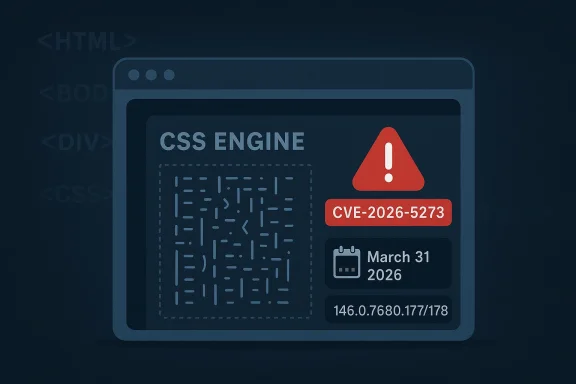
Google has patched a high-severity use-after-free in Chrome’s CSS engine, tracked as CVE-2026-5273, in the Stable desktop update that landed on Tuesday, March 31, 2026. The fix ships in Chrome 146.0.7680.177/178 for Windows and Mac and 146.0.7680.177 for Linux, and Google says the flaw could let a remote attacker achieve arbitrary code execution inside the browser sandbox through a crafted HTML page. The vulnerability is already listed in Microsoft’s Security Update Guide, which underscores how quickly browser bugs like this become enterprise-wide patch priorities. (chromereleases.googleblog.com)
CVE-2026-5273 is a reminder that browser security is still heavily shaped by memory-safety failures in rendering code. CSS may sound like a harmless presentation layer, but in a modern browser it is part of a complex parsing and layout pipeline that handles attacker-controlled input continuously and at massive scale. When that pipeline loses track of object lifetime, a use-after-free can turn ordinary page rendering into a code-execution primitive. (chromereleases.googleblog.com)
The Chrome Releases bulletin identifies the issue as “Use after free in CSS” and marks it High severity. Google’s note also indicates the bug was reported by Anonymous on 2026-03-18, which is a fairly short disclosure window before the March 31 stable release. That suggests the issue was handled with urgency, likely because the affected component sits on a particularly sensitive attack surface. (chromereleases.googleblog.com)
Microsoft’s Security Update Guide mirrors the same essential details, including the affected Chrome version boundary and the exploit path through a crafted HTML page. Microsoft’s inclusion is not a second fix; it is a distribution of the same vendor-supplied vulnerability data into the ecosystem customers use to track exposure. For organizations that manage browsers centrally, that means this is not just “a Chrome issue” — it is a patch-and-verify event across Windows fleets, often measured in hours rather than days.
This CVE also fits an established Chrome pattern. Google has repeatedly had to patch memory-corruption flaws in CSS and other rendering subsystems, including earlier CSS-related use-after-free and out-of-bounds issues. The broader lesson is not that CSS is uniquely dangerous; it is that browser subsystems that process rich, attacker-controlled content are inherently high-risk and are increasingly being hardened one bug class at a time.
The wording matters: Google says the vulnerability allowed a remote attacker to execute arbitrary code inside a sandbox. That phrasing implies the exploit does not necessarily escape Chrome’s renderer containment model, but it still matters enormously because sandboxed code execution can be chained with other bugs or used to steal session data, pivot within the browser process, or stage subsequent attacks. Inside the sandbox is not the same thing as safe. (chromereleases.googleblog.com)
Google also withheld bug details in the release post, using the usual staged disclosure approach. That is standard practice for Chromium: details may remain restricted until most users have updated, which reduces the chance that published technical writeups hand attackers a ready-made exploit recipe. In other words, the public headline is intentionally sparse, but the security significance is not. (chromereleases.googleblog.com)
A use-after-free happens when software continues using memory after the underlying object has been released. In browser code, that can mean a stale pointer surviving across layout or style recalculation, then being dereferenced by attacker-controlled content. When the attacker can influence timing and object structure, the bug becomes more than a crash risk; it becomes a route to controlled memory corruption. (chromereleases.googleblog.com)
Chromium’s security notes show that Google treats CSS memory issues as a recurring class of problem, not a one-off mistake. The Chrome Releases archive contains multiple examples of CSS-related vulnerabilities over the years, including both use-after-free and out-of-bounds memory access. That history does not make any individual bug predictable, but it does explain why browser security teams invest so heavily in sanitizers, fuzzers, and memory-safety tooling.
That threshold matters because Chrome deployments are often uneven. Some endpoints update within days, while managed systems, VDI images, and controlled enterprise channels may lag behind due to testing, policy restrictions, or network delivery delays. In practical terms, the vulnerable window is not just the patch gap itself; it is the period during which the browser is technically fixable but operationally still exposed. (chromereleases.googleblog.com)
Chrome’s own release notes make clear that Android receives the same security fixes as the corresponding desktop release unless noted otherwise. That means the patch should be thought of as part of a cross-platform browser security cycle, not a desktop-only correction. For defenders, the safest assumption is that any Chromium-based channel on the relevant build line should be checked immediately. (chromereleases.googleblog.com)
The modern browser sandbox is designed to make exploitation harder, not impossible. Attackers often combine one browser bug with another memory corruption issue, a logic flaw, or a browser escape that affects a separate component. So even if CVE-2026-5273 is only one step in a longer chain, it may still be the step that makes the rest of the attack feasible. (chromereleases.googleblog.com)
This is why severity labels can be deceptively comforting. A vulnerability that is “only” a sandboxed code-execution bug may still be operationally severe if it is reachable from a simple page load. The user experience is also central to risk: Chrome notes the attack can be delivered via a crafted HTML page, which means phishing, malvertising, and drive-by delivery remain credible scenarios. (chromereleases.googleblog.com)
This is a good example of why Microsoft’s publication model matters beyond Microsoft products. The company has been adding more structured metadata, including CWE and machine-readable advisory support, to make vulnerability tracking more transparent across the software ecosystem. That makes it easier for defenders to triage third-party risks alongside native Windows and Microsoft 365 issues.
For Windows-centric organizations, the practical value is obvious. Many enterprises use Microsoft management stacks, endpoint analytics, or vulnerability reporting tied into the Security Update Guide, so a Chrome CVE appearing there can accelerate prioritization. It also helps explain why browser patch management increasingly belongs in the same operational bucket as OS patching, even when the vendor is different.
Earlier Chrome release notes from 2024 and February 2026 also show recurring use-after-free in CSS findings, which demonstrates that CSS remains a persistent target for both researchers and the security team. This is not unusual in a project the size of Chromium, but it does reinforce the importance of exploit mitigations and continuous fuzzing. The browser is getting safer, but it is not getting simple.
Google says many bugs are found through tools such as AddressSanitizer, MemorySanitizer, UndefinedBehaviorSanitizer, Control Flow Integrity, libFuzzer, and AFL. That detail is more than a footnote; it shows that the Chrome team’s security posture depends on heavy automated testing, and that the presence of recurring flaws is evidence of aggressive detection as much as of persistent weakness. (chromereleases.googleblog.com)
The broader market implication is clear: every high-severity browser memory bug reinforces the same lesson about modern software. The web platform is too important, too complex, and too exposed to tolerate casual patching. CVE-2026-5273 is another reminder that the safest browser is the one that updates quickly, logs clearly, and stays under active administrative watch.
Source: NVD / Chromium Security Update Guide - Microsoft Security Response Center
 Overview
CVE-2026-5273 is a reminder that browser security is still heavily shaped by memory-safety failures in rendering code. CSS may sound like a harmless presentation layer, but in a modern browser it is part of a complex parsing and layout pipeline that handles attacker-controlled input continuously and at massive scale. When that pipeline loses track of object lifetime, a use-after-free can turn ordinary page rendering into a code-execution primitive. (chromereleases.googleblog.com)The Chrome Releases bulletin identifies the issue as “Use after free in CSS” and marks it High severity. Google’s note also indicates the bug was reported by Anonymous on 2026-03-18, which is a fairly short disclosure window before the March 31 stable release. That suggests the issue was handled with urgency, likely because the affected component sits on a particularly sensitive attack surface. (chromereleases.googleblog.com)
Microsoft’s Security Update Guide mirrors the same essential details, including the affected Chrome version boundary and the exploit path through a crafted HTML page. Microsoft’s inclusion is not a second fix; it is a distribution of the same vendor-supplied vulnerability data into the ecosystem customers use to track exposure. For organizations that manage browsers centrally, that means this is not just “a Chrome issue” — it is a patch-and-verify event across Windows fleets, often measured in hours rather than days.
This CVE also fits an established Chrome pattern. Google has repeatedly had to patch memory-corruption flaws in CSS and other rendering subsystems, including earlier CSS-related use-after-free and out-of-bounds issues. The broader lesson is not that CSS is uniquely dangerous; it is that browser subsystems that process rich, attacker-controlled content are inherently high-risk and are increasingly being hardened one bug class at a time.
What Google Disclosed
The March 31 Chrome Releases entry gives us the clearest official summary. Chrome Stable moved to 146.0.7680.177/178 on Windows and Mac and 146.0.7680.177 on Linux, with 21 security fixes in that build. Among them, CVE-2026-5273 is listed alongside GPU, ANGLE, WebUSB, Web MIDI, WebCodecs, and other issues, showing that the release was part of a broad security maintenance cycle rather than a single-point emergency patch. (chromereleases.googleblog.com)The wording matters: Google says the vulnerability allowed a remote attacker to execute arbitrary code inside a sandbox. That phrasing implies the exploit does not necessarily escape Chrome’s renderer containment model, but it still matters enormously because sandboxed code execution can be chained with other bugs or used to steal session data, pivot within the browser process, or stage subsequent attacks. Inside the sandbox is not the same thing as safe. (chromereleases.googleblog.com)
Google also withheld bug details in the release post, using the usual staged disclosure approach. That is standard practice for Chromium: details may remain restricted until most users have updated, which reduces the chance that published technical writeups hand attackers a ready-made exploit recipe. In other words, the public headline is intentionally sparse, but the security significance is not. (chromereleases.googleblog.com)
Why the disclosure style matters
Short advisories can frustrate researchers, but they are often a deliberate tradeoff. Chrome’s release process is built around rapid patch deployment and controlled disclosure, especially for bugs that could be weaponized quickly after publication. That is exactly the sort of discipline browser vendors need when the vulnerability sits in a widely deployed consumer and enterprise application. (chromereleases.googleblog.com)- The issue is remote-exploitable through web content.
- The flaw is in CSS, a core browser rendering path.
- The fix landed in a multi-issue stable update.
- Google did not publish exploit mechanics in the release note.
- Microsoft has already propagated the CVE into its tracking ecosystem.
Why CSS Bugs Keep Reappearing
CSS sounds declarative, but the browser implementation beneath it is anything but simple. Layout engines track selectors, style recalculation, inheritance, painting, compositing, and script-driven DOM mutations all at once. That mix creates frequent lifetime hazards, especially when objects can be invalidated by asynchronous page activity while still referenced elsewhere. (chromereleases.googleblog.com)A use-after-free happens when software continues using memory after the underlying object has been released. In browser code, that can mean a stale pointer surviving across layout or style recalculation, then being dereferenced by attacker-controlled content. When the attacker can influence timing and object structure, the bug becomes more than a crash risk; it becomes a route to controlled memory corruption. (chromereleases.googleblog.com)
Chromium’s security notes show that Google treats CSS memory issues as a recurring class of problem, not a one-off mistake. The Chrome Releases archive contains multiple examples of CSS-related vulnerabilities over the years, including both use-after-free and out-of-bounds memory access. That history does not make any individual bug predictable, but it does explain why browser security teams invest so heavily in sanitizers, fuzzers, and memory-safety tooling.
The technical risk
The danger with rendering bugs is that they often sit in hot paths touched by nearly every webpage. A vulnerability in a niche subsystem may require a targeted attack; a flaw in CSS or layout can be exercised by ordinary-looking HTML. That broad accessibility is what makes the issue worth immediate attention from defenders, even when the advisory is brief. (chromereleases.googleblog.com)- Rendering code is always exposed to untrusted input.
- Style engines are stateful and frequently re-entered.
- Memory lifetime errors can be hard to reproduce but easy to weaponize.
- Page-level sandboxing reduces impact, but not enough to ignore the bug.
The Version Boundary
Google’s fixed versions are specific: 146.0.7680.177/178 on Windows and Mac, and 146.0.7680.177 on Linux. The NVD-derived data in Microsoft’s update guide also says versions prior to 146.0.7680.178 are affected, which is consistent with the desktop release note and gives administrators a concrete threshold for compliance checks. (chromereleases.googleblog.com)That threshold matters because Chrome deployments are often uneven. Some endpoints update within days, while managed systems, VDI images, and controlled enterprise channels may lag behind due to testing, policy restrictions, or network delivery delays. In practical terms, the vulnerable window is not just the patch gap itself; it is the period during which the browser is technically fixable but operationally still exposed. (chromereleases.googleblog.com)
Chrome’s own release notes make clear that Android receives the same security fixes as the corresponding desktop release unless noted otherwise. That means the patch should be thought of as part of a cross-platform browser security cycle, not a desktop-only correction. For defenders, the safest assumption is that any Chromium-based channel on the relevant build line should be checked immediately. (chromereleases.googleblog.com)
Enterprise takeaways
Enterprise teams should treat the version boundary as a policy trigger, not a footnote. If asset inventory shows Chrome below 146.0.7680.177/178, that endpoint should be considered out of compliance until patched or remediated. In large environments, that often means reconciling endpoint telemetry, browser auto-update state, and any group policy settings that could delay rollout. (chromereleases.googleblog.com)- Confirm build numbers, not just browser “channel” labels.
- Check managed desktop images and VDI templates separately.
- Validate Chromium-based browsers that inherit the same engine.
- Treat mixed OS environments as separate patch populations.
Sandbox Does Not Mean Safe
Chrome’s description says the attack can execute code inside a sandbox. That is an important containment benefit, but defenders should not overread it as a low-risk outcome. Sandboxed code execution can still support credential theft, local persistence through browser state, extension abuse, data exfiltration, or a second-stage exploit chain targeting a higher privilege boundary. (chromereleases.googleblog.com)The modern browser sandbox is designed to make exploitation harder, not impossible. Attackers often combine one browser bug with another memory corruption issue, a logic flaw, or a browser escape that affects a separate component. So even if CVE-2026-5273 is only one step in a longer chain, it may still be the step that makes the rest of the attack feasible. (chromereleases.googleblog.com)
This is why severity labels can be deceptively comforting. A vulnerability that is “only” a sandboxed code-execution bug may still be operationally severe if it is reachable from a simple page load. The user experience is also central to risk: Chrome notes the attack can be delivered via a crafted HTML page, which means phishing, malvertising, and drive-by delivery remain credible scenarios. (chromereleases.googleblog.com)
Why attackers care
Browser exploitation has long favored bugs that can be triggered with minimal user friction. A crafted HTML page is enough to make the vulnerability internet-reachable, which is exactly what attackers want when they are looking for scalable delivery. That is why a “sandboxed” code execution issue still deserves immediate patching. (chromereleases.googleblog.com)- The page need not be a complex app.
- The victim does not need to install software.
- Social engineering can route the target to the malicious page.
- The sandbox may still permit meaningful post-exploitation activity.
Microsoft’s Role in the Advisory
Microsoft’s Security Update Guide includes CVE-2026-5273, even though the root issue lives in Google Chrome. That is by design: Microsoft’s security portal is increasingly a cross-vendor consumption layer for IT teams that need one place to track product exposure, remediation guidance, and affected configurations. The guide’s entry also shows the CPE applicability for Chrome on Windows, Linux, and macOS, which helps organizations map the vulnerability to their device fleets.This is a good example of why Microsoft’s publication model matters beyond Microsoft products. The company has been adding more structured metadata, including CWE and machine-readable advisory support, to make vulnerability tracking more transparent across the software ecosystem. That makes it easier for defenders to triage third-party risks alongside native Windows and Microsoft 365 issues.
For Windows-centric organizations, the practical value is obvious. Many enterprises use Microsoft management stacks, endpoint analytics, or vulnerability reporting tied into the Security Update Guide, so a Chrome CVE appearing there can accelerate prioritization. It also helps explain why browser patch management increasingly belongs in the same operational bucket as OS patching, even when the vendor is different.
Why this matters for Windows admins
Windows admins often own browser compliance even when the browser is not a Microsoft product. Microsoft’s security guidance effectively turns Chrome’s release into a compliance item on the Windows side, especially where the browser is widely deployed and managed through enterprise tools. That is a sign of how browser risk has become part of the broader endpoint security baseline.- Browser vulnerabilities now live in cross-vendor dashboards.
- Security teams need one patch calendar, not separate ones.
- Vendor diversity does not reduce the urgency of browser exploitation.
- Metadata quality increasingly drives remediation speed.
Browser Security Trends in 2026
CVE-2026-5273 arrives in a cycle where Chromium continues to patch a steady stream of memory-safety issues across multiple components. In the same March 31 release note, Google lists a mix of GPU, ANGLE, WebUSB, Web MIDI, V8, and WebCodecs bugs. That pattern is important because it shows that browser hardening is not just about rendering; it spans the entire engine stack. (chromereleases.googleblog.com)Earlier Chrome release notes from 2024 and February 2026 also show recurring use-after-free in CSS findings, which demonstrates that CSS remains a persistent target for both researchers and the security team. This is not unusual in a project the size of Chromium, but it does reinforce the importance of exploit mitigations and continuous fuzzing. The browser is getting safer, but it is not getting simple.
Google says many bugs are found through tools such as AddressSanitizer, MemorySanitizer, UndefinedBehaviorSanitizer, Control Flow Integrity, libFuzzer, and AFL. That detail is more than a footnote; it shows that the Chrome team’s security posture depends on heavy automated testing, and that the presence of recurring flaws is evidence of aggressive detection as much as of persistent weakness. (chromereleases.googleblog.com)
The strategic lesson
The strategic lesson is that browser vendors are moving faster than attackers in many areas, but memory-safety debt remains a structural problem. Until more browser internals are rewritten or isolated more strongly, high-value subsystems like CSS will continue to generate serious CVEs. That makes disciplined patch cadence just as important as any single exploit fix. (chromereleases.googleblog.com)- More tooling is finding more bugs earlier.
- Exposure windows are shortening, but not disappearing.
- Memory corruption remains a dominant browser risk class.
- CSS is still a fertile area for exploitation research.
Strengths and Opportunities
This patch shows that Chromium’s security response pipeline is working: the flaw was identified, assigned, fixed, and shipped quickly enough to keep the release note concise and the exposure window relatively tight. It also demonstrates the value of structured vulnerability disclosure across vendors, because Microsoft was able to ingest and display the issue almost immediately. The opportunity now is to use this event to tighten enterprise browser governance further.- Rapid patch publication reduces attacker advantage.
- Cross-vendor tracking improves enterprise visibility.
- The fixed build number is easy to validate.
- Security tooling can flag outdated Chrome versions quickly.
- Automatic updates can close gaps without user intervention.
- Sanitizer-driven testing continues to pay dividends.
- The ecosystem benefits from clear CWE classification as CWE-416.
Risks and Concerns
The biggest concern is that this remains an internet-reachable browser bug in a component hit by ordinary pages. Even with sandboxing, a crafted HTML page is enough to trigger the flaw, which means phishing and lure-based attacks are still viable. A second concern is uneven patch adoption, especially in enterprise environments where Chrome updates may be staged or delayed.- The exploit path is reachable through a crafted HTML page.
- Delayed update rings can leave large fleets exposed.
- Sandbox boundaries reduce but do not eliminate damage.
- Chromium-based browsers may share the same underlying risk.
- Users often assume browser auto-update happened when it has not.
- Security teams may miss unmanaged or secondary browsers.
- Exploit chaining could amplify impact beyond the browser process. (chromereleases.googleblog.com)
What to Watch Next
The immediate question is whether Google will later add more detail to the Chromium issue tracker entry or whether the public record remains intentionally sparse. Another thing to watch is whether security researchers tie CVE-2026-5273 to a broader family of CSS lifetime bugs, which could inform both exploit analysis and future hardening work. For enterprise defenders, the key signal is not the postmortem; it is whether every managed endpoint actually reaches the fixed build.Watchlist
- Whether Chromium publishes deeper technical analysis after wider patch adoption.
- Whether security teams observe exploitation attempts in the wild.
- Whether managed Chrome environments lag behind stable channel rollout.
- Whether the issue is correlated with other CSS lifetime bugs.
- Whether similar flaws emerge in adjacent rendering paths.
The broader market implication is clear: every high-severity browser memory bug reinforces the same lesson about modern software. The web platform is too important, too complex, and too exposed to tolerate casual patching. CVE-2026-5273 is another reminder that the safest browser is the one that updates quickly, logs clearly, and stays under active administrative watch.
Source: NVD / Chromium Security Update Guide - Microsoft Security Response Center
Last edited:
