

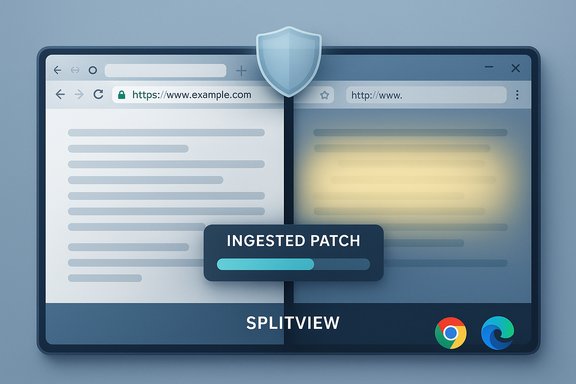
Chromium’s CVE-2025-12446 — an “Incorrect security UI in SplitView” flaw — was closed upstream in the Chromium/Chrome 142 release cycle, and Microsoft has recorded the same CVE in its Security Update Guide to tell Edge administrators that the Chromium fix has been ingested and Edge builds based on that Chromium version are no longer vulnerable. This is not a memory-corruption remote code execution bug; it’s a user‑interface security issue that can enable UI spoofing in split-screen contexts, and the practical risk to most users is lower than for V8 or Blink engine RCEs — but the fix still matters because UI spoofing erodes the browser’s trust signals and can make phishing and credential theft easier. The immediate, practical action for Windows users and IT teams is simple: confirm your browser’s version and apply the corresponding Edge/Chrome update promptly.
Chromium is the open‑source engine that powers Google Chrome and many other browsers, including Microsoft Edge (Chromium‑based). When Chromium security researchers assign a CVE and release a patch, downstream vendors must “ingest” that patch into their own builds, test it with vendor-specific features, and then ship an updated product. Microsoft records the upstream Chromium CVEs in the Microsoft Security Update Guide (SUG) not because Microsoft discovered the bug, but to communicate the downstream remediation status for Microsoft Edge.
The CVE title — Incorrect security UI in SplitView — describes a class of UI integrity problems. These are distinct from memory corruption or sandbox‑escape bugs. A browser can be fully patched against code‑execution vulnerabilities and still be vulnerable to UI problems that mislead users about where they are or what permissions they are granting. For defenders and administrators this matters because it changes the required urgency and mitigation approach: UI spoofing is primarily exploited to steal credentials or trick users, so user training and content filtering reduce risk, but the authoritative remediation is still the vendor patch.
Caveat: SUG pages and release notes are the authoritative statements for Edge. Upstream Chrome release notes confirm the bug and the Chrome patch version, but Edge’s build numbering is separate. Always compare your Edge version to the fixed build that Microsoft shows in SUG or in the Edge release notes.
Actionable priorities:
Source: MSRC Security Update Guide - Microsoft Security Response Center
 Background / Overview
Chromium is the open‑source engine that powers Google Chrome and many other browsers, including Microsoft Edge (Chromium‑based). When Chromium security researchers assign a CVE and release a patch, downstream vendors must “ingest” that patch into their own builds, test it with vendor-specific features, and then ship an updated product. Microsoft records the upstream Chromium CVEs in the Microsoft Security Update Guide (SUG) not because Microsoft discovered the bug, but to communicate the downstream remediation status for Microsoft Edge.The CVE title — Incorrect security UI in SplitView — describes a class of UI integrity problems. These are distinct from memory corruption or sandbox‑escape bugs. A browser can be fully patched against code‑execution vulnerabilities and still be vulnerable to UI problems that mislead users about where they are or what permissions they are granting. For defenders and administrators this matters because it changes the required urgency and mitigation approach: UI spoofing is primarily exploited to steal credentials or trick users, so user training and content filtering reduce risk, but the authoritative remediation is still the vendor patch.
What the CVE actually means: SplitView and “incorrect security UI”
What is SplitView?
SplitView is Chromium’s window/snap or multi‑panel UI used on devices and desktop modes where two windows are shown side‑by‑side (or in tiled/panel arrangements). It appears in Chromium source and on Chrome/Chrome OS where snapping, tablet mode multitasking, or multi‑panel extensions are supported. SplitView can also be exposed via internal UI flows and experiments on desktop and Chromebook builds.What does “Incorrect security UI” imply?
An incorrect security UI typically means the browser’s security indicators (origin text, lock icon, permission prompt text, or other trust signals) do not correctly reflect the real site or permission context in certain split/snap scenarios. Consequences include:- A page in one pane could display the security indicator belonging to another origin, confusing users about which site they are interacting with.
- Permission prompts (camera, microphone, geolocation) might appear to come from a different origin or might be visually misaligned, making it easier for a malicious page to trick a user into granting privileges.
- Visual overlays or navigation chrome could be spoofed by a malicious page if the rendering or compositing order is incorrect.
Severity and exploitability
Vendors classify UI‑spoofing bugs as lower severity than memory safety bugs, but they are not harmless. Google labeled this particular fix as low severity in the Chrome release notes for the Chrome 142 update cycle. Low severity does not mean “ignore”; it means the bug is less likely to enable immediate remote system compromise, but it can materially increase the success rate of phishing pages and similar scams.Why the CVE appears in Microsoft’s Security Update Guide
Microsoft’s Security Update Guide lists Chromium CVEs when Microsoft Edge has ingested or plans to ingest the Chromium upstream fixes. The SUG entry serves three core purposes for Edge customers:- It announces remediation status for Edge: the CVE entry tells administrators whether Microsoft has integrated the Chromium fix into a Microsoft Edge build.
- It provides a mapping point for IT teams that must match installed Edge builds to the fixed build listed in SUG to determine exposure.
- It standardizes vendor communication: Edge administrators who rely on SUG or on centralized vulnerability inventories can see a single authoritative downstream statement about Edge posture.
Caveat: SUG pages and release notes are the authoritative statements for Edge. Upstream Chrome release notes confirm the bug and the Chrome patch version, but Edge’s build numbering is separate. Always compare your Edge version to the fixed build that Microsoft shows in SUG or in the Edge release notes.
How to see your browser version (quick, actionable steps)
Knowing your browser version is the building block for confirming whether you’re patched.Microsoft Edge (consumer desktop)
- Open Edge, click the three dots (⋯) menu at the top‑right.
- Select Help and feedback → About Microsoft Edge.
- The About page shows the Microsoft Edge version and whether it’s up to date. It also shows the Chromium base the build is based on (e.g., “based on Chromium 142.0.7444.59”).
- Registry (for scripting / inventory):
HKCU:\SOFTWARE\Microsoft\Edge\BLBeacon\version - Binary file properties: check
msedge.exefile properties → Details → Product version. - PowerShell for a local quick check:
Get-ItemPropertyValue -Path 'HKCU:\SOFTWARE\Microsoft\Edge\BLBeacon' -Name "version"
Google Chrome (consumer desktop)
- Open Chrome, go to the menu (three dots) → Help → About Google Chrome or type
chrome://settings/helpin the address bar. - Chrome will display the current version and auto‑start an update if one is available.
Mobile (Edge / Chrome on Android / iOS)
- Open the app → Settings → About (or About Microsoft Edge / About Chrome) to view the version.
How to confirm that Edge is no longer vulnerable
- Find your local Edge version (About page or registry).
- Locate the SUG entry for the CVE and read the “Remediation” or “Fixed” section to see which Edge build includes the Chromium ingestion.
- If your installed build is the same or newer than the SUG‑listed fixed build, Edge is remediated on that device.
- Upstream Chrome versions (e.g.,
Chrome 142.0.7444.59) and Edge versions are not a one‑to‑one numeric mapping. Microsoft merges Chromium changes into its own build numbering and may add Edge‑specific code and telemetry; therefore the SUG or Edge release notes are the downstream authority. - If a SUG page doesn't render in your browser or automation tool (some SUG pages require client‑side JavaScript to load), rely on Edge release notes or Microsoft security advisory text for the same mapping, or query Microsoft’s enterprise update channels.
Update and mitigation guidance for users and IT admins
For home users and small orgs
- Open Edge → About Microsoft Edge → allow it to update and relaunch. The built‑in auto‑update will fetch the latest Edge stable channel build if available for your channel.
- Alternatively, download the latest stable Edge MSI/installer from Microsoft’s download page and run it if auto‑update is disabled.
For enterprise IT (recommended actions)
- Inventory: use a script or management tool to collect the Edge version from endpoints (registry or
msedge.exefile version). - Compare: match installed versions against the SUG fixed build or Edge release notes.
- Deploy: push the vendor‑approved Edge build that contains the fix via your management tool (Microsoft Endpoint Manager / Intune, WSUS with Edge updates, SCCM, or third‑party patch mgt).
- Validate: after deployment confirm via endpoint inventory that the Edge version is equal to or newer than the fixed build.
- PowerShell to read the registry version:
Get-ItemPropertyValue -Path 'HKCU:\SOFTWARE\Microsoft\Edge\BLBeacon' -Name "version"- For remote inventory, run a PowerShell script as a scheduled job or via your management stack to collect
msedge.exefile versions or registry values.
Temporary mitigations when immediate patching is impossible
- Reduce attack surface: restrict access to untrusted web content (web proxy, allowlist).
- Block risky sites: use Safe Browsing, SmartScreen, web content filters, and URL reputation services.
- User awareness: remind users to be suspicious of credential prompts and to verify origins when granting permissions.
- Note: For UI‑spoofing issues there are no reliable browser configuration workarounds other than applying the vendor patch; the problem stems from rendering/compositing logic.
Practical risk assessment: should you panic?
- The CVE is a UI integrity issue and was listed as low severity by the Chromium/Chrome team. That places it well below high‑impact memory bugs used for remote code execution.
- UI spoofing is more useful to phish or mislead users than to drop malware directly. However, in targeted attacks UI issues can be combined with social engineering to achieve meaningful breaches.
- For most general‑purpose users the immediate risk is moderate to low, but for high‑value targets (C‑level executives, admins, developers, or people regularly accessing sensitive resources) the cumulative risk is higher because even a low‑severity UI bug can enable tailored credential theft.
- Do not defer the patch. Apply the Edge or Chrome update at your next maintenance window. Prioritize memory safety and zero‑day patches above low severity UI issues for emergency responses, but treat UI fixes as mandatory within a normal patch cycle.
How Microsoft Edge ingests Chromium fixes — what IT teams need to know
- Microsoft tracks and ingests upstream Chromium security updates on a continuous basis. Once changes are merged and tested, Microsoft ships Edge updates that contain those fixes.
- When Microsoft ingests a Chromium fix, the SUG entry and Edge release notes will show that the Edge build contains the remediation. The SUG entry is the downstream “proof” that the Edge build incorporates the Chromium fix.
- Release channels matter: an ingestion may first appear in Edge Beta or Dev channels before arriving in Stable/Extended Stable. If you require the absolute earliest ingestion, Beta/Dev channels will often reflect Chromium’s newest changes first; however, moving production systems to Beta is generally not recommended.
- Identify the Chromium version that patched the CVE (for example, the Chrome release log shows the Chromium patch version).
- Check Edge Beta/Dev release notes for “based on Chromium X.Y.Z” to confirm ingestion.
- Wait for Microsoft’s SUG/Edge Stable release to list the ingestion for enterprise distribution.
Detection and monitoring advice
- This CVE is not a memory corruption issue that leaves obvious system traces; UI‑spoofing abuse often appears in successful phishing incidents, not in kernel logs.
- Monitor:
- Authentication logs for suspicious logins following known phishing campaigns.
- EDR / MDE alerts for suspicious process activity triggered by compromised credentials.
- User reports of unexpected prompts or inconsistent UI behavior within split or tiled browser windows.
- Use network-level blocking and Safe Browsing protections to reduce the chance a user encounters a malicious page that could exploit UI issues.
Useful, repeatable steps (summary checklist)
- Check your browser version:
- Edge: menu → Help and feedback → About Microsoft Edge.
- Chrome: menu → Help → About Google Chrome.
- If the version is older than the fixed build, update now and relaunch.
- For admins, inventory Edge versions across endpoints using the registry key
HKCU:\SOFTWARE\Microsoft\Edge\BLBeacon\versionormsedge.exefile properties. - Consult Microsoft’s Security Update Guide (SUG) and Edge release notes to confirm the fixed Edge build mapping for the CVE.
- Deploy the Edge build containing the fix via your management platform and validate completion with endpoint checks.
- Continue to use web‑filtering, SmartScreen, and user training to reduce the chance of successful UI‑spoofing attacks.
Final analysis and takeaways
CVE‑2025‑12446 is a valid Chromium CVE that addresses a security UI integrity issue in SplitView; Google fixed it as part of the Chrome 142 release. Microsoft has recorded the CVE in the Security Update Guide to communicate Edge’s downstream remediation status — this is normal and expected for a Chromium‑based vendor. The technical impact profile is lower severity compared with memory corruption bugs, but the business impact can still be meaningful because UI integrity problems enable phishing and credential theft.Actionable priorities:
- Confirm your Edge/Chrome version now and update if you’re behind.
- For enterprises, use automated inventory and controlled deployment to ensure the Edge build that contains the ingestion is deployed promptly.
- Maintain layered defenses (phishing-resistant multi‑factor auth, content filtering, endpoint protections) because UI flaws are best mitigated by a combination of patches and defensive policies.
Source: MSRC Security Update Guide - Microsoft Security Response Center
