

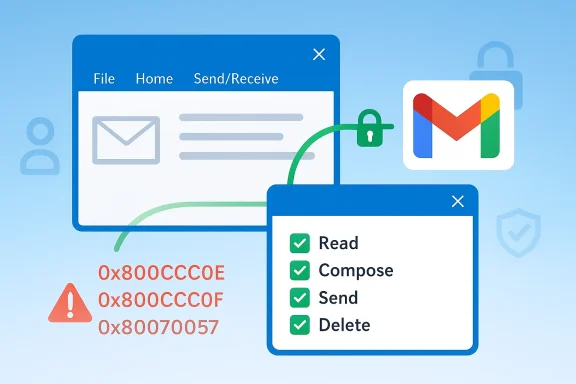
Microsoft has finally closed one of the more annoying gaps in Classic Outlook: a Gmail sync bug that left some users unable to send, receive, or even properly re-authenticate their Google accounts. The fix matters because this was not a niche cosmetic glitch; it struck the basic trust layer between Outlook and Gmail, and in some cases surfaced as errors such as 0x800CCC0E, 0x800CCC0F, and 0x80070057. Microsoft now says the issue is fixed in newer builds, with the sign-in process moved into a separate browser window and the correct Google permissions flow restored.
The Gmail sync failure in Classic Outlook was a reminder that email remains one of the most fragile parts of the modern productivity stack. People often think of mail as “solved,” but underneath the inbox is a pile of authentication protocols, identity tokens, permission scopes, and provider-specific security rules that can break with relatively little warning. In this case, Gmail accounts could look connected inside Outlook while silently failing to sync, which is the worst kind of bug because it hides until users notice missing mail.
The timing made the problem especially frustrating. Microsoft documented one related issue in September 2024, when users could not sign in or add Gmail accounts to Classic Outlook and the company said the Outlook team had released a fix that changed sign-in to open another browser window. A newer support article, updated March 9, 2026, describes a separate but related problem: after changing Gmail or Yahoo passwords in Classic Outlook, users are not prompted to sign in again and instead see send/receive failures. Microsoft says it is still investigating that more recent issue and offers a registry-based workaround.
That distinction matters. One bug was fixed in the older “unable to sign in or add Gmail” path, while the newer synchronization problem appears to affect credential refresh behavior after password changes. In practice, end users experience both as “Gmail stopped working in Outlook,” but the underlying failure modes are not necessarily identical. That is why support threads continue to proliferate: a broad symptom can hide multiple causes.
The broader shift is unmistakable. OAuth-based sign-in, browser-mediated authentication, and tighter permission prompts are becoming the default across consumer and enterprise mail ecosystems. Older embedded sign-in flows are being squeezed out, and Classic Outlook is increasingly exposed when providers tighten security or retire legacy assumptions. This is not just a Microsoft problem; it is an industry-wide consequence of moving from password-era integration to token-based identity control.
The support note also specifies the builds where the fix is available. Microsoft lists Version 2404 (Build 17531.10000) for Beta Channel, Current Channel Preview, and Current Channel, with Version 2407 (Build 17727.10000) for Monthly Enterprise Channel. The Semi-Annual Enterprise Channel entries remain TBD in that article, which tells you the rollout has not been uniform across all deployment rings.
The practical result is that users who were trapped in a broken authentication loop can often recover simply by updating Outlook and signing in again. That is a relief, but it is also a warning: the architecture is now dependent on the correct browser path, the correct scopes, and the correct account permissions. If any one of those pieces is stale, the user experiences a dead inbox.
That sort of failure is disproportionately damaging because it undermines user confidence. People don’t just lose sync; they lose certainty about whether Outlook is the source of truth. If the inbox looks normal but is actually stale, users can miss urgent mail, duplicate responses, or assume a colleague ignored them. In enterprise workflows, that is more than an inconvenience; it is a productivity and communications risk.
Microsoft’s support documentation also notes that the workaround for the newer sync issue involves deleting the relevant identity key under the registry path for Office identities and then signing in again. That is not a consumer-friendly fix, and it shows how deeply the problem is tied to stale identity data rather than ordinary message delivery.
Microsoft’s own guidance now tells users to sign in through the browser and ensure the right Gmail permissions are checked. That advice is revealing because it implicitly acknowledges that the old path is not enough. The app no longer just “logs in”; it has to negotiate trust with the provider in a way that is visible, revocable, and auditable.
This is also why older workaround culture is fading. In the past, users might have expected IMAP passwords or app passwords to rescue them. Today, those crutches are being phased out or constrained, and the browser flow is the canonical path. In practice, that makes Outlook more secure, but it also makes the app less forgiving of stale configuration.
In the March 2026 issue, Microsoft recommends a more invasive workaround: deleting the affected identity key from the Office identity registry path and restarting Outlook before signing in again. That procedure is not for casual users, but it is a sign that the account state can become corrupted enough that a full identity reset is necessary.
That does not mean Classic Outlook is disappearing tomorrow. It means it is increasingly vulnerable to the seams where old integration patterns meet newer cloud identity rules. A mailbox provider can change a permission model or authentication assumption, and the old desktop client may need a patch to keep up. In other words, stability now depends on constant maintenance.
There is also a support cost hidden in plain sight. Every time an app has to preserve legacy behavior while adapting to new identity rules, the test matrix grows. That can delay fixes for certain release channels, which is why Microsoft’s support page still lists TBD for some enterprise rollout paths.
For Microsoft, the fix is a reputational necessity. Outlook is supposed to be the dependable hub for multiple mail providers, and Gmail compatibility is central to that promise. When Gmail breaks, the user does not blame protocol theory; they blame Outlook. So even a fix that is technically a browser-flow adjustment has strategic value in protecting trust in the product.
At the same time, Google benefits from a stronger security posture, even if it inconveniences some desktop clients. That is the inherent tension in platform governance: tighter controls reduce risk and improve account safety, but they also expose compatibility gaps in software that depends on older assumptions.
Microsoft’s guidance for the March 2026 issue shows how operationally heavy these problems can become. The workaround requires registry editing and re-sign-in, which is manageable in an enterprise environment but risky to push casually to end users. Organizations will want scripted remediation, clear documentation, and a rollback path if the new sign-in flow exposes another edge case.
That split matters because user patience is finite. If a home user can simply re-add Gmail once and move on, they are satisfied. If a corporate user has to open a ticket every time a password change breaks sync, the app becomes a recurring operational expense.
Longer term, the lesson is that desktop email clients must behave more like secure web apps and less like fixed local software. Identity, permissions, and browser-mediated consent are no longer optional extras; they are the center of the experience. That will keep helping security, but it will also keep exposing older integration paths that were never designed for today’s account controls.
What to watch next:
Source: thewincentral.com Microsoft Finally Fixes Classic Outlook Bug Breaking Gmail Sync - WinCentral
 Overview
The Gmail sync failure in Classic Outlook was a reminder that email remains one of the most fragile parts of the modern productivity stack. People often think of mail as “solved,” but underneath the inbox is a pile of authentication protocols, identity tokens, permission scopes, and provider-specific security rules that can break with relatively little warning. In this case, Gmail accounts could look connected inside Outlook while silently failing to sync, which is the worst kind of bug because it hides until users notice missing mail.The timing made the problem especially frustrating. Microsoft documented one related issue in September 2024, when users could not sign in or add Gmail accounts to Classic Outlook and the company said the Outlook team had released a fix that changed sign-in to open another browser window. A newer support article, updated March 9, 2026, describes a separate but related problem: after changing Gmail or Yahoo passwords in Classic Outlook, users are not prompted to sign in again and instead see send/receive failures. Microsoft says it is still investigating that more recent issue and offers a registry-based workaround.
That distinction matters. One bug was fixed in the older “unable to sign in or add Gmail” path, while the newer synchronization problem appears to affect credential refresh behavior after password changes. In practice, end users experience both as “Gmail stopped working in Outlook,” but the underlying failure modes are not necessarily identical. That is why support threads continue to proliferate: a broad symptom can hide multiple causes.
The broader shift is unmistakable. OAuth-based sign-in, browser-mediated authentication, and tighter permission prompts are becoming the default across consumer and enterprise mail ecosystems. Older embedded sign-in flows are being squeezed out, and Classic Outlook is increasingly exposed when providers tighten security or retire legacy assumptions. This is not just a Microsoft problem; it is an industry-wide consequence of moving from password-era integration to token-based identity control.
What Microsoft Fixed
Microsoft’s published fix for the Gmail account sign-in issue in Classic Outlook is straightforward on paper but significant in effect. The company says the sign-in flow now opens in a separate browser window, which addresses the failure that previously blocked Gmail account setup and access. That one design change brings Outlook into alignment with how Google expects modern authentication to happen, instead of relying on an older embedded path that no longer behaved reliably.The support note also specifies the builds where the fix is available. Microsoft lists Version 2404 (Build 17531.10000) for Beta Channel, Current Channel Preview, and Current Channel, with Version 2407 (Build 17727.10000) for Monthly Enterprise Channel. The Semi-Annual Enterprise Channel entries remain TBD in that article, which tells you the rollout has not been uniform across all deployment rings.
Why the browser handoff matters
The browser handoff is not cosmetic. It allows the identity provider, in this case Google, to complete the sign-in and permission grant in a trusted browser context rather than inside an app-embedded frame that can break under policy changes. That is the same basic pattern used by many modern desktop apps, and it reduces the odds of a failed authentication handshake. Microsoft’s own support material now explicitly instructs users to complete Google sign-in in the browser and check the Microsoft apps and services permission box for full Gmail access.The practical result is that users who were trapped in a broken authentication loop can often recover simply by updating Outlook and signing in again. That is a relief, but it is also a warning: the architecture is now dependent on the correct browser path, the correct scopes, and the correct account permissions. If any one of those pieces is stale, the user experiences a dead inbox.
- The fix restores a browser-based sign-in flow.
- Updated builds include the fix in mainstream channels.
- Users may still need to re-authenticate Gmail after updating.
- The browser permission prompt is now central to success.
What Broke and Why It Was So Disruptive
The most frustrating part of the Gmail sync bug was that it did not always present as a hard failure. In some cases, Gmail appeared connected inside Classic Outlook, but new messages never arrived or outgoing mail failed to send. Microsoft’s March 2026 support note explicitly describes symptoms where Outlook does not prompt the user to sign in again after changing the Gmail password, followed by errors like 0x800CCC0E and 0x800CCC0F.That sort of failure is disproportionately damaging because it undermines user confidence. People don’t just lose sync; they lose certainty about whether Outlook is the source of truth. If the inbox looks normal but is actually stale, users can miss urgent mail, duplicate responses, or assume a colleague ignored them. In enterprise workflows, that is more than an inconvenience; it is a productivity and communications risk.
The authentication chain reaction
Modern Gmail access inside Outlook depends on several steps working in sequence. First, Outlook has to launch a sign-in flow that Google accepts. Then the user must authenticate and grant the proper Microsoft apps and services permission, including the ability to read, compose, send, and permanently delete Gmail messages. If that grant is incomplete or cached credentials are stale, Outlook may never fully recover on its own.Microsoft’s support documentation also notes that the workaround for the newer sync issue involves deleting the relevant identity key under the registry path for Office identities and then signing in again. That is not a consumer-friendly fix, and it shows how deeply the problem is tied to stale identity data rather than ordinary message delivery.
- Sync failures can masquerade as normal connectivity.
- Error codes are often secondary symptoms rather than root causes.
- Password changes can invalidate old identity state.
- Cached credentials can keep a broken account “half alive.”
The Security Shift Behind the Bug
This issue is really about the transition from password-centric email to token-based authentication. Gmail, like many services, expects a modern sign-in flow with explicit permission grants and browser-mediated account validation. Classic Outlook’s older assumptions are increasingly at odds with that reality, especially when providers change backend behavior or enforce stricter account security.Microsoft’s own guidance now tells users to sign in through the browser and ensure the right Gmail permissions are checked. That advice is revealing because it implicitly acknowledges that the old path is not enough. The app no longer just “logs in”; it has to negotiate trust with the provider in a way that is visible, revocable, and auditable.
OAuth is winning, whether users notice or not
For consumers, this means more popups, more browser windows, and more permissions prompts. For administrators, it means fewer mystery failures and better control over account access. The tradeoff is that legacy desktop apps become more brittle unless they are updated to keep pace with identity standards. That is exactly why Microsoft’s separate-browser fix mattered so much.This is also why older workaround culture is fading. In the past, users might have expected IMAP passwords or app passwords to rescue them. Today, those crutches are being phased out or constrained, and the browser flow is the canonical path. In practice, that makes Outlook more secure, but it also makes the app less forgiving of stale configuration.
Consumer and enterprise implications
Consumers mostly experience the issue as a broken inbox and a morning of troubleshooting. Enterprises experience it as a support event, a compliance concern, and a productivity drag. The same bug can therefore generate very different costs depending on whether it affects one family Gmail account or a managed fleet of Outlook installations.- Consumers want the account to “just work.”
- IT wants a sign-in flow that is auditable and policy-compliant.
- Security teams want fewer legacy authentication paths.
- Vendors want fewer compatibility exceptions to maintain.
How Users Can Recover
The good news is that most affected users do not need a dramatic intervention. Microsoft’s guidance indicates that updating to a build with the fix, then re-adding the Gmail account or re-authenticating through the browser, should restore normal sync in most cases. The support instructions also call out enabling IMAP in Gmail if it is still relevant in the user’s setup.In the March 2026 issue, Microsoft recommends a more invasive workaround: deleting the affected identity key from the Office identity registry path and restarting Outlook before signing in again. That procedure is not for casual users, but it is a sign that the account state can become corrupted enough that a full identity reset is necessary.
A practical recovery sequence
- Update Classic Outlook to the latest available build.
- Remove the Gmail account from Outlook if it is stuck.
- Add the account again and complete sign-in in the browser.
- Confirm the Microsoft apps and services permission grant is fully checked.
- If the account still fails, use Microsoft’s registry-based identity reset workaround.
- Update first, because the fix is build-dependent.
- Re-authenticate in-browser, because the old flow is unreliable.
- Check permissions carefully, because partial consent can leave Gmail half-configured.
- Reset identity state only when simpler steps fail.
Why Classic Outlook Is Exposed
Classic Outlook has a long history, a broad installed base, and a lot of accumulated behavior that users still rely on. But legacy strength can become legacy weakness when service providers modernize around it. Microsoft has already been steering users toward the newer Outlook experience, and incidents like this reinforce the company’s argument that the future belongs to a more modern sign-in and sync stack.That does not mean Classic Outlook is disappearing tomorrow. It means it is increasingly vulnerable to the seams where old integration patterns meet newer cloud identity rules. A mailbox provider can change a permission model or authentication assumption, and the old desktop client may need a patch to keep up. In other words, stability now depends on constant maintenance.
The tradeoff of maturity
Classic Outlook’s maturity is still an advantage for many organizations. It has deep feature coverage, predictable workflows, and decades of user familiarity. Yet that same complexity makes it harder to retrofit with modern security patterns without introducing compatibility fractures, and Gmail is simply the latest example.There is also a support cost hidden in plain sight. Every time an app has to preserve legacy behavior while adapting to new identity rules, the test matrix grows. That can delay fixes for certain release channels, which is why Microsoft’s support page still lists TBD for some enterprise rollout paths.
- Classic Outlook has enormous installed-base inertia.
- Legacy compatibility is now an ongoing liability.
- New authentication rules increase the chance of edge-case failures.
- Enterprise channels may receive fixes later than mainstream channels.
What This Means for Google and Microsoft
This bug is not only about Microsoft’s code quality. It is also about the degree to which Google’s security model has become the gatekeeper for third-party mail clients. When Gmail shifts authentication expectations, every dependent client feels the ripple. Microsoft then has to decide whether to adapt the old experience, nudge users to the new one, or both.For Microsoft, the fix is a reputational necessity. Outlook is supposed to be the dependable hub for multiple mail providers, and Gmail compatibility is central to that promise. When Gmail breaks, the user does not blame protocol theory; they blame Outlook. So even a fix that is technically a browser-flow adjustment has strategic value in protecting trust in the product.
Competitive consequences
The incident also has a competitive angle. If Classic Outlook becomes too unreliable with Gmail, some users may explore new Outlook, webmail, or even other desktop clients. That creates a subtle but real pressure on Microsoft to keep the classic client viable long enough to avoid accelerating migration due to frustration rather than preference.At the same time, Google benefits from a stronger security posture, even if it inconveniences some desktop clients. That is the inherent tension in platform governance: tighter controls reduce risk and improve account safety, but they also expose compatibility gaps in software that depends on older assumptions.
- Microsoft must preserve trust in Outlook’s multi-provider support.
- Google’s security model sets the terms of access.
- Users often choose the path of least friction.
- Competitors can benefit if friction becomes chronic.
Practical Guidance for IT Teams
For IT administrators, the immediate concern is not just whether Gmail is working today, but whether the organization is prepared for similar authentication breaks tomorrow. Email clients are now dependent on a web of policies, browser support, identity tokens, and channel-specific fixes. That means patch management alone is not enough; identity lifecycle management matters too.Microsoft’s guidance for the March 2026 issue shows how operationally heavy these problems can become. The workaround requires registry editing and re-sign-in, which is manageable in an enterprise environment but risky to push casually to end users. Organizations will want scripted remediation, clear documentation, and a rollback path if the new sign-in flow exposes another edge case.
Suggested IT playbook
- Track Outlook build levels by channel, not just by product family.
- Verify that Gmail accounts are using the browser-based sign-in flow.
- Confirm permissions after password resets or account migrations.
- Maintain a help-desk script for identity resets and re-authentication.
- Monitor for repeat failures that indicate stale credential caches.
Enterprise vs consumer support
Consumers need a short recovery path and plain-language instructions. Enterprises need predictable remediation and auditability. The same bug therefore demands two different support strategies, even though the underlying fix may be identical.That split matters because user patience is finite. If a home user can simply re-add Gmail once and move on, they are satisfied. If a corporate user has to open a ticket every time a password change breaks sync, the app becomes a recurring operational expense.
Strengths and Opportunities
The strongest upside of Microsoft’s fix is that it restores confidence in a high-visibility workflow without forcing most users to abandon Classic Outlook immediately. It also gives Microsoft a chance to show that it can still maintain compatibility across a changing authentication landscape, even as it nudges people toward newer products. The opportunity is bigger than one Gmail bug: it is about proving the company can preserve the legacy base while modernizing the foundation.- Browser-based sign-in is more aligned with modern identity standards.
- The fix reduces the chance of opaque Gmail setup failures.
- Microsoft can use the repair to reinforce trust in Outlook’s reliability.
- IT teams gain a clearer remediation path than before.
- Users with updated builds may recover without major reconfiguration.
- The episode highlights the value of stronger permission prompts.
- Microsoft can use the incident to accelerate modernization messaging.
Risks and Concerns
The main concern is that this may not be the last Gmail-related compatibility break. Microsoft’s March 2026 support note is still investigating a related sync issue after password changes, which suggests the ecosystem is not fully settled even after the earlier fix. The risk is that users think the problem is solved, only to encounter a different authentication edge case later.- Some enterprise channels may receive fixes later than others.
- Cached identity data can keep accounts broken even after updates.
- Users may confuse a permission problem with a mail delivery problem.
- Legacy Outlook behavior may keep drifting out of alignment with provider rules.
- Help desks may face repeated re-authentication incidents.
- The migration pressure toward newer Outlook builds may increase.
Looking Ahead
The near-term outlook is simple: users on supported builds should see improved Gmail behavior in Classic Outlook once they update and re-authenticate, while some edge cases may continue to need manual cleanup. Microsoft’s own documentation shows that the company is still actively refining how Gmail and Yahoo identities are handled in Classic Outlook, so this story is not over.Longer term, the lesson is that desktop email clients must behave more like secure web apps and less like fixed local software. Identity, permissions, and browser-mediated consent are no longer optional extras; they are the center of the experience. That will keep helping security, but it will also keep exposing older integration paths that were never designed for today’s account controls.
What to watch next:
- Further rollout notes for Semi-Annual Enterprise Channel fixes.
- Whether Microsoft resolves the March 2026 password-change sync issue.
- Any additional Gmail permission or IMAP guidance from Microsoft.
- Whether more users are pushed toward the new Outlook experience.
- New support articles that clarify which sync failures are fixed versus still investigating.
Source: thewincentral.com Microsoft Finally Fixes Classic Outlook Bug Breaking Gmail Sync - WinCentral
