

Clawdbot has exploded into the public eye as a practical, hands‑on AI assistant you run on your own hardware — a chat‑driven agent that can read your email, run shell commands, control a browser, and even install other AI tools — and that sudden popularity has opened a rare and urgent conversation about what it means to give an autonomous agent deep access to your digital life.
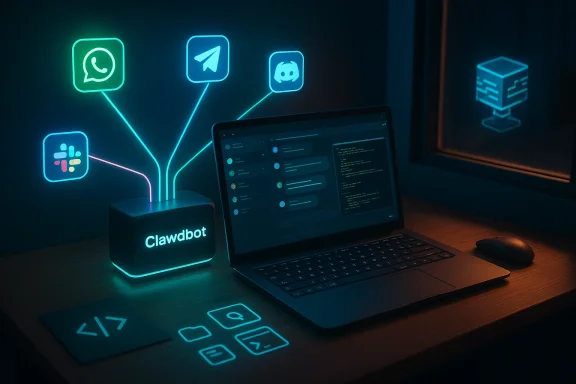
Clawdbot is an open‑source "personal AI assistant" created and driven by a community around developer Peter Steinberger. It presents itself as a gateway-plus-agent architecture: a local Gateway control plane that mediates channels (WhatsApp, Telegram, Slack, Discord, iMessage, Microsoft Teams), and agent runtimes that can invoke tools, access files, and interact with web pages. The project is explicitly built to be extensible — skills, channels, and models are pluggable — and it deliberately blurs the line between conversational assistance and system automation.
The technical stack and developer guidance make a few points very clear: Clawdbot is designed to work with commercial cloud LLMs like Anthropic’s Claude and OpenAI’s ChatGPT, but also to support local model stacks (for privacy and cost reasons) such as Ollama/LM Studio and other on‑device model servers. The onboarding experience uses a CLI wizard and expects Node ≥22; the project’s docs recommend Anthropic Opus models for higher resistance to prompt injection, while warning repeatedly that prompt injection and other attack vectors are not solved problems.
This combination of power and immediacy — chat UIs you already use, long context, tool execution and device control — is why Clawdbot went viral: it delivers the long‑promised "always‑on" assistant that can actually act, not just reply. But the same properties that make it useful are also the ones that make it dangerous if misconfigured or misunderstood.
That said, the project itself and its docs explicitly state that any platform that can host the Gateway and persistent workspace will do: a spare PC, a Raspberry Pi (for lighter workloads), or a small VPS are valid options. Local model recommendations vary widely — from LM Studio + large MiniMax/M2.1 variants to full GPU rigs for heavy local inference — so hardware needs scale with the model and workload you expect. Buying a Mac Mini because "everyone else is" is a social reaction, not an engineering requirement.
If your goal is privacy and cost control, running a light Gateway on modest hardware while routing heavy inference either to a local GPU machine or a controlled cloud bucket (or a hybrid mix) is often the pragmatic choice. For many hobbyists and early adopters, the Mac Mini is simply a convenient, supported "appliance" that looks neat in photos — but it doesn't magically make Clawdbot safer.
The practical takeaway: Windows users can and are running Clawdbot, but the path is less "native" and more a set of interoperability hacks (WSL2, Copilot CLI, PowerShell functions) until packaging or a first‑class Windows client matures. That matters, because the more moving parts you have, the more places misconfiguration or leakage can happen — and that amplifies the security surface.
Neither approach is inherently better; they serve different audiences. Clawdbot offers unmatched flexibility and immediate capability for power users. Qira and similar vendor agents aim to reach mainstream consumers with curated features and centralized privacy promises. Both approaches will coexist and compete on trust, transparency, and the practical reality of safety features.
For Windows users, the path is fully viable via WSL2 and PowerShell glue, but it requires operational discipline: sandboxing, allowlists, robust model choices, and aggressive least‑privilege controls. If you want the promise of a proactive, always‑on assistant without the DIY risk, watch how the vendor products (Lenovo Qira, Copilot‑style SDKs) evolve — they will be the mainstream answer to the same problem space Clawdbot is exploring today.
Clawdbot shows the future is here: assistants that act. How safely we let them act is the question that will define whether this wave of agentic AI becomes liberating or hazardous.
Source: Windows Central Everyone’s talking about Clawdbot… except Windows fans
 Background / Overview
Clawdbot is an open‑source "personal AI assistant" created and driven by a community around developer Peter Steinberger. It presents itself as a gateway-plus-agent architecture: a local Gateway control plane that mediates channels (WhatsApp, Telegram, Slack, Discord, iMessage, Microsoft Teams), and agent runtimes that can invoke tools, access files, and interact with web pages. The project is explicitly built to be extensible — skills, channels, and models are pluggable — and it deliberately blurs the line between conversational assistance and system automation. The technical stack and developer guidance make a few points very clear: Clawdbot is designed to work with commercial cloud LLMs like Anthropic’s Claude and OpenAI’s ChatGPT, but also to support local model stacks (for privacy and cost reasons) such as Ollama/LM Studio and other on‑device model servers. The onboarding experience uses a CLI wizard and expects Node ≥22; the project’s docs recommend Anthropic Opus models for higher resistance to prompt injection, while warning repeatedly that prompt injection and other attack vectors are not solved problems.
This combination of power and immediacy — chat UIs you already use, long context, tool execution and device control — is why Clawdbot went viral: it delivers the long‑promised "always‑on" assistant that can actually act, not just reply. But the same properties that make it useful are also the ones that make it dangerous if misconfigured or misunderstood.
What Clawdbot actually does: a technical snapshot
Clawdbot’s architecture separates the control plane (Gateway) from the agent runtime and optional device nodes. In practice:- The Gateway runs locally (loopback by default) and handles sessions, presence, cron jobs, webhooks, and the Canvas UI. It is the single place you configure channels and access policies.
- Agent runtimes execute skills, run tools (shell, browser automation, file I/O), and stream outputs back to the Gateway. By default the main session can run tools on the host, meaning the agent can execute real commands unless explicitly sandboxed.
- Channels allow Clawdbot to respond over WhatsApp, Telegram, Discord, Slack, iMessage, Microsoft Teams, and WebChat. The product intentionally aims to "feel like texting an assistant" to lower the friction of adoption.
- Model plumbing supports cloud providers by OAuth/config, but also lets you plug in local servers — Ollama, LM Studio, or other "Responses API" endpoints — to reduce API bills and keep sensitive data local. The docs explicitly recommend using larger, more robust models when giving tool permissions to minimize prompt‑injection susceptibility.
Why Mac Mini hype (and why you probably don’t need one)
Over the weekend, social feeds filled with people showing off Clawdbot running on Apple M4/M3 Mac Minis. The excitement comes from the Mac Mini’s favorable performance per watt, macOS support for local model tooling, and the convenience of a compact, always‑on box to host a local Gateway and large model server.That said, the project itself and its docs explicitly state that any platform that can host the Gateway and persistent workspace will do: a spare PC, a Raspberry Pi (for lighter workloads), or a small VPS are valid options. Local model recommendations vary widely — from LM Studio + large MiniMax/M2.1 variants to full GPU rigs for heavy local inference — so hardware needs scale with the model and workload you expect. Buying a Mac Mini because "everyone else is" is a social reaction, not an engineering requirement.
If your goal is privacy and cost control, running a light Gateway on modest hardware while routing heavy inference either to a local GPU machine or a controlled cloud bucket (or a hybrid mix) is often the pragmatic choice. For many hobbyists and early adopters, the Mac Mini is simply a convenient, supported "appliance" that looks neat in photos — but it doesn't magically make Clawdbot safer.
Windows support and the Rube‑Goldberg setup
Clawdbot does not run natively on Windows in the sense of a native .exe installer. The official guidance recommends Windows Subsystem for Linux 2 (WSL2) as the supported path for Windows users. That’s why a number of Windows developers have been posting about getting Clawdbot running under WSL2 or through PowerShell wrappers. Scott Hanselman — Microsoft’s VP of Developer Community — publicly demonstrated a Windows+PowerShell setup and noted he was working on GitHub Copilot SDK integration, calling his own setup “a Rube Goldbergian thing for sure.”The practical takeaway: Windows users can and are running Clawdbot, but the path is less "native" and more a set of interoperability hacks (WSL2, Copilot CLI, PowerShell functions) until packaging or a first‑class Windows client matures. That matters, because the more moving parts you have, the more places misconfiguration or leakage can happen — and that amplifies the security surface.
The security story: prompt injection, tool access, and the real risks
Security is the dominant theme in every discussion about Clawdbot, and for good reasons that are both technical and behavioral.What the project itself warns about
The Clawdbot docs include an explicit security section that defines prompt injection, describes incidents (for example, a "find ~" incident where a tester accidentally dumped home directory output), and lists mitigations: pairing/allowlists, sandboxed tool execution, treating any external content as hostile by default, and keeping secrets out of the agent’s reachable filesystem. The project documentation is unusually candid: it admits that prompt injection is "not solved."What independent commentators are saying
Security researchers, cryptonetwork communities, and early adopters agree on concrete hazards:- Prompt injection is real and exploitable because web pages, emails, and pasted text can contain adversarial instructions that land straight in the agent’s context. Small or aggressively quantized local models are more likely to be fooled.
- Because Clawdbot can run shell commands and control the browser, a successful injection can equate to remote code execution or data exfiltration, especially if the Gateway is configured to give the main session broad tool permissions.
- The open nature of the platform — community skills, skill registries like "ClawdHub", and easy skill installation — is a feature but also a supply‑chain risk: installing third‑party skills is tantamount to running arbitrary code that the agent can call.
Practical safety: how to run Clawdbot responsibly on Windows and other platforms
If you are a Windows enthusiast or IT pro considering Clawdbot, treat this as operational software that requires an explicit risk posture. Below is a practical, prioritized checklist to minimize danger.- Run Clawdbot on a dedicated machine or VM, not your primary workstation.
- Use containerization or per‑session Docker sandboxes for any agent that has tool execution enabled. Configure the project’s sandbox defaults and deny risky tools for non‑main sessions.
- Enable pairing/allowlists for DMs and require mention gating in group settings. Default to closed inputs.
- Start with read‑only mounts and never expose home directory secrets or keyrings to the agent. Keep API keys out of the file system the agent can read; use ephemeral tokens when possible.
- Prefer large, robust models for any agent that has tool access. The docs recommend Claude Opus 4.5 or similar models, and explicitly warn that smaller, quantized checkpoints raise exploitation risk.
- Set hard API spending limits to prevent runaway bills. Monitor token usage and alert on unusual activity.
- Audit logs and enable session recording; require manual confirmation for any destructive commands (file deletion, system restart, network changes).
- For Windows users: prefer a WSL2 VM dedicated to Clawdbot with restricted mounts, a separate Windows account, and explicit firewall rules for outbound connections. Treat Copilot SDK integrations and PowerShell wrappers as experimental until thoroughly audited.
When Clawdbot makes sense — high‑value, low‑risk use cases
Clawdbot shines where automation yields clear ROI and the domain is low-risk or can be isolated:- Personal productivity tasks that avoid sensitive data: calendar summaries, meeting notes, generic to‑do automation, and scheduling. These are high‑value with low exposure.
- Local web summarization and ingestion when you run local models (Ollama/LM Studio) to reduce API costs and keep content local. Users have reported creating workflows where Clawdbot sets up a local model to handle routine summarization and save cloud credits. That pattern — "AI installing AI" — shows the pragmatic cost benefits of hybrid setups.
- Developer workflows for code comprehension, repository automation, and local CI tasks when tightly sandboxed and run in a throwaway environment. Hanselman’s experiments highlight this use case for power users.
Governance, compliance, and enterprise considerations
For organizations, Clawdbot presents a thorny mix of productivity upside and compliance risk. Key considerations:- Data residency and privacy: Clawdbot can be configured to use local models to minimize cloud exposure, but the Gateway still interacts with external services. Enterprises must map where each data flow goes and whether that violates data‑protection obligations (GDPR, HIPAA, etc.).
- Auditability and change control: Skills and agent behaviors should be subject to change‑management policies. Running community skills on production systems without vetting is a serious supply‑chain risk.
- Access control: Corporate deployments need role‑based access, per‑session sandboxing, and possibly a hardened "enterprise Gateway" that strips dangerous tools for non‑trusted users.
Competing visions: Clawdbot vs. device‑vendor assistants like Lenovo Qira
Clawdbot represents a community, open‑source, do‑it‑yourself model: maximum control assuming technical competence. By contrast, device vendors are pushing integrated, system‑level assistants — Lenovo Qira is the clearest recent example — that promise seamless, cross‑device continuity with productized privacy controls and vendor‑backed safeguards. Lenovo’s Qira is positioned as a "personal ambient intelligence" that learns context and acts across devices, with hybrid cloud/on‑device orchestration and vendor safeguards. That is a different tradeoff: less tinkering, more vendor control.Neither approach is inherently better; they serve different audiences. Clawdbot offers unmatched flexibility and immediate capability for power users. Qira and similar vendor agents aim to reach mainstream consumers with curated features and centralized privacy promises. Both approaches will coexist and compete on trust, transparency, and the practical reality of safety features.
A realistic risk‑reward assessment
- Upside: Clawdbot delivers automation that previously required custom scripting, bridging messaging channels and agentic tooling in a human‑friendly chat metaphor. For developers and power users it can dramatically reduce friction for repetitive tasks, research, and orchestration.
- Downside: The platform is a large attack surface if misconfigured. Prompt injection, inadvertent data exposure, runaway bills, and supply‑chain risk from community skills are real, documented issues. The project’s own security docs and community threads show multiple near misses and one‑off incidents where users accidentally leaked data.
- Net: Valuable tool for technically capable, security‑minded users who follow strict operational controls; risky for casual or uninformed use on a daily‑driver machine.
Recommended next steps for Windows enthusiasts and admins
- If you want to experiment, use an isolated WSL2 VM or a small cloud VM with strict network/firewall rules, not your main Windows profile. Snapshot the VM so you can roll back.
- Read the Clawdbot security documentation before you install anything. The docs are blunt and practical — follow them.
- Start small: give the agent low‑impact, read‑only tasks first. Add tools and permissions incrementally and verify behavior at each step.
- If you’re an admin: prepare an internal policy that defines acceptable skills, production vs experimental environments, and a vetting process for community skills.
- Keep an eye on vendor initiatives (Copilot SDK integrations, device assistants like Qira) if you prefer a managed experience or need vendor SLAs. These productized agents may eventually offer the same cross‑device convenience with stronger enterprise controls.
Conclusion
Clawdbot is the clearest example yet of what agentic personal assistants can do when you combine modern LLMs, tool access, and real device control. It’s exciting because it’s useful — and it’s worrying because it’s powerful. The project’s honest security documentation and the community’s rapid iteration make it a valuable learning ground for the next wave of personal AI tooling, but they also make one thing obvious: this is not packaging you should casually install on your main machine.For Windows users, the path is fully viable via WSL2 and PowerShell glue, but it requires operational discipline: sandboxing, allowlists, robust model choices, and aggressive least‑privilege controls. If you want the promise of a proactive, always‑on assistant without the DIY risk, watch how the vendor products (Lenovo Qira, Copilot‑style SDKs) evolve — they will be the mainstream answer to the same problem space Clawdbot is exploring today.
Clawdbot shows the future is here: assistants that act. How safely we let them act is the question that will define whether this wave of agentic AI becomes liberating or hazardous.
Source: Windows Central Everyone’s talking about Clawdbot… except Windows fans
