

Paul Thurrott’s “De‑Enshittify Windows 11: Start Fresh with a New Install of Windows 11” chapter lays out a blunt, practical playbook for reclaiming control of a new Windows 11 system by replacing Microsoft’s opinionated Out‑Of‑Box Experience (OOBE) with an installation you actually want — lighter, quieter, less telemetry‑driven, and free of forced cloud nudges. rview
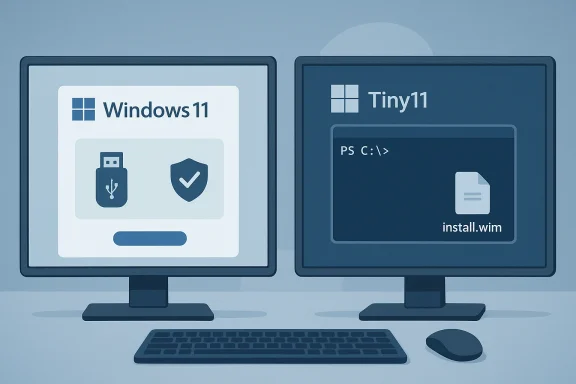
Windows 11’s Setup and OOBE are no longer neutral system configuration flows. Over recent releases Microsoft has layered hardware gates, online account pressures, telemetry prompts, and service upsells into the first‑run experience, so a “clean install” from the official image is frequently anything but clean for power users and privacy‑minded folks. Paul Thurrott’s chapter breaks the problem down and offers two distinct technical paths:
The modern Windows OOBE pushes behavior that favors Microsoft’s service integrations and telemetry collection:
Pros:
What Tiny11 does:
If you follow the conservative path (Rufus + official ISO), you’ll keep closer to Microsoft’s intended servicing model while still escaping the worst of OOBE’s nudges. If you prioritize absolute minimalism and are comfortable troubleshooting update regressions, Tiny11 Builder will get you there faster — but keep the VM, image backups, and an expectation that you’ll need to re‑validate your setup after major Windows feature updates.
End of article.
Source: Thurrott.com De-Enshittify Windows 11: Start Fresh with a New Install of Windows 11
Windows 11’s Setup and OOBE are no longer neutral system configuration flows. Over recent releases Microsoft has layered hardware gates, online account pressures, telemetry prompts, and service upsells into the first‑run experience, so a “clean install” from the official image is frequently anything but clean for power users and privacy‑minded folks. Paul Thurrott’s chapter breaks the problem down and offers two distinct technical paths:
- a light modification of Microsoft’s stock ISO using Rufus to remove installer‑enforced requirements and OOBE hardening; and
- a more aggressive approach using Tiny11 Builder to produce a heavily trimmed, minimal Windows 11 image that omits many inbox apps and online hooks up front.
 Why the OOBE is a problem now
The modern Windows OOBE pushes behavior that favors Microsoft’s service integrations and telemetry collection:- Hardware gating: TPM 2.0, Secure Boot, and minimum RAM checks are enforced at install time on official media. Users with older or repurposed hardware often hit a hard stop.
- Account pressure: Home setups commonly require a Microsoft account and an online connection to proceed, removing the easy local‑account path.
- Privacy theater: OOBE privacy toggles give the veneer of control while key telemetry and diagnostics remain enabled by default.
- Advertising / upsells: Setup can surface Microsoft 365 and Game Pass promotions during the first boot.
Two practical paths to a cleaner install
Path A le modifier for the official ISO
Rufus — the longstanding, community‑trusted bootable‑media utility — added extended options that let you create Windows 11 USB media while suppressing several of Microsoft’s installer checks and prompts. In practice Rufus offers checkboxes during media creation such as:- “Remove requirement for 4GB+ RAM, Secure Boot and TPM 2.0”
- “Remove requirement for an online Microsoft account”
- Options to auto‑create a local account and to skip privacy questions or BitLocker auto‑encryption.
Pros:
- Fast and simple for most users (GUI, checkboxes).
- Uses Microsoft’s own ISO — no mysterious third‑party images.
- Works for both clean installs and in‑place upgrades if launched from an existing Windows session.
- It creates an installer that Microsoft may consider “unsupported” — feature updates or official support could be limited for bypassed systems.
- Removing TPM/Secure Boot or RAM checks reduces built‑in platform security (measured risk if you disable Secure Boot/TPM).
- Some hardware incompatibilities (missing CPU instructions) cannot be fixed by Rufus; this only bypasses checks the installer enforces.
- Download an official Windowft and the current Rufus executable.
- Select the ISO in Rufus, click Start, and when prompted enable the extended options you want. Rufus will write a modified USB image and present a “Windows User Experience” dialog with checkboxes.
Path B — Tiny11 Builder: aggressive slimming and a minimal image
Tiny11 Builder is a community project (PowerShell scripts) that automates creating a trimmed‑down Windows 11 ISO by removing many inbox apps, AI surfaces (Copilot), OneDrive, Xbox components, and other services that NTDEV and forks consider bloat. The project provides two modes: a serviceable “tiny11maker.ps1” for everyday minimal installs, and a “core” maker that produces a very small but less serviceable image.What Tiny11 does:
- Removes many inbox apps and some system features.
- Repackages and compresses the Windows install.wim into a smaller ISO (tiny.iso).
- Can include an unattended answer file to simplify OOBE (some forks include local‑account support).
- Extremely clean result: less disk use, fewer background services, a less noisy Start menu.
- Great for repurposed hardware, VMs, or users who plan to reinstall apps themselves using winget or the Store.
- Removing system components can impact servicing and updates. The more aggressive the removal, the greater the chance a future feature update or cumulative update will fail or behave unpredictably.
- These are community‑built, unsupported images; you must trust the repository and understand exactly what it removes. Test in a VM first.
- Mount the official Windows 11 ISO, run PowerShell as Administrator, set execution policy to bypass for tiny11maker.ps1.
- Choose the edition to build (Home vs Pro is critical because activation differs). The script outputs tiny.iso that you then write to USB using Rufus or other tools.
A verified, step‑by‑step clean install workflow (combining both approaches)
Below is a consolidated, tested workflow combining Thurrott’s guidance with community best practice and verification from project docs.- Back up everything (disk image or full file backup). A clean install is destructive. Always verify your backups.
- Get the official Windows 11 ISO from Microsoft (the base image).
- Decide: Rufus tweak (less risky) or Tiny11 (aggressive).
- If using Tiny11: mount the official ISO, run tiny11maker.ps1 in an elevated PowerShell sexecution policy to Bypass -Scope Process; let the script create tiny.iso. Test the tiny.iso in a VM first.
- Use Rufus to create bootable USB. If you want to bypass TPM/Secure Boot or the Microsoft account requirement, enable the corresponding checkboxes when Rufus prompts you during media creation. Rufus will show options such as “Remove requirement for 4GB+ RAM, Secure Boot and TPM 2.0” and “Remove requirement for an online Microsoft account.” (fossies.org)
- Boot from USB (or use Advanced startup > Use a device from Recovery if you’re running Windows already). Step through the classic Setup experience (language, keyboard, install), delete partitions and install to Disk 0 if you want a fully fresh disk.
- OOBE: if you used Rufus with the MS‑account removal option or built a Tiny11 image that already omits the account enforcement, you’ll be offered a local account flow; otherwise use the standard Microsoft account path. Note: Microsoft has actively blocked some OOBE bypasses in Insider builds — see the caution below.
- When at Desktop: run Windows Update repeatedly until no updates remain, then install Optional driicrosoft Store to update in‑box apps or winget to install your preferred software (e.g., winget install Google.Chrome).
Critical analysis — strengths, limitations, and risks
Strengths
- Control and privacy: Both approaches restore user control and dramatically reduce first‑boot telemetry and upsell surfaces. Tiny11 is particularly effective for users who want a minimal baseline.
- Usability for older hardware: Rufus’ bypass options let refurbishers and hobbyists install Windows 11 on machines Microsoft’s official gatekeeping would otherwise block.
- Repeatability and automation: Once you have a process (Rufus options + a Tiny11 build or a Win11Debloat post‑install script), you can replicate it across many machines quickly.
Limitations and risks
- Update and support risk: Aggressively altered images may break Windows servicing. Microsoft can and does close bypasses, making future feature updates fail or restore Microsoft defauilds have blocked the classic bypassnro trick and patched other workarounds — a reminder that Microsoft actively resists these bypasses.
- Security tradeoffs: Skipping Secure Boot or TPM has real security implications; you should weigh those risks before bypassing them on a device that holds sensitive data.
- Trust and provenance: Community images and scripts require trust. Verify GitHub repositories, read the scripts, and prefer actively maintained projects with issue trackers and community scrutiny. Tiny11 and its forks have become popular and more robust, but they remain unofficial.
- Potential licensing or support implications: Modifying installers or using non‑standard activation schemes can complicate support entitl licensing. Be cautious in corporate or regulated contexts.
What about OOBE bypasses getting blocked?
Microsoft has repeatedly patched community OOBE bypasses. The oassnro” trick and other command‑line methods have been removed or disabled in Insider builds, and Microsoft has signaled intent t enforcement stricter. That means:- Manual command‑prompt tricks that worked in the past may no longer work on newer builds.
- Tools that alter the installer (Rufus) or produce a fully unattended image (Tiny11, unattended answer files) remain effective in many cases, but Microsoft can and does change behavior over time. Keep a test VM and plan for rework after feature updates.
Post‑install checklist (priorities after you land at Desktop)
- Run Windows Update repeatedly until fully patched. This is critical whether you used Tiny11 or Rufus.
- Install optional driver updates from Settings > Windows Update > Optional updates.
- Update Store apps and consider winget for bulk app installs (winget install <app>).
- If you’re avoiding OneDrive Folder Backup, disable the auto‑enable behavior immediately (Thurrott’s guide aConfigure your browser of choice and set it as default; use community tools or documented registry changes to prevent Windows from subtly promoting Edge.
Practical safety recommendations
- Test first in a VM or spare machine. Do not run Tiny11 for the first time on your primary work machine.
- Keep an original, unmodified ISO and a verified Rufus log. If a build breaks, you’ll want the original image and a restoration plan.
- Keep a recovery drive and a disk image backup before wiping a disk. Thurrott’s chapter emphasizes the destructive nature of a clean install — heed that warning.
- If you remove Defender features, replace them with reputable third‑party security software; don’t leave the machine exposed.
Claims that need caution or are unverifiable
Paul’s chapter suggests cheap product keys from certain online marketplaces as an activation path. Treat any claim that suggests “you can legally buy Windows 11 Home/Pro for $10 online” with skepticism: *pricing, legality, and legitimacy vary by selleys from gray‑market resellers can be problematic for future activation, support, or security. I flag this as a cautionary item rather than an endorsement. Verify seller reputation, check refund policies, and prefer authorized resellers when possible.Final verdict — which path should you choose?
- Choose Rufus + official ISO if you want a pragmatic balance: official image, simple GUI options to avoid hardware gating and online‑account enforcement, and minimal risk to update servicing. This is the recommended path for most enthusiasts and refurbishers.
- Choose Tiny11 Builder if you want the cleanest possible baseline and are willing to accept the maintenance cost and servicing risk. Tiny11 is for users who want to reassemble their environment from scratch and who can diagnose update regressions if they occur. Test in a VM first and keep a recovery plan.
If you follow the conservative path (Rufus + official ISO), you’ll keep closer to Microsoft’s intended servicing model while still escaping the worst of OOBE’s nudges. If you prioritize absolute minimalism and are comfortable troubleshooting update regressions, Tiny11 Builder will get you there faster — but keep the VM, image backups, and an expectation that you’ll need to re‑validate your setup after major Windows feature updates.
End of article.
Source: Thurrott.com De-Enshittify Windows 11: Start Fresh with a New Install of Windows 11
