

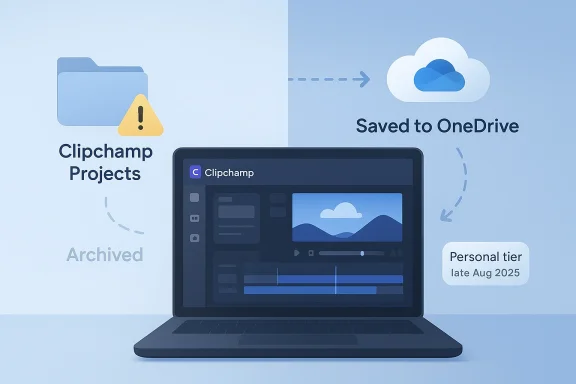
Microsoft’s decision to tie Clipchamp project editing to OneDrive is more than a small product tweak. It marks another step in the company’s long-running push to make Windows software feel like part of a single cloud-first ecosystem, even when the app itself is marketed as free and built into Windows 11. For users who relied on local saves, the change is significant: projects that are not backed by OneDrive are effectively treated as archives, not living edit sessions. Microsoft’s own support pages now describe Clipchamp’s personal tier as moving to OneDrive-backed project storage beginning in late August 2025, with projects automatically saved and local copies becoming archive-only if they are not uploaded for editing.
Clipchamp’s evolution helps explain why this change feels abrupt to many Windows users. Microsoft acquired Clipchamp in 2021 and folded it into the Windows 11 story as a “free” creator tool, especially attractive to people who wanted a lightweight editor without installing a heavyweight desktop suite. PCWorld’s earlier coverage highlighted the appeal: a familiar browser-style editor, a simple interface, and a clear message that casual creators could export locally without stepping into professional software territory.
That original positioning mattered because local-first editing has always been one of Clipchamp’s quiet selling points. Microsoft’s support materials still describe the editor as working with media locally by default, with browser cache and temp folders doing the heavy lifting during editing. The company also notes that, historically, media did not need to be uploaded to a remote server to be processed or exported. In other words, Clipchamp was presented as cloud-capable, but not cloud-dependent.
The new OneDrive requirement shifts that balance. Microsoft now says Clipchamp for personal accounts is being updated so that projects are automatically saved in OneDrive, and that users who choose not to do so can archive projects locally, but cannot continue editing them there later without re-uploading them. That is a meaningful break from the expectation many Windows users had formed over the past few years.
There is also a commercial motive, even if Microsoft frames it as convenience. Once an editing workflow depends on OneDrive, the value of paid Microsoft storage rises sharply, especially for people creating large video projects. Microsoft’s FAQ explicitly discusses storage usage, cross-device access, and the need to manage capacity in OneDrive, which suggests this is not just a technical backend change but a product strategy.
Microsoft also says project folders no longer appear in the app the way they once did, and users will need to organize projects inside OneDrive instead. That may sound minor, but for anyone who built a library of work in a tidy local folder structure, it is a real workflow break. The move from folder-based organization to cloud-backed project management also changes how users think about backups, transfers, and archive retention.
The support documentation is careful here. Clipchamp’s personal version still leverages the local browser cache and temp folders during editing, while OneDrive backs up the project structure and can preserve assets for continuity. In practical terms, Microsoft appears to be separating “where editing happens” from “where the project lives,” which is clever, but also confusing for users who associate local storage with full control.
That architecture is not unusual in modern software, but it does produce a subtle lock-in effect. Users may feel like they are working offline when they are really building a cloud-managed project that happens to use local files as inputs. The result is a product that looks simpler than it is, especially when storage boundaries are hidden behind a friendly editor interface. That is where the frustration begins.
For casual creators, that may be acceptable. For people who treat video work like software work—versioned, backed up, restored, and iterated—it is a problem, because it turns a local file into a one-way checkpoint. The finer point here is that retrievability is not the same as editability.
There is also a psychological effect. When a “free” built-in app starts requiring a cloud account for basic continuity, users may feel that the free tier is less a gift and more a funnel. That perception can erode goodwill even if the technical implementation is reliable. In consumer software, trust is often just as important as features.
That contrast is important. The consumer side is being brought closer to the enterprise model, which suggests Microsoft sees the cloud-backed design as the “right” long-term architecture. But enterprise users typically have administrators, policies, retention controls, and compliance frameworks that make cloud dependence more manageable than it is for a single home user.
In short, Clipchamp is becoming less like a desktop utility and more like a Microsoft account service. That may be fine for some people, but it is a notable redefinition of what “built into Windows” means. Built in no longer necessarily means fully local.
That strategy could work if Microsoft wants Clipchamp to function as the default editor for quick social clips, school projects, and simple content creation. But it may also push more advanced users toward third-party tools that preserve local storage, stronger project portability, or multi-platform independence. When a free tool feels constrained, users often vote with their installs.
There is a secondary benefit as well: project portability inside the Microsoft stack becomes simpler. If a user starts a project on one PC and opens it on another, Microsoft can frame that as seamless continuity rather than a manual file transfer problem. That is a legitimate user benefit, even if it comes with trade-offs.
Third-party editors may also see an opening here. If users become annoyed by OneDrive coupling, alternatives that promise local-only projects, cross-platform export, or independent project storage can position themselves as the practical escape hatch. The irony is that Microsoft may strengthen rival tools simply by reminding users how valuable local ownership still is.
Microsoft emphasizes that projects are safer and more accessible in the cloud, and that is not an empty promise. If a laptop dies, a OneDrive-backed project is easier to recover than a forgotten local folder. Still, users who intentionally avoid cloud storage are not doing so by accident; they usually have clear reasons involving privacy, compliance, cost, or simple preference.
For some users, that is enough. For others, especially those handling sensitive footage, it is a red line. The concern is not just whether Microsoft stores the files safely, but whether the service can be used without forcing a cloud dependency into a previously local workflow. Those are not the same question.
The practical advice for users is simple: keep original media files in a separate backup, and do not assume an editable project archive is the same thing as a full restore point. Microsoft explicitly recommends keeping backups of original media, even in its own help content. That is a reminder that cloud sync is useful, but not sufficient on its own.
That has strategic value for Microsoft. Windows becomes easier to unify when core experiences share the same storage and account fabric. But it also means the company has to be careful not to overdo the pressure, because Windows users are unusually sensitive to feeling boxed into a single vendor’s ecosystem.
This is also part of a pattern. Microsoft has spent years tying more of the Windows experience to account sign-in, synced preferences, cloud storage, and web-backed services. Clipchamp is simply one more tile in that mosaic, but it is a revealing one because it touches a creative workflow that users often expect to keep under local control.
There is also a UX upside. If project state, names, and editing progress are managed centrally, the app can become easier to reopen after a crash, a reinstall, or a device change. That kind of friction reduction is exactly what cloud integration is supposed to deliver.
There is also a practical concern for people with limited connectivity or strict storage policies. A video editor that depends on OneDrive for editable projects may be a poor fit for environments where cloud services are unreliable, disallowed, or simply undesirable. That makes the change more than a feature tweak; it is a workflow constraint.
And once that line blurs, every future app update may be judged through the same lens. Users will ask whether the cloud requirement is truly necessary or simply convenient for Microsoft. That is a question the company will need to answer repeatedly if it wants trust to keep pace with integration.
The broader issue is not just Clipchamp. It is whether Windows 11 keeps evolving into a platform where cloud services are the default substrate for everyday creativity. That may be the direction Microsoft wants, but it will need to balance convenience against autonomy if it wants users to stay on board. The modern Windows story is increasingly about integration, but integration always comes with a price.
Source: PCWorld Windows 11's free video editor Clipchamp now requires OneDrive
 Background
Clipchamp’s evolution helps explain why this change feels abrupt to many Windows users. Microsoft acquired Clipchamp in 2021 and folded it into the Windows 11 story as a “free” creator tool, especially attractive to people who wanted a lightweight editor without installing a heavyweight desktop suite. PCWorld’s earlier coverage highlighted the appeal: a familiar browser-style editor, a simple interface, and a clear message that casual creators could export locally without stepping into professional software territory.That original positioning mattered because local-first editing has always been one of Clipchamp’s quiet selling points. Microsoft’s support materials still describe the editor as working with media locally by default, with browser cache and temp folders doing the heavy lifting during editing. The company also notes that, historically, media did not need to be uploaded to a remote server to be processed or exported. In other words, Clipchamp was presented as cloud-capable, but not cloud-dependent.
The new OneDrive requirement shifts that balance. Microsoft now says Clipchamp for personal accounts is being updated so that projects are automatically saved in OneDrive, and that users who choose not to do so can archive projects locally, but cannot continue editing them there later without re-uploading them. That is a meaningful break from the expectation many Windows users had formed over the past few years.
Why Microsoft is doing this
The most obvious reason is consistency. Microsoft increasingly wants a single identity layer across OneDrive, Word, SharePoint, Windows, and now Clipchamp, so that files, projects, and permissions all follow the user rather than the device. That approach simplifies synchronization, backup, and recovery, but it also nudges users toward Microsoft storage whether they asked for it or not.There is also a commercial motive, even if Microsoft frames it as convenience. Once an editing workflow depends on OneDrive, the value of paid Microsoft storage rises sharply, especially for people creating large video projects. Microsoft’s FAQ explicitly discusses storage usage, cross-device access, and the need to manage capacity in OneDrive, which suggests this is not just a technical backend change but a product strategy.
What changed for users
Under the updated model, new projects in Clipchamp’s personal version are saved to OneDrive by default. Users can still keep local copies as archives, but those copies are no longer equivalent to editable project files. To resume editing later, the project must live in OneDrive again, which means the local disk is no longer the authoritative source of the editing workflow.Microsoft also says project folders no longer appear in the app the way they once did, and users will need to organize projects inside OneDrive instead. That may sound minor, but for anyone who built a library of work in a tidy local folder structure, it is a real workflow break. The move from folder-based organization to cloud-backed project management also changes how users think about backups, transfers, and archive retention.
What Microsoft Says Is Still Local
A crucial nuance is that this change is about project storage, not necessarily about every media file being uploaded all the time. Microsoft states that Clipchamp still uses local media processing in many cases, and that original video, audio, and image files do not always have to be fully synced to the cloud for the editor to function. That distinction matters because it means the app is not becoming a pure cloud-rendering service overnight.The support documentation is careful here. Clipchamp’s personal version still leverages the local browser cache and temp folders during editing, while OneDrive backs up the project structure and can preserve assets for continuity. In practical terms, Microsoft appears to be separating “where editing happens” from “where the project lives,” which is clever, but also confusing for users who associate local storage with full control.
The local-versus-cloud split
This split is easy to misunderstand. If you add files to a project, Clipchamp may still process them locally, but the project container itself now wants to live in OneDrive. That means you can still get the speed benefits of local handling while Microsoft ensures the metadata, timeline state, and project continuity sit in the cloud.That architecture is not unusual in modern software, but it does produce a subtle lock-in effect. Users may feel like they are working offline when they are really building a cloud-managed project that happens to use local files as inputs. The result is a product that looks simpler than it is, especially when storage boundaries are hidden behind a friendly editor interface. That is where the frustration begins.
Why local archives are not the same thing
Microsoft’s own wording makes the distinction explicit: local disk can be used to archive projects, but editing later requires moving them back to OneDrive. That is not the same as the older behavior, where local storage was the editable home of the project. In effect, the archive is a snapshot, not a workspace.For casual creators, that may be acceptable. For people who treat video work like software work—versioned, backed up, restored, and iterated—it is a problem, because it turns a local file into a one-way checkpoint. The finer point here is that retrievability is not the same as editability.
The User Impact
The biggest practical effect is that local-storage purists lose an easy workflow. If you wanted to keep your video work entirely on a PC, with no dependency on Microsoft cloud services, Clipchamp is now much less attractive. That matters not just for privacy-minded users, but for anyone with tight bandwidth, unstable internet, or restrictive corporate device policies.There is also a psychological effect. When a “free” built-in app starts requiring a cloud account for basic continuity, users may feel that the free tier is less a gift and more a funnel. That perception can erode goodwill even if the technical implementation is reliable. In consumer software, trust is often just as important as features.
Consumer versus enterprise expectations
For home users, cloud storage can be convenient because it reduces fear of accidental loss and makes it easier to move between devices. For business and education environments, however, OneDrive-backed workflows are often already normalized, so the change may feel less disruptive. Microsoft even says work and school versions already store projects in OneDrive/SharePoint and remain unchanged.That contrast is important. The consumer side is being brought closer to the enterprise model, which suggests Microsoft sees the cloud-backed design as the “right” long-term architecture. But enterprise users typically have administrators, policies, retention controls, and compliance frameworks that make cloud dependence more manageable than it is for a single home user.
What users lose in practice
The changes are not abstract. They affect simple habits like saving a project to a folder, cloning it locally, or editing from a drive that is not signed into OneDrive. They also affect users who like to preserve old drafts without polluting cloud storage, especially if they work on lots of small video projects.In short, Clipchamp is becoming less like a desktop utility and more like a Microsoft account service. That may be fine for some people, but it is a notable redefinition of what “built into Windows” means. Built in no longer necessarily means fully local.
The Competitive Landscape
Microsoft is not making this move in a vacuum. The consumer video-editing market has become crowded with lightweight editors, browser-based tools, and AI-driven creation platforms. By moving Clipchamp’s personal workflow deeper into OneDrive, Microsoft is betting that integration beats flexibility, especially for Windows users already living inside its ecosystem.That strategy could work if Microsoft wants Clipchamp to function as the default editor for quick social clips, school projects, and simple content creation. But it may also push more advanced users toward third-party tools that preserve local storage, stronger project portability, or multi-platform independence. When a free tool feels constrained, users often vote with their installs.
Who benefits from the change
Microsoft benefits first, because the company gains tighter integration between creation, backup, and sign-in. It may also benefit from higher OneDrive engagement, whether through storage upgrades or broader subscription stickiness. The cloud model can make support, syncing, and cross-device editing easier to explain, even if it annoys power users.There is a secondary benefit as well: project portability inside the Microsoft stack becomes simpler. If a user starts a project on one PC and opens it on another, Microsoft can frame that as seamless continuity rather than a manual file transfer problem. That is a legitimate user benefit, even if it comes with trade-offs.
Who loses
The losers are users who valued Clipchamp specifically because it was lighter than traditional cloud editors. They may now see it as less trustworthy for sensitive projects or less convenient for one-off offline work. That is especially true for creators who use external drives, air-gapped machines, or storage policies that disallow personal cloud accounts.Third-party editors may also see an opening here. If users become annoyed by OneDrive coupling, alternatives that promise local-only projects, cross-platform export, or independent project storage can position themselves as the practical escape hatch. The irony is that Microsoft may strengthen rival tools simply by reminding users how valuable local ownership still is.
Privacy, Backup, and Data Control
OneDrive-backed projects are not automatically a privacy disaster, but they do move control away from the device and toward a Microsoft-managed account. That makes backup easier for many users, while also centralizing where projects live and who can potentially access them. The trade-off is familiar: convenience today, fewer local guarantees tomorrow.Microsoft emphasizes that projects are safer and more accessible in the cloud, and that is not an empty promise. If a laptop dies, a OneDrive-backed project is easier to recover than a forgotten local folder. Still, users who intentionally avoid cloud storage are not doing so by accident; they usually have clear reasons involving privacy, compliance, cost, or simple preference.
Backup is not the same as control
This is the part of the story that deserves the most attention. Cloud backup reduces the chance of losing work, but it does not give the same sense of control as a local project you can inspect, move, duplicate, or archive however you want. Microsoft’s support pages make clear that if you choose not to save to OneDrive, you may still need to upload projects later to resume editing. That is a backup model, not a sovereignty model.For some users, that is enough. For others, especially those handling sensitive footage, it is a red line. The concern is not just whether Microsoft stores the files safely, but whether the service can be used without forcing a cloud dependency into a previously local workflow. Those are not the same question.
Portability and recovery
One of the selling points Microsoft stresses is cross-device access. That is a real advantage in a world where people bounce between desktops, laptops, and web sessions. But portability comes with account binding, and account binding is where personal workflows become platform relationships.The practical advice for users is simple: keep original media files in a separate backup, and do not assume an editable project archive is the same thing as a full restore point. Microsoft explicitly recommends keeping backups of original media, even in its own help content. That is a reminder that cloud sync is useful, but not sufficient on its own.
Why This Matters for Windows 11
Clipchamp is not a marquee app like Photos or Notepad, but it matters because it is one of the small utilities that shape the feel of Windows 11. When a built-in app quietly requires a Microsoft cloud service, it reinforces the broader identity of the operating system as an online platform rather than a self-contained local environment.That has strategic value for Microsoft. Windows becomes easier to unify when core experiences share the same storage and account fabric. But it also means the company has to be careful not to overdo the pressure, because Windows users are unusually sensitive to feeling boxed into a single vendor’s ecosystem.
The message Microsoft is sending
The message is that cloud integration is no longer optional in the Microsoft consumer stack. Even a “free” editor can now assume OneDrive as its project home, and Microsoft seems comfortable making that assumption explicit. That may be defensible on product grounds, but it also signals where the company wants Windows to go next.This is also part of a pattern. Microsoft has spent years tying more of the Windows experience to account sign-in, synced preferences, cloud storage, and web-backed services. Clipchamp is simply one more tile in that mosaic, but it is a revealing one because it touches a creative workflow that users often expect to keep under local control.
The long-term implication
If this model works, Microsoft may apply similar logic to more apps. If it fails, the company could face pushback from users who tolerate cloud integration in some places but not when it changes the meaning of editing, saving, or archiving. The success or failure of Clipchamp’s OneDrive pivot may therefore influence the design philosophy of future Windows apps.Strengths and Opportunities
Microsoft is clearly trying to turn Clipchamp into a more polished and reliable experience, and there are genuine advantages to the new model. The OneDrive integration can simplify project recovery, cross-device editing, and storage management for a large segment of casual users. It also makes Clipchamp feel more modern in a world where people expect work to follow them across devices.- Better continuity across PCs, especially for users who switch devices often.
- Easier backup of projects that might otherwise be lost on a single machine.
- Cleaner Microsoft account integration with OneDrive, Word, and SharePoint.
- Potentially less friction for beginners who do not want to manually manage project files.
- Stronger appeal for Microsoft 365 users already paying for cloud storage.
- More predictable support because project state lives in a managed system.
- Better positioning for future collaboration or sync features.
Why the upside is real
The strongest case for OneDrive-backed Clipchamp is that it reduces the chaos of scattered local projects. A lot of casual creators never organize media properly, and cloud storage can quietly prevent a lot of avoidable loss. For that audience, Microsoft’s new model will probably feel like a helpful simplification rather than a restriction.There is also a UX upside. If project state, names, and editing progress are managed centrally, the app can become easier to reopen after a crash, a reinstall, or a device change. That kind of friction reduction is exactly what cloud integration is supposed to deliver.
Risks and Concerns
The risks are mostly about trust, control, and perception. The more Microsoft connects a local Windows app to cloud-only project persistence, the more users will worry about lock-in, forced subscriptions, and the loss of offline independence. Even if the technical design is sound, the messaging around “free” software requiring OneDrive can feel like a bait-and-switch.There is also a practical concern for people with limited connectivity or strict storage policies. A video editor that depends on OneDrive for editable projects may be a poor fit for environments where cloud services are unreliable, disallowed, or simply undesirable. That makes the change more than a feature tweak; it is a workflow constraint.
- Reduced local control over project files and organization.
- Potentially more subscription pressure for users who need larger cloud storage.
- Confusion over archives versus editable projects.
- Problems for offline, travel, or low-bandwidth use cases.
- More dependence on Microsoft account health and sign-in reliability.
- Possible privacy concerns for sensitive or personal video content.
- Risk of user backlash if the change is perceived as forced rather than optional.
The biggest concern: normalized dependency
The most important concern is not that OneDrive exists, but that Microsoft is making cloud dependency feel normal inside Windows itself. Once users accept that a built-in editor cannot truly function without a cloud-backed project store, the line between local software and service software becomes very thin. That is a major philosophical shift for a desktop operating system.And once that line blurs, every future app update may be judged through the same lens. Users will ask whether the cloud requirement is truly necessary or simply convenient for Microsoft. That is a question the company will need to answer repeatedly if it wants trust to keep pace with integration.
Looking Ahead
What happens next will depend on whether Microsoft offers enough clarity and flexibility to keep users comfortable. If the company makes it easy to understand when a project is archived, when it is editable, and how to move between local and cloud storage, the transition may eventually settle down. If not, Clipchamp may become another example of a useful Microsoft tool that frustrates the very people it was meant to simplify.The broader issue is not just Clipchamp. It is whether Windows 11 keeps evolving into a platform where cloud services are the default substrate for everyday creativity. That may be the direction Microsoft wants, but it will need to balance convenience against autonomy if it wants users to stay on board. The modern Windows story is increasingly about integration, but integration always comes with a price.
What to watch
- Whether Microsoft adds clearer local-only workflows for archival users.
- Whether OneDrive storage limits become a bigger pain point for creators.
- Whether casual users notice the change or accept it quietly.
- Whether competitors market local-first editing as a key advantage.
- Whether Microsoft extends similar cloud requirements to other Windows apps.
Source: PCWorld Windows 11's free video editor Clipchamp now requires OneDrive
