

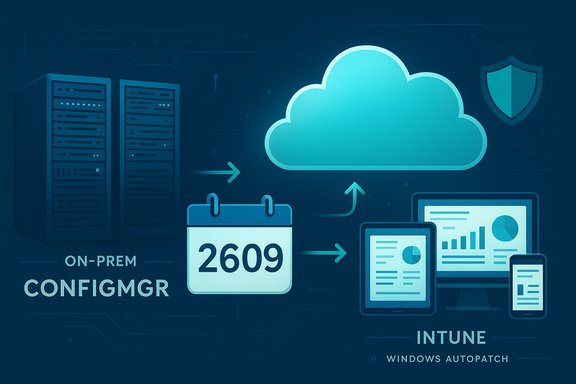
Microsoft’s Configuration Manager is being reconceived as a maintenance-first, long‑term‑support product rather than the rapid‑feature vehicle it once was, with the product team moving to an annual release cadence and encouraging customers to view Microsoft Intune as the primary innovation path for device management. The shift — reported by industry outlets and reflected across community channels — promises clearer alignment with Windows’ H2 security/stability rhythm, a heavier emphasis on security and reliability, fewer routine hotfix roll‑ups, and an explicit nudge for organizations to plan migrations or hybrid strategies toward Intune and cloud update services.
Configuration Manager (long known as SCCM / Systems Management Server before Microsoft’s current branding) has been the cornerstone on‑premises endpoint management tool for enterprises for decades. Historically Microsoft shipped multiple Configuration Manager updates each year and provided an 18‑month support window for each release. Recent years already reduced cadence (three → two releases per year), and the latest product team direction takes that farther: moving to a single major release per year, with support and servicing focused on stability, security, and long‑term support rather than frequent new features. Microsoft frames Intune as “where all new innovation happens,” and ConfigMgr will continue to exist to support on‑premises scenarios but with a smaller surface for new capabilities. This is not an isolated operational tweak: it is a strategic posture that aligns Configuration Manager’s update rhythm with Windows’ H2 client security/stability cadence and with Microsoft’s broader cloud‑forward device management strategy. The change affects release planning, hotfix policy, testing cycles for enterprise customers, and — most importantly for many admins — the practical expectations for how frequently feature parity or new functionality will arrive in the on‑premises product.
At the same time, the decision raises real transition costs and tactical uncertainties. Admins must update their roadmaps, test co‑management flows, and toughen monthly patch hygiene. Guardrails and contingency plans are essential because hotfixes will be rarer and major baselines less frequent.
For organizations invested in ConfigMgr’s deep on‑prem control, the right posture is a combination of pragmatic stabilization (tighten testing, strengthen rollback plans) and active migration planning (gap analysis, co‑management pilots, Autopilot + Intune evaluation). That dual path lets teams protect current operations while positioning the estate to benefit from the cloud‑first innovations Microsoft now reserves for Intune.
(Where press or community channels report specific future version numbers and months, treat those as early signals to be confirmed against Microsoft’s official announcements and lifecycle pages before executing detailed rollout schedules.
Microsoft’s announcement marks a turning point for endpoint management strategy: it is a move toward operational steadiness and cloud‑centric innovation. Organizations that recognize the trade‑offs now — and invest in measured co‑management and migration plans — will retain control while benefiting from Microsoft’s long‑term vision.
Source: theregister.com Microsoft Configuration Manager switching to yearly releases
 Background / Overview
Configuration Manager (long known as SCCM / Systems Management Server before Microsoft’s current branding) has been the cornerstone on‑premises endpoint management tool for enterprises for decades. Historically Microsoft shipped multiple Configuration Manager updates each year and provided an 18‑month support window for each release. Recent years already reduced cadence (three → two releases per year), and the latest product team direction takes that farther: moving to a single major release per year, with support and servicing focused on stability, security, and long‑term support rather than frequent new features. Microsoft frames Intune as “where all new innovation happens,” and ConfigMgr will continue to exist to support on‑premises scenarios but with a smaller surface for new capabilities. This is not an isolated operational tweak: it is a strategic posture that aligns Configuration Manager’s update rhythm with Windows’ H2 client security/stability cadence and with Microsoft’s broader cloud‑forward device management strategy. The change affects release planning, hotfix policy, testing cycles for enterprise customers, and — most importantly for many admins — the practical expectations for how frequently feature parity or new functionality will arrive in the on‑premises product.What Microsoft (and the community) are saying now
Key points reported
- Configuration Manager will adopt an annual major release cadence starting with version 2609 (reported as the first annual release in September 2026), with a couple of interim releases planned before then (reported as 2509 in December 2025 and 2603 in March 2026). These specific future version numbers and months have been cited in press coverage and community translations of the ConfigMgr product team’s communications. Treat these calendar specifics as reported rather than fully documented in Microsoft lifecycle pages at publication time.
- The rationale Microsoft gives is to “align with the Windows client security and stability cadence (H2),” making security and reliability the top priorities for Configuration Manager going forward. That alignment means fewer routine hotfix roll‑ups; hotfixes will be issued only “when absolutely necessary” (for critical security or functional issues).
- Microsoft explicitly positions Intune as the primary locus for all new innovations in device management. Customers are encouraged to consider Intune (and other cloud services such as Windows Autopatch or Azure Update Manager) for longer term feature growth, while ConfigMgr remains the supported on‑premises option with a renewed focus on stability and extended lifecycles.
What Microsoft has published (confirmed items)
- Microsoft’s product lifecycle and updates pages continue to list supported Configuration Manager versions and their support windows; these pages remain the authoritative baseline for support timelines. As of the latest official docs, Configuration Manager releases remain supported under the Modern Lifecycle Policy with the expected 18‑month support window for releases. Administrators should consult the official lifecycle pages to map support end dates for the versions they run.
- Microsoft has publicly deprecated WSUS development and advised customers to plan a shift to cloud update management approaches such as Windows Autopatch, Intune (for clients) and Azure Update Manager (for servers). Microsoft explicitly stated that WSUS deprecation does not impact current Configuration Manager capabilities and support, but the deprecation has nonetheless heightened migration discussions inside many organizations.
What remains unconfirmed or reported only by press/community
- The precise release calendar (2509, 2603, 2609) seen in several reports and community write‑ups appears to originate from the product team’s communications but is not yet fully reflected on every Microsoft lifecycle or release page at the time of writing. Where media outlets and community translators provide dates, treat those as early reporting that should be reconfirmed against Microsoft’s official release announcements when they publish the formal release notes. That caveat matters for planning: never assume a hard production timeline until the official release announcement and baseline media are posted.
Why Microsoft is doing this (analysis)
There are three interlinked forces shaping the move to annual ConfigMgr releases:- Cloud transition and resource prioritization
Microsoft is explicitly investing new device‑management innovation into Intune and cloud services. That reallocates engineering capacity away from high‑frequency on‑prem builds to cloud‑native feature delivery. The product narrative is clear: Intune is the vehicle for new capabilities; Configuration Manager will be maintained and hardened. This aligns with Microsoft’s broader cloud‑first strategy and with the deprecation of WSUS development. - Alignment with Windows servicing rhythm (H2)
By aligning Configuration Manager to the Windows H2 security/stability cadence, Microsoft reduces fragmentation between major platform and management releases. For enterprises that coordinate OS feature updates and endpoint management, a stable annual marker can simplify a yearly compliance and validation cycle. This is attractive for organizations with strict testing windows. - Operational predictability and stability for large estates
Moving away from multiple feature drops per year reduces churn for administrators who must validate drivers, imaging, telemetry, and critical apps. Configuration Manager is being reshaped into a robust, long‑term supported product that emphasizes fewer but more thoroughly validated changes. That trade‑off benefits risk‑sensitive customers but reduces the speed for incremental improvements to on‑prem tooling.
Practical implications for enterprises and admins
Release and support cadence changes
- Expect major Configuration Manager baselines roughly once a year (the product team signaled this change begins with the 2609‑class release). Between annual baselines, micro‑servicing will be tightly controlled: hotfixes and roll‑ups will be rare, produced only for critical security or functionality issues. This reduces frequent upgrade workload but increases the importance of any given release being production‑ready.
- Each Configuration Manager release will continue to receive the existing support window (historically 18 months for CB branches). Admins must map their estate and test rings to these windows, because with an annual cadence missing a release could leave you unsupported for a longer calendar gap than before. Official lifecycle pages remain the source of truth for exact support end dates.
Hotfix and incident handling
- Microsoft’s stated intent to issue hotfix roll‑ups only when “absolutely necessary” means organizations should assume that non‑critical fixes will wait for the next annual release. For mission‑critical services this raises a policy question: are you comfortable waiting up to a year for non‑critical fixes, or do you need an alternate route (workarounds, custom mitigations, or moving parts of management to cloud tooling with faster iteration cycles)?
Migration pressure toward Intune and cloud services
- Microsoft’s messaging is blunt: Intune is the future of device management. Customers with long‑term cloud adoption plans must accelerate their gap analysis and migration timelines if they want to receive ongoing innovation on device management features. For many, co‑management (running ConfigMgr and Intune in parallel) will be the sensible medium‑term answer.
- The WSUS deprecation (Microsoft recommends Intune/Windows Autopatch/Azure Update Manager) increases pressure to adopt cloud update management for both client and server patching workflows. Microsoft said WSUS deprecation will not break ConfigMgr’s existing capabilities today, but the long‑term direction favors cloud services.
Community reaction and operational anxiety
- The admin community is split. Some welcome the stability-first approach — they’d rather have one well‑tested release and reliable hotfix policy than frequent churn. Others worry that Intune does not yet match Configuration Manager for on‑prem granularity (imaging, fine‑grained on‑prem controls, some advanced distribution features), and they’re skeptical about feature parity and timelines. Those tensions surfaced immediately in forums and threads reacting to the news.
Strengths of the new approach
- Predictability and stability. Annual baselines simplify test windows, change-control calendars, and regulatory validation timelines. Enterprises that run strict, long validation cycles will appreciate the reduced churn.
- Security focus. Prioritizing security and stability reduces accidental regressions and lowers the risk of compatibility breakage across large fleets.
- Clear strategic direction. Microsoft’s push to Intune clarifies where to expect new features and where to invest for future tooling and integrations.
- Reduced upgrade overhead. Less frequent major upgrades reduce operational overhead for imaging, driver testing, and per‑site upgrade campaigns.
Risks and potential downsides
- Longer wait for fixes and features. Non‑critical fixes may be delayed until the next annual baseline; organizations with tight SLAs may be exposed if they rely on rapid on‑prem fixes.
- Feature‑gap risk between ConfigMgr and Intune. Intune still lacks some of ConfigMgr’s deep on‑prem controls and granularity in areas like image deployment and certain patching scenarios. Organizations moving prematurely could discover functional gaps. Community voices have emphasized feature parity concerns as a major barrier to full Intune migration.
- Dependency and tooling erosion. A slower cadence means tooling vendors, ISVs, and in‑house automation that rely on ConfigMgr’s frequent releases might see fewer new integration points; this could slow third‑party innovation in the ConfigMgr ecosystem.
- Operational complacency risk. Some teams might reduce the rigor of their monthly patching cadence or testing because the major upgrade is annual — but that would be a mistake. Annual baselines do not replace monthly quality/security updates; disciplined patch hygiene remains vital.
- Uncertainty in official timelines. Early press reporting cites specific interim versions and months; until Microsoft publishes explicit release dates and baseline media, planners should treat those as provisional. Rely on Microsoft’s lifecycle pages for confirmed support windows.
A practical playbook for ConfigMgr customers (recommended steps)
- Inventory and map (now)
- Document every ConfigMgr site, site system role, client distribution point, OS deployment flow, task sequence, and WSUS/patch dependencies. Map which workloads are strictly on‑prem and which can be cloud‑shifted.
- Confirm support windows and versions (immediate)
- Use Microsoft’s lifecycle pages to confirm the support end dates for the version(s) in use. Don’t assume press calendars — verify dates and baselines from official docs.
- Undertake feature gap analysis (2–6 weeks)
- Enumerate the key capabilities you use in ConfigMgr (OS imaging, driver control, software metering, patch distribution, PXE/OOB). For each capability, determine whether Intune (or other cloud tooling) can meet the need today or via co‑management. Prioritize the critical gaps and evaluate vendor solutions where applicable.
- Build a co‑management pilot (1–3 months)
- Co‑management allows gradual workloads transition: start by moving non‑critical workloads (e.g., compliance baseline, inventory) to Intune and measure behavior. Keep a ConfigMgr control plane for OS deployment and other workloads until parity is achieved.
- Harden update hygiene (ongoing)
- Whether you remain on ConfigMgr or move toward Intune, maintain monthly quality/security update discipline. Annual baselines do not remove the need for timely LCUs and SSUs.
- Plan for imaging and driver lifecycles (3–6 months)
- If you rely on ConfigMgr for OSD and driver/package distribution, prepare golden images and driver packages for future baseline installs and evaluate Autopilot + Intune for new hardware provisioning workflows.
- Budget and timeline (quarterly review)
- Recast your multi‑year roadmap to account for slower ConfigMgr releases. Identify the investment needed to accelerate Intune parity (training, tooling, third‑party integrations). Factor migration into fiscal planning.
- Guardrails and rollbacks (implementation)
- Define rollback steps for production releases and hotfixes. With an annual release cadence, the cost of a failed upgrade is higher — test thoroughly and stage using rings (lab → pilot → production).
Migration considerations: co‑management, Autopilot and WSUS deprecation
- Co‑management remains the most pragmatic route for many organizations: it lets you offload selected workloads to Intune while keeping ConfigMgr for advanced on‑prem control. Design the migration path with measurable milestones: (a) inventory and compliance in Intune, (b) app management and patching pilot, (c) Autopilot and OOBE testing for device provisioning.
- WSUS deprecation is real and Microsoft recommends cloud alternatives (Windows Autopatch for clients, Azure Update Manager for servers). Although Microsoft said WSUS deprecation does not immediately impact Configuration Manager capabilities, long‑term product direction favors cloud approaches — so plan your server patching strategy accordingly.
- Evaluate third‑party tools for gaps in Intune parity (for example, software metering, some imaging features). In some cases, a combination of Intune + third‑party management tooling can bridge the gap while you await native enhancements.
What admins should say to leadership right now
- “Configuration Manager will be maintained and supported, but it will get major updates only once a year; Microsoft intends Intune to be the feature engine going forward.” Use that phrasing and follow it with a recommended investment plan: either fund a two‑year migration to Intune or fund more robust on‑prem stabilization and contingencies if you must remain primarily on ConfigMgr.
- “We should run a rapid gap analysis and spin up a co‑management pilot to test Intune parity for our highest‑risk workloads.” This demonstrates a proactive approach rather than a reactive scramble when the next ConfigMgr baseline arrives.
- “We will not assume press‑reported release dates as contractual; we will track Microsoft’s official lifecycle page for confirmed release and support dates.” This keeps expectations realistic and avoids schedule slippage.
Final assessment: a measured evolution, not a sudden death knell
Microsoft’s move to an annual Configuration Manager release cadence is a clear signal of long‑term strategy: Intune is the innovation path; Configuration Manager is the secure, stable, on‑prem workhorse that will be preserved but not rapidly expanded. That is a defensible product decision and one that will improve operational predictability for many enterprises.At the same time, the decision raises real transition costs and tactical uncertainties. Admins must update their roadmaps, test co‑management flows, and toughen monthly patch hygiene. Guardrails and contingency plans are essential because hotfixes will be rarer and major baselines less frequent.
For organizations invested in ConfigMgr’s deep on‑prem control, the right posture is a combination of pragmatic stabilization (tighten testing, strengthen rollback plans) and active migration planning (gap analysis, co‑management pilots, Autopilot + Intune evaluation). That dual path lets teams protect current operations while positioning the estate to benefit from the cloud‑first innovations Microsoft now reserves for Intune.
(Where press or community channels report specific future version numbers and months, treat those as early signals to be confirmed against Microsoft’s official announcements and lifecycle pages before executing detailed rollout schedules.
Quick checklist (one page)
- Inventory current ConfigMgr versions and map support end dates against Microsoft lifecycle pages.
- Run a two‑week feature gap analysis comparing ConfigMgr tasks to Intune capabilities.
- Launch a co‑management pilot for inventory/compliance workloads within 60 days.
- Harden monthly patching and monitoring now; do not defer monthly LCUs in expectation of annual baselines.
- Budget for third‑party tools where Intune parity is incomplete.
- Track Microsoft’s official release and lifecycle announcements for confirmed dates before scheduling major production upgrades.
Microsoft’s announcement marks a turning point for endpoint management strategy: it is a move toward operational steadiness and cloud‑centric innovation. Organizations that recognize the trade‑offs now — and invest in measured co‑management and migration plans — will retain control while benefiting from Microsoft’s long‑term vision.
Source: theregister.com Microsoft Configuration Manager switching to yearly releases
