

Microsoft’s Configuration Manager is shifting from a semi‑annual update rhythm to a once‑a‑year major release cadence, with the product team signalling a new emphasis on security, reliability and long‑term support rather than frequent feature delivery — a change that will reshape upgrade planning, hotfix expectations and the migration calculus toward cloud management with Microsoft Intune.
Configuration Manager (ConfigMgr, historically SCCM) has been the on‑premises cornerstone for endpoint management in enterprise Windows estates for decades. Microsoft has previously adjusted the product’s release cadence several times — from three updates per year to two in 2023 — and now plans to move to a single major annual baseline starting with the 2609 family. This new cadence is explicitly framed as a maintenance‑first posture: annual baselines, focused stability and security servicing between baselines, and an ongoing message that Intune is the primary innovation path for new device management capabilities. Microsoft’s official lifecycle documentation continues to show that each Configuration Manager current‑branch release receives an 18‑month support window from general availability; that policy remains in effect under the new cadence. Administrators must therefore map calendar planning to those support windows even as the interval between baselines lengthens.
For organizations that are largely on‑premises and rely heavily on ConfigMgr for critical imaging, driver management and advanced distribution, the new cadence increases the importance of robust in‑house validation, contingency planning, and vendor coordination. For organizations that can accelerate cloud adoption, Intune provides a faster path to feature innovation and more frequent iteration on management capabilities.
Source: Windows Report Microsoft Configuration Manager Moves to Annual Release Cycle
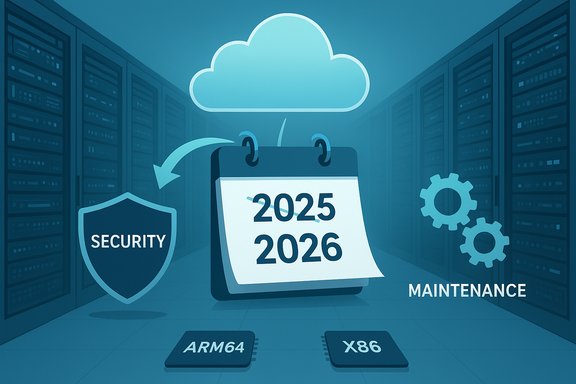 Background / Overview
Configuration Manager (ConfigMgr, historically SCCM) has been the on‑premises cornerstone for endpoint management in enterprise Windows estates for decades. Microsoft has previously adjusted the product’s release cadence several times — from three updates per year to two in 2023 — and now plans to move to a single major annual baseline starting with the 2609 family. This new cadence is explicitly framed as a maintenance‑first posture: annual baselines, focused stability and security servicing between baselines, and an ongoing message that Intune is the primary innovation path for new device management capabilities. Microsoft’s official lifecycle documentation continues to show that each Configuration Manager current‑branch release receives an 18‑month support window from general availability; that policy remains in effect under the new cadence. Administrators must therefore map calendar planning to those support windows even as the interval between baselines lengthens. What changed and why it matters
The core change
- Microsoft has announced (in product team communications and community reporting) that annual major releases will begin with the 2609 release family (targeted for September 2026 under the reported schedule). Interim releases leading up to that baseline — reported as 2509 (December 2025) and 2603 (March 2026) — are framed as stability/security focused updates rather than feature‑heavy baselines. The 2709 release family is mentioned as the following annual baseline (September 2027). Treat these reported month/version pairings as early planning anchors; organizations should confirm dates on Microsoft’s lifecycle pages when preparing rollouts.
- Microsoft will continue to ship critical security fixes and hotfix rollups when necessary, but routine micro‑releases and frequent non‑critical hotfixes will be rarer under the new model. The product team’s stated goal is to reduce operational churn for on‑premises customers while aligning ConfigMgr with Windows’ H2 security/stability rhythm.
Why Microsoft is doing this
There are three interlocking drivers:- Cloud‑first innovation: Microsoft is concentrating new, cloud‑native device management capabilities in Intune and related cloud services; ConfigMgr is being preserved as the supported on‑premises workhorse but with a narrower innovation surface.
- Operational predictability: Large enterprises with long validation cycles prefer fewer baselines and more thoroughly tested releases. An annual baseline simplifies test windows and compliance documentation.
- Alignment with Windows servicing: Aligning ConfigMgr’s major baselines with Windows’ H2 security/stability cadence reduces fragmentation between platform updates and management tooling, easing coordination for OS feature rollouts, driver testing and readiness certifications.
Verified technical facts you can act on now
- Support window: Each Configuration Manager current‑branch release continues to be supported for 18 months from its GA date under Microsoft’s Modern Lifecycle policy. That support pattern (4 months of Security + Critical updates followed by 14 months of Security updates only for older versions) remains the operational baseline you must plan against.
- Reported near‑term versions: Industry reporting and community translations of product team communications list the following near‑term release plan: 2509 (Dec 2025 — quality + ARM64 support), 2603 (Mar 2026 — enhanced security alignment) and 2609 (Sep 2026 — first annual baseline). These are reported timelines and should be confirmed on Microsoft’s official release pages before committing them into procurement or project schedules.
- ARM64 and platform support: Support for ARM64 devices and related capabilities (software metering for Arm64, etc. has been appearing in ConfigMgr release notes in recent releases and is an explicit improvement line for the 2509 planning window. Administrators who manage diversified silicon (x86 and Arm64 clients) should treat ARM64 support as a planning requirement.
- Hotfix policy: Microsoft will restrict routine rollups, issuing hotfixes and critical patches “only when absolutely necessary.” Non‑critical fixes are more likely to wait for the next baseline, increasing the importance of change control and pilot validation.
Strengths of the annual cadence (what IT teams gain)
- Stability and predictability — fewer baseline upgrades per year reduces the frequency of major validation windows, lowering administrative overhead for imaging, driver testing and compliance audits. This is especially valuable in heavily regulated environments with long test plans.
- Concentrated quality investment — engineering effort can be funneled into deeper validation, memory‑safety work and security hardening instead of spreading limited resources across frequent feature cycles. That can reduce regression rates and compatibility surprises in production.
- Clear strategic signposting — Microsoft’s messaging clarifies that Intune and cloud services will be the locus of innovation. That helps organizations decide where to invest for new capabilities vs where to keep hardened on‑prem tooling.
- Reduced upgrade churn — for large fleets, broad reduction in the number of major version changes can meaningfully lower the total cost of validation, change windows, and user disruption across a year.
Risks and trade‑offs (what to watch for)
- Longer waiting window for fixes — with only one major baseline per year and a stricter hotfix policy, non‑critical bug fixes may wait longer. Organizations that require rapid non‑security fixes must plan mitigation strategies (workarounds, vendor patches, or cloud routing).
- Migration pressure toward Intune — the explicit strategic nudge to Intune increases the cost of staying strictly on‑premises if you want the latest device‑management features. Expect to justify future investments in co‑management, Autopilot, or third‑party tooling to bridge capability gaps.
- Compatibility landmines — even when binaries are unchanged, enabling staged features or flipping feature flags can alter runtime behavior. Test third‑party agents, drivers and boot images thoroughly; minor activation differences can surface late in a pilot.
- Higher upgrade stakes — an annual baseline raises the cost of a failed upgrade: missing rollback options or unforeseen regressions can force a longer recovery cadence. Robust rollback plans and ringed pilots are essential.
- Unconfirmed calendar specifics — while interim dates and version numbers have been widely reported by community and press outlets, not every detail may appear immediately on Microsoft’s lifecycle pages. Plan with caution and always validate against official Microsoft release notes before production rollouts.
Practical, actionable guidance for IT leaders (30–180 day plan)
Immediate (30 days)
- Inventory legacy dependencies
- Scan images, scripts and scheduled tasks for WMIC usage and explicit PowerShell v2 invocations; these legacy artifacts are common failure modes during recent servicing transitions. Prioritize fixes for unattended automation.
- Map support windows to estate baselines
- Using Microsoft’s support table, confirm which ConfigMgr versions in your estate have support remaining and identify any gaps that an annual cadence could create. Maintain a migration plan that avoids running an unsupported baseline in production.
Short term (60–90 days)
- Build a co‑management pilot
- Start a 1–3 month pilot that shifts non‑critical workloads (inventory, device compliance, baseline telemetry) to Intune while retaining ConfigMgr for OSD and advanced on‑prem workloads. Use the pilot to identify parity gaps and vendor blockers.
- Harden update hygiene
- Ensure monthly LCUs and servicing‑stack updates are applied to pilot groups. With annual baselines, you still must keep devices current with monthly security updates. Don’t conflate fewer baselines with relaxed patch discipline.
Medium term (90–180 days)
- Formalize ringed validation and rollback
- Document ring progression (lab → pilot → broad production) and test rollback procedures. Validate eKB/uninstall paths for enablement packages and rehearse restores from snapshots where feasible.
- Vendor lock‑step validation
- Coordinate with endpoint security, backup, imaging and driver vendors for compatibility sign‑offs on the next Windows and ConfigMgr baselines. Get commitments for signed drivers and agent builds compatible with staged enables.
Technical checklist for ConfigMgr administrators
- Inventory scripts for WMIC and PowerShell v2 usage; migrate to Get‑CimInstance and PowerShell 5.1/7.x.
- Confirm Configuration Manager in‑console update automation is in place and that baseline media/ISOs are available for clean installs.
- Ensure driver catalogs and OSD task sequences are tested in lab VMs representing both x86 and Arm64 hardware if applicable.
- Define a policy for emergency fixes: what qualifies as “absolutely necessary” and what internal SLA triggers a support escalation or vendor hotfix procurement.
Migration guidance: co‑management, Autopilot and WSUS deprecation
Microsoft’s broader direction favors cloud update management (Windows Autopatch, Azure Update Manager) and has signalled a move away from ongoing WSUS development; this intensifies the strategic case for at least partial migration to Intune or hybrid operations. Co‑management remains the pragmatic bridge: move low‑risk workloads first (inventory, compliance) and keep ConfigMgr for imaging and complex distribution until parity is achieved. For server patching, investigate Azure Update Manager and related cloud patch orchestration options.Cross‑checked evidence and caveats
- Microsoft’s Configuration Manager lifecycle and supported‑versions documentation confirms the 18‑month support window and remains the authoritative record for exact start/end dates for each release. Use Microsoft Learn to map precise dates for any version you operate.
- Industry outlets and community translations of product team communications are the primary sources reporting the specific interim versions and months (2509, 2603, 2609, 2709). These reporting streams converge on the same planning signals but are not a substitute for Microsoft’s formal release notes. Flag any reported calendar specifics as reported and to be confirmed.
- Historical cadence changes (three → two releases per year in 2023) were covered by independent industry outlets and corroborate Microsoft’s pattern of occasionally adjusting ConfigMgr servicing models to match Windows and Office release rhythms. This history shows Microsoft moves servicing cadence to better align cross‑product delivery, which gives context for the present annual shift.
A measured technical assessment
Microsoft’s annual cadence is a defensible product decision for the era of hybrid and cloud management. It reduces churn for risk‑sensitive customers and prioritizes reliability for on‑premises estates that cannot yet move fully to the cloud. However, it raises the bar for planning: missed releases or late adoption can create longer gaps between baselines than under the semi‑annual model, and non‑critical fixes could take longer to reach production environments.For organizations that are largely on‑premises and rely heavily on ConfigMgr for critical imaging, driver management and advanced distribution, the new cadence increases the importance of robust in‑house validation, contingency planning, and vendor coordination. For organizations that can accelerate cloud adoption, Intune provides a faster path to feature innovation and more frequent iteration on management capabilities.
Executive summary and final recommendations
- The shift to an annual ConfigMgr baseline seeks to stabilize on‑prem management while accelerating cloud innovation in Intune. It is not an end‑of‑life signal for ConfigMgr; rather, it reframes it as a long‑term supported, maintenance‑focused product.
- Confirm the exact release dates and media availability on Microsoft’s official lifecycle and product update pages before committing to upgrade calendars. Microsoft’s Learn pages remain the authoritative source for support start/end dates.
- Immediate priorities: inventory legacy tooling (WMIC, PSv2), begin a co‑management pilot, harden update hygiene, and document ringed validation + rollback procedures. These steps defensibly reduce risk and prepare your organization whether you remain on ConfigMgr or accelerate a move to Intune.
- Longer term: treat ConfigMgr as the stable on‑prem backbone while positioning Intune for future innovation. Build vendor relationships and driver validation cycles so that your upgrade windows become predictable, reversible and low‑risk.
Source: Windows Report Microsoft Configuration Manager Moves to Annual Release Cycle
