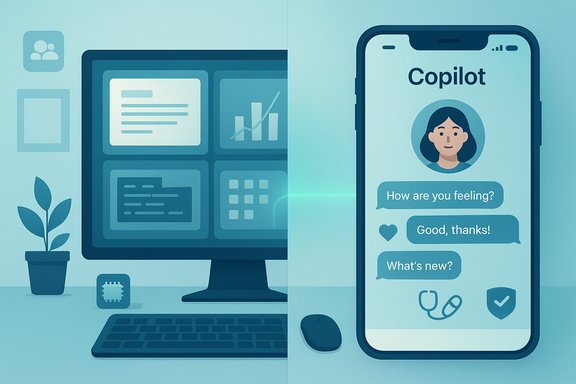
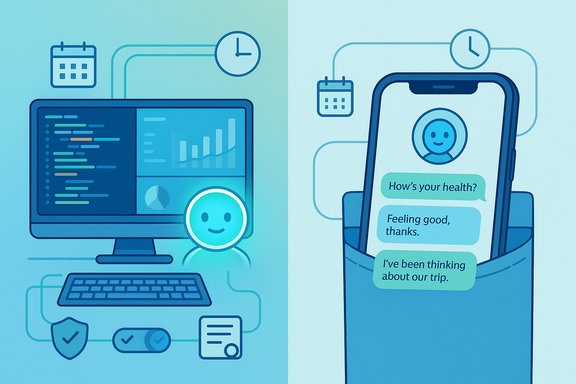
Microsoft’s own data paint a clear—and quietly unsettling—picture: Copilot has quietly become two different assistants at once, a work-focused co‑worker on desktops and an intimate, always‑on adviser on phones, according to a 37.5 million conversation preprint and the company’s concurrent product refresh that intentionally nudges the assistant toward companion status.
Microsoft AI researchers published a preprint titled “It’s About Time: The Copilot Usage Report 2025” that analyzes a sample of roughly 37.5 million de‑identified Copilot conversations collected between January and September 2025. The team reports that conversations were automatically scrubbed of personally identifiable information, sampled at about 144,000 conversations per day, and labeled by machine classifiers for both topic (e.g., Health and Fitness, Programming, Work and Career) and intent (e.g., Searching for Information, Getting Advice, Creating Content). Enterprise and educational accounts were explicitly excluded from the dataset, and the authors state that no human reviewers saw raw conversation text. At the same time Microsoft positioned a major consumer update—the Copilot “Fall Release”—to make the assistant more personal and persistent. The bundle includes features such as long‑term memory, Copilot Groups (shared sessions for up to 32 participants), an optional animated persona called Mico, Real Talk conversational styles, and opt‑in connectors that let Copilot access third‑party accounts and files. Microsoft frames these changes as human‑centered AI—but the research and product moves together raise immediate regulatory, privacy, and safety questions.
Source: GeekWire Microsoft says its Copilot AI tool is a ‘vital companion’ in new analysis of 37.5M conversations
 Background and overview
Microsoft AI researchers published a preprint titled “It’s About Time: The Copilot Usage Report 2025” that analyzes a sample of roughly 37.5 million de‑identified Copilot conversations collected between January and September 2025. The team reports that conversations were automatically scrubbed of personally identifiable information, sampled at about 144,000 conversations per day, and labeled by machine classifiers for both topic (e.g., Health and Fitness, Programming, Work and Career) and intent (e.g., Searching for Information, Getting Advice, Creating Content). Enterprise and educational accounts were explicitly excluded from the dataset, and the authors state that no human reviewers saw raw conversation text. At the same time Microsoft positioned a major consumer update—the Copilot “Fall Release”—to make the assistant more personal and persistent. The bundle includes features such as long‑term memory, Copilot Groups (shared sessions for up to 32 participants), an optional animated persona called Mico, Real Talk conversational styles, and opt‑in connectors that let Copilot access third‑party accounts and files. Microsoft frames these changes as human‑centered AI—but the research and product moves together raise immediate regulatory, privacy, and safety questions. What the report actually shows
Desktop vs. mobile: two distinct roles
- On desktop and PC, Copilot usage skews toward work and technical activities. The report finds that during typical business hours (about 8 a.m.–5 p.m., Work and Career becomes the top topic on desktops, replacing Technology. Programming queries spike on weekdays, and science/education topics rise during daylight hours.
- On mobile, a strikingly different pattern emerges: Health and Fitness is the single most common topic‑intent pairing on phones and remains the top mobile category every hour of the day across the studied nine months. Mobile sessions also show more advice‑seeking and personal, sensitive topics—relationships, wellness, and philosophical queries—especially during late‑night hours. The paper frames this as evidence users treat Copilot on phones as a private confidant, not merely a search box.
Temporal rhythms and cultural signals
The dataset reveals reproducible daily and seasonal rhythms:- Programming peaks during typical workdays; gaming rises on weekends.
- Late‑night hours show a rise in philosophical or religious queries.
- February shows a spike in relationships and personal‑growth conversations (Valentine’s Day effects).
Changes in user mix over the year
Between January and September 2025, Microsoft’s classifiers recorded a decline in programming-dominant conversations and a rise in culture, history, and other mainstream topics—consistent with a shift from early, technical adopters to broader consumer adoption. This diffusion aligns with similar trends reported by other AI providers studying usage patterns.The product push: Fall Release features that reinforce “companion” behavior
Microsoft’s product messaging and release notes show an intentional alignment between the usage insights and product direction. Key elements of the Fall Release relevant to the usage report include:- Memory & Personalization: Long‑term memory that can retain user preferences, ongoing projects, and recurring facts, accessible for review and deletion via UI controls. This enables continuity across sessions and makes Copilot feel persistent.
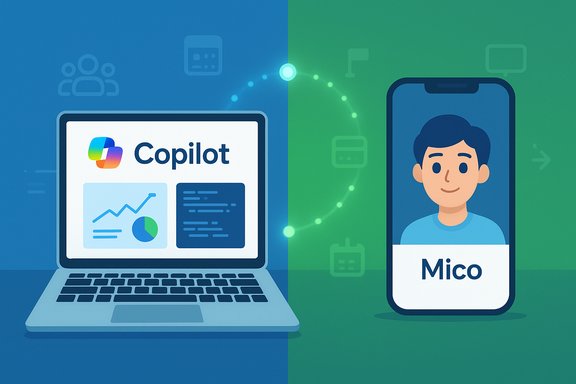
- Mico: An optional animated, non‑photoreal avatar for voice interactions that signals listening and emotional cues. Mico’s design aims to reduce social friction during extended voice sessions—effectively giving Copilot a face. (Some press coverage notes slight differences in how the avatar defaults are reported; users should check local settings.
- Copilot Groups: Link‑based, shared Copilot sessions that can include up to 32 participants and let the assistant summarize, tally votes, and split tasks—turning the assistant into a group facilitator.
- Connectors and Actions (Edge): Opt‑in connectors that give Copilot permissioned access to OneDrive, Outlook, Gmail, Google Drive, and calendars, plus agentic Edge features that can perform multi‑step tasks on the web with explicit consent.
- Real Talk and Learn Live: Conversation styles that can push back and explain reasoning, and a Socratic voice‑led tutoring mode for learning scenarios—both of which shape how Copilot interacts in advisory contexts.
Why this matters: benefits, risks, and practical stakes
Benefits for users and Windows ecosystems
- Convenience and continuity: Memory + connectors can meaningfully reduce repetitive prompts and accelerate personal workflows—useful for reminders, drafting, and ongoing projects.
- New collaborative workflows: Copilot Groups introduces novel team workflows for brainstorming and planning across devices without switching platforms. For many small groups and study cohorts, a shared AI mediator could raise productivity.
- Accessible tutoring and support: Learn Live and improved voice interfaces can help learners, accessibility users, and people who prefer conversational learning. Mico’s nonverbal cues may reduce cognitive friction in voice sessions.
Risks and trade‑offs
- Health and advice‑seeking at scale: The report’s headline finding—that health is the top mobile topic—means Copilot is being used for potentially sensitive, actionable questions around medical and wellness topics. When advice‑seeking increases, accuracy, provenance, and clear boundaries become imperative. Copilot for Health includes grounding to vetted publishers, but automated grounding is not a substitute for regulated medical advice. Misleading or overconfident AI responses in this domain carry real‑world harm.
- Privacy and memory: Long‑term memory plus connectors gives Copilot wider, persistent access to personal data. Even with opt‑in flows, defaults matter: unintuitive controls, unclear retention policies, and latent memory entanglement between shared sessions could leak private context into unexpected places. Microsoft says memory is user‑managed and reviewable, but the UX of consent, deletion, and audit trails will determine real safety.
- Anthropomorphism and over‑trust: Mico, Real Talk, and human‑style continuity increase perceived social presence. Users may attribute expertise and intent to the assistant beyond its actual capabilities—particularly at late hours when emotional fragility is higher. The more Copilot feels like a confidant, the greater the risk of users accepting incorrect or harmful advice.
- Agentic actions and automation errors: Edge’s ability to perform multi‑step web actions with user permission is powerful but introduces attack surfaces—automation could be misdirected, tricked by malicious sites, or produce undesired transactions. Auditability, strict permission prompts, and rate limits must be ironclad.
- Moderation, bias, and accountability: As advice‑seeking grows, so do questions about fairness, bias, and recourse. When Copilot’s outputs impact hiring, health, or legal decisions—even informally—platforms will face demands for transparent auditing and human oversight.
Technical verification and what we can confirm
The most load‑bearing factual claims from the release have been verified against Microsoft’s research posting and independent press coverage:- The preprint exists and explicitly states a 37.5 million conversation sample covering January–September 2025, with authors from Microsoft AI including Mustafa Suleyman listed among contributors. The PDF details sampling frequency (~144k/day), deidentification, and classifier labeling methods.
- Microsoft’s product blog and company materials describe the Copilot Fall Release features (Mico, Memory, Groups, Connectors, Real Talk, Learn Live, Edge Actions). Microsoft presents these features as opt‑in and emphasizes controls and grounding for health content. Coverage from mainstream outlets corroborates the feature list and product positioning.
- Independent reporting (news outlets and technology press) documents the same high‑level device‑based usage patterns and public reactions: the framing that Copilot acts as a “colleague at your desk” and a “confidant in your pocket” has been widely echoed. One independent newsroom also reported exclusives and additional behavioral context tied to the same data Microsoft released.
What IT teams, privacy officers, and Windows users should do now
Microsoft’s product shift is consumer‑first in many parts, but the platform’s reach into personal and work data means enterprise and privacy teams must act deliberately. Practical steps:- Review policy and onboarding:
- Audit which Copilot surfaces and connectors are allowed under organizational policy.
- Update acceptable use policies to include Copilot and Edge agent actions.
- Control data flow and memory:
- Disable or limit connectors at the tenant level if policy requires it.
- Educate users on how to view, edit, and delete Copilot memory and the implications of long‑term memory.
- Manage defaults and permissions:
- Insist that Copilot’s default permission prompts are clear and require explicit consent before any automated agentic action occurs.
- For shared devices, ensure memory and group session behavior is scoped to user identity and not preserved in public profiles.
- Add monitoring and audit trails:
- Require logging for any agentic actions performed on behalf of users (bookings, form fills).
- Capture consent records and maintain an auditable trail for compliance and incident response.
- Harden health and advice workflows:
- Treat Copilot‑derived health or legal suggestions as assistive only; do not use them as sole inputs for high‑stakes decisions.
- Where possible, configure Copilot to surface provenance and to recommend human experts or clinicians rather than assert diagnosis.
Product design and regulatory implications
The combination of rising advice‑seeking and persistent memory heightens three regulatory pressures:- Data protection law: GDPR‑style regimes require transparency and lawful bases for processing; long‑term memory and connectors should map to consent and deletion mechanisms that meet regulatory standards. Microsoft’s statements about user controls are necessary but not sufficient without robust auditing and enforceable guarantees.
- Health and safety: Where AI provides health guidance or triage flows, regulators will expect clear labeling, provenance, and safe escalations to licensed clinicians. Framing Copilot as “assistive” must be backed by guardrails that prevent substitution for medical advice.
- Consumer protection and liability: As AI agents perform tasks that have material consequences—booking, purchases, scheduling—liability frameworks for erroneous or fraudulent agentic actions must be clarified. Audit logs and explicit consent will be central to any legal defense.
Editorial assessment: strengths, blind spots, and open questions
Strengths
- The combination of a large, device‑aware dataset and transparent preprint is a strong step toward accountable platform studies; Microsoft’s release gives researchers and policy makers empirical grounding for how AI is used in real life.
- Product moves (memory, connectors, real talk) follow clear user needs—continuity, social collaboration, and richer voice interactions—which should raise everyday utility for many users when implemented with strong controls.
Blind spots and risks
- Human trust can outpace machine capability. The more Copilot mimics human advisers (tone, memory, persona), the greater the risk users will defer to it for decisions it is not qualified to make—especially around health and relationships. The preprint itself flags advice‑seeking increases as a concern.
- Opt‑in mechanics and deletion UIs are necessary but insufficient: defaults and discoverability matter. If users cannot easily understand or manage what Copilot remembers or shares, real privacy harms will follow. Independent verification of default settings and telemetry retention policies remains a priority.
- The study is based on sampled, de‑identified logs and classifier labels. While powerful, that approach abstracts away nuance and cannot measure downstream harms or the situational context of high‑stakes decisions. The preprint is explicit about methodological limits; independent audits would strengthen public trust.
Open questions
- How will Microsoft implement enterprise vs. consumer separation in long‑term memory to prevent cross‑contamination of sensitive workplace context?
- Will regulators require stronger provenance and disclaimers in health flows?
- How will Copilot Group sessions enforce privacy boundaries when participants link connectors with different data scopes?
Practical takeaways for Windows users
- Treat Copilot’s advice—especially on health and legal topics—as assistive output and verify with qualified sources before acting on it. Look for provenance in responses and use the Find Care or clinician‑matching flows when available.
- Review Copilot memory settings and connectors in your app. If you prefer compartmentalized behavior, avoid linking consumer cloud accounts or enable selective memory only for discrete projects.
- Check Edge and Copilot permission prompts carefully before allowing automated web actions; require confirmation and keep an audit trail of any agentic operations.
Conclusion
Microsoft’s Copilot usage report and concurrent product refresh together offer the clearest look yet at how modern assistants are becoming woven into both work and personal life. The evidence is robust: Copilot acts like a colleague on desktops and like a private adviser on phones—with health emerging as a dominant mobile use case. That convergence of trust and capability is the opportunity and the hazard of contemporary AI: when systems feel human, people grant them human authority. The right response is not to stop innovating, but to match ambition with rigorous controls—transparent memory management, auditable agentic actions, and clear limits on advice in high‑stakes domains—so that Copilot’s promise as a helpful companion does not become, for some users, a dangerous one.Source: GeekWire Microsoft says its Copilot AI tool is a ‘vital companion’ in new analysis of 37.5M conversations