

Microsoft’s rollout of Copilot Actions for Windows 11 — an experimental agentic feature that lets AI act on a user’s behalf to organize files, send emails, fill forms and automate multi‑step desktop tasks — has thrust a new class of security questions into the mainstream. The preview is being delivered to Windows Insiders and is intentionally gated behind admin toggles and visible “Agent Workspaces,” but researchers and practitioners warn that the technical and human failure modes of agentic AI create real, novel risks that simple consent dialogs and signing mechanisms cannot fully eliminate. Early public reporting and hands‑on previews document Microsoft’s containment model (agent accounts, workspace isolation, per‑action prompts) and the company’s explicit warnings about hallucination and prompt‑injection style attacks — yet independent security voices compare Copilot Actions’ risk profile to the long‑running macro problem in Office and say the proposed mitigations may be insufficient without stronger operational controls and enterprise governance.
Microsoft has been moving Copilot from a chat box toward system‑level automation for several release cycles. The newest wave of features unites three pillars: Copilot Voice (a local wake‑word interaction), Copilot Vision (permissioned, session‑bound screen analysis) and Copilot Actions (agentic automation that executes multi‑step workflows inside an isolated runtime called an Agent Workspace). These capabilities are being previewed in Windows Insider channels and are off by default to reduce accidental exposure during testing. Microsoft pairs those capabilities with a hardware story — “Copilot+ PCs” equipped with NPUs (Neural Processing Units) that it says can deliver on‑device inference for privacy and latency benefits.
This is a meaningful architectural shift: instead of producing suggestions, Copilot Actions can take operational steps on a device — clicking, typing, attaching files, sending messages. That conversion of advice into action changes the threat model; mistakes and malicious manipulations have direct, real‑world side effects. Microsoft recognizes this and has built initial guardrails; the practical question is whether those guardrails are robust enough for real use outside tightly managed test groups.
To mitigate these risks Microsoft describes several guardrails:
Practical security advice from commentators includes treating agentic capabilities as high‑privilege automation:
Yet the core security concerns remain substantive:
Conclusion
Copilot Actions makes the promise of an agentic Windows tangible: voice, vision and on‑device automation can reshape workflows and accessibility. Microsoft’s containment and governance primitives are a promising foundation. However, the combination of LLM hallucination, injection risks, UI automation fragility, and human factors means organizations and users must approach agentic automation with disciplined pilots, robust logging, and strict policy enforcement. If those operational prerequisites are satisfied and independent verification supports the vendor claims, agentic automation can be a net positive — but until then, the cautious path is the prudent one.
Source: Gadgets 360 https://www.gadgets360.com/ai/news/...ows-11-security-risks-experts-report-9670641/
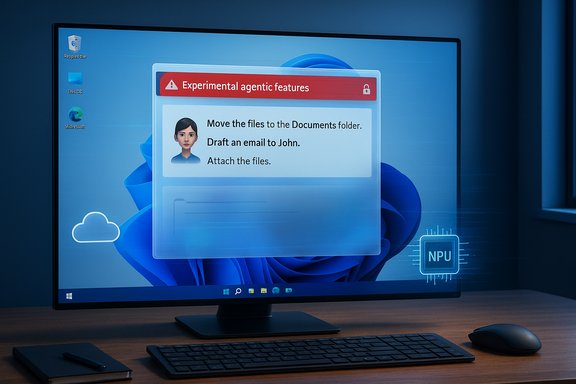 Background
Microsoft has been moving Copilot from a chat box toward system‑level automation for several release cycles. The newest wave of features unites three pillars: Copilot Voice (a local wake‑word interaction), Copilot Vision (permissioned, session‑bound screen analysis) and Copilot Actions (agentic automation that executes multi‑step workflows inside an isolated runtime called an Agent Workspace). These capabilities are being previewed in Windows Insider channels and are off by default to reduce accidental exposure during testing. Microsoft pairs those capabilities with a hardware story — “Copilot+ PCs” equipped with NPUs (Neural Processing Units) that it says can deliver on‑device inference for privacy and latency benefits.This is a meaningful architectural shift: instead of producing suggestions, Copilot Actions can take operational steps on a device — clicking, typing, attaching files, sending messages. That conversion of advice into action changes the threat model; mistakes and malicious manipulations have direct, real‑world side effects. Microsoft recognizes this and has built initial guardrails; the practical question is whether those guardrails are robust enough for real use outside tightly managed test groups.
What Copilot Actions actually does
The technical model, in plain language
- Agents run inside an Agent Workspace, a sandbox‑style parallel desktop session intended to contain activity and provide visible progress and interruptions.
- Each agent operates under a distinct agent account, separate from the user’s account, which is intended to make agent actions auditable and subject to ordinary ACL and MDM controls.
- Agent permissions are scoped by default (known folders such as Documents, Downloads, Desktop) and must be explicitly expanded with user or admin approval for broader access.
- Agents must present a multi‑step plan for higher‑risk operations, and the UI surfaces per‑action approvals and pause/stop/takeover controls so humans can intervene.
Where the work happens: local vs cloud
Microsoft describes a hybrid execution model. Lightweight detectors — such as wake‑word spotting and small OCR routines used by Vision — can run locally, while heavier reasoning and generative steps often rely on cloud processing unless the device is a Copilot+ PC with a qualifying NPU (Microsoft often references a “40+ TOPS” NPU threshold in product messaging). That hybrid tradeoff seeks to balance latency and capability against privacy, but it also creates shifting trust boundaries: some workflows may keep data local while others will transmit content to cloud models for deeper reasoning. Independent benchmarking is required to verify on‑device claim performance and to clarify which flows ever leave the device.Microsoft’s public security warnings — and the company’s mitigations
Microsoft explicitly warns that agentic AI inherits well‑known LLM limitations — hallucinations, brittle reasoning, and unpredictable outputs — and that these failures matter more when the assistant acts instead of just answering. The company also calls out newer attack vectors such as cross‑prompt injection (XPIA), where maliciously crafted content embedded in documents or UI elements manipulates an agent’s plan or overrides instructions, potentially enabling data exfiltration or malicious installs.To mitigate these risks Microsoft describes several guardrails:
- Observability: Agent actions are surfaced step‑by‑step and are distinguishable from manual user actions so that users can see what is happening.
- Scoped access and consent: Agents must request permission to access protected data and explicit approvals for user data utilization. The company states agents consuming protected data must meet or exceed the security/privacy controls of that data.
- Operational controls: Admins can disable agent workspaces at account and device levels via MDM/Intune and the “Experimental agentic features” toggle is off by default. Agents must be cryptographically signed so provenance can be established and misbehaving agents can be revoked.
The security concerns: why researchers are uneasy
1) Hallucination matters more when actions have side effects
Large language models are still prone to fabrications and unjustified confident assertions. When an assistant suggests a text edit, hallucination is mostly an annoyance; when the same assistant sends an email, deletes files, or changes permissions based on fabricated details, the stakes escalate dramatically. Security teams worry that even rare hallucination rates become unacceptable when automation is allowed to execute irreversible workflows without rigorous multi‑party checks. Microsoft’s own warnings acknowledge this failure mode.2) Prompt injection and cross‑prompt injection (XPIA)
Attackers can craft documents, images or web content designed to change an agent’s instruction stream. Those inputs can appear in the app UIs agents are permitted to parse, and without robust sanitization and intent‑validation, the agent could be tricked into revealing secrets, changing its plan, or performing malicious steps. Researchers flagged XPIA as a core new attack vector for agentic systems; Microsoft’s papers and preview notes recognize the risk but independent proof‑of‑concept exploits for similar agent models already exist. That makes this an active and concerning area.3) The human factor: habituation and consent fatigue
Even well‑designed per‑action prompts rely on human attention. Security analysts point out that users often become habituated to clicking through warnings — a phenomenon that undermines the security value of consent prompts. If people reflexively approve agent plans, the visible prompts become a weak boundary. That human‑factors failure is what some experts mean when they say a GUI warning alone is “not really a boundary.” This is a long‑standing reality in security design: user education and clear, enforced defaults are necessary but insufficient.4) Supply chain, signing and revocation complexity
Microsoft’s plan to require signed agents is a valuable supply‑chain control, but signing only helps when keys, certificate lifecycles, revocation processes and vetting practices are robust. Enterprises will want detailed SLAs: how quickly can Microsoft revoke a signing key, how will revocation be enforced across fleets, and how will audit trails be preserved for incident response? The preview documentation indicates signing and revocation are in scope, but operational transparency on those processes remains limited at present.5) Fragility and UI‑automation brittleness
Agents that interact by clicking and typing are inherently brittle when they operate against complex, evolving app UIs with localization, timing, or accessibility differences. That fragility can produce incorrect actions — e.g., moving the wrong files, sending the wrong message — and recovery semantics (undo, rollback) for agentic multi‑step tasks are not yet well‑specified. Microsoft’s visible “takeover” and “pause” controls limit damage, but they do not eliminate the need for robust transactional guarantees and clear recovery workflows.What prominent security voices are saying
Independent security researchers have been blunt: some compare Copilot Actions to the historical macro problem in Office — useful automation that also became a vector for malware and fraud. Macros were disabled by default because of their misuse, yet social engineering and poor operational hygiene frequently overcame those protections. That analogy captures the concern that an agentic layer could be similarly abused if users or admins are inattentive. Other experts frame parts of Microsoft’s messaging as a necessary legal warning but insufficient operational protection if the system cannot prevent or automatically recover from hallucinations and prompt‑injection.Practical security advice from commentators includes treating agentic capabilities as high‑privilege automation:
- Keep agentic features disabled in production images until you’ve piloted them.
- Run tests in small, instrumented pilot groups and require backups and rollback plans.
- Use Intune/Group Policy to prevent broad, unreviewed enablement across fleets.
- Require multi‑person approvals or expanded RBAC for agents that access sensitive data or production systems.
Enterprise implications and a recommended maturity path
For IT leaders and security teams, agentic AI on endpoints changes several operational equations. The recommended maturity path is conservative and structured:- Inventory and classify sensitive data and known folders; specifically disallow agent access to high‑risk stores until governance is mature.
- Pilot only low‑risk automations (image resizing, filename normalization, benign PDF extraction) and validate logs, telemetry and rollback behavior in those pilots.
- Integrate agent activity into SIEM/EDR: ensure agent workspace sessions are identifiable, logged and correlation rules exist to detect anomalous behavior.
- Demand vendor transparency: require Microsoft/OEMs to surface retention windows, telemetry destinations, and the revocation SLA for signed agents.
- Update incident response playbooks to include agent compromise scenarios — e.g., stolen signing keys, agent impersonation and XPIA‑style exfiltration.
Consumer and power‑user guidance
For home users and enthusiasts, the baseline advice is practical and simple:- Leave Experimental agentic features off unless you clearly understand what the agent will do and which folders you are granting access to.
- When experimenting, use a dedicated test folder containing non‑sensitive copies of files.
- Keep backups before running batch operations and verify agent actions step‑by‑step the first several times.
- Prefer web‑based or sandboxed automations for tasks that involve purchases or third‑party services until you can confirm accuracy and recovery behavior.
- Monitor Copilot updates and adjust settings if Microsoft adds more robust enterprise controls and logging primitives.
Strengths and possible benefits
This isn’t a one‑sided story. Copilot Actions and the surrounding Copilot features offer real, measurable benefits when used judiciously:- Productivity uplift: Repetitive desktop chores — renaming, sorting, simple transformations — can be automated, saving users time.
- Accessibility improvements: Voice and Vision combined can make computing more accessible to people with motor impairments.
- Operational helpdesk reduction: For IT, delegated automation under controlled policy could reduce routine helpdesk tickets (password resets, trivial configuration steps) if RBAC and auditing are solid.
- Extensibility: The agent model supports connectors and third‑party integrations that can deliver useful end‑to‑end workflows when vetted.
Where the record is still thin — and what to watch
There are multiple areas that need independent verification or clearer documentation:- Exact telemetry retention windows and whether certain flows ever store user content in cloud services for longer than session‑bound processing.
- Operational details of signing and revocation: timelines, enforcement across offline endpoints, and the forensic artifact model.
- Concrete, device‑level evidence that Copilot+ on‑device models consistently avoid cloud hops for specific sensitive scenarios.
- Recovery semantics and transactional guarantees for multi‑step agent workflows, including formal undo or rollback behavior.
- Robustness of agent UI automation across internationalized and accessibility‑enhanced application UIs.
Bottom line — a practical verdict
Copilot Actions represents a bold and significant evolution in how the desktop may behave: moving from passive suggestions to agentic action is both transformative and risky. Microsoft’s design choices — opt‑in defaults, Agent Workspaces, agent accounts, signing, and visible per‑action prompts — are thoughtful and better than an unconstrained approach. They create real operational handles for administrators and introduce a degree of transparency that earlier automation models (e.g., silent macros) lacked.Yet the core security concerns remain substantive:
- Agents acting on hallucinated or manipulated inputs can create irreversible damage.
- Cross‑prompt injection and crafted UI content are realistic attack vectors.
- The human element — habituation, consent fatigue — can quickly erode the protection value of per‑action prompts.
- Signing and revocation solve part of a supply‑chain problem but rely on operational rigor that enterprises must demand and verify.
Final recommendations for administrators and security teams
- Keep Experimental agentic features disabled in production images until policy, logging and SIEM integration meet your organization’s standards.
- Create a dedicated pilot program with representative devices and data; include EDR/SIEM correlation, retention checks, and manual rollback tests.
- Enforce least privilege: deny agents access to high‑risk folders and connectors unless there is a business justification and multi‑person approval.
- Demand vendor transparency: require Microsoft to disclose retention windows, cloud processing boundaries, agent signing/revocation SLAs and forensic artifact formats.
- Update incident response playbooks to handle agent compromise scenarios and add detection signatures for anomalous agent workspace activity.
Conclusion
Copilot Actions makes the promise of an agentic Windows tangible: voice, vision and on‑device automation can reshape workflows and accessibility. Microsoft’s containment and governance primitives are a promising foundation. However, the combination of LLM hallucination, injection risks, UI automation fragility, and human factors means organizations and users must approach agentic automation with disciplined pilots, robust logging, and strict policy enforcement. If those operational prerequisites are satisfied and independent verification supports the vendor claims, agentic automation can be a net positive — but until then, the cautious path is the prudent one.
Source: Gadgets 360 https://www.gadgets360.com/ai/news/...ows-11-security-risks-experts-report-9670641/
