

Microsoft’s Ignite keynote this year accelerated the company’s transition from “Copilot as a helper” to Copilot as a platform of agents that can plan, act, and write directly into Office files — introducing Word, Excel, and PowerPoint agents, an in‑canvas Agent Mode that executes multi‑step changes inside documents, new Outlook chat and voice features, Copilot Pages and SharePoint integrations, and a set of commercial moves aimed at making Copilot more accessible to small and midsize businesses.
Microsoft’s Copilot strategy has steadily evolved from sidebar suggestions toward an agentic model: persistent, stateful actors that can be discovered, governed, and billed like managed services. The new announcements double down on that direction with three tightly coupled pieces:
Microsoft’s Ignite update is a clear pivot to agentic productivity at scale: it supplies the tools (Agent Mode, Copilot Studio, Agent Store), the plumbing (Entra Agent ID, OAuth connectors), and the outward signs of commercial packaging for broader adoption. The real work now shifts to IT, procurement, and legal teams to safely adopt, govern, and measure the ROI of agents inside the enterprise. Conclusion: the new agent paradigm promises substantial productivity gains and new creative capabilities (including short AI‑generated video via Sora 2), but it also raises fresh governance, cost, and IP questions. Treat the announcements as the start of a strategic planning cycle — pilot, govern, measure, and scale — rather than a plug‑and‑play upgrade.
Source: Thurrott.com Ignite 2025: Microsoft 365 Copilot Adds New Word, Excel, and PowerPoint Agents, and More
 Background / Overview
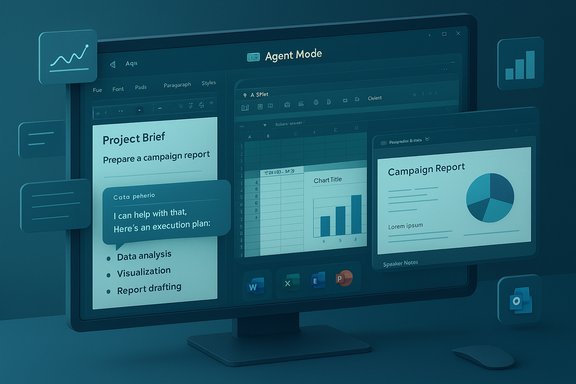
Microsoft’s Copilot strategy has steadily evolved from sidebar suggestions toward an agentic model: persistent, stateful actors that can be discovered, governed, and billed like managed services. The new announcements double down on that direction with three tightly coupled pieces:- Agent Mode: in‑canvas agents that decompose natural‑language briefs into stepwise plans and then apply changes inside Word, Excel, and PowerPoint while surfacing intermediate steps for human review.
- Office Agent: a chat‑first agent in the Microsoft 365 Copilot chat surface that can perform research, assemble deliverables (Word, PowerPoint, Excel), and return near‑final documents from a conversation.
- Platform and governance tooling: Copilot Studio (lite and full), an Agent Store, Entra Agent ID identity plumbing, and administrative controls to discover, publish, and govern agents at scale.
What changed at Ignite: product-level highlights
Word, Excel, and PowerPoint agents
- Word, Excel, and PowerPoint now surface specialized Copilot agents that can be invoked from a chat or in‑app prompt and produce complete documents, spreadsheets, or slide decks. These agents are designed to handle the heavy lifting — research, structure, and formatting — before handing a near‑final artifact back to the user for refinement.
- The Office Agent (chat‑first) can draw on web grounding and tenant data to assemble deliverables end‑to‑end: a research brief, a slide deck with speaker notes, or a complex workbook with pivots and charts. Some Office Agent routes may be executed on different models (Microsoft routes certain workloads to Anthropic’s models where it deems them a better fit). Admins control model routing and must opt in to third‑party models.
Agent Mode (in‑canvas execution)
- Agent Mode embeds an agent inside the Office canvas and adopts a stepwise, auditable style: the agent decomposes a brief into subtasks (data cleaning, creating formulas, inserting charts, drafting sections), executes those steps directly in the file, and shows the execution plan and intermediate artifacts so a human can inspect or roll back changes. This is a deliberate attempt to reduce opacity and increase steerability versus one‑shot text responses.
- Excel’s Agent Mode targets tasks traditionally reserved for power users: multi‑sheet models, formulas (including dynamic arrays), PivotTables, charts, and validation checks. Microsoft has published accuracy benchmarks on spreadsheet tasks (SpreadsheetBench) — Agent Mode reaches meaningful automation gains but remains below expert human accuracy on some structured benchmarks, underlining the need for human verification on critical work.
Outlook, Copilot Chat, and voice
- Outlook gains one‑tap prompts for triage and an improved Copilot Chat that can surface urgent emails, summarize threads, and schedule meetings directly from chat. Mobile beta builds on iOS and Android add voice‑command capability: Copilot will listen for hands‑free commands to summarize email, draft replies, and perform inbox triage.
Copilot Pages, SharePoint pages and lists
- Copilot Pages (a dynamic collaborative canvas) and tighter SharePoint integration let agents create pages, lists, and structured content inside tenant sites. These features are meant to close the loop between chat outputs and surface‑formatted content in SharePoint/Teams.
Video: Sora 2 and short AI‑generated clips
- Microsoft announced integrations with OpenAI’s Sora 2 (the company’s second‑generation text‑to‑video model) to enable creation of short AI‑generated video clips with sound and music — surfaced via Copilot workflows and, in some cases, through Bing/Bing Video Creator and Azure AI Foundry integration. This pairs Sora 2’s text‑to‑video capability with Microsoft’s distribution and platform tooling. Independent coverage and Microsoft’s cloud tooling announcements corroborate that Sora 2 is being exposed through Microsoft channels and industrialized in Azure for enterprise use.
Availability, licensing, and the Frontier early access program
- Agent Mode and Office Agent began rolling out in Microsoft’s Frontier early access program for Microsoft 365 Copilot license holders and certain consumer tiers (Microsoft 365 Personal, Family, and Premium) on the web first. Desktop parity is planned but staged. Microsoft’s product blog explicitly lists Excel and Word Agent Mode in Frontier and web‑first availability.
- Microsoft stated a broader preview/preview‑to‑public expansion timetable for certain “free” Copilot Chat experiences and announced plans to preview some Agent Mode features for non‑Copilot subscribers in early 2026. Independent reporting indicates Microsoft aims to preview additional free AI features, including some Agent Mode capabilities, for Microsoft 365 subscribers by March 2026. This marks a significant shift toward making agentic features available to a wider user base, though functionality and model routing may be limited for non‑paid seats.
- Microsoft also announced a targeted SMB offering described in some press reporting as Microsoft 365 Copilot Business, with a proposed price reported by some outlets and outlets that covered Ignite. This particular price point reported in some coverage ($21 per user per month, launching in December) is not yet clearly documented on Microsoft’s public pricing pages; treat it as a vendor/press report until Microsoft publishes definitive commercial terms. That pricing detail should be validated against Microsoft’s official licensing and purchasing pages or a confirmation from a Microsoft sales representative before budgeting.
Why this is a substantive change (strengths and potential upside)
- Productivity lift for non‑experts: Agent Mode effectively compresses multi‑step Excel and Word skillsets into a plain‑language interface, lowering the barrier to expert outcomes and speeding first drafts for reports, presentations, and models. When paired with the plan/step view, this can dramatically reduce mundane setup and repetitive formatting work.
- Human‑in‑the‑loop design: The UI intentionally surfaces the agent’s plan and intermediate outputs, which improves explainability and auditability relative to opaque single‑turn generation. This is a practical design choice for regulated environments.
- Platform and governance readiness: Copilot Studio, Agent Store, Entra Agent ID, and admin controls provide the tooling enterprises need to treat agents as governed services, assign owners, and manage lifecycle and access — turning agent deployment into a controlled IT process.
- Model routing and workload optimization: Microsoft’s multi‑model approach (OpenAI lineage + Anthropic + others routed where appropriate) lets the service pick a model suited to a task, optimizing for cost and quality. For instance, Anthropic models are used for some Office Agent flows where Microsoft found them better suited. Tenant administrators must opt in to third‑party models.
Practical risks, governance, and what administrators must plan for
- Accuracy and verification
- Agentic workflows that construct formulas, pivots, and narrative summaries can introduce calculation errors and factual mistakes. Benchmarks show Agent Mode makes meaningful progress but still requires human verification, particularly for finance, legal, and compliance outputs. Operational controls and sign‑off processes are essential.
- Model routing, data residency, and contractual exposure
- Routing workloads to third‑party models (Anthropic, etc. introduces contractual and data‑residency nuance. Tenant admins must confirm telemetry, training, and retention policies with Microsoft and any third‑party vendors before enabling cross‑model routing for sensitive data.
- Surface area for data leakage and over‑privileging agents
- Agents that can access mail, files, and SharePoint data must be governed with least privilege. Admins should define agent scopes, require admin approval for connectors, and use Purview/Entra controls and audit logging to ensure traceability of agent actions.
- Cost and metering
- Agent actions create new consumption vectors. Without caps and monitoring, chat‑heavy Office Agent flows, web grounding, or multimedia generation (Sora 2 calls) can generate unpredictable costs. Establish metering, budgets, and alerts.
- Compliance and content safety with generative media
- Sora 2 integration enables short video generation with audio, which raises IP, moral rights, deepfake, and content moderation concerns. Enterprises should apply governance rules for media generation, require approvals, and consider watermarking and content provenance standards. OpenAI’s Sora 2 rollout has already sparked debates about copyright and watermarking, reinforcing the need for cautious policy design.
Admin checklist: safe pilot to production in 8 steps
- Inventory use cases and classify sensitivity (finance, legal, HR — high; marketing, comms — medium).
- Enable Frontier/preview only for pilot tenants and limit pilot users to a few teams.
- Configure Entra + Purview controls for agent identities and data access.
- Require admin approval for connectors (ServiceNow, Salesforce, GitHub, Veeva) and enforce OAuth flows.
- Define verification gates: required human sign‑off for financial totals, legal text, or data exports.
- Set metering and budget alerts for Copilot consumption and media generation tasks.
- Log and monitor agent actions; integrate telemetry into SOC and audit pipelines.
- Train users and legal teams on acceptable use, IP handling, and deepfake restrictions with media outputs.
Outlook for businesses, SMBs, and consumers
- For enterprises: The platform and governance investments (Agent Store, Copilot Studio, Entra Agent ID) make Copilot more approachable as a managed service. The emphasis is on making agents auditable and assignable to cost centers, which aligns with enterprise procurement and compliance needs.
- For SMBs: Microsoft’s reported SMB pricing moves and a dedicated Copilot Business SKU aim to reduce the economic friction of adopting agentic AI. The precise commercial terms reported in some outlets (for example, $21/user/month starting in December) should be treated as press reporting until Microsoft’s official licensing pages or a Microsoft representative confirm. Planning assumptions should await a formal Microsoft announcement to avoid budget mismatches.
- For consumers: Microsoft continues to fold some Copilot capabilities into consumer Microsoft 365 tiers (Personal, Family, Premium), and the web‑first availability of Agent Mode for those subscribers is an important accessibility step. Expect a staged expansion of features and functionality, with some features initially limited by capability or model routing.
How Sora 2 fits into Microsoft’s media strategy
OpenAI’s Sora 2 is a leading text‑to‑video model that produces short clips with synchronized sound and music. Microsoft’s integration of Sora (through Bing Video Creator and Azure AI Foundry exposure) turns a standalone creative model into a component that can be consumed by Copilot workflows. This enables quick video assets in marketing and communications pipelines or rapid prototyping in training and enablement.- Benefits: quick video generation, integrated audio, and the ability to automate short multimedia deliverables from chat prompts.
- Cautions: content provenance, baselines for watermarking, rights management, and the risk of harmful or defamatory synthetic content. Enterprises must add policy controls, workflow gates, and provenance metadata to media generated via Sora 2 to reduce legal and reputational risk. OpenAI’s Sora 2 rollout generated immediate debates about copyright and watermarking, underscoring enterprise concerns.
What remains unverified or requires caution
- The specific commercial packaging and price points in press reports (for example, the $21 per user per month Copilot Business figure cited by some outlets) are not yet independently verifiable on Microsoft’s official pricing pages at the time of this writing. Treat such numbers as provisional press reporting until Microsoft publishes formal licensing documentation or a sales bulletin. Budgeting decisions should wait for Microsoft’s official pricing confirmation.
- Feature parity timelines for desktop clients and regional availability are still subject to staged rollouts. Microsoft’s public posts confirm web‑first availability and Frontier preview gating; desktop parity and worldwide completion dates remain staged and tenant‑dependent. Administrators should rely on Message Center and Microsoft 365 admin channels for tenant‑specific timelines.
Final assessment — actionable guidance for IT leaders
Microsoft’s Ignite announcements mark a material shift: Copilot is no longer only an assistant — it’s a platform that treats agents as first‑class, discoverable, and governable assets. That platform approach offers powerful productivity gains but also requires enterprises to apply established operational disciplines: least privilege, verification gates, consumption monitoring, and legal review for media generation.- Start small and focused: pilot Agent Mode on low‑risk reporting and marketing workflows. Validate results, then expand.
- Apply strict connector governance before enabling enterprise data access to agents.
- Prepare financial controls for metered consumption and new media costs.
- Revisit contracts and data residency requirements if opting into third‑party model routing.
Microsoft’s Ignite update is a clear pivot to agentic productivity at scale: it supplies the tools (Agent Mode, Copilot Studio, Agent Store), the plumbing (Entra Agent ID, OAuth connectors), and the outward signs of commercial packaging for broader adoption. The real work now shifts to IT, procurement, and legal teams to safely adopt, govern, and measure the ROI of agents inside the enterprise. Conclusion: the new agent paradigm promises substantial productivity gains and new creative capabilities (including short AI‑generated video via Sora 2), but it also raises fresh governance, cost, and IP questions. Treat the announcements as the start of a strategic planning cycle — pilot, govern, measure, and scale — rather than a plug‑and‑play upgrade.
Source: Thurrott.com Ignite 2025: Microsoft 365 Copilot Adds New Word, Excel, and PowerPoint Agents, and More
