

Microsoft 365 customers worldwide woke to another service disruption on November 19, 2025, as Microsoft confirmed an active incident that prevents Copilot and related Microsoft 365 tooling from performing file actions — a fresh outage that comes less than 24 hours after a separate, high-impact Cloudflare failure that briefly affected large swaths of the public internet.
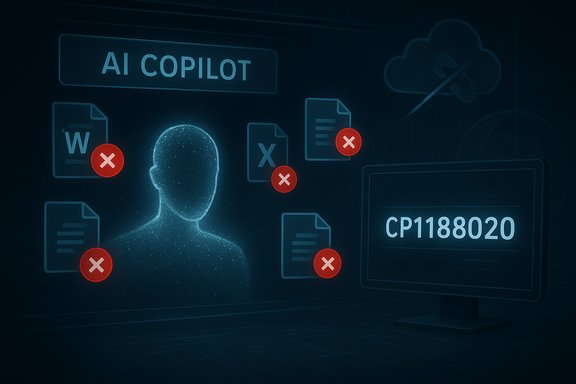
The preceding day, Cloudflare experienced a global network disruption that produced widespread 500-series errors and interrupted access to dozens of high-profile websites and APIs. That outage was widely reported and resolved later the same day, but its scale renewed scrutiny of internet centralization and single-point-of-failure risks. Within hours of Cloudflare’s remediation, Microsoft posted an incident alert through its Microsoft 365 status channels indicating that some tenants were unable to complete file operations inside Microsoft Copilot and related 365 surfaces. Microsoft assigned the internal tracking identifier CP1188020 and advised administrators to monitor the Microsoft 365 Admin Center for updates.
This sequence — a major CDN/DNS provider outage followed by a platform-specific fault at a large SaaS vendor — raises immediate questions about causal linkage, architectural fragility, and enterprise readiness. The immediate, observable effect for end users has been concrete and practical: files appear to be unusable or unchangeable from within Copilot-driven workflows, creating a meaningful productivity disruption for organizations that have already routed critical processes through Copilot and integrated M365 file operations into automated flows.
Design patterns of the future will emphasize:
For now, administrators should prioritize clear communication, direct native-app access to files, and tight coordination with Microsoft through the Microsoft 365 Admin Center incident channels. Long term, enterprises should harden their workflows with explicit fallbacks and observability so that the next failure — inevitable in complex systems — will be manageable rather than catastrophic.
Source: Neowin After Cloudflare outage, Microsoft 365 is now down as files become unusable
 Background
The preceding day, Cloudflare experienced a global network disruption that produced widespread 500-series errors and interrupted access to dozens of high-profile websites and APIs. That outage was widely reported and resolved later the same day, but its scale renewed scrutiny of internet centralization and single-point-of-failure risks. Within hours of Cloudflare’s remediation, Microsoft posted an incident alert through its Microsoft 365 status channels indicating that some tenants were unable to complete file operations inside Microsoft Copilot and related 365 surfaces. Microsoft assigned the internal tracking identifier CP1188020 and advised administrators to monitor the Microsoft 365 Admin Center for updates.This sequence — a major CDN/DNS provider outage followed by a platform-specific fault at a large SaaS vendor — raises immediate questions about causal linkage, architectural fragility, and enterprise readiness. The immediate, observable effect for end users has been concrete and practical: files appear to be unusable or unchangeable from within Copilot-driven workflows, creating a meaningful productivity disruption for organizations that have already routed critical processes through Copilot and integrated M365 file operations into automated flows.
What happened: a concise summary
- On November 18, 2025, Cloudflare reported and later remediated a global network disruption that affected websites and services worldwide.
- On November 19, 2025, Microsoft confirmed an incident affecting Microsoft 365 Copilot and file actions under the internal identifier CP1188020.
- The observable impact for many customers is that file operations — uploading, editing, saving, and other programmatic manipulations initiated through Copilot — are failing or blocked. In many cases, files in OneDrive and SharePoint remain accessible directly through native apps, but Copilot’s file-handling features are degraded or nonfunctional.
- Microsoft told administrators to follow updates in the Microsoft 365 Admin Center and indicated engineers were investigating backend processing errors affecting Copilot file handling.
Why this matters: business and technical stakes
Microsoft 365 is deeply embedded in modern enterprise workflows. The integration of Copilot into Microsoft 365 introduced a new dependency: AI-powered agents now act as intermediaries for everyday file tasks. When Copilot cannot perform file actions, the consequences are more than cosmetic:- Immediate productivity loss for knowledge workers who rely on Copilot for drafting, summarizing, and automating document edits.
- Disruption to automated business processes that depend on Copilot’s ability to orchestrate file movement and transformations across OneDrive, SharePoint, Teams, and Outlook.
- Potential compliance and governance issues if Copilot-led audit trails or metadata updates fail or become inconsistent.
- Increased load on help desks and admin teams as users attempt manual workarounds or seek status information.
- Reputational risk for organizations that promised SLAs or commitments linked to automated document workflows.
Anatomy of the failure: what likely failed (and what’s confirmed)
Microsoft’s initial communications referenced backend processing errors that prevented file actions inside Copilot. The observable symptom set includes:- Copilot returns errors when asked to open, edit, save, or share files.
- Files remain intact and accessible when opened directly through native Office apps, OneDrive, or SharePoint web clients in many reported cases.
- The Microsoft 365 Service Health dashboard may lag initial X/status alerts; admins should rely on the Admin Center incident entry (CP1188020) for authoritative updates.
- A backend processing service or microservice that mediates Copilot’s file-level operations has degraded or failed. This could be a processing queue, authorization/token validation layer, file transformation service, or a set of APIs that Copilot calls to manipulate files.
- A downstream dependency (for example, an internal Microsoft API or third-party component) may be returning errors or timing out, causing Copilot to surface those failures to end users.
- Transient configuration or orchestration issues could have left a subset of service instances in an inconsistent state, creating partial availability and regionally variable impact.
- There is no public confirmation that this Microsoft incident was caused by the Cloudflare outage the day before. Temporal correlation is not the same as causation.
- No evidence at the time of reporting suggested a security breach, ransomware, or data corruption. The issue appears to be functionality degradation rather than data loss, but that distinction can change if new data surfaces.
- Internal root cause analysis from Microsoft will be required before drawing firm conclusions about architectural causes.
Strengths in Microsoft’s incident handling (what they did right)
- Rapid triage and public-facing incident ID: Microsoft assigned a specific tracking identifier (CP1188020) and published it to the Microsoft 365 status channels. This gives administrators an immediate reference point for updates and incident correlation.
- Encouraging admins to use the Microsoft 365 Admin Center for authoritative updates reduces confusion caused by social media noise and third-party aggregators.
- Early confirmation that the issue affects Copilot file actions — and not necessarily all file access — helps narrow the mitigation path for administrators and end users.
- Incremental updates: public posts reporting reproduction, diagnostic collection, and backend error identification help reassure customers that engineering teams are actively investigating.
Shortfalls and risk areas (what was missing or problematic)
- Dashboard lag: the public Microsoft 365 Service Health site did not immediately reflect the incident, creating a visibility gap for admins who rely solely on the Service Health page rather than admin center notifications.
- Scope ambiguity: early communications did not always make explicit which user populations or geographic regions were affected. Partial outages increase operational friction as admins struggle to triage user reports that appear inconsistent across their tenant.
- Dependence on Copilot as a first-class file interface: organizations that treated Copilot as a primary file control plane found themselves blocked and unaware of whether files themselves were safe, complicating BCP decisions.
- No immediate, widely distributed workaround guidance: while some organizations may deduce the workaround — use native Office/OneDrive/SharePoint clients — not all users are comfortable switching modes under time pressure. A short, clear mitigation playbook from Microsoft would reduce the burden on customers.
Immediate recommended actions for administrators
If an organization is impacted by Copilot file-action failures, administrators should take the following prioritized steps.- Confirm the incident in the Microsoft 365 Admin Center by looking up incident CP1188020 and subscribing to updates.
- Communicate early and clearly to affected users that:
- Files are likely intact and can often be accessed directly through OneDrive, SharePoint, Word/Excel/PowerPoint, or Teams.
- The disruption currently affects Copilot-initiated file actions; native app workflows can serve as a temporary workaround.
- Implement short-term mitigations:
- Direct users to native clients for critical file manipulations.
- Disable or limit Copilot workflows that attempt automated file operations until the incident is resolved.
- Pause scheduled automation (Power Automate runs, Logic Apps, or Copilot-driven pipelines) that depend on the failing Copilot file APIs.
- Monitor logs and alerts for related downstream impacts:
- Check Power Automate run histories and Azure AD sign-in logs for spikes in failed calls that may be correlated.
- Watch sync status for OneDrive and SharePoint to ensure no unintended replication or sync issues have occurred.
- Preserve forensic detail if needed:
- Save error messages, timestamps, and user reports to support post-incident RCA and to assist Microsoft support if escalations are required.
- Escalate to Microsoft support if the impact violates business-critical SLAs or if data integrity concerns emerge.
Recommended long-term defensive strategies
One incident should prompt a measured re-evaluation of resilience and dependency models around Microsoft 365 and integrated AI services.- De-risk by designing multi-path access patterns: ensure that essential file operations can be performed outside of Copilot — for example, via native Office clients, OneDrive sync, or direct SharePoint web access — and document those paths for users.
- Update incident playbooks and runbooks to include Copilot-specific failure modes and mitigation steps.
- Review automation and orchestration that rely on Copilot. Where possible, separate critical automation into more robust, observability-first flows with retry logic and fallbacks.
- Use admin-level health monitoring and alerting (not just public-facing dashboards). Integrate Microsoft Graph API health probes or custom telemetry to detect functional failures earlier than generalized service status pages.
- Conduct tabletop exercises simulating AI agent failures so business continuity plans include scenarios where the “intelligence” layer is unavailable but storage and core services remain intact.
- Tighten SLAs and contractual terms where appropriate for mission-critical Copilot-enabled workflows, and ensure those SLAs include measurable availability for both the AI interface and the underlying file systems.
Broader implications: single points of failure and the AI layer
The near-simultaneous visibility of a Cloudflare outage and a separate Microsoft Copilot fault is a useful case study in modern dependency webs. Organizations increasingly rely on third-party infrastructure (CDNs, identity providers, AI SaaS) and on agentic layers that mediate operations. Two takeaways are critical:- Centralized infrastructure risk persists. Large-scale CDN and DNS providers accelerate performance and security for most customers, but aggregation increases systemic risk. When a single provider touches a large portion of global traffic, its outages ripple through many dependent systems. Architects must balance the operational and economic benefits of hyperscaler/CDN economies with meaningful contingency planning.
- The AI control plane is a new failure domain. Copilot and similar agents blur the line between human intention and automated execution. When these agents fail, the operational effect can be significantly greater than a simple application crash because automation can be deeply embedded across workflows.
Security and compliance considerations
At the time of initial incident reports there was no public indication of a security breach. Nevertheless, any service disruption that affects file access must be evaluated against compliance and security baselines.- Data integrity checks: Administrators should verify that files have not been corrupted or unintentionally modified. Spot-checking critical documents and using version history in OneDrive and SharePoint is a basic, low-friction validation step.
- Audit and logging review: Inspect audit trails to confirm that failed operations are recorded and that there are no suspicious access patterns that coincide with the incident.
- Communication for regulated sectors: Organizations in regulated industries should document the timeline and impacts to support reporting requirements and to preserve evidence of continuity and due diligence.
- Ransomware and extortion risk: Outages occasionally coincide with ransom demands or other opportunistic attacks. Be cautious of social engineering that attempts to exploit user confusion during an outage.
- Any suggestion that the Microsoft incident was the direct consequence of the Cloudflare outage should be labeled as speculative until Microsoft publishes a definitive root cause analysis. Temporal proximity alone is insufficient for causal inference.
What vendors should learn
This pair of incidents is instructive not just for customers but for the vendors themselves.- Faster, clearer dashboard propagation: When incidents are posted on social channels, authoritative dashboards should reflect the same status in near-real time to reduce confusion and support admin automation.
- More granular public status channels: Provide clear taxonomy for AI agent failures versus storage/system availability, and expand status APIs so admins can programmatically detect agent-specific degradations.
- Documentation and failover guidance for AI-driven features: Publish explicit mitigations for users and admins that are easy to follow under stress.
- Cross-vendor incident correlation: When global infrastructure providers experience major outages, downstream SaaS vendors should proactively re-evaluate or automatically switch nonessential dependencies to local or fallback implementations where feasible.
Practical advice for end users
- If Copilot is failing to open or modify a file, open the file directly in Word, Excel, PowerPoint, OneDrive, or SharePoint. Most reports show native clients continue to function for manual work.
- Save frequently and use version history in OneDrive/SharePoint: versioning can be lifesaving if later investigations reveal unexpected behavior.
- Temporarily avoid Copilot workflows that make bulk or automated file changes until Microsoft confirms full remediation.
- If a file is truly inaccessible or you see corruption, coordinate with IT to escalate to Microsoft Support; collect error details and timestamps to help the vendor diagnose the root cause.
Longer-term outlook: resilience in an AI-first stack
The transition to an AI-first productivity stack — where agents like Copilot are used for drafting, automation, and file manipulation — offers enormous productivity gains but also creates new operational trade-offs. The immediate response to outages will evolve from “restart the service” to “gracefully degrade intelligence while maintaining core data access and integrity.”Design patterns of the future will emphasize:
- Clear separation between the control plane (AI/agent) and the data plane (storage, identity, access control).
- Declarative fallbacks that automatically route file operations to native clients or staging services when the control plane is unavailable.
- Observable contracts and contract testing for APIs that bind agent behavior to file system semantics.
- Resilient automation primitives in platform tooling (Power Automate, Microsoft Graph) that can retry, queue, or failover to alternative handlers.
Conclusion
The November 18–19 sequence of outages — Cloudflare’s global disruption followed by Microsoft’s Copilot file-action incident CP1188020 — is a timely reminder that modern productivity depends on layered, interdependent services. The immediate pain is practical and familiar: users blocked, business processes interrupted, and admins racing to apply workarounds. The enduring lesson is architectural: as organizations adopt agentic interfaces, they must accept a new reliability taxonomy and revisit incident playbooks to ensure that intelligence can be gracefully removed from the critical path without breaking business operations.For now, administrators should prioritize clear communication, direct native-app access to files, and tight coordination with Microsoft through the Microsoft 365 Admin Center incident channels. Long term, enterprises should harden their workflows with explicit fallbacks and observability so that the next failure — inevitable in complex systems — will be manageable rather than catastrophic.
Source: Neowin After Cloudflare outage, Microsoft 365 is now down as files become unusable
