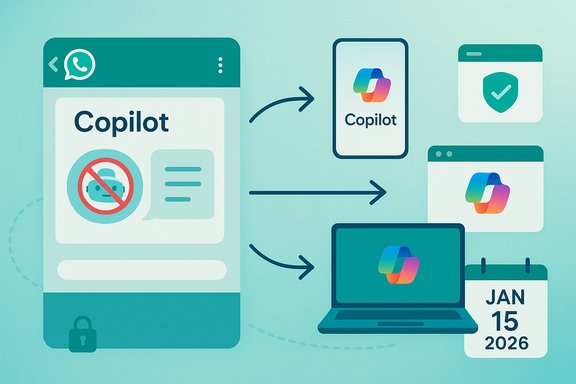
Copilot Leaves WhatsApp: Migration to Microsoft Surfaces by Jan 15 2026

  • Thread Author
Microsoft confirmed that Copilot’s WhatsApp presence will be shuttered on January 15, 2026, forcing millions of users and many small-business workflows to export chat histories and migrate to Microsoft’s first‑party Copilot surfaces before that deadline.

Copilot app UI with its logo and multiple screens for mobile and web.Background / Overview​

Since late 2024 Microsoft offered a lightweight Copilot contact inside WhatsApp that let people message the assistant like any other chat — for quick Q&A, summaries, drafts, and small automations. Microsoft says the WhatsApp integration “helped millions” connect with Copilot in a familiar setting, but the company now confirms the integration will end because WhatsApp revised its Business Solution terms to block general‑purpose LLM chatbots. WhatsApp’s updated Business Solution Terms (published October 2025) introduce an “AI Providers” restriction that disallows third‑party providers of large language models and general‑purpose conversational assistants from using the Business Solution when those AI capabilities are the primary functionality being offered. The new terms take immediate effect for new signups and go into force for existing integrations on January 15, 2026. The language is explicit and broadly written, giving Meta discretion to determine what counts as an AI Provider or primary functionality.

What changed, and why the date matters​

The rule change in plain language​

WhatsApp’s Business Solution Terms now say providers of AI technologies — including LLMs and general‑purpose assistants — cannot use the Business Solution if those capabilities are the main product delivered through that channel. That carve‑out preserves conventional business uses of the API (order updates, appointment reminders, support automation) but bars distribution of open‑ended chat assistants. The policy also includes restrictions on using Business Solution Data to train or improve third‑party AI models.

The timeline you must track​

  • October 15, 2025: Revised Business Solution Terms published; new terms apply to new signups immediately.
  • January 15, 2026: Enforcement date for existing accounts — Copilot on WhatsApp will stop functioning after this date. Microsoft has set this date as the shutdown deadline and is advising users to export chats before then.
These two dates are central. The January 15, 2026 cutoff is firm in vendor communications; treat it as the operational deadline for data export and migration.

Where Copilot will live after WhatsApp​

Microsoft has positioned its first‑party surfaces as the supported home for Copilot after the WhatsApp exit. The company lists these channels explicitly:
  • Copilot mobile app (iOS and Android).
  • Copilot on the web (copilot.microsoft.com).
  • Copilot on Windows (native desktop integration).
Microsoft says these surfaces include the core features users enjoyed on WhatsApp and add multimodal capabilities — Copilot Voice, Copilot Vision, and an agent persona called Mico — plus account‑level persistence and enterprise controls. Some advanced capabilities may be subscription gated or rate‑limited.

What users must do now — immediate checklist​

The practical work falls into two groups: individual users and businesses that embedded Copilot in workflows.
For individual users
  • Export any WhatsApp Copilot chats you want to keep. The WhatsApp export tool produces text (and optional media) archives; once Copilot is removed those threads cannot be ported automatically to Microsoft’s Copilot accounts because the WhatsApp integration used an unauthenticated contact model.
  • Install and sign in to Copilot on a Microsoft surface. Use the Copilot mobile app or the web client and authenticate with a Microsoft account to preserve personalized settings, history, and any Copilot Memory features where available.
  • Reconcile expectations about continuity. Unauthenticated WhatsApp sessions do not map cleanly to an authenticated Copilot profile — expect loss of in‑thread continuity unless you manually copy key items.
For small teams and SMBs
  • Inventory all WhatsApp Copilot threads and use cases. Identify customer journeys or internal processes that relied on the integration. Export data needed for compliance or record‑keeping.
  • Test workflows on Copilot first‑party surfaces. Automations using message parsing, receipt capture or light orchestration will likely need redesign to work via the Copilot app/web or an API integrated into your system.
  • Plan for identity and governance. Microsoft’s surfaces support authenticated accounts, SSO, logging and admin controls that WhatsApp’s unauthenticated approach could not. Use those features for auditability and compliance.

How to export WhatsApp chats (practical steps)​

Exporting is the only reliable way to preserve Copilot‑WhatsApp conversations.
On iPhone
  • Open the chat you want to export.
  • Tap the contact or group name at the top.
  • Scroll and tap Export Chat.
  • Choose Attach Media or Without Media, then save to Files, Mail, or a cloud service.
On Android
  • Open the chat.
  • Tap the three‑dot menu (⋮) → MoreExport chat.
  • Choose whether to include media and select your destination.
Important caveats
  • Exported files are plain text (and media ZIPs) and are no longer covered by WhatsApp end‑to‑end encryption once you store or transfer them outside the app. Treat them as sensitive data.
  • Exported chats cannot be reimported into Copilot to recreate session context — they are archival snapshots only.

Technical realities: unauthenticated vs. authenticated integrations​

The WhatsApp Copilot experience used an unauthenticated contact model to minimize friction: users could message Copilot like any other chat without linking a Microsoft account. That design favored reach but sacrificed portability, account‑level personalization, and server‑side continuity.
  • Unauthenticated model (WhatsApp): Easy to access; no account linking; no persistent Copilot history or identity; chat records cannot be migrated automatically.
  • Authenticated model (Microsoft surfaces): Requires sign‑in; enables cross‑device sync, account history, memory, enterprise governance, and monetization options. Better for compliance and long‑term workflows but higher onboarding friction.
This trade‑off — reach versus control — explains why many vendors initially favoured messaging embeds but are now consolidating on first‑party apps where identity, logging, and billing are easier to manage.

Business implications and recommended migration plan​

Why enterprises should avoid single‑channel dependency​

WhatsApp’s policy revision is a reminder that platform rules can change quickly and with major business impact. If your customer‑facing assistant or internal automation relied exclusively on a third‑party messaging channel, you face disruption risk, regulatory exposure (if records vanish), and loss of audit trails.
Recommended multi‑stage migration plan
  • Audit: List all WhatsApp Copilot touchpoints, volumes, and SLA dependencies.
  • Archive: Export critical threads and transaction logs before January 15, 2026.
  • Replatform: Move user‑facing flows to authenticated channels — Copilot web/app, your web chat widget, SMS/RCS, or alternative messaging platforms that permit LLMs (e.g., Telegram), depending on policy and compliance.
  • Rebuild: Recreate automations with account‑linked state and SSO where required; add logging, consent capture and data retention controls.
  • Notify: Proactively tell affected customers about the channel change and provide simple migration steps.

Security, compliance and data portability​

Organizations must treat exported WhatsApp archives as regulated records: apply encryption at rest, role‑based access controls, and retention policies that match legal obligations. If conversations contained PII or transactional data, ensure exports are stored in a governed repository and that any migration to Copilot surfaces follows corporate compliance procedures.

Strategy and competitive effects: a candid assessment​

Meta’s stated rationale for the policy centers on platform intent and operational strain: the WhatsApp Business Solution was designed for enterprise workflows, not open‑ended LLM chats, and allowing general‑purpose assistants created unpredictable traffic and moderation burdens. The updated terms also prohibit use of Business Solution Data to train third‑party AI models. These are material, defensible technical points. At the same time, policymakers and industry analysts note a strategic side effect: restricting third‑party assistants clears distribution for Meta’s own Meta AI across WhatsApp and other Meta properties. That competitive consequence is an analytic inference rather than an explicit claim by Meta; flagging it as such is important for balanced reporting. This is a plausible interpretation but not an official statement from Meta.

What Microsoft’s surfaces offer — a quick comparison​

  • Feature richness: Copilot web/app/Windows support voice, vision, and richer device integrations that are impossible inside a simple text chat.
  • Account continuity: Authenticated sessions enable persistent memory, personalization, and enterprise SSO.
  • Controls and logging: First‑party clients permit admin controls, logging, and usage limits suitable for enterprise governance.
  • Cost model: Microsoft offers free entry to Copilot on the web/app, but premium or high‑volume features may require subscriptions or usage tiers; organizations should model costs during migration.

Alternatives and options for users who want an in‑chat experience​

If the convenience of messaging matters, there are alternatives — but each has tradeoffs:
  • Telegram allows many bot deployments and is already used by several AI assistants as a fallback. It supports account‑linked bots and richer bot APIs for developers.
  • Web chat widgets or SMS/RCS give you an owned channel with greater control — higher friction but better governance.
  • Other messaging apps may permit LLM bots, but platform policy volatility is universal; avoid relying on a single external channel.

Practical migration checklist (detailed)​

  • Export all critical Copilot‑WhatsApp chat threads and media (before Jan 15, 2026).
  • Install and sign into Copilot on mobile or use copilot.microsoft.com; test feature parity for your common tasks.
  • For businesses: inventory API dependencies, re‑implement flows as authenticated services (webhooks, server‑side orchestration) and add logging.
  • Secure exported archives (encryption + controlled access).
  • Communicate the change to your users with step‑by‑step migration instructions and alternatives.

Risks and outstanding questions​

  • Loss of context: Exports are archival — they don’t recreate session state in Copilot. Expect continuity gaps for long, branching conversations.
  • Policy volatility: Other platforms may copy Meta’s tighter posture, which raises distribution risk for third‑party assistants. Building for portability is now essential.
  • Competitive lock‑in: The policy strengthen’s Meta’s ability to favor its own AI. This is a structural shift in platform economics and may reduce cross‑vendor competition for messaging distribution. Mark this as a strategic, not a strictly technical, outcome.
  • Unverifiable or speculative claims: Any assertion that Meta’s policy was primarily driven by anti‑competitive motives cannot be proven from the public text alone; that reading is an inference and should be treated with caution. Flagged as analytic interpretation.

Final analysis — what this change means for users and developers​

WhatsApp’s Business Solution update and Microsoft’s Copilot exit on January 15, 2026 mark a pivot point for conversational AI distribution. The industry is moving from opportunistic, frictionless messaging embeds to authenticated, owned experiences where identity, logging, safety, and monetization are manageable. For users the immediate, unavoidable work is export and move; for developers and businesses the longer task is architectural: design multi‑channel, authenticated assistants that can survive a platform policy change.
The deadlines and choices are concrete: export chats now; sign into Copilot on Microsoft’s app or web; and for businesses, replatform mission‑critical workflows into authenticated channels with logging and SSO. Microsoft’s Copilot will live on — but the channels it uses will be less ephemeral and more governed, and that shift matters for convenience, control, and long‑term resilience.

Conclusion​

The removal of Copilot from WhatsApp is both a short‑term migration problem and a signal of a larger industry realignment. The urgent, tactical steps are straightforward: export any WhatsApp Copilot conversations you need, install and authenticate Copilot on Microsoft’s web or mobile surfaces, and rework any business workflows that depended on an unauthenticated WhatsApp channel. Strategically, organizations and developers should treat this as a wake‑up call to design assistants that are portable, auditable, and built on authenticated channels — because platform policy can change faster than adoption curves, and the cost of single‑channel dependence is now clearly visible.
Source: ciol.com Copilot Leaving WhatsApp in 2026, What Users Must Know
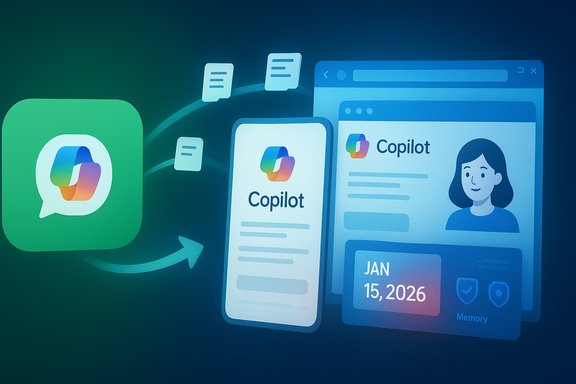
 

Microsoft’s Copilot will stop responding inside WhatsApp on January 15, 2026 — and it’s not an isolated exit: Meta’s recent Business API policy update effectively forces third‑party, general‑purpose AI assistants off WhatsApp, pushing companies and users to migrate to vendor apps, web portals, or different messaging platforms.

Copilot syncing across devices: phone, laptop, and calendar.Background​

Microsoft launched Copilot integrations across multiple surfaces in 2024 and rolled an in‑app WhatsApp presence that let people summon Copilot inside a familiar chat environment. That integration helped millions discover conversational AI without leaving their messaging app, but the arrangement rested on WhatsApp’s Business infrastructure — an interface Meta intended for business-to-customer workflows, not as a distribution channel for general‑purpose large language models (LLMs). In October 2025 Meta revised the WhatsApp Business API terms to introduce an “AI providers” restriction that bans providers of general‑purpose LLM chatbots from using the Business Solution when the AI assistant is the primary functionality offered; the policy takes effect January 15, 2026. Microsoft says Copilot will stop working on WhatsApp on that date and is directing users to Copilot mobile, web, and Windows experiences. This change follows a sequence: other AI providers that deployed conversational services on WhatsApp have already responded to the policy revision — OpenAI confirmed its ChatGPT contact will cease functioning on WhatsApp when Meta’s rule takes effect — and other vendors are evaluating their options. The net result: WhatsApp will remain a communication channel for businesses, but general‑purpose AI companions delivered by independent providers are being shut out by the platform rules.

What Microsoft and other AI providers have announced​

Microsoft’s position and migration path​

Microsoft’s Copilot team confirmed that Copilot on WhatsApp will be discontinued from January 15, 2026. The company framed the move as a response to WhatsApp’s platform policy update and said it will continue to offer Copilot via its native Copilot mobile apps, the Copilot web portal, and Windows. Microsoft explicitly advised users who want to keep a record of their WhatsApp conversations with Copilot to export the chat history before the cutoff, and warned that Copilot conversations on WhatsApp cannot be migrated into other Copilot surfaces because those WhatsApp sessions were unauthenticated. Key points from Microsoft’s message:
  • Copilot on WhatsApp will work until January 15, 2026, then stop.
  • Users should export chats with WhatsApp’s export tool if they want a local record.
  • Copilot’s primary travel plan is to centralize on Copilot mobile, web, and PC experiences with broader features (voice, vision, companion presence) that WhatsApp didn’t support.

OpenAI and other AI providers​

OpenAI publicly acknowledged Meta’s policy change in October 2025 and warned users that its ChatGPT contact on WhatsApp would stop working after the same January 15, 2026 effective date. OpenAI urged users to link their WhatsApp phone number to a ChatGPT account (where that option existed) if they wanted to preserve conversational context in ChatGPT’s history, and to move to the ChatGPT app or web client for continued access. Several smaller providers that offered WhatsApp bots have either already ceased operations or are planning to do so once the new terms take hold.

Why Meta changed the rules — the company rationale​

There are three public explanations Meta has offered or that reporting has surfaced:
  • System load and capacity: general‑purpose chatbots generate sustained, high‑volume message traffic that differs from the request/response patterns typical of customer‑service workflows. Meta says these use cases impose engineering and support burdens the Business API wasn’t designed to absorb.
  • Product focus: the WhatsApp Business Solution is intended for businesses to serve customers — booking confirmations, support, notifications — not as a marketplace for third‑party conversational AI experiences. Meta’s policy aims to preserve the original design and strategic intent of the Business API.
  • Platform ownership and competitive positioning: Meta has invested in its own AI assistant (Meta AI) and has been integrating it across its products. Restricting third‑party LLMs on WhatsApp narrows the competitive field inside the app and ensures the platform’s native AI remains primary. This rests uncomfortably close to competitive advantage, and that dynamic has already attracted regulatory attention in parts of Europe.

Immediate impact on users​

What individual users should do now​

  • Export WhatsApp chat histories you want to keep. WhatsApp provides an Export Chat option for individual conversations that creates a downloadable text archive (optionally with recent media included). Use it to create a local copy or email the conversation to yourself. Do this for any Copilot or ChatGPT threads you want to retain because platforms may not support transferring those threads automatically.
  • Migrate to vendor apps and web experiences. If you use Copilot, download the Copilot mobile app or use Copilot on the web (copilot.microsoft.com) and sign in with the account you’ll use going forward. For ChatGPT, use the ChatGPT mobile or web apps and follow vendor instructions to link phone numbers or migrate history where the vendor provides a path.
  • Back up attached media separately. Exported chats will include text and some recent media in a ZIP; the export tool does not always capture every attachment. If media (photos, voice notes, documents) are important, back them up independently to cloud storage or a local drive.
  • Preserve evidence of interactions if needed. If you rely on AI chat transcripts for billing, compliance, or legal reasons, keep local copies and date‑stamped exports. Do not assume vendor or platform continuity.

How to export a WhatsApp chat (practical steps)​

  • On iPhone: open the chat, tap the contact or group name at the top, scroll and choose “Export Chat”, then pick “Attach Media” or “Without Media” and choose the destination (email, cloud storage).
  • On Android: open the chat, tap the three dots > More > Export Chat, pick with or without media and select where to save or send the exported .zip/.txt.
Note: exports are per‑chat; there’s no single bulk “export everything” button in the app that reliably packages every conversation and media item into a single transferable archive. Also, exported text is not the same as an authenticated conversation linked to your Copilot or ChatGPT account — exported files are archives, not portable live history that will be reintegrated into a vendor’s product automatically.

Developer and business consequences​

Customer service bots vs. general‑purpose assistants​

Meta’s policy draws a legal line between business‑centric uses of AI (automating FAQs, booking confirmations, order tracking) — which remain allowed — and general‑purpose assistants (AI companions or multi‑purpose chatbots) that act as the core product. Businesses using AI to augment customer workflows should still be able to use the Business API; independent LLM providers, however, cannot deploy their assistants as primary interfaces through the Business Solution. Developers must now re‑architect deployments accordingly.

Operational and commercial impacts​

  • Increased vendor lock‑in risk: companies that built user experiences anchored to WhatsApp will have to port users to other channels (vendor apps, web) or rebuild integrations on permitted workflows. This creates churn and onboarding friction.
  • Cost and support burden: businesses will face migration costs and must decide whether to build native apps or integrate into other messaging platforms that still support third‑party bots. Those choices will affect unit economics and customer acquisition strategies.
  • Competitive rebalancing: Meta’s policy structurally favors Meta AI inside WhatsApp, potentially reducing the reach of competing LLM providers and nudging enterprise and consumer traffic toward Meta’s surfaces. That dynamic has immediate competitive implications and longer‑term regulatory risk.

Privacy, security, and compliance considerations​

Data portability and authentication gaps​

Microsoft has stated that Copilot conversations on WhatsApp cannot be ported to other Copilot surfaces because those WhatsApp sessions were unauthenticated, meaning the chat context cannot be securely verified or associated with a Copilot account for seamless migration. That limitation elevates the importance of exporting transcript archives before the shutdown date. At the same time, broader reporting has shown mixed interpretations: some vendors suggest linking phone numbers to vendor accounts so that conversational history appears in the vendor’s own app history; others emphasize that WhatsApp’s platform does not support cross‑platform chat exports in a way that would preserve identity and continuity automatically. Users should be wary of platforms promising frictionless migration unless the vendor has documented an explicit linking procedure.

Security risks during migration​

  • Fake migration links and phishing: expect opportunistic bad actors to send messages that look like migration instructions; validate any vendor instructions by visiting official vendor apps or websites directly rather than clicking in‑chat prompts.
  • Data leakage through exported archives: exported chats are plain text or simple ZIPs that may contain personal data; store them securely and delete copies when no longer necessary. Treat exported chat archives like other sensitive backups.
  • Compliance obligations: regulated businesses that used WhatsApp‑hosted AI interfaces for customer interactions should document retention and migration steps to satisfy audit and record‑keeping requirements.

Broader market and regulatory implications​

Platform control and vertical integration​

Meta’s policy is a clear example of a platform owner using contract and API controls to shape the ecosystem — in this case, gating general‑purpose AI assistants and making room for its own AI services. That move is likely to accelerate debates about platform fairness and interoperability, and it may spur enterprises to demand clearer data portability and non‑discriminatory API rules.

Antitrust and privacy scrutiny​

Regulators are already paying attention. There are reports of competition authorities broadening investigations into Meta’s use of AI on WhatsApp and whether changes to API terms could disadvantage rivals or reduce consumer choice. Such probes focus on whether the platform’s selective access advantages Meta’s own AI and whether the policy change was driven by technical needs or commercial strategy. Expect more regulatory scrutiny and possible remedies if authorities find anti‑competitive conduct.

Market winners and losers​

Winners:
  • Meta (short term inside WhatsApp) — more control over AI experiences, less third‑party traffic in chat.
  • Cloud and app vendors providing native AI companions (Copilot, ChatGPT app, vendor web clients) as they gain displaced users.
Losers:
  • Startups and small providers whose go‑to distribution strategy relied on WhatsApp as a frictionless interface to reach hundreds of millions of users.

Practical migration playbook for IT teams and power users​

For end users (concise checklist)​

  • Export each Copilot or ChatGPT WhatsApp conversation you want to keep. Store exported files in a secure cloud folder or local encrypted drive.
  • Sign up for or update your account on the vendor’s official mobile app or web portal (Copilot app / copilot.microsoft.com, ChatGPT app/web). Link your phone number if the vendor provides a linking mechanism to preserve history.
  • Back up important media outside of the WhatsApp export (e.g., to Google Drive, iCloud, or a local NAS).
  • Verify vendor support plans and timeline; set calendar reminders for January 15, 2026 to finalize migration tasks.

For IT teams and product managers​

  • Audit: list all user journeys and business processes that depend on third‑party AI inside WhatsApp. Record volumes, message patterns, and SLAs.
  • Re‑architect: for legitimate Business API uses (customer service, notifications), move AI into server‑side services or embed AI inside your own app where allowed; for general‑purpose assistant features, plan a native app/web migration.
  • Communicate: send clear instructions and migration paths to affected users before January 15, 2026; offer step‑by‑step export guidance and in‑product nudges.
  • Security: ensure exported data is treated as sensitive; provide secure upload flows when users voluntarily migrate archives into authenticated vendor accounts.

Risks, unanswered questions, and what to watch next​

Technical gaps and user friction​

  • Exports are manual and per‑chat; there is no clean, authenticated transfer for WhatsApp‑hosted AI chats to vendor accounts in most cases. That gap will frustrate users who assumed long‑lived continuity across platforms.
  • Exported chat archives are not interactive; they are paper trails, not live chat history that can be resumed within a vendor’s web or mobile client. Vendors that promise otherwise must show technical detail and documented migration flows.

Competitive and regulatory risk​

  • Antitrust scrutiny and ongoing competition probes could force policy reversals, carve‑outs, or mandated interoperability depending on jurisdictional findings. Keep an eye on competition authorities’ filings and any interim remedies officials may impose.
  • Privacy regulators may investigate whether the new policy changes provide Meta unjust enrichment of user data or block legitimate portability. This will be an evolving area with likely cross‑border implications.

Credibility and communication gaps in reporting​

  • Several early articles and summaries contained inconsistent dates or phrasing (for example, a wrongly reported year in some postings). The authoritative effective date for Meta’s new Business API restrictions and for Microsoft’s Copilot withdrawal from WhatsApp is January 15, 2026 — validate dates against vendor blog posts and the published Business API terms. When you see conflicting reports, rely on vendor posts and the published policy text.

Alternatives and next steps for users who rely on conversational AI inside messaging​

  • Use vendor apps and web portals: Copilot, ChatGPT, and other providers invest more in their native apps and web experiences; these will continue to be the canonical places to interact with same‑brand assistants.
  • Switch to platforms that permit third‑party bots: some messaging services continue to support bots and third‑party LLM integrations — evaluate their security, reach, and corporate compliance posture before migrating.
  • Build first‑party experiences: if you’re a business, consider embedding AI assistants inside your own mobile or web apps where you control authentication, audit trails, and data portability. This reduces platform dependency and gives the organization better governance over data flows.

Final analysis: who wins and what it means for digital messaging​

Meta’s Business API rewrite is a defensive and strategically coherent step: it clarifies the Business API’s intended purpose, reduces unanticipated platform burden, and gives Meta greater control over what lives inside WhatsApp. But the change is also a blunt instrument — it displaces innovation, reduces choice inside the world’s largest messaging app, and amplifies platform‑control concerns. Microsoft and OpenAI are pivoting to their owned surfaces, which is a practical short‑term response, but the move amplifies vendor fragmentation: instead of a single place where billions interacted with different AIs inside WhatsApp, conversational AI will now route users to multiple vendor apps and websites.
This matters because friction changes adoption curves. For many casual users, the convenience of interacting with an AI inside a message thread outweighed the need for a dedicated app; removing that convenience will reduce casual usage and concentrate heavy users inside vendor ecosystems. For developers and startups, the policy drives a rethink of distribution strategies — the WhatsApp vector is effectively closed for general‑purpose assistants.
Regulators will be watching, and competition questions are already in the public arena. For now, the practical takeaway is straightforward and urgent: if you want to keep a record of Copilot or ChatGPT conversations on WhatsApp, export them now; if you rely on WhatsApp‑hosted AI for business operations, begin your migration and remediation plans immediately; if you’re a developer, treat the Business API as explicitly business‑facing and build alternate distribution channels for general‑purpose services.
The January 15, 2026 deadline is the hinge: companies will pivot, users will move, and the messaging AI landscape will be reshaped by a single platform policy that favored platform control over open distribution. The next twelve months will show whether vendors can replace the convenience lost inside WhatsApp with equally seamless, secure experiences elsewhere — or whether a permanent fragmentation of conversational AI endpoints becomes the new normal.
Source: Lokshahi English News Whatsapp Update: Big blow to WhatsApp users! From January 15, this special feature will be closed
 

Back
Top