

Microsoft’s Copilot is quietly broadening the sources it uses to personalize your experience — and unless you turn a buried setting off, it may be drawing on your activity across other Microsoft services such as Bing, MSN, and Edge to feed its “memory” feature.
Copilot’s memory and personalization features were introduced as a way to make the assistant feel less like a stateless tool and more like a helpful personal assistant that remembers your preferences, recurring tasks, and other contextual details. Those memories can speed up everyday tasks — from preferring concise, bullet‑point replies to remembering the names of ongoing projects — but they also raise questions about what data is being collected, where it’s stored, who can access it, and whether it can be turned off.
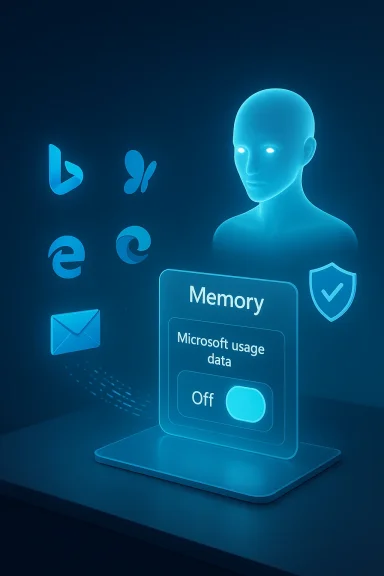
A recent hands‑on report found a new setting labeled Microsoft usage data tucked inside Copilot’s Memory settings on the Copilot web interface. That toggle — described in the interface as “Let Copilot use data from Bing, MSN, Edge, and other Microsoft products you’ve used” — appears to be enabled by default. The implication is simple: Copilot’s memory can be seeded or augmented with product‑usage signals collected across Microsoft properties unless a user explicitly opts out.
Microsoft’s own documentation makes two important points that frame the discussion. First, memory and personalization are on by default for eligible Copilot users, and there are user and tenant controls to disable them. Second, Microsoft says prompts, responses, and certain data accessed via Microsoft Graph are not used to train public or foundation models; instead, they are used for personalization and service delivery. At the same time, Microsoft documents where Copilot memory is stored and how administrators can discover or delete it — details that matter for privacy and compliance.
Below I unpack what the UI change means, what Microsoft’s documentation reveals about Copilot memory and data handling, how you can opt out (and what opting out actually does), and the real privacy and compliance tradeoffs for both consumers and enterprises.
But that usefulness comes with tradeoffs:
If you care about privacy, don’t assume the assistant will protect you by default. Go to your Copilot settings, find the Memory or Personalization panel, and make an active choice about the Microsoft usage data toggle. For enterprise teams, take a proactive governance approach: decide whether personalization belongs in your environment, and if so, under what controls and audits. The convenience of an assistant that “just knows” you is attractive — but you should be in charge of how much it knows.
Source: Windows Latest Copilot quietly pulls your data from other Microsoft products, including Edge and MSN, but you can opt out
 Background
Copilot’s memory and personalization features were introduced as a way to make the assistant feel less like a stateless tool and more like a helpful personal assistant that remembers your preferences, recurring tasks, and other contextual details. Those memories can speed up everyday tasks — from preferring concise, bullet‑point replies to remembering the names of ongoing projects — but they also raise questions about what data is being collected, where it’s stored, who can access it, and whether it can be turned off.A recent hands‑on report found a new setting labeled Microsoft usage data tucked inside Copilot’s Memory settings on the Copilot web interface. That toggle — described in the interface as “Let Copilot use data from Bing, MSN, Edge, and other Microsoft products you’ve used” — appears to be enabled by default. The implication is simple: Copilot’s memory can be seeded or augmented with product‑usage signals collected across Microsoft properties unless a user explicitly opts out.
Microsoft’s own documentation makes two important points that frame the discussion. First, memory and personalization are on by default for eligible Copilot users, and there are user and tenant controls to disable them. Second, Microsoft says prompts, responses, and certain data accessed via Microsoft Graph are not used to train public or foundation models; instead, they are used for personalization and service delivery. At the same time, Microsoft documents where Copilot memory is stored and how administrators can discover or delete it — details that matter for privacy and compliance.
Below I unpack what the UI change means, what Microsoft’s documentation reveals about Copilot memory and data handling, how you can opt out (and what opting out actually does), and the real privacy and compliance tradeoffs for both consumers and enterprises.
What WindowsLatest (and others) found — the new “Microsoft usage data” toggle
- The Copilot web interface shows a Memory area in Settings where users can enable or disable personalization and memory features.
- Inside Memory is a secondary toggle called Microsoft usage data (or similar wording in some clients) that, when enabled, allows Copilot to use signals from other Microsoft products — explicitly calling out Bing, MSN, and Edge.
- The toggle is on by default for many users who see the new control.
- If you turn off product usage sharing, you can still use Copilot, but some personalized behaviors driven by memory may be reduced or lost.
- Deleting existing memories requires an explicit action — usually a “Delete all memory” or “Delete memory” control — so turning the toggle off does not automatically purge already‑collected memories.
How Microsoft describes personalization, memory, and related controls
Memory is on by default, with user and admin controls
Microsoft’s public product documentation notes that enhanced personalization and memory are enabled by default for eligible users. End users can change their settings (and delete memories), and tenant administrators can turn enhanced personalization off for the organization. That admin control prevents end users from enabling the feature if the organization requires a more restrictive posture.Where memories are stored
Copilot memories — including saved memories and inferred details — are stored in the user’s Exchange mailbox in a hidden folder (using contact‑like item types). This design means memories are subject to the same mailbox security and encryption protections as other Exchange content, but it also means memories are discoverable through Microsoft Purview eDiscovery and Microsoft Graph techniques used by administrators.Retention and discoverability
A critical detail: retention labels and policies configured in Purview for other mailbox content don’t automatically apply to Copilot memory. Saved memories remain until the user deletes them, and inferred memory extracted from chat history follows different dynamics (it can be updated or discarded as the assistant adjusts what it retains). Administrators can search and delete memory items with eDiscovery tools, and Microsoft documents how to locate the memory items programmatically.Data and model training
Microsoft states that prompts, responses, and customer data accessed through Microsoft Graph are not used to train foundation LLMs (the base models). Enterprise customers are repeatedly reassured that their tenant data is used to respond to queries and to personalize experiences, but not to improve public or foundation models. For troubleshooting and service‑quality purposes, Microsoft may retain diagnostic or feedback data under defined conditions.Why this matters: privacy, security, and compliance implications
Turning a single toggle on or off may seem trivial, but the technical and organizational implications are substantial.1. Scope creep of “product usage” signals
- “Microsoft usage data” is a broad phrase. In practice it can include queries, inferred interests, browsing activity, and app behavior where permission has been granted. When Copilot uses those signals, it exposes the assistant to a broader context about your habits, interests, and possibly sensitive activities (e.g., searches, visited news stories, or page titles).
- Microsoft explicitly lists Bing, MSN, and Edge in the product prompt seen by users, but it hasn’t published a public, granular list mapping every telemetry field Copilot may use — leaving some uncertainty for privacy‑minded users.
2. Default‑on settings and consent friction
- Default‑on personalization nudges users into sharing more data than they might expect. The UI placement of the toggle under Memory makes it less visible to casual users.
- While a direct opt‑out exists, users who don’t know about the new toggle or who assume Copilot behavior is immutable will not change settings — a classic privacy problem.
3. Sensitive categories and health integrations
- Reports indicate Microsoft is experimenting with health integrations and reminders; some early UI elements suggest the ability to read context from health records or health apps (for instance, step counts or activity data) to inform Copilot answers or reminders.
- Health data is among the most sensitive categories. Integrations with wearable data or phone health apps can surface protected health information depending on the content. Microsoft’s enterprise commitments and consumer privacy policies address data usage, but until a feature is fully documented and formally announced, health integrations are a high‑risk surface for data leakage and regulatory complications.
4. Enterprise discoverability vs. user expectations
- Copilot memories being stored in user mailboxes means administrators can find and delete memory items using eDiscovery — useful for compliance — but it also means that data ostensibly “saved to improve your personal Copilot” is accessible by tenant administrators. Users in workplaces need to understand that “private” Copilot memories may still be discoverable by organization admins.
5. Model‑training assurances — scope and limits
- Microsoft’s assurances (that tenant data and prompts are not used to train foundation models) are meaningful, especially for enterprise customers. But the architecture still allows Microsoft to use aggregated telemetry and non‑customer diagnostic signals for product improvement.
- For privacy and legal teams, assurances must be mapped to contracts and DPAs: what Microsoft says in product docs needs to be reflected in contractual controls and audit evidence.
How to opt out (practical steps)
If you want Copilot to stop ingesting product usage signals from other Microsoft services, here are the consumer and enterprise routes to take. Note: UI wording and exact locations vary slightly across web, Edge, and Windows app clients.Quick consumer steps (Copilot web)
- Open the Copilot web experience and sign in with your Microsoft account.
- Click your account/profile picture and choose Settings, then open the Memory or Personalization section.
- Toggle Personalization and memory to Off if you want Copilot to stop saving new memories.
- If you want to stop product usage signals specifically, find and toggle off the Microsoft usage data or Let Copilot use data from Bing, MSN, Edge, and other Microsoft products option.
- To remove existing memories, click Delete all memory (or the equivalent “Delete memory” control) and confirm.
Browser (Microsoft Edge) path
- In Microsoft Edge, open Settings > Copilot and sidebar > Copilot (or click the Copilot icon on the toolbar).
- Choose Privacy or Manage personalization and memory.
- Turn off Personalization/Memory and, if shown, disable Microsoft usage data.
- Delete saved memories as required.
Enterprise/IT admin controls
- Administrators can disable Enhanced personalization at the tenant level to prevent end users from enabling Copilot memory.
- Use Microsoft Purview eDiscovery and Microsoft Graph to find, export, and delete memory items that live in hidden mailbox folders (item class IPM.Contact).
- For formal Data Subject Requests, administrators can use eDiscovery or Graph APIs to export or remove the Copilot memory items as required by policy.
- Review and update tenant policies and employee guidance to reflect Copilot behavior and indexing/discovery of memory items.
Real‑world tradeoffs: usefulness vs. privacy
Copilot’s memory and cross‑product signals are designed to make the assistant faster and more helpful. For many users, that personalization is the value proposition: fewer repeated instructions, responses tuned to style preferences, and contextual continuity across sessions.But that usefulness comes with tradeoffs:
- Opting out protects privacy but can degrade the experience: responses may be less context‑aware and require more explicit instructions.
- Default‑on settings maximize adoption and perceived value but put the onus on users to discover and opt out.
- Enterprise admins can lock down features for compliance, but that means sacrificing personalization for the whole organization.
Security and governance recommendations
Whether you are an individual user or an IT administrator, take these practical steps to manage risk and keep Copilot’s memory behavior aligned with your privacy posture.For individual users
- Review Copilot’s Memory / Personalization settings regularly and disable Microsoft usage data if you don’t want cross‑product signals used.
- After changing settings, choose Delete all memory if you want to purge previously stored memories.
- Avoid linking sensitive health apps or other sensitive data sources until you understand exactly what is shared and how it is used.
- Use separate accounts: if possible, keep a dedicated account for personal Copilot usage separate from work/school accounts that have different controls and discoverability.
For IT administrators and privacy officers
- Decide organization‑wide whether Enhanced personalization should be enabled. If compliance requires strict data controls, disable it at the tenant level.
- Document Copilot memory behavior in acceptable‑use and data‑handling policies and educate users about discoverability and eDiscovery implications.
- Use Purview eDiscovery and retention tools to audit and manage Copilot memory data as part of your regular information governance program.
- Update Data Protection Addenda and vendor risk assessments to include specifics about Copilot memory storage, data flows, and Microsoft’s model training assurances.
- Require transparency: ensure that teams deploying Copilot provide clear user notices and straightforward methods to opt out and delete memories.
Outstanding questions and unverifiable claims — exercise caution
Some of the most talked‑about points today reflect UI observations and early rollouts rather than finalized feature announcements. These are the areas to watch and to treat cautiously:- Which exact Microsoft products are included under the umbrella of other Microsoft products? The UI lists Bing, MSN, and Edge, but a comprehensive, published list of telemetry and fields Copilot can use is not yet public.
- Reports of a named feature like Copilot Health Records or direct Apple Watch integration appear in early previews and user tests, but Microsoft has not broadly documented every detail of such integrations at the time of writing. Treat health integrations as sensitive and verify permissions thoroughly before connecting health apps.
- The practical behavior of the “Microsoft usage data” toggle may change with client updates and regional rollouts. Because Copilot’s memory rollout has been staged, some users may see different controls or behaviors across platforms and accounts.
The takeaways: what users and organizations should do right now
- Check your Copilot settings today. Locate Memory / Personalization and the Microsoft usage data control, and make a conscious choice about whether you want cross‑product signals used.
- If privacy matters more than convenience, opt out and delete memories. That removes the existing memory footprint and stops new cross‑product memory enrichment.
- Organizations must set clear policy. Tenant admins should decide whether enhanced personalization is appropriate for their environment and enforce that decision centrally if necessary.
- Treat health integrations with extreme caution. Health data is uniquely sensitive — don’t connect health apps unless you understand the data flows and the legal/regulatory implications.
- Demand transparency from providers. Product teams should publish clearer, field‑level documentation about the exact types of telemetry used for personalization and the controls available to users.
Conclusion
Copilot’s move to incorporate product usage signals into its memory underscores the tension at the heart of modern AI assistants: the more context an assistant has, the more helpful it can be — but the greater the privacy and governance cost. Microsoft provides mechanisms to control and remove those memories, and it documents important protections (including non‑use for foundation model training and mailbox storage of memories). Still, the practical impact depends on UI discoverability, default settings, and administrative policy.If you care about privacy, don’t assume the assistant will protect you by default. Go to your Copilot settings, find the Memory or Personalization panel, and make an active choice about the Microsoft usage data toggle. For enterprise teams, take a proactive governance approach: decide whether personalization belongs in your environment, and if so, under what controls and audits. The convenience of an assistant that “just knows” you is attractive — but you should be in charge of how much it knows.
Source: Windows Latest Copilot quietly pulls your data from other Microsoft products, including Edge and MSN, but you can opt out
