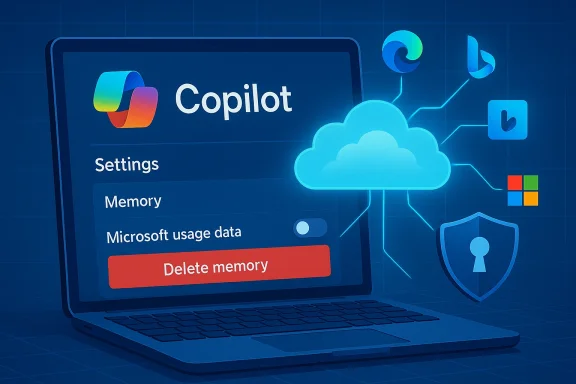
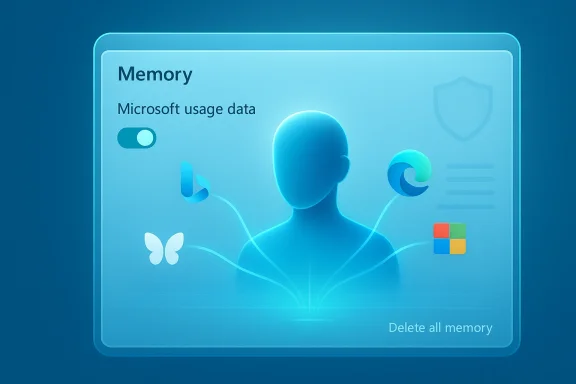
Microsoft’s Copilot has quietly widened the scope of what it can remember about you: the assistant can now draw on activity signals from other Microsoft services — explicitly calling out Edge, Bing and MSN — to personalize responses via its Memory feature, and that sharing appears to be enabled by default for many users. (pcworld.com)
Microsoft has split the Copilot family across several fronts — a consumer-facing Copilot app and web experience, and a set of enterprise Copilot features woven into Microsoft 365. Each variant exposes different controls, retention rules and guarantees, but the underlying idea is the same: Copilot stores contextual signals and user preferences in order to supply more relevant, persistent answers over time. Microsoft’s public privacy material and product guidance emphasize user control (you can delete memories and opt out of personalization), and they repeatedly draw a line between “service personalization” and “model training” to reassure users and enterprises.
What changed this week is less about a new API and more about a small, consequential toggle that surfaced in the Copilot Settings UI: a control labeled along the lines of “Microsoft usage data” inside the Memory/Personalization area. That control is described in the interface as allowing Copilot to “use data from Bing, MSN, Edge and other Microsoft products you’ve used,” and several news outlets doing hands‑on checks report that it is switched on by default.
The change is an instructive reminder of a broader shift in personal computing: assistants that live across apps and services will increasingly stitch together signals to create a persistent, personalized experience. That power will prove useful — and it will require better, clearer controls and documentation to make the tradeoffs acceptable for everyone.
Source: PCWorld Copilot uses your Microsoft activity data to personalize its responses
 Background
Microsoft has split the Copilot family across several fronts — a consumer-facing Copilot app and web experience, and a set of enterprise Copilot features woven into Microsoft 365. Each variant exposes different controls, retention rules and guarantees, but the underlying idea is the same: Copilot stores contextual signals and user preferences in order to supply more relevant, persistent answers over time. Microsoft’s public privacy material and product guidance emphasize user control (you can delete memories and opt out of personalization), and they repeatedly draw a line between “service personalization” and “model training” to reassure users and enterprises.What changed this week is less about a new API and more about a small, consequential toggle that surfaced in the Copilot Settings UI: a control labeled along the lines of “Microsoft usage data” inside the Memory/Personalization area. That control is described in the interface as allowing Copilot to “use data from Bing, MSN, Edge and other Microsoft products you’ve used,” and several news outlets doing hands‑on checks report that it is switched on by default.
What exactly the new setting does (and what we know)
The narrow, documented description
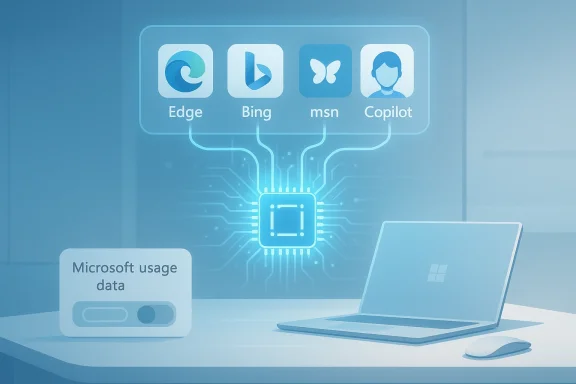
In the hands-on coverage that first flagged the change, the new memory setting appears to act as a cross‑product signal gate: when enabled, Copilot can ingest product-usage signals from Microsoft properties to seed or augment the assistant’s memory about you — things like inferred preferences, browsing patterns or topical interests that Copilot can use to bias answers and proactively recall context. The UI language seen by reporters — “Let Copilot use data from Bing, MSN, Edge, and other Microsoft products you’ve used” — is explicit about the sources.Enabled by default — the practical consequence
Multiple outlets reporting hands‑on checks found the toggle enabled for accounts they inspected, meaning many users who’ve never opened the Memory tab are likely sharing product usage signals with Copilot unless they change the setting. That is a critical operational detail: default-on settings dramatically increase the number of users who will be included in any personalization pipeline unless the vendor makes the toggle exceptionally prominent and discoverable.Deleting or stopping the flow of signals
Turning the toggle off will stop future product‑usage signals from being used for Copilot personalization, but reports and UI notes indicate that turning it off does not automatically erase previously collected memory. To remove what’s already been stored, users must explicitly use the “Delete all memory” action in Copilot’s settings. That two-step sequence (disable sharing + delete stored memories) is what the reporting and UI cues recommend. (pcworld.com)Microsoft’s stated limits: personalization, not model training
Microsoft’s public statements and the product text captured in reporting emphasize that these product usage signals are intended for personalization and are not used to train the company’s foundation models. That distinction — personalization for an individual user versus contributing examples to generalized model training — is foundational to Microsoft’s privacy messaging for Copilot products and appears in recent guidance. Still, wording alone is not a technical guarantee: users and administrators should map those statements back to contracts, tenant controls and observable behaviors. (pcworld.com)Why this matters: the benefits
Personalization and memory are powerful features when implemented well. Here’s why Microsoft’s cross‑product memory could be useful:- Better context in conversations: Copilot can recall your preferences or prior instructions and reduce repetitive explanation.
- Cross‑device continuity: signals across browser (Edge) and search (Bing) can let Copilot surface relevant results more quickly or suggest actions aligned to your habits.
- Faster productivity: remembering how you prefer answers formatted, or which news topics you follow, saves keystrokes and time.
- Useful proactive assistance: Copilot can offer reminders, contextual nudges or personalized summaries that feel more relevant because they are seeded by previous activity.
Why this matters: the risks and tradeoffs
Personalization features come with privacy, compliance and safety tradeoffs that are often subtle and cumulative. Below I unpack the most important concerns and what to watch for.1) Default‑on nudges and inadvertent sharing
Defaulting the toggle on effectively moves the burden to the user to find and disable the setting. Many users never visit deeper privacy menus; default-on personalization increases the number of people exposing cross‑product signals without explicit, recent consent. That’s a classic consent friction problem: the UI choice — where the toggle is situated and how visible it is — matters.2) Ambiguity about what “usage data” includes
The phrase “Microsoft usage data” is broad. In practical terms it may include:- Search queries, visited pages or click patterns in Bing and MSN
- Browsing history or site metadata from Edge (to the extent Edge sync is enabled)
- Signals of interest (topics you research frequently, news you consume)
3) Health data and other sensitive categories
Separate reporting and UI hints suggest Microsoft is testing integrations where Copilot can use health app context for personalization (e.g., “Copilot Health Records” experiments). If product‑usage sharing extends to health app signals or wearable data, the sensitivity of the stored memory increases dramatically. Health, finance, political interests and other sensitive categories deserve stricter defaults and clearer opt‑ins. Early tests referenced in reporting show Microsoft is aware of these sensitivities — but users should be cautious about linking health or other sensitive apps until the controls are exhaustively documented.4) Enterprise discoverability and compliance boundaries
For Microsoft 365 Copilot and tenant‑managed environments, Copilot memory can be stored in tenant spaces that administrators can discover and delete via eDiscovery or Microsoft Purview tools. That architectural choice helps compliance teams, but it also means “private” Copilot memories may be visible to administrators in organizational contexts — an important nuance for employees assuming their memories are only visible to them. Enterprises must update policies and communications accordingly.5) The trust question: “Not used to train models” requires scrutiny
Microsoft’s claim that user product‑usage signals are only used for personalization and not for training foundation models is material, and enterprises will demand contractual guarantees and technical artifacts (audit logs, DPA language) to back it up. Product statements are necessary but not sufficient — independent audits, contractual clauses and tenant‑level assurances are the mechanisms that make such commitments enforceable. Until those artifacts are visible or contractually embedded, prudent teams will treat the statement as policy rather than incontrovertible proof. (pcworld.com)Practical steps: what individual users should do now
If you want to limit or control Copilot’s use of cross‑product activity signals, follow these steps. The exact menu wording and location can vary slightly by client (web, Edge sidebar, Windows app), but the logic is consistent.- Open Copilot (web at Copilot sign‑in, or via the Copilot UI in Edge/Windows).
- Click your account/profile avatar → Settings → Memory or Personalization.
- Locate the toggle marked “Microsoft usage data” (or wording similar to “Let Copilot use data from Bing, MSN, Edge, and other Microsoft products you’ve used”) and switch it off to stop new product usage signals flowing into Copilot memory. (pcworld.com)
- To remove stored signals gathered before you changed the toggle, use the “Delete all memory” (or “Delete memory”) control in the same Memory area. Confirm the deletion. Turning the toggle off alone does not erase existing memories. (pcworld.com)
- Review other personalization settings (e.g., conversation history, model training opt‑outs) in your Microsoft account privacy pages and the Copilot settings pane. Microsoft provides user controls for several downstream uses; review those while you’re in the privacy menu.
- Turn the Microsoft usage data toggle off if you don’t want cross‑product signals used.
- Delete all memory to purge previously stored information.
- Avoid linking sensitive health apps until you’re comfortable with the documented controls.
Practical steps: what IT admins and privacy teams should do
Administrators have stronger levers in enterprise tenants and should act quickly to reconcile Copilot personalization behavior with organizational policy.- Decide an organizational posture: permit enhanced personalization, allow it but with constraints, or disable it tenant‑wide. Microsoft provides tenant controls to turn off enhanced personalization for all users; use that if compliance requires it.
- Map Copilot memory location and retention to your data governance model. If Copilot stores memories in mailbox items or other tenant resources, ensure retention policies and eDiscovery rules capture and treat those items correctly. (Reporting indicates memories can be discovered via Purview/eDiscovery — verify the exact storage and retrieval paths in your tenant.)
- Update acceptable‑use policies and employee guidance. Explain discoverability: memories created in a work account may be accessible to administrators. Train employees on how to disable personalization and delete memory if appropriate.
- Audit and log: monitor Copilot setting changes, memory deletion actions and any new connectors (health apps, third‑party integrations) that might expand the data surface. Require documentation and legal/Privacy Impact Assessment (PIA) for any new integration that increases sensitivity.
How regulators and privacy teams should think about it
From a regulatory standpoint, the change raises several points of interest:- Consent and transparency: default‑on personalization where activity signals cross products can present a transparency gap; organizations operating in strict privacy jurisdictions will need clear disclosures and documented user consent flows.
- Data minimization and purpose limitation: product usage signals used for personalization should be scoped, time‑limited and deleted when no longer needed. Default retention windows and deletion controls should be clear and auditable.
- Sensitive categories: if integration surfaces health or other sensitive signals, additional safeguards (explicit opt‑in, Data Protection Impact Assessments, technical segregation) will be required under many privacy regimes.
Open questions and unverifiable items to watch
While the reporting and UI captures provide a strong directional picture, a few technical details remain less than fully transparent in the public record and should be treated as unverified until Microsoft documents them explicitly:- Exact telemetry fields: the public UI and press screenshots show the sources (Edge/Bing/MSN) but not the precise telemetry schema (which URLs, query strings, or metadata fields are collected).
- Storage format and locations: some reporting claims memory items are stored in Exchange mailboxes in hidden items (IPM‑type items) that administrators can discover; that architectural detail is plausible and useful for compliance teams, but it should be verified directly with Microsoft documentation or tenant inspections before being relied upon for legal processes.
- Real‑world training boundaries: Microsoft states that personalization signals are not used to train foundation models. Enterprises should request contractual and technical attestations (and, where necessary, audit evidence) that production training pipelines are logically and physically segregated from any data used for personalization. Treat vendor statements as the starting point for verification, not the endpoint. (pcworld.com)
Balanced assessment: strengths and shortcomings
Strengths
- Personalization can materially improve the Copilot experience: fewer repeated prompts, better format matching and helpful proactive suggestions can all save users time and frustration.
- Microsoft has built a reasonably complete control surface: toggles exist to disable personalization, delete stored memories and control training participation — all of which are necessary ingredients for a privacy‑respectful product. (pcworld.com)
- Enterprise discoverability of memories is a double‑edged win: it supports compliance and eDiscovery, but it also undermines assumed personal privacy for employees if not communicated clearly.
Shortcomings / Risks
- Default‑on settings increase the likelihood of unnoticed data sharing; the UI placement of the toggle under Memory means many users will not see it during normal use.
- Lack of granular, public telemetry documentation leaves a transparency gap that privacy teams and regulators will want closed.
- Any expansion into health or similarly sensitive datasets raises consequential legal and ethical questions about consent, storage and secondary uses. Early signs of health integration tests make this a high‑stakes vector to watch.
Bottom line and practical recommendations
Microsoft’s cross‑product memory toggle is an important UX and privacy inflection point for Copilot. The company’s approach — enabling personalization by default but exposing opt‑outs and deletion controls — is consistent with many consumer AI product patterns. However, the default choice and the lack of easily discoverable, field‑level documentation means users and administrators should act deliberately.- If you prioritize convenience: keep personalization on but periodically review what memories are stored and keep an eye on new integrations (especially health).
- If you prioritize privacy: disable the Microsoft usage data toggle and use “Delete all memory” to purge what’s been collected; verify other training opt‑outs in your account privacy settings. (pcworld.com)
- If you manage an organization: take a cautious posture until you can map Copilot memory to your data governance processes; consider disabling enhanced personalization tenant‑wide if your compliance needs are strict and communicate clearly with employees about discoverability and retention.
The change is an instructive reminder of a broader shift in personal computing: assistants that live across apps and services will increasingly stitch together signals to create a persistent, personalized experience. That power will prove useful — and it will require better, clearer controls and documentation to make the tradeoffs acceptable for everyone.
Source: PCWorld Copilot uses your Microsoft activity data to personalize its responses