

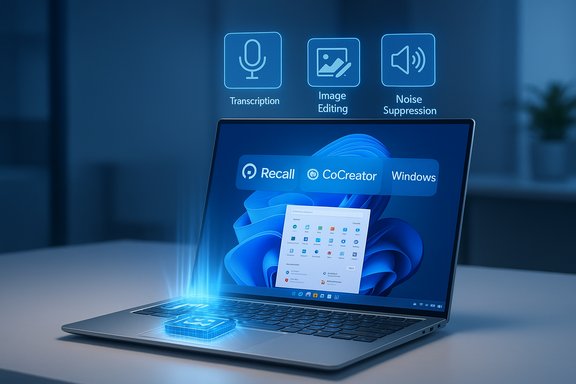
Microsoft’s push to put generative AI and on-device assistants at the center of the PC buying decision has reshaped what “best laptop” means: it’s no longer only about CPU cores, screen size, and SSD capacity — it’s also about whether the machine has a Neural Processing Unit (NPU) capable of running local inference fast, quietly, and with long battery life. Microsoft’s Copilot+ PC program highlights NPUs, 40+ TOPS thresholds, and new Windows 11 features like Recall, CoCreator, and Windows Studio Effects as the differentiators you should care about when shopping in 2025.
The phrase “AI laptop” is marketing shorthand that now maps to specific hardware and software requirements. At the heart of Microsoft’s messaging is the Copilot+ PC label: a class of Windows 11 devices that include an on‑die NPU (or equivalent acceleration) and meet a practical performance threshold — roughly 40+ TOPS — that lets certain Copilot experiences run locally instead of in the cloud. That shift reduces latency, improves perceived responsiveness, and can dramatically extend battery life for common AI tasks like speech transcription, background noise suppression, and quick image edits.
Microsoft and OEM partners have used several headline claims to explain the benefits: Copilot+ devices with modern NPUs are faster than recent MacBook Air models in some AI tasks, can be “up to 5x faster” than five‑year‑old Windows laptops for certain workflows, and deliver manufacturer lab battery numbers pushing into multi‑day territory for light workloads — including marketing figures of up to 22 hours of video playback on select SKUs. These numbers are directionally useful, but they come with important caveats about test conditions, SKU variance, and real‑world workloads.
Ultimately, the best laptop for AI is the one that matches your workflow: choose Copilot+ SKUs if on‑device AI features are part of your daily routine, and verify the exact SKU, NPU TOPS, RAM, storage, and compatibility before you buy. Manufacturer lab claims about “up to 22 hours” of video playback, “5x faster” comparisons, and MacBook‑beating AI numbers are useful directional data points — backed by vendor materials and independent reporting — but treat them as best‑case numbers and verify real‑world reviews for the SKU you plan to purchase.
Source: Microsoft Best Laptops to Get the Most Out of AI | Microsoft Windows
 Background / Overview
The phrase “AI laptop” is marketing shorthand that now maps to specific hardware and software requirements. At the heart of Microsoft’s messaging is the Copilot+ PC label: a class of Windows 11 devices that include an on‑die NPU (or equivalent acceleration) and meet a practical performance threshold — roughly 40+ TOPS — that lets certain Copilot experiences run locally instead of in the cloud. That shift reduces latency, improves perceived responsiveness, and can dramatically extend battery life for common AI tasks like speech transcription, background noise suppression, and quick image edits.Microsoft and OEM partners have used several headline claims to explain the benefits: Copilot+ devices with modern NPUs are faster than recent MacBook Air models in some AI tasks, can be “up to 5x faster” than five‑year‑old Windows laptops for certain workflows, and deliver manufacturer lab battery numbers pushing into multi‑day territory for light workloads — including marketing figures of up to 22 hours of video playback on select SKUs. These numbers are directionally useful, but they come with important caveats about test conditions, SKU variance, and real‑world workloads.
What is an NPU and why TOPS matter
- NPU (Neural Processing Unit): a specialized accelerator optimized for low‑precision, high‑throughput inference operations used by many modern local AI models.
- TOPS (Trillions of Operations Per Second): a raw theoretical throughput number vendors use to compare NPUs; higher TOPS generally indicates better capacity for running local models, but it isn’t a direct measure of real‑world performance.
- Microsoft’s practical guide for Copilot+ features often references the ~40 TOPS class as the point where a device can run a useful subset of on‑device experiences locally and efficiently. Real user experience depends on software optimization, thermal headroom, and memory.
How to think about “AI readiness” when buying a laptop
No single spec guarantees the best AI experience. Consider a combination of hardware, software, and usage patterns.Key hardware checkboxes
- NPU performance: Look for Copilot+ certification or an NPU capable of ~40+ TOPS on the spec sheet; Qualcomm Snapdragon X Elite/X Plus, Intel Core Ultra NPUs, and AMD Ryzen AI parts are the common candidates.
- RAM: Microsoft and OEM guidance recommends 16 GB or more for smooth on‑device model inference and multitasking.
- Storage: NVMe SSD (256 GB minimum; 512 GB or higher recommended for Recall-heavy users who store local captures).
- Battery & display choices: FHD panels and conservative refresh rates maximize runtimes; OLED/120Hz panels look great but reduce battery life.
- OS & updates: Windows 11 and the latest firmware drivers are necessary for full Copilot+ support and long‑term security updates.
Software and compatibility
- ARM vs x86: Devices with Snapdragon X‑series chips can deliver class‑leading battery life and high TOPS NPUs, but some legacy Windows apps rely on emulation; Intel and AMD Copilot+ variants restore native x86 compatibility for enterprise and niche software. Verify mission‑critical apps beforehand.
- App support & ecosystem: Many Copilot+ experiences require vendor integrations and app updates. The presence of a robust software stack and vendor runtime matters more than raw TOPS for day‑to‑day usefulness.
Best laptops to get the most out of AI — practical category picks
Below are recommended models grouped by real world use cases, synthesized from vendor materials, independent reviews, and Microsoft’s Copilot+ guidance. Each pick explains why it stands out and the trade‑offs to expect.Best ultralight AI‑capable laptop: ASUS Zenbook A14 (Snapdragon X series)
Why it stands out:- Snapdragon X Elite / X Plus SKUs with Hexagon NPU in the ~45 TOPS class deliver long battery life and efficient local AI acceleration.
- Extremely thin, lightweight design and strong battery figures make it ideal for travelers and students who want Copilot features offline.
- Verify application compatibility if you rely on niche x86 apps; choose an Intel/AMD SKU if compatibility is the priority.
Best balance of everyday power and Copilot features: Dell 14 Premium / Dell Plus SKUs
Why it stands out:- Dell’s premium 14‑inch models pair Intel Core Ultra processors with integrated NPUs on qualifying SKUs, giving strong productivity performance while supporting on‑device AI experiences.
- Good balance of ports, display options, and a conservative battery/display selection for long business days.
- Don’t assume every “14” SKU includes an NPU; confirm Copilot+ certification on the exact configuration before purchasing.
Best for extreme battery life and a polished Windows‑first experience: Microsoft Surface Laptop / Surface Pro Copilot+ SKUs
Why it stands out:- Microsoft positions Snapdragon X Elite/X Plus Surface SKUs for “Apple‑like” battery life and tight Windows integration, and the Surface family showcases features like Recall and Cocreator that depend on local NPUs.
- Surface’s industrial design, pen support, and display quality remain a draw for students and road‑warriors.
- Mixed app compatibility for ARM SKUs remains a real concern; test critical software or choose x86 Copilot+ SKUs if needed. Validate the precise SKU’s NPU specs and battery lab claims against independent reviews.
Best for creators and media fans: Samsung Galaxy Book5 Pro (14" / 16")
Why it stands out:- AMOLED displays and Intel Core Ultra configurations deliver strong all‑round performance; Samsung explicitly targets AI‑aware workflows across these models.
- High‑resolution OLED panels reduce battery runtime; pick an appropriate panel if long unplugged use matters.
Best portable power / gaming hybrid: ASUS ROG Zephyrus G14 & Lenovo Legion Pro 7i
Why it stands out:- For users who need discrete GPU performance (RTX 40/50‑series) for rendering, game streaming, or AI‑augmented creative tasks, these gaming laptops offer a balance of GPU horsepower and, on some SKUs, Core Ultra or Ryzen AI CPUs.
- Expect shorter battery life and louder fan noise under sustained loads. NPUs help with on‑device assistant features but won’t replace a discrete GPU for heavy creative compute.
Best for business / managed fleets: HP EliteBook Ultra 14 & Lenovo ThinkPad X1 2‑in‑1
Why it stands out:- These models emphasize security, manageability, and vendor tools (HP Wolf Security, Lenovo ThinkShield), with Copilot+ capable SKUs available for enterprises that want local AI features within a managed environment.
- Enterprises should pilot devices to validate driver and ISV support for ARM SKUs or specific Copilot+ features before large deployments.
Best value Copilot+ pick: Acer Swift 14 AI
Why it stands out:- Marketed as an affordable Copilot+ capable laptop with Snapdragon/efficient silicon and a pragmatic mix of battery and performance for everyday users who want AI features without premium pricing.
- Lower‑cost SKUs may trade resolution, color fidelity, or peak performance; choose carefully if you also need heavier media work.
Verifying the big claims: speed, battery, and Mac comparisons
Vendors and Microsoft have used compelling comparative claims to explain why Copilot+ matters. It’s important to parse those carefully.“Up to 5x faster than a 5‑year‑old Windows laptop”
- This is a relative marketing claim about modern Copilot+ hardware compared to older machines: improvements in SoC design, efficiency, NPUs, and NVMe SSDs do produce large real‑world gains for common tasks (browsing, Office, video calls). Independent roundups and vendor docs corroborate meaningful leaps in responsiveness and battery life when replacing older Windows 10 hardware. However, “5x” will vary by the exact old laptop model, the Copilot+ SKU, and workload. Treat it as a directional headline, not a universal guarantee.
“Faster than a MacBook Air (M4 / M3) in AI tasks”
- Benchmarks focused on AI inference and neural workloads sometimes favor Copilot+ devices in specific tests because of on‑die NPUs optimized for certain lower‑precision inferences. Apple’s M‑series chips also have extremely capable neural engines and excellent efficiency. Reports show mixed results depending on metric and test harness. The fair conclusion: Copilot+ PCs can outrun comparable Macs in selected AI tasks where NPUs and Windows optimizations align — but results depend on the model, the test, and whether the workload is NPU‑friendly. Cross‑platform comparisons are nuanced and vary by benchmark.
“Up to 22 hours of video playback”
- Battery claims such as “up to 22 hours” are typically manufacturer lab results measured under specific (low‑power) test conditions: a single video loop at low brightness, airplane mode, and with background tasks disabled. Independent reviews generally confirm that Snapdragon/ARM Copilot+ SKUs lead the pack for media playback and light tasks, but real mixed‑use battery life will be lower — often significantly — when brightness, wireless, and active multitasking increase. Treat manufacturer playback numbers as useful best‑case indicators, not everyday expectations.
Compatibility, enterprise concerns, and measurable risks
The Copilot+ era introduces interesting trade‑offs that IT buyers and power users must weigh carefully.App and driver compatibility
- ARM‑based Copilot+ laptops provide great battery efficiency but can still encounter emulation overhead or driver gaps for niche hardware. Microsoft and OEMs report high compatibility percentages in headline figures, but a small share of critical apps may rely on native x86 behavior. Enterprises should perform targeted app compatibility testing before rolling out Copilot+ ARM SKUs.
Fragmentation by SKU
- The same model family can include multiple CPU, GPU, and NPU configurations; only specific SKUs will qualify as Copilot+. Buyers must confirm the exact SKU’s NPU, RAM, and storage characteristics rather than assuming family‑level claims apply to all units.
Privacy and local storage concerns
- Features like Recall store local screenshots and context to enable search‑by‑memory. This improves convenience but raises privacy and storage management questions for users handling sensitive data or small SSDs. Enterprises must plan governance and retention policies.
Cost and e‑waste considerations
- Top Copilot+ SKUs push pricing higher. Organizations and consumers must balance the speed and AI convenience gains against the environmental and budget costs of accelerated refresh cycles. If your primary tasks are email, web, and light office work, a well‑chosen modern Intel/AMD laptop without a high TOPS NPU may be the most cost‑effective and compatible choice.
A practical buying checklist — how to choose the right AI laptop (step‑by‑step)
- Confirm your primary use cases and whether on‑device AI materially helps (summaries, offline transcription, image co‑creation, meeting recall).
- Identify target SKUs (not just family names). Verify the NPU TOPS, CPU type, RAM (16 GB min recommended), and SSD size.
- For ARM SKUs, test your critical applications or choose a comparable Intel/AMD Copilot+ variant to avoid compatibility surprises.
- Choose display and battery options that match travel needs: FHD for battery, OLED/120Hz for creative work.
- Read independent lab reviews that test mixed‑use battery and real‑world workloads rather than relying on “up to” vendor playback numbers.
- If buying for an organization, run a pilot with a representative workload and validate management tools, driver updates, and security integrations.
Final verdict — who should buy a Copilot+ laptop today?
- Upgrade now if: You rely on frequent meeting transcriptions, quick local image generation, note recall, or you travel and require long unplugged runtimes with snappy AI features. Copilot+ SKUs (Snapdragon X Elite/X Plus, Intel Core Ultra/AMD Ryzen AI qualified models) deliver tangible improvements for these workflows.
- Wait or pick a conventional modern laptop if: Your workflows depend on legacy or niche x86 software that may not be fully optimized for ARM emulation, or you primarily need raw GPU throughput for sustained rendering and don’t care about local Copilot features. A modern Intel/AMD laptop without a high‑TOPS NPU will still serve most users very well.
- Enterprise rollout recommendation: Start with a pilot group, validate app compatibility and management tooling, define governance for local Recall data, and budget for SKU variance and lifecycle management.
Conclusion
Microsoft’s Copilot+ PC initiative has turned the NPU — long a niche spec — into a mainstream buying consideration. For users who will actually use on‑device AI features (summaries, transcription, Recall, and quick creative tools), a Copilot+ certified laptop with a 40+ TOPS NPU, 16 GB of RAM, and a modern SSD will provide a genuinely different experience: lower latency, quieter operation, and markedly better battery behavior in many everyday tasks. For heavy GPU rendering, highly specialized apps, or strict x86 compatibility requirements, traditional Intel/AMD designs still win for raw throughput and ecosystem stability.Ultimately, the best laptop for AI is the one that matches your workflow: choose Copilot+ SKUs if on‑device AI features are part of your daily routine, and verify the exact SKU, NPU TOPS, RAM, storage, and compatibility before you buy. Manufacturer lab claims about “up to 22 hours” of video playback, “5x faster” comparisons, and MacBook‑beating AI numbers are useful directional data points — backed by vendor materials and independent reporting — but treat them as best‑case numbers and verify real‑world reviews for the SKU you plan to purchase.
Source: Microsoft Best Laptops to Get the Most Out of AI | Microsoft Windows
