

I spent a week with a Copilot+ PC—the Samsung Galaxy Book5 Pro—to test whether on‑device AI in Windows actually makes day‑to‑day computing faster, safer or simply more expensive, and the results are a nuanced mix of genuinely useful improvements, emerging risks and a still‑immature ecosystem that makes upgrading a judgment call rather than an imperative.
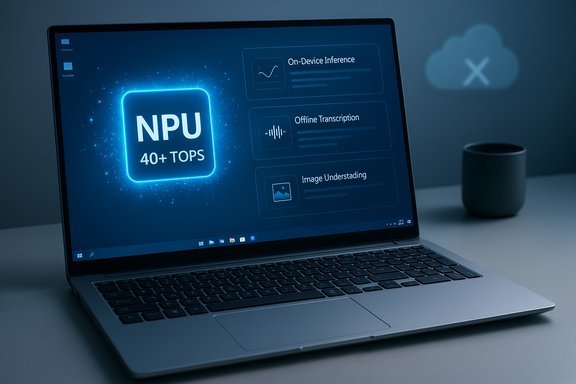
Microsoft has defined a new hardware tier called Copilot+ PCs: Windows 11 laptops that include a dedicated neural processing unit (NPU) capable of at least 40 trillion operations per second (40+ TOPS). That NPU is the gatekeeper for a set of features that can run locally—things like faster vision processing, offline transcription and the controversial Recall timeline. The 40+ TOPS requirement and other Copilot+ eligibility rules are published by Microsoft and repeated across vendor and press coverage. Meanwhile, the broader Windows landscape that surrounds Copilot is shifting rapidly: Windows 10’s mainstream support ended in October 2025, which has accelerated upgrade conversations and made the Copilot story a more pressing question for buyers deciding whether to refresh now or later. This article explains what Copilot+ PCs actually deliver today, how that matched (and diverged from) hands‑on experiences during a week with the Samsung Galaxy Book5 Pro, and what buyers and IT teams should weigh before paying a premium for an AI‑branded laptop. Claims about hardware thresholds, privacy trade‑offs and feature behavior below are checked against Microsoft documentation and independent hands‑on tests.
Source: which.co.uk I used a Copilot+ PC for a week to see if AI was actually useful - Which?
 Background
Microsoft has defined a new hardware tier called Copilot+ PCs: Windows 11 laptops that include a dedicated neural processing unit (NPU) capable of at least 40 trillion operations per second (40+ TOPS). That NPU is the gatekeeper for a set of features that can run locally—things like faster vision processing, offline transcription and the controversial Recall timeline. The 40+ TOPS requirement and other Copilot+ eligibility rules are published by Microsoft and repeated across vendor and press coverage. Meanwhile, the broader Windows landscape that surrounds Copilot is shifting rapidly: Windows 10’s mainstream support ended in October 2025, which has accelerated upgrade conversations and made the Copilot story a more pressing question for buyers deciding whether to refresh now or later. This article explains what Copilot+ PCs actually deliver today, how that matched (and diverged from) hands‑on experiences during a week with the Samsung Galaxy Book5 Pro, and what buyers and IT teams should weigh before paying a premium for an AI‑branded laptop. Claims about hardware thresholds, privacy trade‑offs and feature behavior below are checked against Microsoft documentation and independent hands‑on tests. Overview: what Copilot+ is—and what it isn’t
The engineering premise
The Copilot+ pitch is simple: add an NPU that can run large parts of the assistant’s inference locally, and the machine becomes faster, more private and capable of offline work. In practice that means:- Lower latency for vision and conversational tasks because the NPU does inference on the device.
- Offline capabilities for a subset of features (for example, live captions and some model‑powered helpers).
- New local features like Recall (a periodic snapshot timeline), local image co‑creation, and enhanced video‑call effects.
Where the promises and the reality diverge
Copilot+ is an ecosystem bet: hardware is ready, but software breadth and app support are still catching up. Reporters and forum analyses have repeatedly highlighted three immediate gaps:- Hardware gating creates a two‑tier experience—users on Copilot+ machines can have faster local inferencing while others simply route requests to the cloud. That raises support and expectation problems for IT teams.
- Feature fragmentation—availability often depends on region, Windows channel, OEM firmware and Insider flight status. Not every Copilot+ machine will have identical behavior out of the box.
- Privacy and governance complexity—features that read files, capture screens or keep a memory timeline expand attack surface and need explicit controls. Microsoft has built multiple guardrails, but enterprise policies and user education are essential.
My week with a Copilot+ laptop: what worked
The test device was the Samsung Galaxy Book5 Pro (16‑inch model with Intel Core Ultra 7 and 16GB RAM). It’s a premium thin‑and‑light aimed at creators and professionals, and Samsung bundles Galaxy AI and Copilot+ experiences into that hardware. Specifications and long‑run battery claims are consistent across OEM pages and hands‑on reviews.Instant, practical wins
- Contextual search of mail and cloud files. With Copilot’s connectors enabled (Outlook, Google Drive), asking the assistant to find a tracking number or a specific document returned the correct email or file in seconds—far quicker than manual inbox digging. That saved real time when the task was narrowly defined (e.g., “find the photobook order confirmation”). This is the feature that felt most immediately useful.
- On‑device speed for small vision tasks. Capturing a screenshot and asking Copilot what was on the screen returned fast, useful answers because the NPU handled the visual parsing locally. Detecting text from images and extracting it into actionable copy was notably quicker than a cloud round‑trip.
- Battery life on modern silicon. The Galaxy Book5 Pro’s large battery and efficient Core Ultra silicon produced long real‑world runtimes—many reviewers report 15–24 hours on light workloads, and Which? found Copilot+ models that scored 20+ hours in lab tests. That’s a tangible usability advantage for people who need all‑day battery life away from mains.
- Offline resilience. When switching to airplane mode, a subset of Copilot features remained available—local transcription and some vision utilities still worked, which is a real benefit for travel or poor‑connectivity scenarios. That offline capability is one of the core Copilot+ selling points.
The “nice to have” features that didn’t become essential
- Recall (timeline snapshots) was interesting but low‑value in daily use for me. It captured periodic screen snapshots that could be searched later, but browser history and simple file‑search often solved the same problem without the overhead of constant snapshots. I did test searching for a previously viewed page and Recall found it, but it didn’t feel like a feature I’d rely on daily. Privacy concerns and the always‑on background indexing also make Recall optional for many users. Microsoft notes Recall is opt‑in, encrypts data locally and requires Windows Hello to access snapshots.
- Copilot as an always‑on assistant felt useful for short tasks (grammar fixes, quick summaries) but rarely replaced the speed of a browser search for trivial questions. For many everyday micro‑tasks, free web tools and phone assistants were already sufficient.
Where Copilot+ still falls short
A balanced evaluation must call out the limitations and risks: hardware cost, software maturity, privacy trade‑offs and potential shadow IT problems for organizations.1) Cost versus value
Which? and other lab tests show Copilot+ laptops tend to sit at higher price points because they combine NPUs with premium CPU/GPU and memory configurations. In the UK market sample Which? reported an average price for Copilot+ models notably higher than non‑Copilot machines, though the gap varies by region and vendor. If your workload is browsing, email and video streaming, the premium is hard to justify.2) Two‑tier user experience and fragmentation
Because Copilot capabilities partly depend on local NPUs, Microsoft’s hardware gating creates a two‑tiered UX. Non‑Copilot machines still get many Copilot features via the cloud, but latency, offline availability and privacy properties differ. That complicates purchasing decisions for businesses and raises support questions for IT admins who must manage mixed fleets.3) Privacy, Recall and governance
Recall is the poster child for trade‑offs: it’s convenient, but storing snapshots of screen activity—even encrypted and locally—creates a sensitive artifact that must be governed inside organizations. Microsoft has added protections (Windows Hello confirmation, local encryption, opt‑in enrollment), but the feature has prompted debate and even changes to defaults following security concerns. Enterprises should treat Recall and the broader Copilot memory model as policy items: require opt‑in, set retention limits and ensure device‑level encryption.4) Cloud still matters (and hallucinations too)
Not all reasoning happens on‑device. Complex or large‑context queries still route to cloud models, and Copilot—like all generative assistants—can hallucinate. The assistant is an effective first‑draft generator and a time‑saver for repetitive composition, but outputs still require human verification. That’s a repeated theme across independent reviews and enterprise guidance.5) App compatibility and ARM friction (historical, but relevant)
Early Copilot+ hardware was ARM‑centric and produced app compatibility friction in some scenarios (legacy x86 apps, gaming). Newer Intel and AMD NPUs that meet the 40+ TOPS spec have reduced that friction, but buyers should still verify that critical applications run reliably on their chosen Copilot+ SKU.What Copilot+ is best for (recommended use cases)
If you’re considering a Copilot+ PC, the decision should map to workload. Here’s a practical checklist.- You should consider Copilot+ if:
- You regularly work with large numbers of documents, cloud files and email and will benefit from fast cross‑file search and synthesis.
- You do content creation (photo retouching, light video editing) and want NPU‑accelerated features like Cocreator and local model previews.
- Battery life and all‑day mobile productivity are priorities and you want the combination of efficient silicon and long endurance.
- You should probably skip Copilot+ if:
- Your tasks are basic web browsing, email and streaming and your current machine is adequate. The productivity delta for Copilot+ will be modest.
- You are highly privacy‑sensitive and uncomfortable with features that snapshot or index screen content—even if those are optional and encrypted.
- You’re on a tight budget: Copilot+ models often cost hundreds of pounds/dollars more than mainstream alternatives in practice.
Buying guide: how to evaluate a Copilot+ laptop
- Confirm the NPU spec. Look for the advertised 40+ TOPS NPU capability; Microsoft’s Copilot+ requirements and OEM spec pages make this explicit. If a vendor doesn’t state TOPS or NPU details, ask them.
- Check memory and storage baseline. Many Copilot+ laptops start at 16GB RAM and 256GB/512GB storage. If you plan to keep lots of local snapshot data (Recall) or work with large media, favour higher storage.
- Verify app compatibility. If you depend on niche software, test it on the target configuration, especially on ARM‑based machines or early NPU SKUs.
- Test Copilot features you need. Don’t buy for a slogan; try the specific Copilot features you’ll use—Vision, connectors, Recall—either in store demo units or by loaning/renting evaluation hardware where possible.
- Plan governance for Recall and connectors. If buying for a business, prepare DLP and device policies to manage what Copilot can access and how long memories are retained.
Technical verification: the key claims checked
- The Copilot+ hardware gate of 40+ TOPS is documented and forms the basis for on‑device inference claims. Microsoft’s Copilot+ pages and developer guidance list this threshold.
- Recall is an opt‑in feature that stores periodic snapshots locally and requires Windows Hello to access snapshots; Microsoft documents encryption and local storage behavior. Because Recall stores potentially sensitive artifacts on disk, Microsoft built explicit user controls and encryption protections into the feature.
- Windows 10 end of support occurred on October 14, 2025; the date is confirmed on official Microsoft lifecycle pages and repeated in KB notices. That end‑of‑support milestone has increased the urgency for hardware refresh cycles and Windows 11 adoption.
- The Samsung Galaxy Book5 Pro configurations and battery claims align with Samsung’s product pages and independent lab reviews. Reviewers recorded long battery runtimes on light tasks and noted Intel Core Ultra + Intel AI Boost NPU specs on relevant SKUs.
Risk checklist for IT managers and advanced users
- Permission creep. Copilot connectors and memory features expand the surface of what an assistant can read—review and restrict connectors and train users on granting only necessary scopes.
- Data residency and compliance. For regulated environments verify whether on‑device indexes or cloud‑offloaded transcripts create compliance issues; treat those artifacts like any sensitive cache.
- Agent automation hazards. Copilot Actions (agentic flows) can save time but must be constrained with allow‑lists and human confirmation for financial or identity workflows.
- Patch and telemetry monitoring. Copilot features are evolving; enroll a pilot group, monitor telemetry and be prepared to roll back or restrict features if reliability or security issues surface.
Verdict: is a Copilot+ PC worth it today?
For power users who routinely juggle large document sets, produce multimedia or spend long stretches untethered from power, a Copilot+ PC is a sensible option that adds measurable convenience—especially for fast local vision and speech tasks, and when you value the offline fallback. The Samsung Galaxy Book5 Pro example demonstrates those strengths in a real, usable laptop package. For the average user whose routine is email, browsing, streaming and occasional office work, the premium is harder to justify: free web assistants and mobile AI often cover those needs without new hardware. If your current machine still runs well, waiting for broader software maturity and lower entry prices is a reasonable strategy. Ultimately, Copilot+ PCs are not vaporware—they deliver tangible benefits—but they are an investment in a future that is still being built. Buyers should evaluate concrete use cases, confirm compatibility and governance, and treat Copilot as a productivity multiplier that still needs human oversight and policies to be safely productive.Fast recommendations (TL;DR)
- If you: edit photos/video, need long battery life and value offline AI features → strongly consider Copilot+.
- If you: use a laptop for email, web and streaming and are budget‑sensitive → skip for now; a mid‑range Windows laptop plus web AI will suffice.
- If you manage fleets: pilot Copilot+ devices with a small user group, design DLP and retention rules for Recall and connectors, and require Windows Hello for sensitive features.
Source: which.co.uk I used a Copilot+ PC for a week to see if AI was actually useful - Which?
