

Early adopters bought Copilot+ PCs promising “all‑day battery life” and on‑device AI, but a growing thread of real‑world reports — from students who can’t run SQL Server to owners of ASUS Vivobook S15s wrestling with driver and firmware chaos — shows a painful gap between Microsoft’s marketing and practical usability for power users and developers.
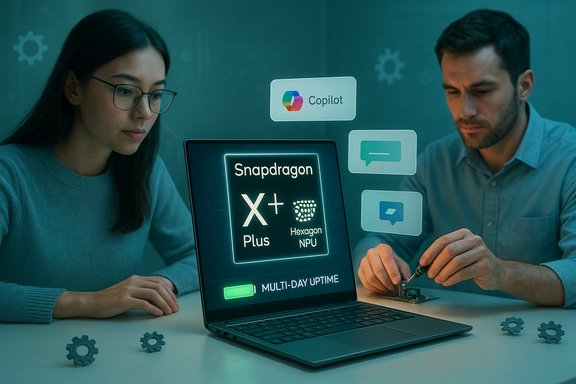
Microsoft introduced the Copilot+ PC label to mark Windows devices that combine a capable CPU/GPU with a dedicated Neural Processing Unit (NPU) to run on‑device AI features. The company positioned Copilot+ as a tier for machines able to handle local inference for things like Recall, Live Captions, and other assistant‑style capabilities — hardware that often first arrived on Qualcomm’s Snapdragon X family. Qualcomm’s Snapdragon X Plus (and sibling X Elite) silicon explicitly advertises a Hexagon NPU rated at about 45 TOPS (trillions of operations per second) and partners including ASUS, Dell and Microsoft surfaced Copilot+ SKUs built around that NPU promise. Tom’s Hardware and OEM spec pages list the same NPU figures and marketing positioning. On paper the story is compelling: thinner designs, multi‑day battery claims in light usage, and an NPU capable of handling local AI inference without cloud calls. In practice the ecosystem surrounding those devices — drivers, recovery tooling, critical ISV support and timely vendor firmware updates — has been uneven, and that is now causing real pain for some users.
Source: Букви Microsoft Copilot+ PC Snapdragon X Plus Laptops Face User Disappointment | Ukraine news - #Mezha
 Background
Microsoft introduced the Copilot+ PC label to mark Windows devices that combine a capable CPU/GPU with a dedicated Neural Processing Unit (NPU) to run on‑device AI features. The company positioned Copilot+ as a tier for machines able to handle local inference for things like Recall, Live Captions, and other assistant‑style capabilities — hardware that often first arrived on Qualcomm’s Snapdragon X family. Qualcomm’s Snapdragon X Plus (and sibling X Elite) silicon explicitly advertises a Hexagon NPU rated at about 45 TOPS (trillions of operations per second) and partners including ASUS, Dell and Microsoft surfaced Copilot+ SKUs built around that NPU promise. Tom’s Hardware and OEM spec pages list the same NPU figures and marketing positioning. On paper the story is compelling: thinner designs, multi‑day battery claims in light usage, and an NPU capable of handling local AI inference without cloud calls. In practice the ecosystem surrounding those devices — drivers, recovery tooling, critical ISV support and timely vendor firmware updates — has been uneven, and that is now causing real pain for some users.What buyers expected vs. what they’re seeing
The promise: AI at the edge, longer battery life, better privacy
- Copilot+ marketed AI features intended to work locally, reducing latency and cloud dependencies while improving privacy.
- Snapdragon X‑series hardware promised strong NPU throughput (around 45 TOPS) and OEM pages touted advanced AI capabilities such as Cocreator, Recall and accelerated media workloads.
The reality: compatibility, driver fragility, and missing app support
Early adopters report several recurring categories of issues:- Application compatibility — many legacy or specialized Windows apps (including some developer and engineering tools) either don’t run natively on Arm64 or require complex workarounds. That gap matters to students and professionals who rely on tools like SQL Server, certain engineering suites, and bespoke lab software.
- Driver and firmware bugs — GPU/Adreno drivers, camera/Hello failures, and intermittently broken WinRE or recovery paths have been reported across platforms. Users describe system freezes, flicker, persistent fans after updates, and peripheral oddities that OEMs must patch. Community threads and hands‑on reports trace many problems to driver mismatches and minimal recovery images missing device drivers.
- Update slippage from OEMs — some users claim extended periods with no meaningful firmware or driver updates that would fix long‑standing issues; in at least one reported thread this was framed as “no updates since June 2025.” Such claims are time‑sensitive and vary by model and region; manufacturer update cadence is inconsistent across SKUs. This particular “six months without updates” assertion could not be universally verified against official ASUS channels at the time of reporting and should be treated cautiously.
Deep dive: Why SQL Server becomes a showstopper for students and engineers
A recurring and concrete example is SQL Server — a staple in academic database coursework and many engineering projects. The landscape for SQL Server on Windows Arm64 is important because it highlights the practical compatibility limits of Copilot+ hardware.- Microsoft officially provides SQL Server Management Studio (SSMS) builds that support Arm64 on Windows, meaning tools to manage servers can run on ARM‑based Windows clients. But the SQL Server database engine itself remains officially targeted to x64 architectures for production in many releases, and the native server installer often refuses to run on Arm64 Windows devices. That means students who expect to install a local SQL Server instance natively may hit a hard block.
- Community investigations and hands‑on reports document common workarounds: using LocalDB v16 (a lightweight instance compatible in many scenarios), running SQL Server inside Linux or Docker (which is often hampered by the lack of x64 images on Windows/ARM or by WSL2 limitations), or using unofficial “installer hacks” to coerce SQL Server onto Arm64 Windows. These are brittle, unsupported, and frequently break network/protocol behavior that coursework expects.
- An additional complication: Microsoft’s Azure SQL Edge (an alternative containerized edge database) has seen shifting support for Arm64 images and has its own deprecation timeline, reducing one of the viable supported alternatives for on‑device SQL workloads. That makes the pathway for reliable, long‑term SQL Server development on Arm64 Windows more tenuous.
The root causes: ecosystem immaturity, OEM QA, and Microsoft’s phased rollout
1) Architecture transition costs
Moving from x86 to Arm in an ecosystem the scale of Windows brings systemic friction: emulation layers (Prism/translation stacks), driver parity for WinRE and firmware, and third‑party tooling must all be adapted. Emulation and translation can mask some incompatibilities, but they increase complexity and reduce predictability in edge cases. These structural mismatches are exactly what's being reported in forums and support threads.2) Driver packaging and recovery image gaps
Many of the failures described by users trace back to missing or mismatched drivers inside the Windows Recovery Environment (WinRE) or in OEM SOC packages. Because WinRE uses a compact “Safe OS” image, it sometimes lacks the drivers required to access certain USB or NVMe controllers on specific Arm platforms, breaking bare‑metal restore and recovery workflows that were reliable on x64 laptops. That is a critical pain point for power users and IT admins.3) OEM update cadence and QA
OEMs ship many SKUs with complex drivers and firmware. Early Copilot+ SKUs hit shelves fast, but vendor update support is uneven: some models get frequent patches, while others lag. When vendor updates are slow or missing, Windows cumulative updates can expose incompatibilities and leave users with a broken experience until vendors supply matching drivers. Community threads show multiple cases where uninstalling a Windows update temporarily fixed symptoms until OEM drivers caught up.4) Microsoft’s phased Copilot+ feature gating
Microsoft initially positioned Copilot+ features to run on devices meeting a hardware threshold (notably NPUs around or above ~40 TOPS). That meant Qualcomm‑based machines could access a fuller feature set first, while Intel/AMD variants received feature patches later. The phased approach reduced initial device reach and created confusion about which features were truly “universal” vs. hardware‑dependent. The rollout model improved availability for certain AI features but also amplified the perception of exclusivity and fragmentation.Strengths and the parts that do work well
This is not a one‑sided failure. Several genuine strengths justify the Copilot+ experiment and explain why many reviewers still like these devices:- Battery life and thermal behavior — Snapdragon X machines run cool and deliver very good battery life for typical productivity workloads, a key advantage for travelers and students. Multiple hands‑on reviews corroborate that the everyday “office and web” experience is excellent.
- On‑device AI acceleration — for supported apps and workloads, the Hexagon NPU delivers snappy local inference for features like live captions, simple image processing and assistant interactions without constant cloud dependency. Where optimized, execution is noticeably faster and more private than cloud‑backed equivalents.
- Device design choices — OEMs produced attractive thin, light hardware with OLED displays and modern I/O that appeal to mainstream consumer and student buyers. These design wins matter and are often praised even in mixed reviews.
Risks and long‑term concerns
- Mission‑critical compatibility — for software used in engineering, labs, enterprise applications or research that depends on native x64 binaries, the current state poses a real productivity risk. Unsupported installers or fragile workarounds are not acceptable in professional or coursework settings.
- Supportability and enterprise deployment — IT teams depend on predictable update paths and solid recovery tooling. Until WinRE, firmware, and OEM drivers stabilize across the chipset line, Copilot+ devices increase support overhead and operational risk.
- User experience fragmentation — Microsoft’s phased Copilot+ features, OEM SKU variability, and regionally staggered rollout of Copilot functionality create confusion. Buyers can easily misunderstand whether a particular model will deliver the branded experience.
- Longevity of workarounds — community “installer hacks” and ad‑hoc fixes for SQL Server or other critical apps are brittle. They may stop working with the next Windows update or be blocked by security hardening, leaving users stranded.
Practical advice for prospective buyers (clear, actionable guidance)
- Define your workflow first. List the exact applications you must run natively (for example: SQL Server, Visual Studio workloads, engineering suites). If those apps are x64‑only or have known Arm issues, prefer x64/Intel/AMD SKUs or verify vendor support.
- Verify OEM update history for your exact SKU. Check the manufacturer’s support page for the model and review the driver/firmware release dates. If you see long gaps or limited driver packages, be cautious. Claims that a vendor “hasn’t released updates since June 2025” should be validated against the vendor’s official support portal for that model before you rely on them.
- Test critical software before committing. If possible, try running the exact software you need (or an evaluation version) on the device in store or via a short return window. For database work, verify whether LocalDB, Docker images, or Azure replacements meet your course or project requirements.
- Budget support time. Early adopters commonly spent hours troubleshooting driver and compatibility issues. If you lack time or patience for advanced troubleshooting, buy a platform that guarantees native compatibility with your essential tools.
- Use conservative update policies for production or coursework machines. Delay non‑security feature updates until OEM drivers and Windows servicing are confirmed stable for your model. Community reports often show uninstalling a Windows update restored stability until vendor fixes shipped.
What manufacturers and Microsoft should do next
- OEMs must accelerate and harmonize driver/firmware support and publish clearer update roadmaps for Copilot+ SKUs. Recovery images (WinRE) must include the drivers necessary for vendor‑supplied storage and USB controllers to preserve restore/repair workflows.
- Microsoft should continue to expand Copilot+ feature parity across silicon vendors while clarifying which features are hardware‑dependent vs. broadly available, and work with ISVs to prioritize desktop‑style UX for apps that students and professionals rely on.
- ISVs should publish explicit Arm64 compatibility statements and test installers on Arm64 Windows configurations (including WSL2/Docker scenarios).
Outlook — the next generation and whether lessons will stick
Qualcomm and other silicon vendors are already public about follow‑on silicon lines and increased NPU performance in future chips. OEMs are preparing new SKUs and Microsoft has continued to broaden Copilot+ support to additional Intel and AMD platforms in staged updates. The technical trajectory points to improved raw AI capability, but long‑term success depends on software and update maturity rather than just peak TOPS numbers. If the industry learns from these first‑wave mistakes — faster OEM firmware/QA cycles, better recovery images, explicit ISV support for Arm64, and clearer Microsoft messaging — Copilot+ devices can still deliver meaningful day‑to‑day benefits without strangling productivity. If not, early adopters will remain the test pilots who pay in time and lost productivity.Conclusion
Copilot+ PCs built on Snapdragon X Plus deliver real, tangible advantages in battery life and on‑device AI acceleration where apps are optimized. However, the platform transition from x86 to Arm has exposed ecosystem fragility: driver mismatches, recovery image gaps, and software compatibility problems can turn a promising machine into a time sink for students and professionals who need predictable toolchains such as SQL Server. Prospective buyers must match the device to their concrete needs, validate software support rigorously, and account for potential troubleshooting time. Vendors and Microsoft must prioritize support cadence and compatibility clarity if Copilot+ is to move beyond a niche of curious adopters and into reliable, mainstream productivity hardware.Source: Букви Microsoft Copilot+ PC Snapdragon X Plus Laptops Face User Disappointment | Ukraine news - #Mezha
