

Microsoft’s newest Surface lineup, equipped with Qualcomm’s Snapdragon® X Series silicon and marketed as Copilot+ PCs, brings a distinct shift in how mainstream Windows laptops and 2‑in‑1s handle AI, battery life and everyday productivity — and the year‑end retail push in Malaysia makes the case that students and mobile professionals can realistically consider these Arm‑based machines as practical upgrades today.
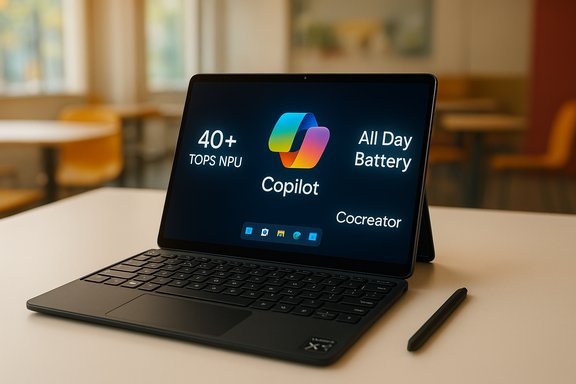
Microsoft and Qualcomm have been explicit about the goal: deliver Windows devices that blend on‑device AI acceleration with long battery life and the familiar Windows and Microsoft 365 ecosystems. The Copilot+ PC category centers on a high‑performance Neural Processing Unit (NPU) — generally described by Microsoft as capable of “40+ TOPS” — that offloads and accelerates AI workloads locally, while Windows 11 and Microsoft’s Copilot features tie cloud and device models together for hybrid AI experiences.
Qualcomm’s current Snapdragon X Series processors (notably Snapdragon X Plus and Snapdragon X Elite) ship with a Hexagon NPU rated at around 45 TOPS in device implementations, and OEM builds of Surface machines (in both laptop and detachable 2‑in‑1 form factors) have been configured around those SKUs. Those chips emphasize a mix of CPU, GPU and NPU performance while aiming to preserve battery longevity — a core selling point for students, hybrid workers, and anyone who spends long days away from a power outlet.
Buyers should therefore treat any specific price point as conditional: it may be an accurate representation of a current promotion but not necessarily the device’s long‑term street price.
That said, Copilot+ PCs do not obliterate the need for cloud compute, nor do they eliminate platform tradeoffs. Heavy workstation tasks, legacy enterprise software and scenarios that require large‑scale model inference will still rely on cloud resources or high‑end x86/Apple Silicon machines. Copilot+ is a major step toward more capable mobile PCs, but it is an evolutionary, not revolutionary, replacement for every type of computer.
Strengths to lean on:
Ultimately, these devices are not just a new Surface line — they represent a broader shift in the PC market where on‑device AI acceleration and efficient silicon are becoming must‑have features for real‑world, day‑to‑day productivity. Buyers should balance promotional timing, required accessories, and app compatibility when deciding whether this generation of Copilot+ PC is their next upgrade.
Source: Pokde.Net Step into the Copilot+ PC Era with Snapdragon®-Powered Microsoft Surface - Pokde.Net
 Background / Overview
Microsoft and Qualcomm have been explicit about the goal: deliver Windows devices that blend on‑device AI acceleration with long battery life and the familiar Windows and Microsoft 365 ecosystems. The Copilot+ PC category centers on a high‑performance Neural Processing Unit (NPU) — generally described by Microsoft as capable of “40+ TOPS” — that offloads and accelerates AI workloads locally, while Windows 11 and Microsoft’s Copilot features tie cloud and device models together for hybrid AI experiences.Qualcomm’s current Snapdragon X Series processors (notably Snapdragon X Plus and Snapdragon X Elite) ship with a Hexagon NPU rated at around 45 TOPS in device implementations, and OEM builds of Surface machines (in both laptop and detachable 2‑in‑1 form factors) have been configured around those SKUs. Those chips emphasize a mix of CPU, GPU and NPU performance while aiming to preserve battery longevity — a core selling point for students, hybrid workers, and anyone who spends long days away from a power outlet.
What “Copilot+ PC” Actually Means
Hardware: CPU, GPU, NPU — an AI triad
Copilot+ PCs are built on the premise that modern user workflows increasingly need both raw compute and on‑device AI acceleration. The architecture couples:- a multi‑core Arm CPU (Qualcomm’s Oryon cores in the X Series),
- an Adreno GPU tuned for media and graphics,
- and a dedicated Hexagon NPU delivering tens of TOPS for AI inference.
Software: Windows 11, Copilot and optimized apps
Windows 11 has been updated to surface Copilot features and system‑level AI services that take advantage of on‑device NPUs. Microsoft positions Copilot+ PCs as the “fastest, most intelligent Windows PCs,” with device‑side acceleration used for:- Recall (personal content search and context),
- Windows Studio Effects for camera and audio,
- Cocreator in Paint and Photos for instant image generation and restyling,
- real‑time Live Captions and translations.
What the Snapdragon X Series Brings to Surface
Measured AI capability: 40–45 TOPS NPU
Qualcomm X Series silicon used in recent Surface models implements a Hexagon NPU rated in the mid‑40 TOPS range. That figure is important because it’s the order of magnitude Microsoft uses to qualify a device as Copilot+. In practice, that NPU capability translates to faster, more energy‑efficient AI inferencing than if the same tasks were routed to CPU or GPU.Performance vs. power
The Snapdragon X Series design prioritizes efficiency. That is why many Copilot+ Surface SKUs promise all‑day battery life on typical workloads and very long video‑playback numbers for scenarios where streaming or offline media playback is the metric. In Microsoft’s product positioning, these chips are intended to keep devices cool and quiet while delivering consistent responsiveness for long periods — an attractive profile for mobile students and professionals who value portability.Windows optimizations and app ecosystem
Microsoft has been actively optimizing the Windows stack and first‑party apps for Arm silicon. That means Microsoft 365 apps are increasingly offering native Arm performance, and major third‑party developers are shipping Arm builds too. Nevertheless, binary compatibility still relies on emulation for some software today, and real‑world performance for legacy apps varies.Surface models and configurations to watch
Microsoft’s recent Surface family covers both detachable tablet‑style devices and traditional clamshells. Typical configurations promoted in the region include:- Microsoft Surface Pro (12‑inch) — a 2‑in‑1 tablet with a detachable keyboard and pen support; configured with Snapdragon X Plus in many SKUs, 16GB RAM and 256/512GB storage options.
- Microsoft Surface Laptop (13‑inch) — thin clamshell with Snapdragon X Plus, 16GB RAM and 256/512GB storage; emphasized as the battery‑centric, ultra‑portable laptop.
- Microsoft Surface Pro (13‑inch / “Pro 11th Edition”) — higher‑end configurations with Snapdragon X Elite and 13‑inch OLED PixelSense Flow displays for creators who want more screen fidelity.
- Microsoft Surface Laptop (7th Edition, 13.8 and 15‑inch) — options spanning X Plus and X Elite chips, with larger displays and HDR support on some variants.
Retail reality: promotions, pricing and bundles (Malaysia example)
Retail bundles for year‑end campaigns — especially in markets like Malaysia — have included pricing and freebies designed to lower the entry barrier for students and professionals. Common promotional elements have been:- reduced SRPs on select Surface SKUs,
- free or discounted accessories (keyboard, Slim Pen, chargers),
- ShieldCare extended warranties and food/merchant vouchers,
- bundled Microsoft 365 subscriptions or discount coupons,
- flexible financing and BNPL options.
Buyers should therefore treat any specific price point as conditional: it may be an accurate representation of a current promotion but not necessarily the device’s long‑term street price.
Strengths: why these Surface Copilot+ PCs make sense for students and mobile professionals
- On‑device AI acceleration — The integrated Hexagon NPU brings substantive on‑device AI capability, enabling low‑latency features like real‑time video effects and transcription without recurring cloud dependency.
- Long battery life — Selected Surface configurations advertise very long local video playback numbers and multi‑day real‑world endurance for light to moderate productivity, a clear win for transit‑heavy users.
- Portability and design — Surface devices remain among the lightest, most elegant Windows options; 2‑in‑1 versatility helps students switch between note‑taking and document work seamlessly.
- Microsoft 365 integration — Copilot features are tightly integrated with Microsoft 365 apps that students and professionals already use, offering AI helpers for writing, data analysis, and presentation generation inside Word, Excel and PowerPoint.
- Security defaults — Microsoft ships these devices with modern platform security features, such as Pluton TPM integration and secured‑core defaults, which are beneficial for school or corporate deployments.
- Bundled purchase options — Retail promotions that include keyboards or subscriptions can reduce total immediate cost compared to buying accessories separately.
Risks and realistic caveats
App compatibility and the Arm ecosystem
The transition to Windows on Arm is mature, but incomplete. Many major apps now run natively on Arm or have high‑quality emulation, but niche, legacy or plugin‑heavy software can still behave differently on Arm silicon. Users relying on specialized Windows x86/x64 apps should verify compatibility and benchmark the specific workflows they need before committing.Emulation limitations and performance variability
Even with an advanced emulator, some CPU‑bound workloads (especially single‑threaded legacy applications) may not match the performance of contemporary x86 CPUs in the same thermal envelope. Benchmark headroom varies by workload; AI inference and media tasks will favor the NPU/GPU‑accelerated workloads, but raw CPU tasks could be less competitive versus the fastest Intel/AMD or Apple Silicon alternatives in some scenarios.Storage and upgradability
Many modern Surface designs limit user upgrades. Base storage of 256GB may be tight for students who store large media libraries, virtual machines or datasets locally. External NVMe and cloud storage are practical alternatives, but they add cost and complexity.Cost of accessories and total ownership
Surface keyboards, styluses and protective cases are frequently sold separately. Promotional bundles that include those accessories represent meaningful value, but standard retail purchases can add hundreds of dollars/RM to the effective price. Also consider Microsoft 365 subscription costs as ongoing operating expenses if you want cloud sync and Copilot features.Regional pricing variance and promotional uncertainty
Retail prices, promotional savings and included freebies differ significantly by country, retailer and time. An advertised device price in one store during a year‑end sale may not be available elsewhere, and some “from” prices assume trade‑ins or specific financing.Limitations of on‑device AI models
On‑device NPUs excel at inference and running smaller models. But they are not a replacement for large language models running in the cloud when you need vast knowledge, extremely long‑context reasoning or heavy generative tasks. Copilot+ PCs use a hybrid approach: lightweight models on‑device for responsiveness and privacy; cloud models for heavier reasoning. That hybrid model is powerful, but it means you may still rely on the cloud for some advanced Copilot capabilities.How to decide: recommended configurations and checklist
If you’re a student or a mobile professional considering a Copilot+ Surface device, here’s a practical decision checklist and recommended configurations:- Identify your workload:
- Light productivity, writing, web research: 16GB RAM + 256GB storage is usually sufficient.
- Creative workflows, photo editing, multi‑project use: prefer 16GB+ and 512GB or larger storage.
- Heavy local data work, virtualization, large video edits: reconsider an x86 laptop with more cores and discrete GPU, or plan for external storage and cloud compute.
- Check app compatibility:
- Confirm that your essential apps have native Arm builds or test them under emulation (many retailers provide demo units).
- If you depend on plug‑ins or legacy engineering apps, verify support with the developer.
- Battery vs. performance tradeoff:
- If battery life and portability are paramount (long campus days, travel), Snapdragon X Series Surface models are compelling.
- If peak CPU throughput for heavy compiles or local rendering is crucial, compare head‑to‑head with x86 alternatives.
- Keyboard/Pen requirement:
- If you plan to use in laptop configuration or for heavy note‑taking, factor the keyboard and pen cost into the purchase (and watch for bundles that include them).
- Storage strategy:
- If buying a 256GB model, plan for cloud storage or external NVMe SSD for media and large files.
- Warranty and local service:
- Consider ShieldCare or extended warranties when available (they often appear in promotional bundles) for peace of mind in student or professional deployments.
Purchasing tips during promotions
- Compare total bundle value, not just headline price: a slightly higher price that includes keyboard and Microsoft 365 may be better value than a cheaper SKU that leaves out accessories.
- Validate subscription pricing separately: regional Microsoft 365 rates and perpetual Office licenses can vary. Retailers often bundle discounted Microsoft 365 subscriptions with devices; verify whether the subscription is genuine and activation is straightforward.
- Check financing and BNPL terms carefully: 0% instalment plans are attractive, but read the fine print about deferred fees and eligibility.
- Keep receipts and registration proof for voucher redemptions and ShieldCare enrolments — some offers require separate redemption steps.
- If you need Windows‑only compatibility for legacy apps, demand a hands‑on test before buying.
How Copilot+ PCs change computing expectations (and where they don’t)
Copilot+ PCs mark a pragmatic shift: AI is no longer merely a cloud feature appended to apps; it is increasingly a hardware‑accelerated function baked into the device. For everyday productivity, that means faster, lower‑latency experiences around writing, meeting prep, note recall and on‑device media generation. For mobile users — students, journalists, consultants — the promise of longer battery life plus instant AI tools is a tangible productivity boost.That said, Copilot+ PCs do not obliterate the need for cloud compute, nor do they eliminate platform tradeoffs. Heavy workstation tasks, legacy enterprise software and scenarios that require large‑scale model inference will still rely on cloud resources or high‑end x86/Apple Silicon machines. Copilot+ is a major step toward more capable mobile PCs, but it is an evolutionary, not revolutionary, replacement for every type of computer.
Final analysis and recommendation
Snapdragon‑powered Surface Copilot+ PCs present a compelling option for students and mobile professionals who value portability, all‑day battery life and built‑in AI conveniences. The hardware — Qualcomm’s X Series with a mid‑40 TOPS Hexagon NPU, paired with Microsoft’s Windows 11 Copilot integrations — supports on‑device AI tasks that were previously impractical without cloud roundtrips.Strengths to lean on:
- Real, usable on‑device AI for everyday tasks.
- Industry‑leading battery claims for local playback and typical office workloads.
- Tight integration with Microsoft 365 workflows.
- App compatibility and emulation caveats for niche or legacy software.
- Accessory and subscription costs that can increase total ownership price.
- Regional pricing and promotion variability — advertised bargains often reflect time‑limited local retailer bundles.
Ultimately, these devices are not just a new Surface line — they represent a broader shift in the PC market where on‑device AI acceleration and efficient silicon are becoming must‑have features for real‑world, day‑to‑day productivity. Buyers should balance promotional timing, required accessories, and app compatibility when deciding whether this generation of Copilot+ PC is their next upgrade.
Source: Pokde.Net Step into the Copilot+ PC Era with Snapdragon®-Powered Microsoft Surface - Pokde.Net
