Microsoft has pushed Copilot Studio deeper into developer workflows by making the Copilot Studio extension for Visual Studio Code generally available (GA), a move that folds agent authoring, versioning, and deployment into the same toolchain teams already use for application code.
Background
Copilot Studio is Microsoft’s low‑code/no‑code platform for building, testing, and governing AI agents that can answer questions, act on tenant data, integrate with Microsoft Graph and connectors, and drive conversational or autonomous flows. The goal has been to make agents first‑class organizational artifacts that can be created and governed at scale. With the new VS Code extension moving to GA, Microsoft is explicitly enabling a developer‑centric lifecycle: clone agents, edit full agent definitions, run local tests, commit to Git, and promote changes across environments. This release arrives against a busy backdrop: Microsoft has been consolidating Copilot experiences across products (GitHub Copilot, Microsoft 365 Copilot, Windows Copilot), open‑sourcing client components of the Copilot experience in stages, and responding to security research that exposed design weaknesses in agent hosting and consent flows. Those security conversations make the GA announcement especially relevant for IT and security teams planning production rollouts.What GA actually means for teams
Developer workflows brought into a single IDE
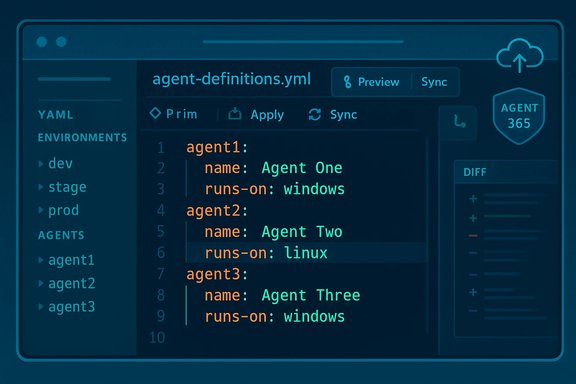
The extension makes agent definitions editable as code inside VS Code, with familiar editor features:- Syntax highlighting and IntelliSense for YAML agent definitions and component files.
- Local clone, edit, and compare workflows so developers can work offline and preview diffs before syncing.
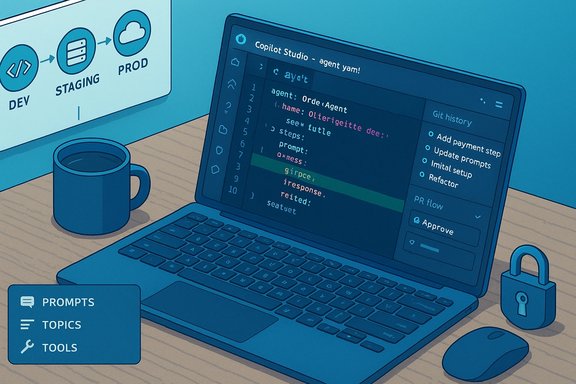
- Git integration for branching, pull requests, and code review as gating controls for agent changes.
- Deploy and redeploy agent definitions to named environments from the IDE.
Platform and account requirements (verified)
Microsoft’s official documentation lists concrete prerequisites for the extension:- Supported OS: Windows (x64; Windows 10 1809 or later) and macOS.
- Visual Studio Code: version 1.80 or later recommended.
- Internet connection for install/authentication.
- A Microsoft account with Copilot Studio license / environment access, and read/write permissions to agents developers will edit.
Key features and capabilities
- Full agent definition editing: topics, prompts, tools, triggers, connectors, and knowledge references become editable files.
- Live preview and local testing: developers can run simulations of agent behavior locally before deploying changes.
- Packaging and migration: tooling to move agents between environments (dev → staging → production) while tracking changes with Git.
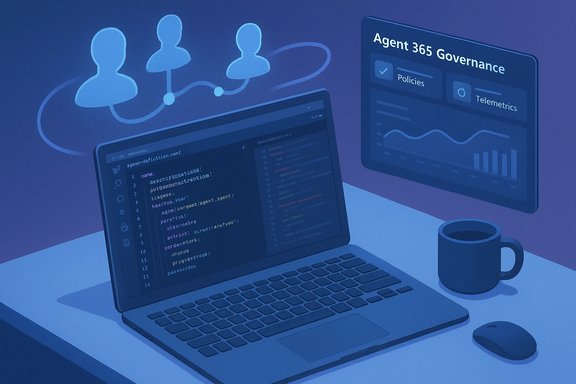
- Governance hooks: admin review points and configuration options to align agent deployment with enterprise policies.
Why this matters: practical upside for developers and organizations
- Faster iteration: editing agents as code reduces lag between design and test cycles. Local editing + push semantics let teams iterate rapidly without switching between the web UI and IDE.
- Better collaboration: Git workflows enable code review, automated linting, and checks that were previously awkward to enforce on a GUI‑centric authoring flow.
- Source control and traceability: agent changes become auditable commits with a history and diffs—important for governance, debugging, and compliance.
- Integration with existing toolchains: teams can incorporate agent tests into existing CI pipelines and leverage the IDE extensions they already trust.
Security and governance: real risks you must treat as first‑order
Moving agent authoring into VS Code is a productivity win, but it also magnifies the attack surface in several ways. Recent security research and marketplace incidents underscore practical risks that teams must address before wide deployment.Governance and consent abuse (CoPhish / Reprompt concerns)
Researchers demonstrated techniques where malicious or compromised agents hosted on trusted Microsoft domains can deliver OAuth consent phishing or long‑running prompt chains that exfiltrate tokens and session context. These attacks exploit legitimate UX flows—consent dialogs, hosted agent pages, and chained prompts—rather than classic remote code vulnerabilities. Microsoft issued mitigations after disclosures, and operators are advised to confirm patches and mitigations in their tenant and client versions before assuming safety.Marketplace and extension supply‑chain threats
The VS Code Marketplace has repeatedly been the vector for malicious extensions (infostealers, ransomware capabilities, and dropper behaviors). While the official Copilot Studio extension is published by Microsoft, the broader marketplace ecosystem still contains hostile packages. Teams should enforce marketplace filtering, allow‑list trusted publishers, and use endpoint protections to detect malicious extension behavior. Recent incidents show malicious extensions can execute on every editor event and exfiltrate secrets or credentials.Operational risk of live push semantics
The extension’s live edit/push model raises a governance trade‑off: convenience vs. control. Allowing developer machines to push agent changes directly to cloud environments without CI gates risks accidental or malicious deployment of agents that request overly broad Graph permissions or invoke sensitive connectors. Enforce branch protections, require PR reviews for production branches, and implement automated policy checks before allowing pushes to production environments.Practical security checklist
- Verify tenant patches and Copilot/Copilot Studio client versions against vendor advisories before production rollout.
- Use allow‑lists and Marketplace governance; restrict who can install/publish extensions in managed environments.
- Enforce code review and CI gates for agent deployments; require automated tests, permission scanning, and secrets detection.
- Apply least‑privilege to agent connectors and Graph permissions; periodically audit OAuth consents and app registrations.
How to get started (practical steps)
- Confirm licensing and tenant access: ensure your user account has a Copilot Studio license and environment access.
- Update VS Code: run the latest stable release (Microsoft recommends 1.80 or later).
- Install the extension: search for “Copilot Studio” in the Extensions pane or install from the VS Code Marketplace.
- Authenticate and verify interface: sign in when prompted and confirm the Agents pane lists your environments.
- Clone an agent and run local tests: edit YAML definitions, run a local preview, and inspect diffs before pushing.
- Integrate with Git: set up branches, PR templates, and CI policies that validate agent definitions before deployment.
Governance model recommendations for enterprise adoption
- Treat agent definitions as code: require PR reviews, automated linting, and unit/integration tests in CI.
- Centralize permission management: limit which service principals and connectors can be referenced by agents and require approval workflows for new ones.
- Audit telemetry and logs: configure tenant‑level auditing and Purview/endpoint monitoring to ensure agent activity is observable.
- Run periodic security drills: simulate compromised agent scenarios (consent phishing, exfiltration chains) and validate detection/response playbooks.
Strengths worth highlighting
- Developer ergonomics: powerful integration into VS Code lowers friction and brings agent work into standard engineering cycles.
- Lifecycle parity: agents can now receive the same QA, staging, and release discipline as application code.
- Platform reach: built‑in connectors (Microsoft Graph, Power Platform, external APIs) let agents automate a broad set of enterprise tasks when designed responsibly.
Where caution is still required
- Documentation and channel gaps: some documentation artifacts across GitHub, Microsoft Learn, and product repos can lag; confirm the extension version, release notes, and supported features before relying on GA language for mission‑critical deployments.
- Residual security design issues: attacks that abuse legitimate consent flows or chained prompts remain a concern; mitigation requires both product patches and tenant‑level hardening.
- Marketplace hygiene: the presence of malicious third‑party extensions means administrators should be conservative about allow‑listing and continuous monitoring.
A developer checklist for safe adoption
- Confirm Copilot Studio license coverage and tenant environment access.
- Install the extension in a sandbox tenant and exercise local testing, CI pipelines, and PR workflows.
- Run static validation and permission scanning in CI; block merges if agent definitions request risky scopes.
- Limit who can publish to production and require multi‑party signoff for high‑impact agents.
- Monitor for anomalous agent behavior and maintain an incident response plan for compromised agents or consent abuse.
Final analysis — productivity gains vs. operational risk
Making the Copilot Studio extension GA for VS Code is a logical and powerful step for Microsoft’s agent strategy: it brings authoring into the mainstream tooling that developers use daily and enables enterprise‑grade workflows like version control, CI gating, and code review. For teams that implement robust governance and security controls, the extension is a net positive that can accelerate safe, auditable agent deployments. However, the same features that make the extension convenient—live edit/push, cloud sync, and integrated connectors—also create new operational failure modes if introduced without checks. Recent disclosures about consent‑based attack chains and malicious marketplace packages show the threats are real and practical; they must be addressed with tenant hardening, marketplace governance, and CI fences before production rollouts.Enterprises that balance agile agent development with disciplined governance will capture the most value. For the rest, the GA release is an important signal: agent engineering is maturing quickly, and waiting only delays the need to define policies, testing, and monitoring frameworks that will become standard for AI agent lifecycles.
Conclusion
The Copilot Studio extension for Visual Studio Code becoming generally available is a watershed moment for agent engineering: it folds agent authoring into the same versioned, testable, and reviewable lifecycles that modern software teams already use. The payoff is substantial—faster iteration, better traceability, and closer integration with existing toolchains—but the risks are equally tangible. Organizations must approach adoption with a measured plan that includes tenant verification, CI gating, permission minimization, and active monitoring to ensure that productivity gains are not offset by preventable security or governance failures. Installation and onboarding documentation is available in the Microsoft Copilot Studio documentation and the VS Code extension page; administrators should confirm extension version, monthly release cadence, and tenant policy settings before beginning a production rollout.Source: BleepingComputer https://www.bleepingcomputer.com/ne...xtension-for-vs-code-now-publicly-available/]