

Microsoft's latest move turns Copilot from a conversational helper into an autonomous worker: Copilot Tasks promises to accept natural‑language instructions, spin up its own browser and compute environment, and perform multi‑step work in the background — scheduling, interacting with web pages and apps, and returning results when it's done.
Microsoft first positioned Copilot as a conversational assistant that augmented search and productivity tools across Windows, Edge, and Microsoft 365. Over time the company added connectors, "actions" that could manipulate on‑device apps, and limited agentic features. Copilot Tasks is the next evolution: an interface where you describe what you want done — “research competitors and summarize findings,” “book three flights that fit these constraints,” or “compile monthly expense reports and upload to OneDrive” — and Copilot will plan the steps, acquire the data it needs, and execute them using a dedicated, isolated compute environment and a browser instance that it controls.
This is a structural shift in how consumer and enterprise users will interact with AI assistants. Instead of a back‑and‑forth chat that requires you to run each step, you hand the job off and let an agent operate autonomously across services, potentially on a schedule or as a recurring task.
The benefits Microsoft highlights are:
Key design questions remain around token management: how long credentials are valid in the cloud PC, whether tokens are single‑use for a task, and whether administrators can revoke or audit token usage in real time.
Good implementations will expose the plan to the user before execution or allow a “preview” mode for sensitive tasks.
Additionally, users may over‑trust results: an AI can appear to complete a task while missing subtle constraints or misinterpreting ambiguous instructions. Transparent previews and easy review workflows will be essential.
Without careful design, a compromised agent could become a pivot point for lateral movement across systems.
For everyday users, Copilot Tasks can eliminate tedious workflows and reclaim time. For enterprises, the feature will be useful only if it arrives with enterprise‑grade controls: clear connector governance, transparent logs and previews, strict credential management, and predictable billing. Regulators and compliance teams will watch closely for assurances around data residency and retention.
The immediate takeaway is simple: the future of AI in productivity is autonomous, but adoption will hinge on trust. Microsoft and other vendors must prove that these agents can be controlled, audited, and constrained before organizations hand them high‑value, high‑risk tasks. In the meantime, cautious pilots, strong policies, and human‑in‑the‑loop safety nets are the right way forward.
Source: The Verge Microsoft’s Copilot Tasks AI uses its own computer to get things done
Source: The Tech Buzz https://www.techbuzz.ai/articles/microsoft-copilot-tasks-runs-on-its-own-cloud-pc/
 Background
Microsoft first positioned Copilot as a conversational assistant that augmented search and productivity tools across Windows, Edge, and Microsoft 365. Over time the company added connectors, "actions" that could manipulate on‑device apps, and limited agentic features. Copilot Tasks is the next evolution: an interface where you describe what you want done — “research competitors and summarize findings,” “book three flights that fit these constraints,” or “compile monthly expense reports and upload to OneDrive” — and Copilot will plan the steps, acquire the data it needs, and execute them using a dedicated, isolated compute environment and a browser instance that it controls.This is a structural shift in how consumer and enterprise users will interact with AI assistants. Instead of a back‑and‑forth chat that requires you to run each step, you hand the job off and let an agent operate autonomously across services, potentially on a schedule or as a recurring task.
How Copilot Tasks works (what Microsoft is promising)
A "do" app, not just a chat app
Copilot Tasks is described as moving Copilot from a primarily conversational interface into a service that performs work. The user gives a natural‑language instruction; Copilot then:- Generates a plan of discrete steps required to complete the task.
- Launches a dedicated compute environment and browser instance to perform web interactions.
- Uses connectors to access approved services (email, calendar, cloud storage, etc.) and operate on the user’s behalf.
- Runs in the background, notifying the user upon completion or as milestones are reached.
- Supports scheduling and recurrence, so tasks can be run once, on a schedule, or repeatedly.
The dedicated compute and browser model
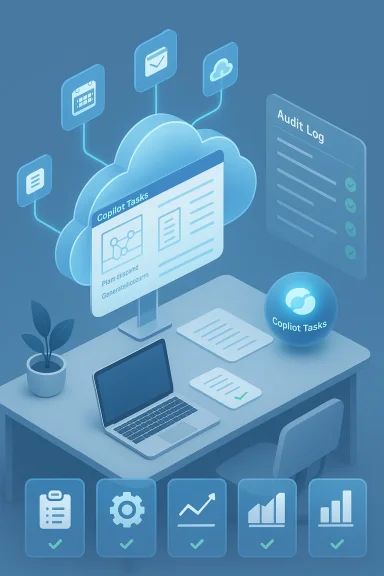
A central claim about Copilot Tasks is that it "uses its own computer and browser." Practically, that means tasks run in an isolated execution environment (a cloud‑hosted "cloud PC" or sandboxed instance) where Copilot can navigate web pages, authenticate to services (with user consent), download documents, generate files (Word, Excel, PowerPoint, PDFs), and interact with UIs — all without tying up the user's local machine.The benefits Microsoft highlights are:
- Non‑interruptive operation: Users can continue working while the agent performs lengthy operations.
- Consistency and repeatability: An isolated runtime reduces variability from local environment differences.
- Controlled access surface: The agent's interactions can be audited and constrained in a segregated environment.
Technical deep dive: what to expect under the hood
Compute and sandboxing
Copilot Tasks appears to use ephemeral cloud compute instances — think lightweight VMs or containers — provisioned per task or task group. These instances are likely to include:- A browser engine (headless or full) that can render pages and run scripts.
- A runtime for driving automation flows (simulated mouse/keyboard or headless scripting).
- Access to models (large‑language models and reasoning layers) for planning and interpreting output.
- Embedded connectors for common services (Outlook, OneDrive, Google Calendar, etc.), operating under OAuth tokens or similar delegated credentials.
Authentication and connectors
To act on behalf of a user, Copilot Tasks will require explicit connections to services. Expect an opt‑in flow where users authorize specific scopes — for example, read/write access to a calendar or to a particular cloud folder. Enterprises may be able to control these connectors centrally (allow/block lists, scope restrictions, DLP rules).Key design questions remain around token management: how long credentials are valid in the cloud PC, whether tokens are single‑use for a task, and whether administrators can revoke or audit token usage in real time.
Task planning and reasoning
Before executing, Copilot Tasks will create a plan: break the high‑level instruction into subtasks, identify required resources, and reason about order and error handling. This planning layer is where LLMs or hybrid reasoning systems shine: they can translate vague requests into concrete automations, propose alternatives, and ask clarifying questions if needed.Good implementations will expose the plan to the user before execution or allow a “preview” mode for sensitive tasks.
Observability and control
For practical and security reasons, users and admins need:- Progress indicators and logs so you can see what the agent did.
- Pause/stop controls to take over mid‑operation.
- Audit trails that record which pages were visited, what data was accessed, and what actions were performed.
- Result artifacts (generated documents, exported lists) that are stored in user‑approved locations.
User experience: promises and pitfalls
Simplicity and productivity gains
For typical knowledge‑worker scenarios, Copilot Tasks can drastically reduce friction. Examples include:- Automatically compiling meeting notes, pulling attachments, and drafting follow‑ups.
- Scanning vendor websites, extracting pricing, and updating a spreadsheet.
- Scheduling interviews across multiple calendars while handling time‑zone logic and conflicts.
Where expectations may diverge from reality
However, real‑world web automation is brittle. Pages change, CAPTCHAs block automation, and multi‑factor authentication adds complexity. Microsoft will need robust fallback strategies: retry logic, human‑in‑the‑loop prompts, and clear error reporting when the agent can't complete a step.Additionally, users may over‑trust results: an AI can appear to complete a task while missing subtle constraints or misinterpreting ambiguous instructions. Transparent previews and easy review workflows will be essential.
Security, privacy, and compliance — the biggest open questions
Data residency and control
Because Copilot Tasks runs in cloud compute and may access sensitive data, enterprises will want clarity on:- Where compute executes (which geographic regions and data centers).
- Whether copies of data persist beyond task completion and for how long.
- How logs and artifacts are stored and protected.
Least‑privilege access and connector scope
A strong implementation must follow least‑privilege principles: connectors should request only the minimal scopes necessary. Admins should be able to:- Restrict which connectors are available to users.
- Force approval workflows for new connector authorizations.
- Apply Data Loss Prevention (DLP) and Conditional Access policies to AI agent activity.
Secrets, credentials, and lateral movement
Allowing an agent to sign in to web services introduces risk if credentials are mishandled. Protecting secrets (API keys, OAuth tokens) inside ephemeral compute, rotating tokens, and using just‑in‑time access are important mitigations.Without careful design, a compromised agent could become a pivot point for lateral movement across systems.
Transparency and traceability
Opaque automation is dangerous. Copilot Tasks must provide detailed, machine‑readable audit logs that include:- Actions performed (clicks, uploads, downloads).
- Data accessed and where it was stored.
- Timestamps and the specific compute instance used.
- The plan generated by the AI and any deviations executed.
Risk of unauthorized actions and phishing
Automated browsing can be tricked by malicious pages. An agent that follows links and submits forms could be coerced into leaking data or performing actions on spoofed sites. Defenses include:- URL allowlists and deny lists.
- Heuristic checks for anomalous flows (unexpected redirects, credential requests).
- Human verification gates for sensitive transactions (finance approvals, transfers).
Enterprise considerations: governance and deployment
Policy controls and admin tooling
Enterprises will evaluate Copilot Tasks against their governance model. Useful admin capabilities will include:- Tenant‑wide enable/disable switches for automated tasks.
- Per‑user permission levels (preview only, run with restrictions, full run).
- Scoped connector policies and pre‑approved templates.
- Centralized logging ingestion into SIEM and DLP systems.
Cost, resource usage, and billing
Running ephemeral cloud PCs and browsers has compute costs. Organizations should expect:- Per‑task compute metering or a subscription model that includes a quota.
- Visibility into which users and tasks consumed resources.
- Controls to limit runaway automation (caps on runtime, limits on concurrent tasks).
Integration with existing automation tooling
Many enterprises already use Robotic Process Automation (RPA) and workflow orchestration. Copilot Tasks will be most useful when it can:- Complement RPA by handling fuzzy, web‑centric tasks that RPA struggles with.
- Export plans or steps into existing workflow tools.
- Respect enterprise connectors and identity flows used by established tooling.
Legal and ethical implications
Liability for automated actions
If an autonomous agent signs contracts, submits claims, or schedules binding appointments, who is liable for errors? Enterprises and vendors must clearly define:- Which actions require explicit human sign‑off.
- The legal status of agent‑initiated transactions.
- Indemnity and audit provisions in supplier contracts.
Bias, hallucination, and factual accuracy
LLMs are prone to hallucinations. When Copilot Tasks summarizes, extracts facts, or submits content, those outputs must be validated. Recommended safeguards:- Grounding outputs to verifiable sources and flagging uncertainty.
- Requiring a human review for outputs used in decision‑making.
- Providing provenance metadata for generated content.
Accessibility and inclusion
Autonomous agents should be designed with accessibility in mind. Users with disabilities may rely on predictable, consistent automation that respects assistive technologies. Transparency in what the agent did helps everyone.Competitive landscape: where this fits in the AI agent arms race
Microsoft is not alone in pushing autonomous agents. Several vendors and startups are building "agentic" products that can control browsers, orchestrate APIs, and run in the cloud. Distinguishing factors for Microsoft include:- Deep integration with Windows, Edge, and Microsoft 365.
- Access to enterprise identity and governance tooling already used by many organizations.
- The ability to provide a single branded experience across consumer and enterprise ecosystems.
Practical recommendations for users and IT teams
For end users (what to do now)
- Treat Copilot Tasks like a powerful automation: start with non‑sensitive tasks until you trust its behavior.
- Use preview and plan review features where available — don’t let the agent run complex transactions without a human check.
- Opt in only to connectors you understand; use separate accounts for sensitive operations when possible.
- Keep a clear naming and storage policy for artifacts the agent generates.
For IT and security teams
- Evaluate and set connector policies before broad enablement.
- Configure DLP rules to monitor and block sensitive data exfiltration by agent artifacts.
- Integrate Copilot Tasks logs into your SIEM and retention systems for auditability.
- Pilot in a restricted group and simulate failure modes (site changes, authentication errors).
- Define legal and compliance playbooks addressing liability and record‑keeping requirements.
- Establish cost controls and quotas to prevent surprise cloud expenses.
Strengths, limitations, and the road ahead
Notable strengths
- Productivity leap: Automating multi‑step, cross‑app workflows addresses a real, time‑consuming problem for knowledge workers.
- Unified UX: A single "do" interface reduces context switching and cognitive load.
- Edge into agentic AI: By running tasks in isolated compute, Microsoft lowers local security concerns and creates a controllable runtime for complex automation.
Potential weaknesses and risks
- Opacity: Without rigorous logging and user‑facing plan previews, tasks can become black boxes.
- Security exposure: Connector and credential handling is a critical attack surface.
- Brittleness of web automation: Real‑world websites and authentication flows are messy; robust fallbacks are required.
- Regulatory friction: Data residency, retention, and consent requirements could limit usefulness in regulated sectors.
Conclusion
Copilot Tasks is a consequential step toward autonomous, background AI that does the work we ask it to do — not just a chat interface that advises. The architecture Microsoft describes — an agent that provisions its own compute and browser to act on behalf of users — offers impressive productivity potential while raising serious operational, security, and governance questions.For everyday users, Copilot Tasks can eliminate tedious workflows and reclaim time. For enterprises, the feature will be useful only if it arrives with enterprise‑grade controls: clear connector governance, transparent logs and previews, strict credential management, and predictable billing. Regulators and compliance teams will watch closely for assurances around data residency and retention.
The immediate takeaway is simple: the future of AI in productivity is autonomous, but adoption will hinge on trust. Microsoft and other vendors must prove that these agents can be controlled, audited, and constrained before organizations hand them high‑value, high‑risk tasks. In the meantime, cautious pilots, strong policies, and human‑in‑the‑loop safety nets are the right way forward.
Source: The Verge Microsoft’s Copilot Tasks AI uses its own computer to get things done
Source: The Tech Buzz https://www.techbuzz.ai/articles/microsoft-copilot-tasks-runs-on-its-own-cloud-pc/
