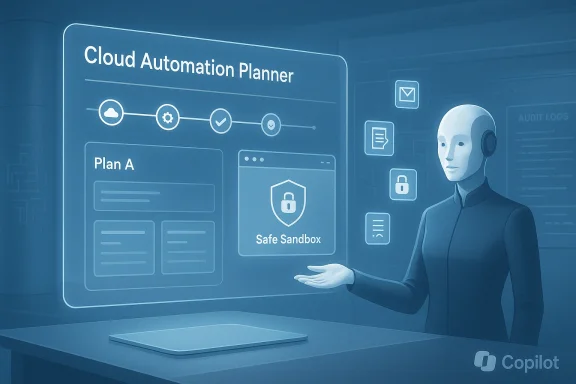
Microsoft’s latest Copilot iteration aims to stop asking what you want and start doing it for you: Copilot Tasks promises a natural‑language, scheduled, and background-capable to‑do list that autonomously plans, executes, and reports back—while still asking for permission before money or messages change hands. ]
Microsoft has been moving Copilot beyond a chat interface into an “agentic” platform for more than a year. The company introduced early forms of action-taking with features such as Copilot Actions and an agent framework in Copilot Studio that let copilots operate across apps, make multi‑step web interactions, and run scheduled workflows in preview channels. These earlier building blocks are the immediate technidecessors to what Microsoft is calling Copilot Tasks.
At the same time, the industry has seen multiple vendors add scheduled and background agents—GitHub and GitHub Copilot’s coding agents, Anthropic’s Claude Cowork scheduled tasks, and other agent panels show the same trend: AI that runs when you aren’t watching and returns drafts, summaries, or completed artifacts for review. Copilot Tasks arrives into that broader movement toward asynchronous, delegated AI work. (github.blog
That said, several implementation details remain unverified in public reporting:
It’s less likely to replace human judgment in high‑stakes domains: legal negotiations, compliance escalations, or sensitive HR decisions. In those cases, a human‑in‑the‑loop model will remain essential—and Microsoft’s consent mechanisms reflect that reality.
At the model and infrastructure level, Microsoft’s integration of newer, multi‑model routing and higher‑reasoning backends (including recent model upgrades across Copilot surfaces) provides the compute and model variety needed to run diverse Tasks—from quick retrievals to heavier analysis jobs—efficiently. That technical versatility is an enabler, but it also complicates governance: model/subsystem selection should be visible to admins.
But the feature’s success depends on three non‑technical factors as much as technical capability: transparent and auditable consent flows, rigorous data governance to prevent accidental exposure, and robust defenses against prompt injection and adversarial web content. Absent those, Tasks will be a productivity promise with material enterprise and consumer risks. Administrators and privacy teams should treat early access as a security and compliance pilot, not a fait accompli.
What to watch in the coming weeks and months:
Conclusion
Copilot Tasks is an ambitious step from suggestion to execution: a scheduled, background‑capable to‑do manager that combines natural‑language intent with cross‑app action. Early coverage and internal previews show strong potential, but the feature’s practical value will be decided by its safety nets—consent UX, DLP and governance integration, and robust protections against adversarial inputs. For IT leaders, the sensible path is cautious experimentation with strict scoping and auditing; for consumers, start small and keep control over connected accounts. The next few weeks of preview reporting and Microsoft’s governance documentation will tell us whether Copilot Tasks is a productivity breakthrough or another cautionary lesson in agentic automation.
Source: Windows Central Microsoft just launched a to-do list tool that completes itself using AI
 Background
Microsoft has been moving Copilot beyond a chat interface into an “agentic” platform for more than a year. The company introduced early forms of action-taking with features such as Copilot Actions and an agent framework in Copilot Studio that let copilots operate across apps, make multi‑step web interactions, and run scheduled workflows in preview channels. These earlier building blocks are the immediate technidecessors to what Microsoft is calling Copilot Tasks.At the same time, the industry has seen multiple vendors add scheduled and background agents—GitHub and GitHub Copilot’s coding agents, Anthropic’s Claude Cowork scheduled tasks, and other agent panels show the same trend: AI that runs when you aren’t watching and returns drafts, summaries, or completed artifacts for review. Copilot Tasks arrives into that broader movement toward asynchronous, delegated AI work. (github.blog
What Copilot Tasks claims to be
Microsoft’s public messaging, and early reporting from outlets covering preview builds, sketch a feature set organized around three promises:- A natural‑language "tell it once" workflow: describe goals in plain English and Copilot generates a plan, gathers context, and executes steps.
- Long‑running, scheduled and recurring tasks: Tasks can run once, or on schedules (daily, weekly, etc.) and report back, so you can move without manual follow‑up.
- Permissioned automation: the system will ask for consent before taking meaningful actions—especially where money, bookings, or outbound messages are involved—and expose status so users can pause or cancel. This is positioned as a safety and UX guardrail.
Examples Microsoft (and reporters) highlight
- Recurring inbox triage: surface urgent messages nightly, draft replies, unsubscribe from garbage mail.
- Real‑estate monitoring: scan listings weekly, book showings when appropriate, assemble briefings.
- Document workflows: turn a syllabus into a study plan with practice tests and focus blocks, or convert mixed email attachments into a polished deck with charts.
- Logistics and shopping: auto‑monitor hotel rates and rebook on price drops, reserve rides tied to flight times, find and schedule local services.
How Copilot Tasks fits with (and differs from) existing Copilot capabilities
From chat to “do”
Copilot started as a chat-first assistant—answering, summarizing, drafting. Subsequent features like Copilot Actions extended that to taking concrete steps on web pages under user permission, while Copilot Studio and agent primitives allowed makers to compose multi‑step agents. Copilot Tasks appears to stitch these pieces together into a single, user‑facing task manager that runs planned workflows on a schedule or on demand. Think of it as the UI and orchestration layer that manages multiple agentic backends.Key technical distinctions reporters observe
- Visibility and scheduling: Tasks are designed to be long‑running and schedulable—this is explicit scheduling rather than one-off Actions executed during an active session.
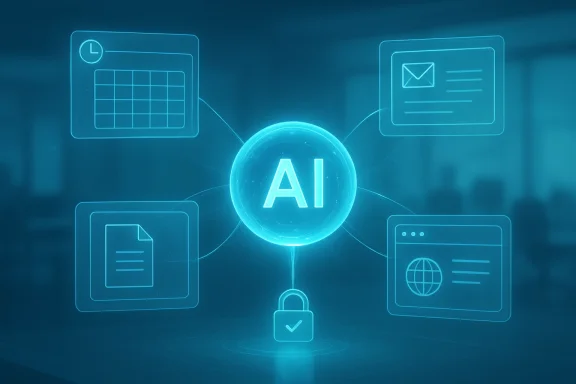
- Multi‑app orchestration: unlike simple in‑chat automations, Tasks claim the ability to use a browser and interact across apps and connectors to get work done. Early coverage calls this “background computer and browser use.” Treat that claim cautiously (see Risks).
- Consent model: Microsoft frames Tasks as “you’re in control”—the system requests sign‑offs for significant commitments. That echoes prior language used for Copilot Actions but places consent into the scheduled/automated context.
What’s technically plausible today — and what remains unclear
Microsoft’s agent strategy has matured: Copilot can already run research and analysis agents (Researcher, Analyst), and GitHub’s Copilot coding agents demonstrate safe, sandboxed background work that returns artifacts (draft PRs, reports) for human review. That technical lineage makes Copilot Tasks feasible: multi‑step plans, scheduled triggers, and model orchestration are all in active use.That said, several implementation details remain unverified in public reporting:
- The claim that Tasks uses “its own computer and browser” to operate in the background is plausible (agents running in cloud sandboxes or orchestrated browser instances are common) but the exact runtime, isolation boundary, and whether actions are local or cloud‑hosted are not publicly documented. Treat such statements as vendor messaging that requires technical validation.
- Billing and third‑party interaction: the model for authorizing purchases, connecting payment methods, or interacting with partner sites is not fully spelled out in public previews. Microsoft says consent is required for spending or sending messages, but the practicalo‑step approvals, admin policies, spend caps) are not broadly documented yet.
Strengths and potential user benefits
- Massive friction reduction. If Tasks reliably aggregates calendar, mail, files, and browsing state to execute multi‑step operations, users can move from “idea” to “result” with far fewer clicks and manual follow‑ups. This is the productivity win Microsoft pitches.
- Recurring automation for personal workflows. The ability to set repeat rules—daily inbox triage, weekly marketplace scans—can surface opportunities users would otherwise miss and free up time for higher‑value work.
- Consolidated orchestration. Bringing research, document generation, bookings, and monitoring into one task manager reduces tool fragmentation and contextual switching. That’s an immediate UX benefit if permissions and transparency are solid.
- Human oversight built in. Microsoft emphasizes consent and review for meaningful actions—if implemented well, that helps reduce accidental spend or unwanted outbound communication while preserving delegated automation.
Risks, uncertainties, and what IT should worry about
No new agent product is purely upside. Copilot Tasks raises known and novel risks that organizations and users should evaluate.1) Data exposure and scope control
Copilot’s value comes from deep access to email, files, and calendar—but that same access multiplies risk. Recent operational incidents and advisories around Copilot’s data handling show how retrieval pipelines and policy enforcement can have bugs; enterprises must treat any agent that actively reads mail or documents as a potential compliance surface. Administrators will want logging, scoping, and the ability to block Tasks from privileged mailboxes.2) Prompt injection and malicious inputs
Agentic systems that browse and click can be targeted by prompt injection or adversarial web content that attempts to alter the agent’s plan or exfiltrate data. The research community has demonstrated real exploits against assistant pipelines; attackers will target long‑running Tasks because they provide more time and a broader attack surface. Robust input filtering, provenance checks, and content‑handling policies are essential.3) Unintended financial commitments and account abuse
Even with consent gates, an automated Task that negotiates or books services can lead to mistakes—double bookings, unwanted recurring charges, or fraudulent interactions if credentials are compromised. Enterprises and consumers alike should insist on explicit, auditable approval flows and per‑task spend limits.4) Over‑automation and loss of situational context
Automating decisions that require nuanced judgment (legal responses, HR actions) risks stale or inappropriate outcomes. Copilot Tasks may be excellent at routine operational tasks but poor at ethical or context-sensitive choices. Microsoft’s consent language mitigates this, but it’s not a substitute for human judgment in sensitive domains.5) Privacy and regulatory exposure
Different geographies and industries have constraints on automated processing of personal data. Running scheduled tasks that index mail or scan documents might trigger privacy obligations or sectoral restrictions. Organizations must map Tasks to existing data governance, DLP, and retention rules before broad deployment.How enterprises and power users should evaluate Copilot Tasks
If you run a pilot or consider roll‑out, treat Copilot Tasks as you would any automation platform:- Inventory: identify which mailboxes, service accounts, and connectors the feature needs access to.
- Scope and least privilege: grant the minimum access for the shortest time. Use dedicated service accounts where possible.
- Audit and logging: require detailed logs for every task run, including actions proposed, approvals given, and external requests made.
- Approval workflows: enforce multi‑factor or multi‑actor approval for any task that spends money, signs contracts, or sends external communications.
- Test harness: run tasks in a read‑only mode first and validate outputs before enabling full action.
- Incident playbook: define rollback and remediation steps for tasks that behave unexpectedly.
Practical tips for everyday users
- Start small: use Tasks for clearly defined, low‑risk automations—calendar scheduling, price monitoring, or draft generation—before handing over booking or payment authority.
- Keep notifications on: ensure you receive a clear summary of what a Task did and what it proposes to do next so you don’t lose visibility into recurring automations.
- Review connected services: disconnect unnecessary connectors (personal email, payment methods) until you trust the Task’s outputs and approval prompts.
Where Copilot Tasks matters most — and where it won’t
Copilot Tasks will be most immediately valuable for repetitive, signal‑rich workflows where the actions are well understood: monitoring, compilation, routine inbox triage, andgeneration. These are high ROI because they’re predictable and easy to validate.It’s less likely to replace human judgment in high‑stakes domains: legal negotiations, compliance escalations, or sensitive HR decisions. In those cases, a human‑in‑the‑loop model will remain essential—and Microsoft’s consent mechanisms reflect that reality.
The competitive and industry context
Copilot Tasks is not happening in isolation. GitHub’s agent panels and Codex‑style coding agents already show how background AI can produce drafts and artifacts that humans then curate. Anthropic’s Cowork added scheduled tasks and workspace automation, pointing to a common pattern across product teams: scheduled agentic automation is the next battleground for productivity. Microsoft’s vast footprint across Windows, Office, Edge, and Azure gives it an integration advantage—if it can execute Tasks with enterprise-grade governance and consumer safety.At the model and infrastructure level, Microsoft’s integration of newer, multi‑model routing and higher‑reasoning backends (including recent model upgrades across Copilot surfaces) provides the compute and model variety needed to run diverse Tasks—from quick retrievals to heavier analysis jobs—efficiently. That technical versatility is an enabler, but it also complicates governance: model/subsystem selection should be visible to admins.
Final assessment and what to watch next
Copilot Tasks marks a logical and consequential next step in the evolution of productivity AI: moving from reactive chat to scheduled, delegated work. Its promise is real—fewer clicks, more automation, and a consolidated place to manage ongoing digital housekeeping and monitoring. Early reporting and internal previews align with Microsoft’s broader agent strategy, and comparable features from other vendors validate the use case.But the feature’s success depends on three non‑technical factors as much as technical capability: transparent and auditable consent flows, rigorous data governance to prevent accidental exposure, and robust defenses against prompt injection and adversarial web content. Absent those, Tasks will be a productivity promise with material enterprise and consumer risks. Administrators and privacy teams should treat early access as a security and compliance pilot, not a fait accompli.
What to watch in the coming weeks and months:
- How Microsoft documents the Tasks runtime (local vs. cloud sandbox) and the isolation model.
- What explicit admin controls, audit logs, and spend/approval policies appear in the Copilot Control System.
- Real‑world user reports from the research preview on reliability, correctness, and accidental behaviors.
Conclusion
Copilot Tasks is an ambitious step from suggestion to execution: a scheduled, background‑capable to‑do manager that combines natural‑language intent with cross‑app action. Early coverage and internal previews show strong potential, but the feature’s practical value will be decided by its safety nets—consent UX, DLP and governance integration, and robust protections against adversarial inputs. For IT leaders, the sensible path is cautious experimentation with strict scoping and auditing; for consumers, start small and keep control over connected accounts. The next few weeks of preview reporting and Microsoft’s governance documentation will tell us whether Copilot Tasks is a productivity breakthrough or another cautionary lesson in agentic automation.
Source: Windows Central Microsoft just launched a to-do list tool that completes itself using AI