

The most surprising result in the Ryzen 9 9950X3D versus Core Ultra 7 270K Plus contest is not that AMD still owns a meaningful gaming advantage. It is that Intel has brought near-flagship CPU throughput, genuinely capable integrated graphics, and a far lower entry price into the same discussion. For builders who judge a processor by the total balance of performance, platform cost, and real-world usefulness—not simply the highest possible frame-rate number—the Intel Core Ultra 7 270K Plus makes an exceptionally strong case for itself.
That does not make the AMD Ryzen 9 9950X3D obsolete. AMD’s 16-core, 32-thread Zen 5 flagship remains a formidable hybrid processor for people who want a high-end workstation and a top-tier gaming PC in one system. Its large 3D V-Cache pool gives it a distinct, repeatable edge in CPU-limited gaming scenarios, especially when paired with a GeForce RTX 5090-class graphics card or another exceptionally fast GPU.
The key word is scenario. The Ryzen 9 9950X3D is the more specialized performance weapon, while the Core Ultra 7 270K Plus is increasingly the smarter mainstream enthusiast purchase. That distinction matters far more than a simple “AMD wins gaming, Intel wins value” summary suggests.
On paper, the Ryzen 9 9950X3D and Core Ultra 7 270K Plus appear to be direct rivals only because both sit near the top of the consumer desktop CPU market. Their designs, workloads, and value propositions are markedly different.
The Ryzen 9 9950X3D is AMD’s all-in enthusiast chip. It combines 16 full Zen 5 cores with Simultaneous Multi-Threading, allowing it to process 32 threads at once. It also includes AMD’s second-generation 3D V-Cache technology, which expands L3 cache capacity to 128MB and gives game engines much more data close to the CPU cores.
The Core Ultra 7 270K Plus, by contrast, relies on Intel’s hybrid Arrow Lake architecture. It has eight Performance-cores and 16 Efficient-cores, for 24 physical cores overall. Unlike prior Intel enthusiast processors, it does not use Hyper-Threading on its P-cores, so the chip has 24 threads rather than 32 or more.
That may look like an immediate disadvantage for Intel, but core and thread counts alone no longer tell the whole story. The 270K Plus has 40MB of L2 cache, 36MB of L3 cache, a high 5.5GHz maximum turbo frequency, and architectural refinements intended to improve latency and gaming behavior compared with the first wave of Arrow Lake desktop chips.
The result is an unusually competitive matchup:
Its defining specification is the 128MB L3 cache. A substantial portion comes from the stacked SRAM cache associated with AMD’s 3D V-Cache technology. That additional cache reduces the number of times a game must reach out to slower system memory, which can reduce latency and raise frame rates in titles that are especially CPU- and memory-sensitive.
That advantage is most visible when the graphics card is not the limiting factor. At 1080p with a top-end GPU, games can generate frames fast enough that processor architecture, memory performance, scheduling, and cache capacity all become decisive.
The Ryzen 9 9950X3D is particularly well-positioned for workloads involving:
The CPU includes basic Radeon integrated graphics, but they are not designed to be a meaningful gaming solution. AMD’s integrated graphics implementation is useful for system setup, troubleshooting, secondary displays, media playback, and getting a machine running before a discrete GPU arrives. It is not a substitute for a gaming card.
That is perfectly reasonable for an X3D flagship. Anyone investing in a Ryzen 9 9950X3D usually intends to run a powerful discrete GPU. Still, it reinforces the fact that AMD has optimized this processor for a narrow but lucrative target: buyers who demand high-end performance with gaming at the center of the build.
Even after Intel’s recent recommended-price increase, the gap remains dramatic. The 270K Plus is priced roughly around half the cost of the Ryzen 9 9950X3D, depending on retailer pricing and availability.
For everyday Windows 11 use, this layout has practical benefits. Browsers with numerous tabs, background cloud sync, game launchers, antivirus scans, video exports, file compression, music production, and general multitasking can all coexist more comfortably when the operating system has a deeper pool of cores available.
The hybrid design does introduce some complexity. Software scheduling has improved greatly, but not every legacy application or unusual workstation workload responds identically to a mix of P-cores and E-cores. Users with specialized software should still verify compatibility and benchmark behavior before committing to a platform.
The refreshed design incorporates more E-cores than comparable earlier Core Ultra 7 models and improvements to the link between compute resources and the memory controller. Reducing latency is especially important in games, where architecture alone is not enough. A processor can have excellent raw throughput yet feel less competitive if data has to travel too far or wait too long.
Intel also leans on software optimization tools, including application-specific tuning for selected games. That approach can help in supported titles, but it should not be mistaken for a universal substitute for stronger hardware. Buyers should view such optimizations as a bonus rather than the foundation of a purchasing decision.
That is the central achievement of Intel’s processor.
A Blender render does not behave like a Photoshop filter. A video encode does not behave like code compilation. A single-threaded calculation does not behave like a 24-core stress test. The Core Ultra 7 270K Plus does not need to win every benchmark to be compelling; it only needs to remain close enough that its far lower cost becomes impossible to ignore.
For many enthusiasts, however, the difference will be difficult to feel.
Opening applications, manipulating photos, encoding occasional videos, running a Windows development environment, using productivity tools, and gaming after work are all tasks that the 270K Plus handles at a genuinely high level. Spending hundreds of dollars more for a minor advantage in intermittent CPU-heavy work may not be the optimal allocation of a PC budget.
Those savings could instead buy:
The Ryzen 9 9950X3D remains the stronger gaming CPU in the majority of CPU-limited tests. Its 3D V-Cache advantage is real, especially with low-quality settings and a GeForce RTX 5090 used to expose CPU bottlenecks.
Low-resolution testing is not meant to predict the exact frame rate every buyer will see. It is designed to remove as much GPU limitation as possible, revealing how quickly the processor can prepare frames for the graphics card. In that controlled environment, the Ryzen 9 9950X3D regularly demonstrates why AMD’s X3D models have become so popular among high-end gamers.
The AMD CPU’s advantage can be substantial in some titles, particularly where cache capacity and memory latency influence frame delivery. That can matter not only for average frame rates but also for 1% lows, frame-time consistency, and responsiveness in demanding scenes.
For competitive players using 240Hz, 360Hz, or even faster displays, those margins are not theoretical. If a game is CPU-limited, the difference between 250 fps and 320 fps can matter.
With ray tracing enabled in a demanding game such as Cyberpunk 2077, the CPU may matter at 1080p but fade into the background at 1440p and 4K. The same pattern applies to many visually intensive modern games, particularly when high-quality texture packs, heavy ray tracing, and advanced upscaling features are enabled.
This creates a crucial buying rule:
Frame generation can raise displayed frame rates without changing the CPU’s base frame-production performance in a proportional way. As a result, games that require or strongly favor these technologies may show smaller CPU differences than titles that render every frame conventionally.
Synthetic graphics tests can create similar confusion. A CPU that scores well in a benchmark such as 3DMark is not automatically the faster gaming CPU across a varied game library. Synthetic tests remain useful, but they should never replace actual game benchmarks.
The Core Ultra 7 270K Plus includes Intel Graphics based on the Xe-LPG architecture, with four Xe-cores and substantially more graphics resources than AMD’s minimal two-core Radeon solution in the Ryzen 9 9950X3D.
That means the 270K Plus is better suited to:
For Windows users, the bigger point is flexibility. Intel offers a more capable fallback graphics path, while AMD has chosen to concentrate its silicon budget on CPU and cache performance.
The chip’s 125W processor base power rating also should not be interpreted as a strict measure of peak consumption. Under aggressive motherboard settings and sustained heavy loads, modern high-end Intel processors can draw considerably more power. Cooling and case airflow still matter.
The good news is that Intel’s pricing advantage is large enough that even a more expensive motherboard often does not erase it. A builder can generally assemble a strong Core Ultra 7 270K Plus platform for much less than an equivalently premium 9950X3D system.
That can change the financial equation considerably. If someone already owns a quality AM5 motherboard and DDR5 memory, moving to a Ryzen 9 9950X3D may cost less than a full Intel platform replacement.
For new builders, though, the 9950X3D is expensive before motherboard, cooling, and GPU costs are considered. It makes sense when the CPU itself is a deliberate priority, not simply because it is the fastest option in a few gaming charts.
It is especially compelling for:
It is especially compelling for:
That does not undermine AMD’s achievement. The Ryzen 9 9950X3D remains the better choice for enthusiasts who want the fastest gaming performance across a wide variety of CPU-limited titles. Its 3D V-Cache remains a genuine technology advantage, not a marketing footnote, and it can still make a decisive difference in the right games with the right graphics card.
But a CPU face-off should not be decided only by the highest bars on a gaming chart. Price, platform needs, graphics resolution, software workloads, cooling requirements, and the rest of the system budget all matter.
For uncompromising gaming performance, the Ryzen 9 9950X3D remains the premium pick. For the strongest combination of desktop performance, features, and cost efficiency, the Core Ultra 7 270K Plus is the more convincing all-round purchase—and one of Intel’s most important desktop CPU wins in years.
That does not make the AMD Ryzen 9 9950X3D obsolete. AMD’s 16-core, 32-thread Zen 5 flagship remains a formidable hybrid processor for people who want a high-end workstation and a top-tier gaming PC in one system. Its large 3D V-Cache pool gives it a distinct, repeatable edge in CPU-limited gaming scenarios, especially when paired with a GeForce RTX 5090-class graphics card or another exceptionally fast GPU.
The key word is scenario. The Ryzen 9 9950X3D is the more specialized performance weapon, while the Core Ultra 7 270K Plus is increasingly the smarter mainstream enthusiast purchase. That distinction matters far more than a simple “AMD wins gaming, Intel wins value” summary suggests.
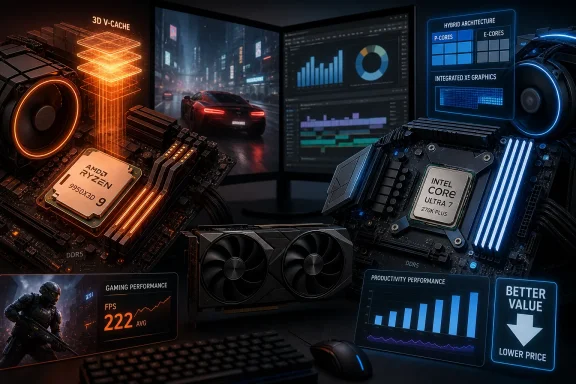 Overview: Two High-End CPUs With Very Different Priorities
On paper, the Ryzen 9 9950X3D and Core Ultra 7 270K Plus appear to be direct rivals only because both sit near the top of the consumer desktop CPU market. Their designs, workloads, and value propositions are markedly different.The Ryzen 9 9950X3D is AMD’s all-in enthusiast chip. It combines 16 full Zen 5 cores with Simultaneous Multi-Threading, allowing it to process 32 threads at once. It also includes AMD’s second-generation 3D V-Cache technology, which expands L3 cache capacity to 128MB and gives game engines much more data close to the CPU cores.
The Core Ultra 7 270K Plus, by contrast, relies on Intel’s hybrid Arrow Lake architecture. It has eight Performance-cores and 16 Efficient-cores, for 24 physical cores overall. Unlike prior Intel enthusiast processors, it does not use Hyper-Threading on its P-cores, so the chip has 24 threads rather than 32 or more.
That may look like an immediate disadvantage for Intel, but core and thread counts alone no longer tell the whole story. The 270K Plus has 40MB of L2 cache, 36MB of L3 cache, a high 5.5GHz maximum turbo frequency, and architectural refinements intended to improve latency and gaming behavior compared with the first wave of Arrow Lake desktop chips.
The result is an unusually competitive matchup:
- AMD Ryzen 9 9950X3D: Best suited to enthusiasts who want maximum gaming performance without sacrificing serious multi-threaded capability.
- Intel Core Ultra 7 270K Plus: Best suited to builders looking for premium CPU performance, strong all-round computing, and much better price-to-performance value.
- Neither CPU is “bad” at anything important. The question is how much extra money is worth paying for AMD’s cache-driven gaming advantage.
The Ryzen 9 9950X3D: Cache, Cores, and a Premium Gaming Focus
AMD has built its modern X3D reputation on a simple but powerful idea: more cache can matter as much as, or even more than, raw clock speed in games. The Ryzen 9 9950X3D applies that approach to a 16-core desktop processor.Zen 5 Meets 3D V-Cache
The Ryzen 9 9950X3D runs at a 4.3GHz base clock and can boost as high as 5.7GHz. Its 16 Zen 5 cores support SMT, enabling 32 concurrent threads. For video encoding, rendering, code compilation, virtualization, and other heavily parallel workloads, that is an inherently flexible design.Its defining specification is the 128MB L3 cache. A substantial portion comes from the stacked SRAM cache associated with AMD’s 3D V-Cache technology. That additional cache reduces the number of times a game must reach out to slower system memory, which can reduce latency and raise frame rates in titles that are especially CPU- and memory-sensitive.
That advantage is most visible when the graphics card is not the limiting factor. At 1080p with a top-end GPU, games can generate frames fast enough that processor architecture, memory performance, scheduling, and cache capacity all become decisive.
Why Large Cache Helps Gaming
Games do not all respond to additional cache equally. A heavily GPU-bound title at 4K with ray tracing enabled may show little difference between a fast mainstream CPU and an elite X3D model. But simulation-heavy, strategy-focused, esports-oriented, open-world, and high-refresh-rate games can benefit substantially.The Ryzen 9 9950X3D is particularly well-positioned for workloads involving:
- High-refresh-rate competitive gaming
- CPU-intensive simulation games
- Large multiplayer environments
- Strategy and city-building titles
- Game engines with extensive world-streaming demands
- Systems using extremely powerful discrete GPUs
- Gaming while streaming, recording, or running multiple background applications
A High-End Chip That Needs a High-End System
The Ryzen 9 9950X3D is not a casual drop-in upgrade for every PC. It is a 170W-class processor, AMD recommends liquid cooling for optimal operation, and it is typically paired with premium AM5 motherboards, DDR5 memory, and a strong dedicated graphics card.The CPU includes basic Radeon integrated graphics, but they are not designed to be a meaningful gaming solution. AMD’s integrated graphics implementation is useful for system setup, troubleshooting, secondary displays, media playback, and getting a machine running before a discrete GPU arrives. It is not a substitute for a gaming card.
That is perfectly reasonable for an X3D flagship. Anyone investing in a Ryzen 9 9950X3D usually intends to run a powerful discrete GPU. Still, it reinforces the fact that AMD has optimized this processor for a narrow but lucrative target: buyers who demand high-end performance with gaming at the center of the build.
The Core Ultra 7 270K Plus: Intel’s Value Counterpunch
The Core Ultra 7 270K Plus represents a much-needed change in Intel’s desktop strategy. Rather than asking consumers to pay flagship money for incremental gains, Intel has delivered a processor that lands near the top of productivity charts while staying in a much lower price category than AMD’s Ryzen 9 9950X3D.Even after Intel’s recent recommended-price increase, the gap remains dramatic. The 270K Plus is priced roughly around half the cost of the Ryzen 9 9950X3D, depending on retailer pricing and availability.
Hybrid Design Without Hyper-Threading
Intel’s 24-core configuration consists of:- 8 Performance-cores
- 16 Efficient-cores
- 24 total threads
- 40MB of L2 cache
- 36MB of L3 cache
- Up to 5.5GHz turbo frequency
For everyday Windows 11 use, this layout has practical benefits. Browsers with numerous tabs, background cloud sync, game launchers, antivirus scans, video exports, file compression, music production, and general multitasking can all coexist more comfortably when the operating system has a deeper pool of cores available.
The hybrid design does introduce some complexity. Software scheduling has improved greatly, but not every legacy application or unusual workstation workload responds identically to a mix of P-cores and E-cores. Users with specialized software should still verify compatibility and benchmark behavior before committing to a platform.
Arrow Lake Improvements Matter
The original Arrow Lake desktop launch faced criticism for gaming results that did not consistently meet enthusiast expectations. The 270K Plus is important because it demonstrates that Intel has not simply accepted that first impression.The refreshed design incorporates more E-cores than comparable earlier Core Ultra 7 models and improvements to the link between compute resources and the memory controller. Reducing latency is especially important in games, where architecture alone is not enough. A processor can have excellent raw throughput yet feel less competitive if data has to travel too far or wait too long.
Intel also leans on software optimization tools, including application-specific tuning for selected games. That approach can help in supported titles, but it should not be mistaken for a universal substitute for stronger hardware. Buyers should view such optimizations as a bonus rather than the foundation of a purchasing decision.
CPU Performance: The Near-Tie Changes the Conversation
In straight CPU workloads, the face-off is unexpectedly close. The Ryzen 9 9950X3D may have twice as many threads, but the 270K Plus can match or exceed it in several common benchmarks.That is the central achievement of Intel’s processor.
Rendering, Encoding, and Creative Work
Across common CPU-oriented tests, the results paint a balanced picture:- Cinebench 2024: Performance is effectively tied, with Intel sometimes leading by a margin too small to matter in normal use.
- Blender: AMD can pull ahead in rendering workloads that benefit from its 16 high-performance cores and 32 threads.
- HandBrake: The Ryzen 9 9950X3D can finish some video conversion workloads faster.
- POV-Ray: Intel’s Core Ultra 7 270K Plus can take a more convincing lead, particularly in single-threaded work.
- Adobe Photoshop and Premiere Pro: Results are close, with AMD holding a modest edge in some mixed creative tests.
A Blender render does not behave like a Photoshop filter. A video encode does not behave like code compilation. A single-threaded calculation does not behave like a 24-core stress test. The Core Ultra 7 270K Plus does not need to win every benchmark to be compelling; it only needs to remain close enough that its far lower cost becomes impossible to ignore.
The Practical Meaning of “Near-Flagship”
For a professional creator whose CPU spends all day rendering complex scenes, processing raw footage, compiling massive projects, or running virtual machines, a few percentage points can translate into meaningful time over months or years. In that situation, the Ryzen 9 9950X3D’s combination of 16 full-strength cores and 32 threads can justify a premium.For many enthusiasts, however, the difference will be difficult to feel.
Opening applications, manipulating photos, encoding occasional videos, running a Windows development environment, using productivity tools, and gaming after work are all tasks that the 270K Plus handles at a genuinely high level. Spending hundreds of dollars more for a minor advantage in intermittent CPU-heavy work may not be the optimal allocation of a PC budget.
Those savings could instead buy:
- A faster graphics card
- More system memory
- A larger PCIe 5.0 SSD
- Better cooling
- A higher-quality power supply
- A more capable monitor
- A motherboard with stronger connectivity
Gaming Performance: AMD Still Has the Clear Lead
If the analysis stopped at productivity performance and price, Intel would be the obvious winner. Gaming is where the equation changes.The Ryzen 9 9950X3D remains the stronger gaming CPU in the majority of CPU-limited tests. Its 3D V-Cache advantage is real, especially with low-quality settings and a GeForce RTX 5090 used to expose CPU bottlenecks.
The 1080p Benchmark Trap—and Why It Still Matters
It is easy to dismiss 1080p low-settings results as unrealistic for people buying expensive hardware. That would be a mistake.Low-resolution testing is not meant to predict the exact frame rate every buyer will see. It is designed to remove as much GPU limitation as possible, revealing how quickly the processor can prepare frames for the graphics card. In that controlled environment, the Ryzen 9 9950X3D regularly demonstrates why AMD’s X3D models have become so popular among high-end gamers.
The AMD CPU’s advantage can be substantial in some titles, particularly where cache capacity and memory latency influence frame delivery. That can matter not only for average frame rates but also for 1% lows, frame-time consistency, and responsiveness in demanding scenes.
For competitive players using 240Hz, 360Hz, or even faster displays, those margins are not theoretical. If a game is CPU-limited, the difference between 250 fps and 320 fps can matter.
Higher Resolutions Compress the Difference
At higher resolutions and demanding graphics presets, the CPU gap often shrinks sharply. This is not because the Ryzen 9 9950X3D becomes slower; it is because the graphics card becomes the dominant limiting factor.With ray tracing enabled in a demanding game such as Cyberpunk 2077, the CPU may matter at 1080p but fade into the background at 1440p and 4K. The same pattern applies to many visually intensive modern games, particularly when high-quality texture packs, heavy ray tracing, and advanced upscaling features are enabled.
This creates a crucial buying rule:
A 270K Plus paired with a strong GPU can be an excellent 1440p or 4K gaming system. The Ryzen 9 9950X3D is still faster in many CPU-bound games, but the difference may not be visible during real play unless the title is especially processor-sensitive.The higher the resolution and graphics load, the less likely a premium gaming CPU will transform the experience.
Frame Generation Can Mask CPU Differences
Some benchmark results are also influenced by technologies such as DLSS upscaling and frame generation. These features can be transformative for perceived smoothness, but they can complicate processor comparisons.Frame generation can raise displayed frame rates without changing the CPU’s base frame-production performance in a proportional way. As a result, games that require or strongly favor these technologies may show smaller CPU differences than titles that render every frame conventionally.
Synthetic graphics tests can create similar confusion. A CPU that scores well in a benchmark such as 3DMark is not automatically the faster gaming CPU across a varied game library. Synthetic tests remain useful, but they should never replace actual game benchmarks.
Integrated Graphics and AI: Intel’s Practical Advantage
Integrated graphics are rarely the deciding factor for someone shopping for a Ryzen 9 X3D processor or a Core Ultra 7 K-series chip. Yet Intel’s lead here is large enough to matter.The Core Ultra 7 270K Plus includes Intel Graphics based on the Xe-LPG architecture, with four Xe-cores and substantially more graphics resources than AMD’s minimal two-core Radeon solution in the Ryzen 9 9950X3D.
Better as a Backup GPU—and More
Intel’s integrated GPU is not intended to replace a modern discrete gaming card. It is still limited by shared system memory and is unsuitable for demanding AAA games at high settings. But it is materially more capable than AMD’s integrated graphics in this specific matchup.That means the 270K Plus is better suited to:
- Light gaming without a discrete GPU
- Temporary use while waiting for a graphics-card upgrade
- Office and media PCs
- Multiple-display configurations
- Basic content creation acceleration
- Troubleshooting a failed or removed discrete GPU
- Compact systems where a discrete card is not always necessary
For Windows users, the bigger point is flexibility. Intel offers a more capable fallback graphics path, while AMD has chosen to concentrate its silicon budget on CPU and cache performance.
Platform Cost, Cooling, and Upgrade Considerations
CPU pricing tells only part of the story. A realistic desktop build needs a motherboard, memory, cooler, graphics card, storage, power supply, and case. The total platform calculation can either reinforce or undermine the apparent bargain.Intel’s Savings Are Significant—but Not Unlimited
The 270K Plus costs dramatically less than the Ryzen 9 9950X3D, and that leaves room in the budget. However, Intel’s LGA1851 platform is not automatically inexpensive. Higher-end Z890 motherboards can be costly, and enthusiasts hoping to maximize performance may also consider fast DDR5 memory.The chip’s 125W processor base power rating also should not be interpreted as a strict measure of peak consumption. Under aggressive motherboard settings and sustained heavy loads, modern high-end Intel processors can draw considerably more power. Cooling and case airflow still matter.
The good news is that Intel’s pricing advantage is large enough that even a more expensive motherboard often does not erase it. A builder can generally assemble a strong Core Ultra 7 270K Plus platform for much less than an equivalently premium 9950X3D system.
AMD’s AM5 Proposition
AMD’s 9950X3D uses Socket AM5, which remains an appealing platform for buyers who value upgrade flexibility. Existing AM5 owners may be able to upgrade with a BIOS update, depending on motherboard support and power-delivery capability.That can change the financial equation considerably. If someone already owns a quality AM5 motherboard and DDR5 memory, moving to a Ryzen 9 9950X3D may cost less than a full Intel platform replacement.
For new builders, though, the 9950X3D is expensive before motherboard, cooling, and GPU costs are considered. It makes sense when the CPU itself is a deliberate priority, not simply because it is the fastest option in a few gaming charts.
Do Not Overlook the Cooler
Both processors need serious cooling if buyers expect sustained top performance.- The Ryzen 9 9950X3D is a premium 170W-class part, and a quality liquid cooler is the sensible choice for demanding workloads.
- The Core Ultra 7 270K Plus can be cooled effectively with strong air cooling or liquid cooling, depending on case airflow, motherboard power settings, and workload intensity.
Which CPU Should You Buy?
The answer depends less on brand preference than on what the PC must do every day.Choose the Ryzen 9 9950X3D if Gaming Is the Priority
The Ryzen 9 9950X3D is the right choice for buyers who want elite gaming performance and are willing to pay a steep premium for it.It is especially compelling for:
- High-refresh-rate PC gaming
- CPU-intensive games and simulations
- Systems with a GeForce RTX 5090 or comparable GPU
- Streamers who game and run demanding background workloads
- Creators who also insist on top-class gaming results
- AM5 owners with a suitable existing motherboard
- Buyers who value cache-heavy performance more than cost efficiency
Choose the Core Ultra 7 270K Plus for the Best Overall Value
The Core Ultra 7 270K Plus is the more rational recommendation for a broad cross-section of high-end PC builders.It is especially compelling for:
- Content creators on a defined budget
- Windows power users and software developers
- Users who run many concurrent applications
- Buyers building a premium gaming PC at 1440p or 4K
- Enthusiasts who would rather invest savings in a faster GPU
- Users who value capable integrated graphics
- Buyers seeking near-flagship CPU output without flagship CPU pricing
The Bottom Line: Intel Wins the Value Battle, AMD Wins the Gaming Crown
The Core Ultra 7 270K Plus is the shock winner in the broader CPU value conversation. It delivers performance that can trade blows with AMD’s far more expensive Ryzen 9 9950X3D in productivity workloads, adds a far stronger integrated GPU, offers NPU hardware for supported AI tasks, and leaves a significant amount of money available for the rest of the PC.That does not undermine AMD’s achievement. The Ryzen 9 9950X3D remains the better choice for enthusiasts who want the fastest gaming performance across a wide variety of CPU-limited titles. Its 3D V-Cache remains a genuine technology advantage, not a marketing footnote, and it can still make a decisive difference in the right games with the right graphics card.
But a CPU face-off should not be decided only by the highest bars on a gaming chart. Price, platform needs, graphics resolution, software workloads, cooling requirements, and the rest of the system budget all matter.
For uncompromising gaming performance, the Ryzen 9 9950X3D remains the premium pick. For the strongest combination of desktop performance, features, and cost efficiency, the Core Ultra 7 270K Plus is the more convincing all-round purchase—and one of Intel’s most important desktop CPU wins in years.
References
- Primary source: PCMag
Published: 2026-07-22T19:39:26+00:00
AMD Ryzen 9 9950X3D vs. Intel Core Ultra 7 270K Plus: The Winner of This CPU Face-Off Shocked Me | PCMag
AMD's flagship 3D V-Cache desktop processor is still the current PC-gaming champ, but Intel's surprisingly affordable challenger mixes up the whole buying equation.www.pcmag.com - Related coverage: amd.com
AMD Ryzen™ 9 9950X3D Gaming and Content Creation Processor
The ultimate 16-core desktop CPU with 2nd gen AMD 3D V-Cache™ Technology that can do it all with incredible performance for the most demanding gamers and creators.www.amd.com - Related coverage: cpubenchmark.net
Intel Ultra 7 270K Plus vs AMD Ryzen 9 9950X3D [cpubenchmark.net] by PassMark Software
Comparing Intel Ultra 7 270K Plus vs AMD Ryzen 9 9950X3Dwww.cpubenchmark.net - Related coverage: newsroom.intel.com
Intel Announces New Intel Core Ultra 200S Plus Series Desktop Processors - Intel Newsroom
Intel Core Ultra 200S Plus delivers up to 2x performance for creators versus competition &Intel’s fastest desktop gaming processor ever with the Core Ultra 7 270K Plus.newsroom.intel.com - Related coverage: download.intel.com
- Related coverage: nanoreview.net
Intel Core Ultra 7 270K Plus vs AMD Ryzen 9 9950X3D: performance comparison
We compared Intel Core Ultra 7 270K Plus (3.7 GHz) against AMD Ryzen 9 9950X3D (4.3 GHz) in games and benchmarks. Find out which CPU has better...nanoreview.net