

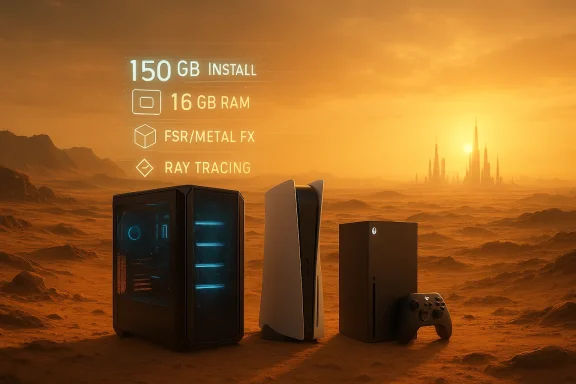
Pearl Abyss’ open‑world epic Crimson Desert arrives with a blunt, unavoidable hardware headline: you need modern hardware and a lot of free disk space — expect a 150 GB install on PC and a 16 GB system‑memory baseline across platforms, with consoles relying heavily on upscaling to hit 4K/60 targets.
Pearl Abyss has set clear platform targets for Crimson Desert ahead of the March 19, 2026 launch, publishing a multi‑tier PC spec sheet and a set of console performance modes that emphasize upscaling and platform‑specific rendering pipelines. The studio’s materials insist on Windows 10 (64‑bit) and a universal 16 GB RAM baseline, while the PC install is listed at approximately 150 GB, a number that echoes across the official documentation and early coverage.
That 150 GB figure is the operational reality for PC players who want to install the game; console installs are generally smaller thanks to tighter packaging and platform compression, but users should still expect a large footprint. The studio’s performance strategy leans on modern GPU upscalers (platform FSR/XESS equivalents and frame interpolation on capable Apple chips) and multiple graphics presets rather than promising native 4K fidelity on midrange hardware.
Those numbers have practical consequences: players will consider storage management as much an element of launch preparation as GPU upgrades. For buyers juggling multiple large games, the launch of Crimson Desert is another reason to rethink storage strategy — fast NVMe capacity is no longer a luxury for serious PC gamers; it’s a prerequisite.
Crimson Desert will be a demanding install and a showcase of what modern engines can do when given abundant assets and platform‑specific upscaling. If you plan to jump in on or shortly after the March 19, 2026 release, clear at least 200 GB on your primary drive, prioritize NVMe storage, and align your GPU choice with the resolution and framerate you actually want to play at — because the difference between the Minimum and Ultra experience is not purely a dial on settings, it’s a hardware decision.
Source: Khel Now Crimson Desert PC & console requirements: How much space do you need?
 Background
Pearl Abyss has set clear platform targets for Crimson Desert ahead of the March 19, 2026 launch, publishing a multi‑tier PC spec sheet and a set of console performance modes that emphasize upscaling and platform‑specific rendering pipelines. The studio’s materials insist on Windows 10 (64‑bit) and a universal 16 GB RAM baseline, while the PC install is listed at approximately 150 GB, a number that echoes across the official documentation and early coverage.That 150 GB figure is the operational reality for PC players who want to install the game; console installs are generally smaller thanks to tighter packaging and platform compression, but users should still expect a large footprint. The studio’s performance strategy leans on modern GPU upscalers (platform FSR/XESS equivalents and frame interpolation on capable Apple chips) and multiple graphics presets rather than promising native 4K fidelity on midrange hardware.
What Pearl Abyss published: PC system requirements
Below is a concise breakdown of the official PC tiers as published by the developer, distilled into the specs that matter to most Windows users:- Operating System: Windows 10 (64‑bit) across tiers.
- System RAM: 16 GB minimum across all published levels.
- Storage: ~150 GB required for the PC install.
- CPU (example models listed by Pearl Abyss):
- Minimum: Ryzen 5 2600X / Intel i5‑8500.
- Recommended/High/Ultra: scales up through Ryzen 5 5600 → Ryzen 7 7700X and modern Intel 11th–13th gen equivalents.
- GPU (example models listed):
- Minimum: AMD RX 5500 XT / NVIDIA GTX 1060.
- Recommended → Ultra: RX 6700 XT / RTX 2080 → RX 9070 XT / RTX 5070 Ti class for highest fidelity.
macOS and Apple Silicon: different targets, same large footprint
Pearl Abyss also published performance and compatibility targets for macOS builds, which are split into two broad macOS targets and rely on Apple’s MetalFX upscaling and frame‑interpolation tech for higher FPS:- macOS 15 targets with MetalFX upscale aim for 30–40 FPS targets depending on resolution; Apple Silicon chips like M2 Pro / M3 / M4 are mentioned for the lower presets, and M3 Ultra / M4 Max for the top tiers. Storage requirements mirror PC: 150 GB listed for both Steam and App Store installs.
- macOS 26+ (future build) references frame interpolation and 60 FPS targets at multiple upscaled resolutions on capable Apple Silicon.
Console performance modes: how Sony and Microsoft play it
Both PlayStation 5 and Xbox Series consoles ship multiple graphics/ performance presets that trade resolution, ray‑tracing, and framerate to reach target experiences.PlayStation 5
- Performance Mode: Target 1080p @ 60 FPS with low ray tracing and balanced quality.
- Upscaled 4K (FSR 3) mode: ~40 FPS with low ray tracing/ quality settings.
- Quality Mode: Upscaled 4K (from 1440p or 1080p depending on preset) targeting 30–40 FPS with high/ultra ray tracing on top presets.
Xbox Series X / S
- Series X: Has presets that include 1080p @ 60 FPS (performance) and upscaled 4K at 40 or 30 FPS for higher quality targets, with ray tracing available on higher presets.
- Series S: Focuses on 720p/40 FPS or 1080p/30 FPS targets with ray tracing disabled on the platform’s published modes.
Why does Crimson Desert require so much space?
There are multiple, converging reasons for the roughly 150 GB PC install size:- Massive open world with high‑resolution assets. Open worlds require many unique textures, high‑poly models, and audio files for a living environment. The more unique the world, the larger the asset pool.
- High‑resolution textures and streaming. Modern AAA titles store multiple texture LODs (levels of detail) and large global illumination caches that add to install sizes. When studios want to support native 4K or very detailed close‑ups, texture packs balloon quickly.
- Rich cinematic content and voice acting. Long form cinematics, regionalized voice tracks, and lengthy cutscenes are storage‑hungry.
- Multiple renderer paths and platform builds. Supporting ray tracing, non‑ray tracing, high and low texture packs, and separate platform binaries increases the quantity of data built and packaged for the final product.
- Day‑one patches and streamed updates. Large day‑one updates that weren’t baked into the initial installer can add gigabytes rapidly; studios sometimes reserve optional or optional high‑res texture packs for post‑launch downloads.
What this means for PC gamers: practical guidance
If you plan to play Crimson Desert on PC, here’s a practical checklist to avoid surprises and get the best experience.- Reserve at least 200 GB free on the target drive. The game lists ~150 GB, but allow headroom for OS swap files, day‑one patches, and additional DLC/texture packs that may follow. This also accounts for fragmentation and temporary install staging.
- Install to a fast NVMe SSD where possible. Open‑world streaming benefits from high sequential and random throughput. A modern PCIe 4.0 NVMe drive reduces stutter and long load times, particularly when the engine streams large textures and world chunks.
- Keep a secondary external drive ready for archival. If your primary gaming SSD is constrained, keep a fast external NVMe or a USB4/Thunderbolt enclosure for offloading older titles; but don’t expect the same streaming performance if you run the game from an external HDD.
- Verify platform storefront differences. PC storefronts (for example, Steam vs a direct App Store build) sometimes package assets differently; the published 150 GB is the stated number but may differ slightly by store or if optional packs are delivered separately.
- Plan for updates. Keep ~20–30 GB of additional free space for initial patches and temporary staging during updates. Lacking free space can cause patch failures or require reinstalling the whole game.
Console owners: still worth worrying about storage
Console versions will typically be smaller than PC due to tighter packaging and the use of platform compression, but smaller is relative. Modern consoles often ship with modest free space after OS and system reserves; a 1 TB console can quickly fill with just a handful of large games.- PS5 owners: Expect the installed package to be smaller than 150 GB, but still substantial. Use the PS5’s storage management tools to uninstall games you don’t play frequently; reinstallation times are measured in minutes on internal NVMe expansions but can still be a nuisance if you’re swapping large installs often.
- Xbox Series X/S owners: Series X owners will have an easier time juggling large installs than Series S users, but both platforms will rely on upscaling to reduce compute load. Series S’s smaller internal drive and the lack of ray tracing options on some presets mean storage matters more on the budget console. Consider official expansion cards or a fast external SSD for swapping.
Upscaling, ray tracing, and the performance tradeoffs
Pearl Abyss’ published modes make clear that the game’s performance strategy relies on upscalers and frame‑generation where available.- Upscaling (FSR / MetalFX / platform equivalents) reduces the GPU load by rendering at a lower native resolution and reconstructing a near‑native image. This is why PS5 and Xbox modes show upscaled 4K as the target rather than fully native 4K at high FPS.
- Ray tracing is present as a quality toggle in higher presets; enabling it will push CPU/GPU requirements toward the Ultra list on PC and require more VRAM for complex reflection and shadow data.
- Frame interpolation on Apple Silicon is explicitly mentioned for macOS 26+ targets to reach 60 FPS on higher resolutions; this shows how platform capability will shape playable settings.
Risks, caveats, and the unknowns
No multi‑platform launch is without risk. Here are the important caveats to consider before committing disk space or modern hardware upgrades.- Day‑one patch size uncertainty. The published install size is a snapshot; many modern games ship with significant day‑one patches that can add tens of gigabytes. Always budget extra space for updates.
- Optional high‑res textures and post‑launch packs. Some developers ship optional “HD texture” packs after launch that can add large amounts of storage. If Pearl Abyss offers optional packs, the 150 GB baseline could expand considerably. Treat the 150 GB as a conservative baseline, not an upper bound.
- Performance variance across GPU drivers and Windows versions. The published target OS is Windows 10 64‑bit — real‑world performance may be better or worse depending on driver maturity and OS patches. Expect driver updates to arrive around launch that may change performance envelopes.
- External drive performance limitations. Running an open‑world streaming game from an external HDD or slower SSD will increase stutter and texture pop‑in. Use internal NVMe storage for the best experience.
- Long‑term maintenance and space creep. Games with live services or ongoing seasonal updates can expand over the months following launch. If you’re tight on storage, be ready to uninstall and redownload content as it rotates.
Upgrade checklist: what to buy or upgrade before launch
If you’re preparing a PC for Crimson Desert and want to avoid compromises, prioritize upgrades in this order:- Fast NVMe SSD (PCIe 3.0 minimum; PCIe 4.0 recommended). This improves load times and streaming. Leave at least 200 GB free.
- GPU aligned with your target settings. For 1080p/60 aim for midrange cards (RTX 20/30 series equivalents); for 1440p/60 or upscaled 4K, plan for RTX 3070 / RX 7700XT class or higher. Ultra fidelity and ray tracing will demand top‑end hardware.
- 16 GB RAM minimum, 32 GB recommended for heavy multitasking/streaming. The game requires 16 GB; running background apps like streaming software benefits from more.
- Consider a CPU with strong single‑thread performance. Modern Ryzen 5/7 or Intel i5/i7 chips in the specs list are good targets; prefer newer generations for headroom.
- Backup and archival drive. A secondary fast external drive allows you to rotate large installs without redownloading.
Recommendations for WindowsForum readers: practical tuning and expectations
- If you have a constrained NVMe drive: Move nonessential games to an external NVMe enclosure or cloud storage and keep Crimson Desert on the main drive for best performance.
- If you want ray tracing: Be prepared to reduce resolution or use upscalers; ray tracing multiplies GPU cost while increasing VRAM pressure.
- If you’re on laptops: Thermal limits and shared memory can throttle sustained performance — favor performance presets and ensure the device is cooled during long sessions.
- Monitor VRR and Frame pacing: The published console targets mention VRR and variable framerate ranges; on PC, enable VRR/RTSS frame limiting where available to reduce stutter.
Final analysis: what Crimson Desert’s requirements tell us about 2026 AAA design
Crimson Desert’s published specifications are a clear case study in modern AAA tradeoffs. Pearl Abyss is prioritizing cinematic detail and a densely populated open world while avoiding the promise of native 4K everywhere. Instead, the studio uses platform upscalers and chip‑specific features to hit frame‑rate targets, and it asks PC players to provide the storage headroom and modern hardware necessary to host the assets that power those visuals. The consistent 16 GB RAM baseline and the 150 GB install size reveal how “baseline” in 2026 AAA means modern SSDs and midrange GPUs are the floor, not the ceiling.Those numbers have practical consequences: players will consider storage management as much an element of launch preparation as GPU upgrades. For buyers juggling multiple large games, the launch of Crimson Desert is another reason to rethink storage strategy — fast NVMe capacity is no longer a luxury for serious PC gamers; it’s a prerequisite.
Crimson Desert will be a demanding install and a showcase of what modern engines can do when given abundant assets and platform‑specific upscaling. If you plan to jump in on or shortly after the March 19, 2026 release, clear at least 200 GB on your primary drive, prioritize NVMe storage, and align your GPU choice with the resolution and framerate you actually want to play at — because the difference between the Minimum and Ultra experience is not purely a dial on settings, it’s a hardware decision.
Source: Khel Now Crimson Desert PC & console requirements: How much space do you need?
