

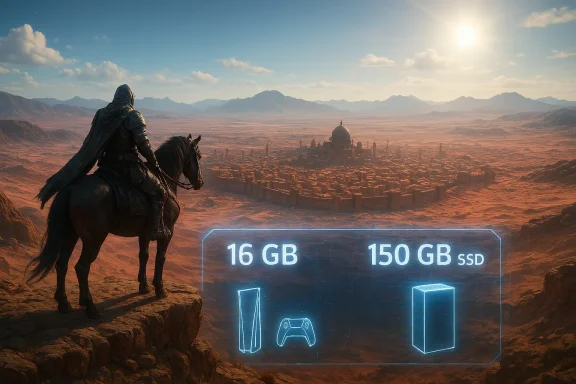
Pearl Abyss’ long‑teased open‑world epic, Crimson Desert, arrives with a blunt, unavoidable headline: you will need modern hardware and a lot of free disk space to install and run it. Across official platform notices and multiple outlet breakdowns, the studio has published a universal baseline of 16 GB of system RAM and roughly 150 GB of storage for the PC install, while the console builds lean heavily on upscaling technologies and platform‑specific rendering modes to hit ambitious resolution and ray‑tracing targets.
Pearl Abyss has positioned Crimson Desert as a high‑fidelity action‑adventure title built on its proprietary BlackSpace engine. The developer’s published platform targets make two strategic choices explicit: first, a single, modern memory and storage baseline across PC presets; second, a reliance on upscaling and platform‑specific optimizations to deliver 60‑FPS and 4K targets on current consoles rather than promising purely native resolution across the board. These choices reflect the studio’s effort to balance visual ambition with wider hardware compatibility.
This article breaks down the complete system requirements and storage needs announced for Crimson Desert, explains what they mean in practice for PC and console owners, and provides recommendations and risk warnings for players planning installs and upgrades.
Why SSD and why so large?
Key points:
For Windows handhelds (ROG Ally, ROG Ally X, and similar devices), Pearl Abyss lists discrete performance tiers with a matching emphasis on SSD space (again, 150 GB). Handhelds will deliver lower native resolutions and rely on FSR and frame‑generation when available to hit higher frame rates. Plan for the same install footprint and a fast NVMe SSD to avoid streaming stutters.
But there’s a tradeoff: the install size and baseline requirements raise the cost of entry in terms of storage and upgrade behavior. For players with limited SSD capacity, the practical cost of playing Crimson Desert may exceed the game's sticker price: you might need to reallocate storage or purchase an NVMe drive. That reality is unlikely to change quickly unless the developer introduces aggressive compression or optional reduced‑texture packs post‑launch. Forum and community discussions before release already flagged this as a major friction point, and that concern remains valid.
For prospective players: audit your drive, confirm you have 16 GB of RAM, and choose settings with a realistic understanding of what your GPU and console generation can deliver. For the industry: Crimson Desert underlines a continuing trend — as game worlds grow, the cost of entry increasingly includes storage and memory upgrades alongside GPU purchases. That’s an important factor for developers, publishers, and players to acknowledge as the next generation of open‑world titles pushes the envelope.
If you’re planning to install Crimson Desert on day one, clear that SSD now and set aside at least 200 GB of headroom — it will save you time and friction later.
Source: Insider Gaming All Crimson Desert System Requirements—How Much Space Does Crimson Desert Need?
 Background
Pearl Abyss has positioned Crimson Desert as a high‑fidelity action‑adventure title built on its proprietary BlackSpace engine. The developer’s published platform targets make two strategic choices explicit: first, a single, modern memory and storage baseline across PC presets; second, a reliance on upscaling and platform‑specific optimizations to deliver 60‑FPS and 4K targets on current consoles rather than promising purely native resolution across the board. These choices reflect the studio’s effort to balance visual ambition with wider hardware compatibility.This article breaks down the complete system requirements and storage needs announced for Crimson Desert, explains what they mean in practice for PC and console owners, and provides recommendations and risk warnings for players planning installs and upgrades.
What Pearl Abyss says: the headline specs
- Universal PC baseline: 16 GB RAM, Windows 10 64‑bit, SSD required.
- Storage / install size (PC): ~150 GB free space required on an SSD for the initial install on major storefronts.
- GPU scaling: Multiple GPU tiers listed from accessible mid‑range adapters to top‑end GPUs for native 4K/60 on Ultra. The developer provides different presets (Minimum / Low / Recommended / High / Ultra) with matching GPU and CPU recommendations.
- Console modes: PS5 and Xbox Series X/S have multiple graphics modes (Performance / Balanced / Quality) with upscaling and platform‑specific frame‑generation or PSSR for PS5 Pro to hit 4K/60+ targets. PS5 Pro receives extra PSSR upgrades that enable higher upscaling fidelity.
PC system requirements — full breakdown and what each tier means
Minimum / Low tier (what you need to run the game at the lowest supported settings)
Pearl Abyss lists the following as the entry points for PC play:- OS: Windows 10 (64‑bit)
- CPU: AMD Ryzen 5 2600X / Intel i5‑8500
- GPU: AMD Radeon RX 5500 XT / NVIDIA GeForce GTX 1060
- RAM: 16 GB
- Storage: 150 GB (SSD)
Recommended / High tiers (play comfortably at higher resolutions / frame rates)
Recommended and higher presets step up to GPUs like the AMD Radeon RX 6700 XT and NVIDIA GeForce RTX 2080, and CPUs such as the Ryzen 5 5600 or Intel i5‑11600K. These tiers are intended for players who want smoother performance at 1080p/1440p with higher settings, or to lean on upscaling to approach 4K at playable frame rates. The memory and storage baseline remain constant: Pearl Abyss keeps 16 GB RAM and 150 GB as the install footprint across all PC presets.Ultra / Native 4K tier (the “beast” hardware)
For native 4K at 60 FPS with ray tracing and Ultra quality, the publisher’s guidance points to contemporary high‑end GPUs — in publisher materials and early performance analysis, GPUs in the very high end (examples referenced in testing include RDNA‑3/4 and next‑gen NVIDIA cards) are expected to be necessary for uncompromised native 4K/60. Tech testing has shown native 4K/60 on extremely powerful adapters in lab conditions, but those are exceptional cases, not the norm for average rigs.Storage: how much space does Crimson Desert actually need?
Short answer: plan for at least 150 GB of free SSD space for the base install on PC, and expect that patches and DLC will increase that over time. Steam’s store listing and multiple outlet summaries list 150 GB as the advertised install size; community reports and pre‑launch test builds previously hinted at slightly different numbers in internal builds, which is typical as final builds are compressed and optimized before release.Why SSD and why so large?
- Open worlds with dense assets (textures, streamed models, audio) grow quickly; uncompressed textures and localized streaming systems are disk‑space hungry.
- Ray tracing assets, precomputed lightmaps, and optional high‑resolution texture packs add to the footprint.
- Developers frequently ship multiple fidelity variants (texture LODs, intermediate shader caches, platform‑specific data blobs), increasing package size.
Console builds: how Sony and Microsoft get 60 FPS and 4K
Pearl Abyss published explicit performance targets for PS5, PS5 Pro, Xbox Series X, and Series S. The strategy is predictable: use multiple modes and platform upscaling to deliver a balance of resolution, frame rate, and ray tracing.Key points:
- PS5 (base): Performance mode targets 1080p upscaled modes and 60 FPS with VSync; Quality modes lower the frame rate for higher fidelity. Ray tracing is available but usually at low settings in performance modes.
- PS5 Pro: Gains from PSSR (PlayStation Spectral Super Resolution) upscaling — Pearl Abyss lists modes that target upscaled 4K at 60+ FPS using Pro‑specific PSSR improvements and higher ray‑tracing quality levels. Several outlets reported Pearl Abyss’ claim that PS5 Pro can hit 4K 60+ with higher ray tracing, relying heavily on upscaling.
- Xbox Series X: Targets upscaled 4K for higher modes and 60 FPS performance in performance mode; ray tracing quality is scaled depending on mode.
- Xbox Series S: Lower native resolution targets (720p / 1080p upscaling) and lower frame rates; ray tracing often disabled to hit frame targets.
macOS and handhelds: Apple silicon and ROG / Ally devices
Pearl Abyss also published macOS targets and support for Apple silicon configurations, with the baseline again emphasizing 16 GB of RAM and 150 GB of storage as the install footprint (App Store and Steam Mac installs are the same size in their notices). Mac targets reference Apple silicon chips across M2/M3/M4 families and Metal‑accelerated upscaling (MetalFX). For players on M‑series hardware, the game targets a range of upscaled resolutions and FPS depending on chip tier.For Windows handhelds (ROG Ally, ROG Ally X, and similar devices), Pearl Abyss lists discrete performance tiers with a matching emphasis on SSD space (again, 150 GB). Handhelds will deliver lower native resolutions and rely on FSR and frame‑generation when available to hit higher frame rates. Plan for the same install footprint and a fast NVMe SSD to avoid streaming stutters.
Performance expectations: upscaling, ray tracing, and native fidelity
Pearl Abyss’ materials and contemporaneous technical tests make a consistent point: the BlackSpace engine has been tuned for upscaling and platform‑level frame generation, enabling impressive visuals without requiring universal top‑tier GPUs. However, there are two clear realities:- Upscaling is not magic — it improves perceived resolution and can free GPU cycles for effects like ray tracing and higher detail, but image fidelity differs from true native rendering at the same resolution. Expect a tradeoff between crispness and performance depending on the mode you pick. Several outlets and community debaters note that PSSR and FSR improvements can close the gap but are still distinguishable from native pixels on close inspection.
- Native 4K/60 + high ray tracing is hardware‑hungry — TechSpot’s laboratory-level tests show ultra settings and native 4K/60 are achievable on very powerful modern GPUs, but those adapters are the exception for most players; most users will rely on upscaling to achieve a 4K look at playable frame rates. If you want native headroom for 4K/60 with RT, plan on a top‑end GPU and a robust CPU alongside that mandatory SSD and 16 GB of RAM.
Practical guidance — install and upgrade checklist
If you plan to play Crimson Desert on PC, follow these steps to avoid headaches:- Confirm your drive: you need an SSD (NVMe preferred) with at least 150 GB free for the initial install; allow extra headroom for patches.
- Verify your system memory: 16 GB is required. If your system has 8 GB, plan an upgrade.
- Check GPU recommendations: match your target resolution and frame rate to the GPU tier — mid‑range cards for 1080p/1440p, higher‑end for upscaled/native 4K.
- Update drivers and OS: modern GPU drivers and up‑to‑date Windows builds reduce compatibility friction and may contain performance fixes for new titles.
- Pre‑allocate space: keep 30–50 GB free above the install size (plan for ~200 GB free) to prevent installs failing mid‑patch and to accommodate shader caches.
How future updates and DLC could change the picture
A final install size advertised pre‑launch is rarely static. Large day‑one patches, post‑release updates, and future DLC or optional high‑resolution texture packs will increase the storage requirement over time. Pearl Abyss’ initial public materials and community reports included variance between internal builds and final store listings — a normal part of late‑stage optimization — so the 150 GB figure should be treated as the starting point, not the ceiling. Expect incremental increases during the first weeks of post‑launch support unless the studio provides targeted compression patches.Strengths in Pearl Abyss’ approach
- Clear baseline requirement: By declaring a consistent 16 GB + SSD floor across PC presets, Pearl Abyss reduces confusion for users comparing presets and storefront listings, and it pushes for a modern minimum that matches streaming/asset streaming realities. That clarity helps players plan upgrades rather than guessing whether an older HDD will suffice.
- Upfront console modes: Listing explicit Performance / Balanced / Quality modes and describing how upscaling and PSSR are used lets console players make informed choices before purchase. It’s better than ambiguous “multi‑target” messaging that leaves players uncertain about native vs upscaled presentation.
- Scalable engine design: The BlackSpace engine’s emphasis on upscaling and targeted rendering modes enables the studio to hit a broad spectrum of hardware without fragmenting the install base into incompatible builds. That’s a pragmatic, future‑aware design choice.
Risks and potential downsides
- Large install size is a barrier: The 150 GB SSD requirement will be painful for many users with smaller NVMe drives or laptops. Even for desktop owners, SSD budgets vary; the storage baseline could force some players to uninstall other games or buy additional storage. Community reports and forum threads highlight this friction.
- Perception risk from upscaling: Heavy reliance on upscaling, especially with bold marketing around 4K/60, risks a perception issue if real play footage on base consoles or mid‑range PCs looks visibly softer than native alternatives. Upscaling helps performance, but image quality decisions will be scrutinized by players and technical reviewers.
- Patch size and long‑term footprint: Without careful post‑launch management, the installed size can grow quickly — and that matters when players on consoles have limited internal storage or when Windows users keep multiple large titles. Pearl Abyss should prioritize differential downloads and compressed texture formats where possible.
Upgrade recommendations (prioritized)
If you’re short on hardware and you want to play Crimson Desert closer to the recommended experience, prioritize in this order:- SSD (NVMe) — required for the base install and for streaming performance. The installer explicitly lists an SSD requirement.
- Memory to 16 GB — non‑negotiable baseline; upgrading from 8 GB will eliminate many bottlenecks.
- GPU — match to your target resolution: mid‑range for 1080p/1440p, higher for upscaled/near‑native 4K. Tech reviews suggest very powerful GPUs for uncompromised native 4K/60 with RT.
- CPU — avoid pairing a very fast GPU with a weak CPU; Crimson Desert lists moderate-to-strong CPU targets for higher presets.
Final analysis — how serious a “beast” is Crimson Desert?
Crimson Desert is ambitious but pragmatic. Pearl Abyss is clear about the modern minimum (16 GB + SSD) and honest about where upscaling will be used to achieve higher targets, especially on consoles. The game is not trying to lock players out of high‑end visuals — rather, it’s using current scaling technologies to extend visual fidelity across a wider install base while still allowing players with top‑tier hardware to chase native fidelity.But there’s a tradeoff: the install size and baseline requirements raise the cost of entry in terms of storage and upgrade behavior. For players with limited SSD capacity, the practical cost of playing Crimson Desert may exceed the game's sticker price: you might need to reallocate storage or purchase an NVMe drive. That reality is unlikely to change quickly unless the developer introduces aggressive compression or optional reduced‑texture packs post‑launch. Forum and community discussions before release already flagged this as a major friction point, and that concern remains valid.
Quick reference: the five most important takeaways
- You need 16 GB RAM and an SSD to run Crimson Desert on PC; that baseline is non‑negotiable across presets.
- Plan for at least 150 GB of free SSD storage for the initial install; allow extra headroom for patches and shader caches (recommend ~200 GB free).
- Console builds use multiple graphics modes and heavy upscaling (PSSR on PS5 Pro) to hit 60 FPS and 4K targets — expect tradeoffs between native fidelity and frame stability.
- Native 4K/60 with high ray tracing is achievable but only on very high‑end GPUs; most players will rely on upscaling to approximate 4K at playable frame rates.
- Expect the installed footprint to grow over time with patches and content; the 150 GB figure is a realistic starting point, not a final cap.
Closing thoughts
Crimson Desert is technically ambitious and clearly designed for modern hardware expectations. Pearl Abyss’ upfront clarity about memory and storage needs is welcome, even if the numbers are intimidating. The pragmatic embrace of upscaling and platform‑specific features means many players will experience excellent performance and visuals without owning flagship GPUs, but that convenience comes at the cost of a large SSD and acceptance of upscaling tradeoffs.For prospective players: audit your drive, confirm you have 16 GB of RAM, and choose settings with a realistic understanding of what your GPU and console generation can deliver. For the industry: Crimson Desert underlines a continuing trend — as game worlds grow, the cost of entry increasingly includes storage and memory upgrades alongside GPU purchases. That’s an important factor for developers, publishers, and players to acknowledge as the next generation of open‑world titles pushes the envelope.
If you’re planning to install Crimson Desert on day one, clear that SSD now and set aside at least 200 GB of headroom — it will save you time and friction later.
Source: Insider Gaming All Crimson Desert System Requirements—How Much Space Does Crimson Desert Need?
