

Microsoft’s Customer Feedback Survey Agent, built with Microsoft Copilot Studio and integrated into Dynamics 365 Contact Center, has graduated from preview to general availability for the chat channel—bringing a unified, in-line approach to post-conversation surveys that keeps the entire feedback loop inside the same chat session and simplifies survey configuration across channels.
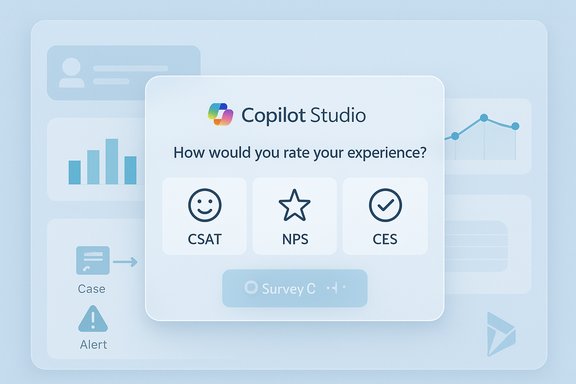
The Customer Feedback Survey Agent emerged during the 2025 release wave for Dynamics 365 Contact Center as a way to modernize how organizations collect, act on, and analyze customer feedback. The agent is authored in Copilot Studio, published to the Copilot Service admin center, and can be attached to workstreams so the survey triggers automatically at the end of a conversation. This capability supports standard metrics such as Customer Satisfaction (CSAT), Net Promoter Score (NPS), and Customer Effort Score (CES), and can invoke downstream automation like Power Automate flows based on responses. Microsoft’s documentation and release notes emphasize the feature’s two core benefits: an optimized runtime experience for chat (so customers remain in the same chat window during the survey), and a centralized authoring process that lets administrators create surveys once and deploy them across chat, voice, and other digital channels. The Convert-from-preview announcement shows the progression from a public preview (Feb 21, 2025) to GA for chat in late 2025.
The Customer Feedback Survey Agent is available to enable now; administrators should consult their Copilot Service admin center and the Dynamics 365 documentation to confirm feature availability for their tenant and region, validate prerequisites, and plan a phased rollout that includes privacy safeguards and human-in-the-loop review for critical automation paths.
Source: Microsoft Customer Feedback Survey Agent is now generally available - Microsoft Dynamics 365 Blog
 Background
The Customer Feedback Survey Agent emerged during the 2025 release wave for Dynamics 365 Contact Center as a way to modernize how organizations collect, act on, and analyze customer feedback. The agent is authored in Copilot Studio, published to the Copilot Service admin center, and can be attached to workstreams so the survey triggers automatically at the end of a conversation. This capability supports standard metrics such as Customer Satisfaction (CSAT), Net Promoter Score (NPS), and Customer Effort Score (CES), and can invoke downstream automation like Power Automate flows based on responses. Microsoft’s documentation and release notes emphasize the feature’s two core benefits: an optimized runtime experience for chat (so customers remain in the same chat window during the survey), and a centralized authoring process that lets administrators create surveys once and deploy them across chat, voice, and other digital channels. The Convert-from-preview announcement shows the progression from a public preview (Feb 21, 2025) to GA for chat in late 2025. What changed with general availability
Seamless in-chat surveys
One of the most visible changes in the GA release is that surveys for the chat channel run entirely inside the live chat session. That design eliminates redirects to external pages or email-based follow-ups for chat conversations, which reduces friction and typically improves response rates. Microsoft’s product blog and documentation call this an “enhanced and optimized survey runtime experience” for chat.Unified configuration across channels
Administrators can now author a single survey agent in Copilot Studio and publish it for use across multiple channels. Once published, the survey appears in the Copilot Service admin center and can be attached to workstreams for voice, chat, and custom channels. This centralization removes the need to maintain separate configurations for each channel.Templates and automation hooks
The survey agents ship with predefined templates for common metrics (CSAT, NPS, CES) and support branching logic configured in Copilot Studio’s visual editor. Survey responses can trigger Power Automate flows, create follow-up cases, or alert supervisors when negative feedback is received—enabling fast, automated remediation workflows. Microsoft’s preview guidance shows a sample flow where an NPS below a threshold creates a follow-up case.Supervisor visibility and analytics
Supervisors and managers get a consolidated view of feedback within the Contact Center analytics and Copilot Service workspace. The new AI agent activity feed and analytics surfaces allow teams to track completion rates, aggregate scores, and drill into individual responses to produce actionable insights. Microsoft documentation and related features highlight how survey results integrate with analytics dashboards.Why this matters for contact centers
Higher completion rates with fewer interrupts
Surveys that run inline within the chat session remove extra clicks and avoid redirecting customers. That simplicity translates into higher completion rates and more timely, contextual feedback—feedback that’s captured while the interaction is still top-of-mind for the customer. Microsoft’s release notes specifically call out the usability and performance improvements for chat.Faster resolution and better routing
Because responses can automatically trigger workflows (for example, create a follow-up case via Power Automate or escalate a conversation), organizations can move from passive feedback collection to active remediation. This shortens the loop between negative feedback and corrective action, which is essential for high-volume support operations.Single-pane authoring reduces operational overhead
The ability to create and maintain survey logic in one place—Copilot Studio—and deploy it across channels means fewer configuration errors, less duplication, and simplified governance for survey content. It’s particularly valuable for large enterprises that need consistent metrics across voice, chat, and social channels.How Customer Feedback Survey Agent works (technical overview)
Authoring and lifecycle
- Create a new Customer Feedback Survey Agent in the Copilot Service admin center.
- Open the agent in Copilot Studio for authoring: add questions, branching logic, follow-up actions, and integrations.
- Publish the agent in Copilot Studio. Published agents are made available to contact center workstreams.
- Attach the published survey agent to the appropriate workstream (chat, voice, or custom channels) in Copilot Service admin center or Contact Center admin settings.
- At runtime, the system triggers the survey automatically after the conversation ends (or when a representative initiates it). Responses are recorded and surfaced to analytics and supervisors.
Runtime behavior and integration points
- The survey renders inside the same chat window for digital channels, so all interaction history remains visible to the customer and supervisor.
- For voice channels, post-call surveys can route customers to a survey agent as a follow-up (post-call survey setting). Microsoft notes older post-call workflows have been deprecated in favor of Copilot Studio–based surveys and provides guidance on enabling post-call surveys via workstream settings.
Extensibility
- Power Automate: trigger custom business processes (create cases, send alerts, update CRMs) based on survey responses.
- Custom connectors and APIs: Copilot Studio supports external integrations where required, enabling richer, data-driven actions.
Deployment checklist for admins
Before enabling survey agents at scale, complete these steps:- Ensure Copilot Studio and the relevant Dynamics 365 Contact Center channels exist in the same Azure environment and that you have the Omnichannel administrator role.
- Author and publish the survey agent in Copilot Studio; test it in a sandbox environment.
- Configure the workstreams: attach the published survey agent to chat or voice workstream settings depending on the channel. For voice, confirm post-call survey options are set correctly in the voice workstream.
- Build Power Automate flows for actioning responses (e.g., create follow-up case for NPS < 5). Test the end-to-end flow.
- Review regional availability and platform restrictions (some survey features are limited in Government clouds). Validate language support and local data policies.
Strengths and practical benefits
- User experience: Inline, in-chat surveys reduce friction and increase completion rates. This design aligns with modern mobile-first customer expectations.
- Automation-ready: Tight integration with Power Automate and Copilot Studio actions makes it straightforward to link feedback to remediation workflows.
- Centralized governance: Single authoring point reduces drift between voice and digital survey logic and simplifies updates and auditability.
- Analytics integration: Built-in surfaces and integration with the AI agent activity feed help supervisors act on feedback quickly.
Risks, limitations, and areas requiring caution
Privacy and regulatory compliance
Collecting feedback inside chat makes it easier to capture PII inadvertently (for example, customers typing order numbers or account details into free-text responses). Organizations must enforce data collection policies, configure redaction where possible, and ensure Power Automate flows don’t store PII inappropriately. Microsoft documentation flags PII considerations in analytics and supervisor review flows—implement strict data retention and masking policies.Government clouds and geographic availability
Not all features are immediately available in all cloud environments. For example, Microsoft’s documentation notes that some post-conversation survey features are not supported in Government Community Cloud deployments; administrators must validate availability based on region and environment. If your organization operates under stringent data-residency requirements, verify the feature’s supported geography before rolling out.Model behavior and hallucinations
While Copilot Studio agents can interpret free-text feedback, generative AI models can produce inaccurate classifications if prompts, training data, or ingestion policies are misconfigured. Relying on the agent to interpret open-text feedback without human review can introduce classification errors. Implement human-in-the-loop checks, especially for escalations and automated case creation. This is consistent with best practices for Copilot–powered automation.Operational complexity and license implications
Integrating survey agents across channels, tying them to Power Automate flows, and surfacing results in analytics requires coordination across admin, security, and developer teams. There may also be licensing implications for Copilot Studio, Dynamics 365 Contact Center, and Power Automate—confirm entitlements and cost impact before wide deployment. Microsoft’s release material and admin docs outline prerequisites and roles but do not replace formal licensing reviews.Best practices for rollout
- Start small with a pilot that uses a single metric (e.g., NPS) and a single channel to validate end-to-end behavior and integration with downstream systems.
- Use a sandbox environment to tweak the Copilot Studio prompts, branching logic, and Power Automate flows before promoting to production.
- Implement role-based access controls: only grant agent-authoring or publishing rights to trusted administrators.
- Build conservative automation rules for early rollouts (for example, route negative feedback to a review queue rather than automatically creating remediation cases).
- Monitor the AI agent activity feed and analytics dashboards closely during the pilot to detect misclassifications or automation errors.
Real-world scenario: quick walk-through
- Author NPS survey in Copilot Studio using the built-in template; add a branching question to collect follow-up comments when the score is 0–6.
- Publish the agent from Copilot Studio and verify it appears in the Copilot Service admin center.
- Create a Power Automate flow that: (a) creates a case when NPS < 5; (b) notifies the supervisor via Teams for immediate review.
- Attach the published agent to the chat workstream; enable post-conversation survey in the chat settings.
- Monitor analytics for completion rates and the downstream queue for new cases. Adjust the follow-up logic if many false positives are created.
Where this fits in the broader Dynamics 365 roadmap
The Customer Feedback Survey Agent is part of a larger push to make Copilot Studio the single place to orchestrate AI agents for Dynamics workloads—combining agent authoring, runtime, and monitoring. Other 2025 enhancements to Copilot Studio and Dynamics 365 Contact Center include AI-driven routing, autonomous resolution agents, and deeper Teams/telephony integrations. Independent write-ups and community summaries tracking the 2025 release wave list the survey agent alongside other GA items appearing in the October–November 2025 window. Those timelines align with Microsoft’s public preview and GA cadence.Independent verification and timeline notes
Microsoft’s official announcement on November 21, 2025, confirms GA for chat. Additional Microsoft Learn pages and the Release Plan provide configuration steps and explain how the agent integrates with voice and digital channels. Independent community posts and release digests (published by third-party bloggers and community analysts) track this capability across 2025 release wave notes and confirm the same general availability timing reported by Microsoft. Where third-party sources summarize Microsoft’s roadmap, they corroborate the GA timeframe and describe the primary capabilities (in-chat runtime, templates, Power Automate integration). Readers should treat third-party timelines as corroborating summaries rather than independent primary evidence. Note: some community summaries reference an October 31, 2025 GA milestone for related feedback features; Microsoft’s own communications show staged rollouts and channel-by-channel availability, so administrators must consult their tenant’s Copilot Service admin center and the Dynamics 365 release geography pages for the exact availability in their region. If your tenant received the feature earlier or later, that can reflect phased rollouts or regional differences.Practical recommendations for WindowsForum readers
- Treat the Customer Feedback Survey Agent as a powerful tool—but control it. Configure conservative automations and add manual review gates for high-impact actions like refunds, escalations, or case creation.
- Enforce data-handling rules: redact or block PII in free-text answers, and apply retention rules to survey data. Track where Power Automate flows write data and ensure those locations meet compliance requirements.
- Validate cross-channel parity: confirm the same survey logic behaves consistently across chat and voice to avoid statistical artifacts in your analytics. Use the same templates and test across devices.
- Shadow-mode automation: initially run automation in notification-only mode so supervisors can validate it before it takes actions automatically. This reduces the risk of disruption from misclassifications.
Final assessment
The general availability of the Customer Feedback Survey Agent for chat channels represents a thoughtful step in making customer feedback collection more immediate, contextual, and operationally useful. The approach addresses long-standing weaknesses in post-contact surveys—fragmented tooling, low completion rates, and slow response to negative feedback—by combining in-chat surveys with Copilot Studio’s authoring and Power Automate’s workflow capabilities. However, the feature is not a plug-and-play silver bullet. Successful adoption requires careful governance around data privacy, clear automation boundaries, and a staged rollout with human oversight. For enterprises already invested in Dynamics 365 and Power Platform, the new agent can accelerate closed-loop feedback programs and drive faster service improvements—provided that security, compliance, and change management practices are baked into the deployment plan. Organizations that move too quickly—automating case creation or customer outreach without adequate checks—risk operational churn or regulatory missteps. Conversely, those who adopt a deliberate pilot-driven strategy will find the in-chat survey model a practical and measurable way to improve customer experience at scale.The Customer Feedback Survey Agent is available to enable now; administrators should consult their Copilot Service admin center and the Dynamics 365 documentation to confirm feature availability for their tenant and region, validate prerequisites, and plan a phased rollout that includes privacy safeguards and human-in-the-loop review for critical automation paths.
Source: Microsoft Customer Feedback Survey Agent is now generally available - Microsoft Dynamics 365 Blog
