

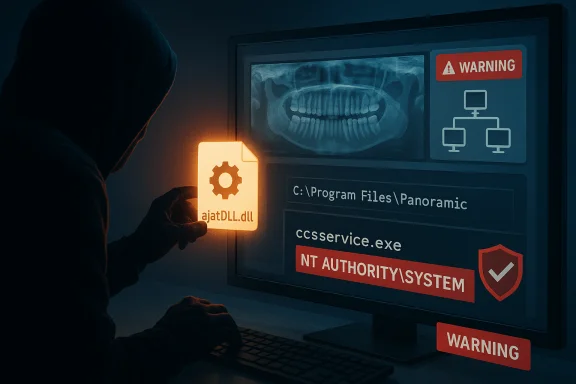
A high‑severity privilege‑escalation flaw in Panoramic Dental Imaging software (tracked as CVE‑2024‑22774) allows a local standard user to gain NT AUTHORITY\SYSTEM privileges through DLL hijacking in an unmanaged SDK component, forcing dental clinics and hospital imaging teams to treat every workstation running this software as high‑priority for patching and containment.
Panoramic Dental Imaging software — shipped in at least one vendor-branded package as Digital Imaging Software v9.1.2.7600 — uses an SDK component originating from Ajat/Direct Conversion that handles Windows DLL loading in an insecure way. The root weakness is an Uncontrolled Search Path Element (CWE‑427), commonly exploited through DLL hijacking. Security researchers assigned CVE‑2024‑22774 to the issue and calculated a CVSS v3.1 base score of 7.8 and a CVSS v4 base score of 8.5, reflecting local exploitation with low attack complexity but high confidentiality, integrity, and availability impact. The vulnerability was reported to federal authorities and published in an industrial/medical advisory. The researcher credited in public reports is Damian Semon Jr. of Blue Team Alpha, which provided technical write‑ups demonstrating how a malicious DLL placed in the application’s search path results in arbitrary code execution with system privileges. Although this vulnerability is not remotely exploitable by itself — it requires local access to the affected workstation — its low complexity and the prevalence of shared workstations, removable media, and cross‑network file flows in clinical environments make the practical risk material. CISA’s advisory and multiple vulnerability trackers confirm the technical details and severity.
Source: CISA Varex Imaging Panoramic Dental Imaging Software | CISA
 Background / Overview
Panoramic Dental Imaging software — shipped in at least one vendor-branded package as Digital Imaging Software v9.1.2.7600 — uses an SDK component originating from Ajat/Direct Conversion that handles Windows DLL loading in an insecure way. The root weakness is an Uncontrolled Search Path Element (CWE‑427), commonly exploited through DLL hijacking. Security researchers assigned CVE‑2024‑22774 to the issue and calculated a CVSS v3.1 base score of 7.8 and a CVSS v4 base score of 8.5, reflecting local exploitation with low attack complexity but high confidentiality, integrity, and availability impact. The vulnerability was reported to federal authorities and published in an industrial/medical advisory. The researcher credited in public reports is Damian Semon Jr. of Blue Team Alpha, which provided technical write‑ups demonstrating how a malicious DLL placed in the application’s search path results in arbitrary code execution with system privileges. Although this vulnerability is not remotely exploitable by itself — it requires local access to the affected workstation — its low complexity and the prevalence of shared workstations, removable media, and cross‑network file flows in clinical environments make the practical risk material. CISA’s advisory and multiple vulnerability trackers confirm the technical details and severity. Technical summary
What the bug is
- Root cause: Uncontrolled DLL search path inside an imaging SDK used by the Panoramic software, allowing the application to load attacker‑supplied DLLs instead of the intended library (DLL hijacking).
- Practical effect: A local attacker (or malware running under a local low‑privilege account) can place a crafted DLL in a location that the application will load, causing code to execute in the context of the application and its associated service processes — ultimately enabling escalation to NT AUTHORITY\SYSTEM.
- Affected component: ccsservice.exe (and the associated service/processes used by the Panoramic imaging stack) within Panoramic Digital Imaging Software v9.1.2.7600.
Verified scoring and exposure
- CVSS v3.1 base score: 7.8 (AV:L/AC:L/PR:L/UI:N/S:U/C:H/I:H/A:H).
- CVSS v4 base score: 8.5 (AV:L/AC:L/AT:N/PR:L/UI:N/VC:H/VI:H/VA:H/SC:N/SI:N/SA:N).
These figures are published in the national trackers and CISA’s advisory and were echoed by independent vulnerability aggregators.
Why local matters here
Local‑vector flaws are often downplayed; in healthcare they matter because:- Medical imaging workstations are frequently shared, connected to internal networks, and used to open files or media from external sources.
- Attackers who gain footholds through phishing, compromised contractor tools, or malicious USB drives can pivot to escalate to SYSTEM if such vulnerabilities exist.
- Once SYSTEM is obtained, attackers can disable security, tamper with image files and PACS records, exfiltrate PHI, or stage ransomware with high impact on clinical operations.
What vendors and authorities have said
- CISA issued a medical advisory identifying the problem class (DLL hijacking / uncontrolled search path) and the CVE assignment, and provided sector‑specific mitigations that align with standard ICS/medical device guidance (network isolation, segmentation, secure remote access).
- The vulnerability originally traces back to an SDK component supplied by Ajat/Direct Conversion; Direct Conversion was acquired by Varex Imaging in 2019, which complicates vendor ownership and support expectations for legacy SDK components. The acquisition chain (XCounter → Ajat → Direct Conversion → Varex Imaging) is publicly documented.
- The original researcher published a write‑up with PoC details; multiple vulnerability trackers (NVD, OpenCVE, Enginsight) mirrored the CVE entry and scoring.
Patch status, vendor guidance, and verification notes
- Some customer‑facing material (uploaded advisories and internal vendor notes) indicate that Varex Imaging provided a patch package distributed to customers and that a patched installer (named in internal guidance as something like AJAT_DENTAL_IMAGING_9.4.55.9888.exe) should be run on each workstation running the affected Panoramic software. That guidance appears in the advisory content provided to customers.
- Public, widely indexed vendor pages and mainstream download centers do not universally show an openly published patch file with the exact filename referenced above. External aggregators and national registries confirm the CVE and point to vendor contact as the remediation route, but a public, verifiable download link on an open vendor portal for that exact package was not found in normal web searches at the time of this reporting. This difference suggests the vendor may be distributing updates through controlled channels (customer portals, SharePoint, support ticketing) rather than publishing a public download. Treat the publicly quoted filename as vendor‑provided guidance and verify authenticity before running any executable.
- Important verification step: always obtain patches via the vendor’s official support channel or an authenticated customer portal, verify digital signatures and checksums, and coordinate deployment with clinical/operational stakeholders. If a patch is provided via an internal SharePoint link or private portal, validate it through vendor support and request cryptographic verification (SHA‑256) before installing. The advisory fragments in customer distributions recommend contacting Varex Imaging directly for assistance.
Operational risk analysis — healthcare perspective
Immediate clinical impact
- A successful local exploit yields SYSTEM privileges, which can:
- Disable endpoint protections and backup agents.
- Modify or delete diagnostic images and PACS records, impacting patient care and clinical history.
- Create persistence (services, scheduled tasks) to enable ransomware or long‑term exfiltration.
- Tamper with logging and forensic trails, complicating incident response.
Regulatory and business risk
- Patient data exposure or loss, imaging integrity issues, and downtime can trigger HIPAA breach reporting, state breach notification, and significant litigation/regulatory consequences for hospitals and dental practices.
- Imaging devices and software are often on procurement contracts with service level obligations; vendors that rely on end‑of‑life SDKs introduce supply‑chain risk that can materially increase remediation cost and downtime.
Likelihood and exploitability
- Exploitation is local but trivial for an adversary that can:
- Place files on the imaging workstation (via a malicious executable, phishing, or removable media).
- Or run code via a lower‑privileged account on a misconfigured system.
- The EPSS (exploit prediction scoring) and vendor notes indicate low evidence of in‑the‑wild exploitation at the time of public advisory publication, but absence of public exploitation reporting does not imply the issue is not being used opportunistically in targeted intrusions.
Recommended mitigation and remediation plan (for IT and clinical engineering teams)
Follow an ordered, auditable approach. The numbered items below are prioritized for speed and safety.- Inventory and identify
1. Build an asset list of all workstations and servers running Panoramic/PANCORP/AJAT imaging software. Record exact version strings (example: 9.1.2.7600) and service names (ccsservice.exe).
2. Flag machines with direct internet exposure, remote access tooling, or shared user accounts for immediate priority. - Containment — short term
1. Restrict local write access: ensure program install directories and service folders are writable only by administrators. Prevent non‑privileged users from writing files into the application directory or any path the application may search for DLLs.
2. Disable auto‑run/preview for untrusted removable media on imaging workstations. Implement an intake policy: all external media must be scanned on an isolated host before use.
3. Isolate affected hosts: move imaging hosts to a restricted VLAN or micro‑segment with minimal access to business networks and no direct Internet access. Apply host‑based firewall rules to limit unexpected egress.
4. If immediate patch deployment is not possible, consider running the imaging application in a restricted service account rather than local SYSTEM where the application permits (test first — many imaging tools expect elevated contexts). - Patch and vendor remediation
1. Contact Varex Imaging / Panoramic vendor support for the official patch and deployment guidance; obtain cryptographic checksums and signature details for any installer. Validate every patch artifact prior to running. 2. Test the vendor patch in a non‑production lab that mimics clinical workflows and integrations (PACS, EMR interfaces) before broad rollout.
3. Schedule a staged deployment during maintenance windows; update one clinic or site at a time and validate clinical image acquisition, export, and reporting flows. - Hardening and permanent mitigations
- Enforce principle of least privilege for operator accounts; avoid giving clinical staff local administrator rights on imaging hosts.
- Use application allow‑listing (AppLocker / Microsoft Defender Application Control) to prevent execution of unsigned binaries or unapproved DLLs in the application path.
- Remove or restrict legacy and unmaintained SDK components where possible; ask the vendor for a plan to recompile the application to use safe DLL loading APIs (SetDefaultDllDirectories / AddDllDirectory, explicit full‑path loads) and signed drivers.
- Enforce file integrity monitoring on imaging executable and DLL directories, alerting on any changes or unexpected creations.
- Detection and monitoring
- Instrument EDR/endpoint logs to detect suspicious DLL loads, new service registrations, and unexpected child processes spawned by imaging services.
- Monitor Windows event logs and service start/stop for ccsservice.exe anomalies.
- Hunt for evidence of privilege escalation: new SYSTEM processes spawned from non‑privileged sessions, unusual scheduled tasks, and unauthorized service installs.
- Incident readiness and communications
- Prepare an incident playbook for suspected exploitation: isolate host, collect volatile memory and disk images, preserve evidence, notify privacy/compliance and vendor support, and engage legal counsel for breach assessment.
- Coordinate with clinical leadership to plan fallback imaging workflows (alternate imaging stations, manual records) in case of extended remediation windows.
- Longer term procurement and supply‑chain controls
- Require vendors to disclose third‑party components and lifecycle status for any imaging software purchased. Prefer vendors that maintain or replace out‑of‑support SDKs used in clinical systems.
- Add contractual security SLAs for patch timelines and artifact signing to prevent privately distributed, unsigned fixes.
Practical deployment checklist (quick reference)
- 1) Identify all endpoints running the affected version.
- 2) Isolate those endpoints from the internet and untrusted networks.
- 3) Lock down NTFS permissions on application install paths so only administrators can write.
- 4) Obtain official patch via vendor support; verify SHA‑256 before running.
- 5) Test patch on non‑production image; validate PACS/EMR interoperability.
- 6) Deploy in waves; monitor for regressions and security alerts.
- 7) Implement application allow‑listing and continuous monitoring once patched.
Strengths, weaknesses and unresolved questions
Strengths (what defenders can rely on)
- The technical root cause (DLL search order) is well understood and mitigations (restricting write access, application whitelisting, using safe load APIs) are effective and broadly applicable.
- CVE assignment, national registry entries, and an authoritative government advisory (CISA) provide clear prioritization and a consensus on severity.
Weaknesses / risks
- The vulnerable SDK component appears to be legacy / out‑of‑support in some stacks, complicating vendor response and leaving responsibility largely with system integrators and clinical IT teams to implement compensating controls. Several trackers cite Ajat/Direct Conversion as the origin of the SDK and note lifecycle concerns.
- Distribution of vendor fixes via private channels (customer SharePoint or authenticated portals) is operationally sensible but increases the risk of confusion, inconsistent deployments, and potential supply‑chain verification gaps — defenders should insist on signed artifacts and documented checksums prior to execution.
Unverifiable or cautionary points
- Public indexes did not show a widely accessible, verifiable download for a patch file with the exact filename referenced in some internal advisory text; the presence of a vendor‑supplied filename in internal or customer advisories should be treated as vendor guidance, not a public artifact, until confirmed through vendor support. Defenders must verify patch authenticity with the vendor directly before running any binary.
Attack scenarios to prioritize for detection
- An attacker places or writes a DLL into a directory that the application loads (for example, a writable folder under C:\Program Files\Vendor\ or user profile paths) and restarts the imaging service; SYSTEM code executes.
- Post‑exploit lateral movement from a compromised imaging workstation toward PACS servers or file shares where DICOM images and metadata reside.
- Ransomware adapted to target imaging stacks, which may deliberately attempt local privilege escalation to disable backup or detection controls.
- Unexpected writes to imaging binary/DLL directories by non‑admin users.
- Creation or modification of Windows services associated with the imaging software.
- Unusual parent/child process relationships for ccsservice.exe or other imaging service processes.
Conclusion and final recommendations
CVE‑2024‑22774 is a high‑impact, local privilege escalation vulnerability in Panoramic Dental Imaging software caused by DLL search path mismanagement in an SDK component. It merits rapid action because it converts routine local compromise paths (malicious USB, phishing, or a compromised contractor account) into full SYSTEM compromise on imaging hosts — a particularly hazardous outcome in healthcare settings where imaging integrity and uptime are critical. Immediate priorities for any organization using the affected software:- Inventory and isolate affected hosts, restrict write permissions to application directories, and obtain the vendor’s official patch through authenticated support channels. Verify signatures and checksums before installing.
- Implement compensating hardening: application allow‑listing, least privilege accounts, network segmentation, and tight monitoring for suspicious DLL activity and service changes.
- Treat patch deployment as a coordinated clinical‑IT change control activity: test, schedule, and communicate with operations to avoid clinical disruption.
Source: CISA Varex Imaging Panoramic Dental Imaging Software | CISA
