

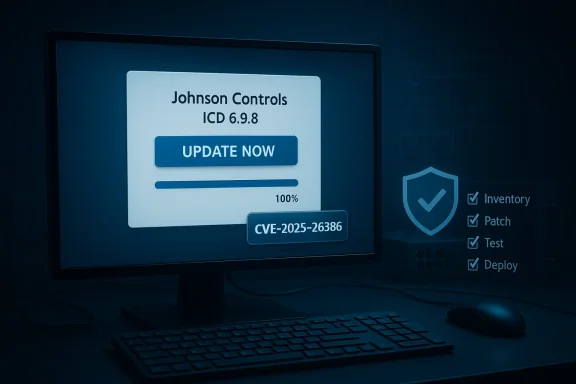
Johnson Controls’ iSTAR Configuration Utility (ICU) tool has a newly disclosed vulnerability — a stack‑based buffer overflow assigned CVE‑2025‑26386 — that can crash the Windows host running the utility and, in certain conditions, enable more severe host‑impact outcomes if exploited. The vendor’s recommended remediation is an immediate update to ICU version 6.9.8; CISA has republished an advisory describing the impact and defensive guidance, and industry trackers flagged the issue as High severity with a CVSS v3.1 base score of 7.1. This advisory affects environments where the ICU tool is installed on Windows engineering or integrator hosts, and it therefore requires urgent attention from IT teams that bridge Windows endpoints and physical access control infrastructure.
The iSTAR Configuration Utility (ICU) is a vendor tool used to configure legacy iSTAR door controllers and related devices. Although some modern iSTAR families (for example, iSTAR Ultra and G2 controllers) are managed by other tooling, ICU remains in field use where older or specialized controllers persist. Vulnerabilities in configuration utilities pose a different risk model from vulnerabilities in the controllers themselves: they target the Windows host that operators and integrators use to manage devices, creating a bridge between IT endpoints and operational technology (OT) assets.
What makes this disclosure important for Windows administrators is that a stack‑based buffer overflow in a configuration utility running on a Windows workstation can produce host process crashes, potential denial‑of‑service on the host, and — depending on exploitability and privilege context — the ability to execute code in the context of the running process. Because these Windows hosts often hold credentials, project files, and network paths to OT equipment, compromise of a single ICU host can be a high‑value foothold for an attacker.
Key facts at a glance:
Practical attacker models for ICU include:
Two important verification notes to include in remediation workflow:
Detection guidance:
Organizations should treat this advisory as operationally urgent: inventory affected hosts, apply the validated vendor update, and deploy compensating network and endpoint controls where immediate patching is not possible. Finally, because advisory identifiers and version thresholds can vary across coordinated disclosures, document your verification steps and ensure the remediation you apply matches the exact product and SKU in your environment.
Source: CISA Johnson Controls Inc. iSTAR Configuration Utility (ICU) tool | CISA
 Background / Overview
The iSTAR Configuration Utility (ICU) is a vendor tool used to configure legacy iSTAR door controllers and related devices. Although some modern iSTAR families (for example, iSTAR Ultra and G2 controllers) are managed by other tooling, ICU remains in field use where older or specialized controllers persist. Vulnerabilities in configuration utilities pose a different risk model from vulnerabilities in the controllers themselves: they target the Windows host that operators and integrators use to manage devices, creating a bridge between IT endpoints and operational technology (OT) assets.What makes this disclosure important for Windows administrators is that a stack‑based buffer overflow in a configuration utility running on a Windows workstation can produce host process crashes, potential denial‑of‑service on the host, and — depending on exploitability and privilege context — the ability to execute code in the context of the running process. Because these Windows hosts often hold credentials, project files, and network paths to OT equipment, compromise of a single ICU host can be a high‑value foothold for an attacker.
Key facts at a glance:
- Vulnerability: Stack‑based buffer overflow in Johnson Controls iSTAR Configuration Utility (ICU).
- Assigned identifier: CVE‑2025‑26386 (as reported by coordinating advisories).
- CVSS v3.1 base score: 7.1 (High).
- Affected ICU versions: all versions <= 6.9.7 (vendor guidance indicates update to 6.9.8).
- Vendor remediation: upgrade ICU to 6.9.8.
- Operational impact: crash or failure of the Windows host running ICU; potential for more serious host compromise under certain conditions.
Why this matters: Windows hosts are high‑value bridges
ICU is a native Windows application used by physical security integrators and facilities teams. These hosts are often less hardened than enterprise desktops: they may run vendor utilities with elevated privileges, store access control project files, and have direct network routes or credentials for controllers. A vulnerability that affects a Windows utility therefore has outsized operational significance:- Credential exposure and lateral movement: Engineering hosts may store or cache credentials, tokens, or SSH keys that permit access to controller management interfaces. Compromise of that host supports lateral movement into OT segments or jump hosts.
- Persistence and supply‑chain risk: An exploited Windows host can be used as a staging ground to tamper with firmware images, inject malicious updates, or modify configuration artifacts that are later applied to controllers.
- Operational downtime and physical safety: If the ICU host is the primary management workstation in a facility, crashing or taking it offline can delay maintenance and remediation actions, potentially affecting doors, alarms, and audit logging.
- Compliance and audit implications: Many organizations must demonstrate patching and vulnerability remediation for control‑system tools when reporting to regulators or insurers. Discrepancies in advisory version strings or CVE mapping complicate such reporting.
Technical summary and attack model
At a technical level, stack‑based buffer overflows occur when an input or data operation exceeds a fixed buffer boundary on the stack, overwriting adjacent memory such as saved return addresses or frame pointers. In a Windows desktop application, exploitation can be immediate (control the instruction pointer and execute arbitrary payloads) or can produce denial of service (process crash) if modern exploit mitigations are present.Practical attacker models for ICU include:
- Remote network attacker who can cause the ICU process to parse crafted inputs (for example, via file imports or networked device responses) and trigger overflow.
- Local or adjacent attacker who gains a foothold on the same LAN as an engineering workstation and crafts traffic or files that ICU consumes.
- Malicious insider or compromised maintenance laptop that runs ICU against controllers; if that instance contains a crafted project file or plugin, the vulnerability can be triggered.
- Buffer overflows vary in practical exploitability depending on compiler protections (stack canaries, DEP, ASLR) and the privilege level of the running process. Even when remote code execution is difficult, process crashes and denial‑of‑service are straightforward outcomes.
- A confirmed fix from the vendor suggests the vulnerability is real and actionable; however, whether a reliable remote exploit exists in the wild may vary. Operators must treat the vulnerability as operationally significant even absent public exploits because of the high asset value.
Verification and cross‑checks (verification notes)
The vendor has published a Product Security Advisory advising users to update the ICU tool to 6.9.8. Independent ICS advisory aggregators and government‑level advisories have republished the technical details, framing the issue as a stack‑based overflow with host impact on Windows. Multiple industry trackers flagged ICU vulnerabilities during the 2025 disclosure cycle; this particular CVE and version mapping were recorded in the most recent advisory republish.Two important verification notes to include in remediation workflow:
- Advisory and CVE mappings for industrial product families are sometimes revised across coordinated disclosures. Confirm the exact firmware or utility installer filename and its cryptographic checksum (SHA‑256) before deploying to production systems.
- If your compliance or ticketing process requires NVD/MITRE canonicalization, confirm whether the CVE has fully propagated to the public CVE index before closure; some vendor or CSAF packages reference internal or vendor‑assigned identifiers that are later synchronized to public feeds.
Immediate action checklist (first 72 hours)
This is a practical playbook for Windows sysadmins and security teams who manage or support ICU hosts.- Inventory (0–8 hours)
- Identify all Windows hosts that have ICU installed (scan endpoints, check CMDB entries, query software inventory, and search for ICU installer names).
- Record installed ICU version, OS build, and whether the host has elevated service accounts or stored controller credentials.
- Contain (0–24 hours)
- Remove unnecessary network exposure: block ICU management ports at the firewall if they exist, and restrict host outbound traffic where feasible.
- Isolate high‑risk engineering hosts: place them on a segmented management VLAN with strict ACLs to limit lateral movement.
- Patch and test (24–72 hours)
- Obtain the vendor‑published ICU 6.9.8 installer package from the vendor trust center or authenticated portal.
- Verify the installer’s checksum/signature against the vendor advisory.
- Test the update on a single, representative engineering workstation in a controlled environment to verify functionality and roll‑back procedures.
- Roll out the update to production hosts in phased waves with maintenance windows and backups.
- Compensating controls (if patching is delayed)
- Use application allow‑listing (Windows AppLocker or similar) to control which applications can execute.
- Restrict which accounts can run ICU via local policy or group policy.
- Require antivirus/EDR monitoring on ICU hosts and ensure detection signatures and EDR telemetry are forwarded to SOC/IR teams.
Detailed remediation playbook for Windows administrators
- Confirm the authoritative advisory: download the Product Security Advisory (PSA) from the vendor’s official trust center and the republished government advisory for procedural guidance.
- Validate installer integrity: check SHA‑256 or PGP signatures for the ICU 6.9.8 installer. Never run vendor binaries from secondary or mirrored sources without checksum validation.
- Backup current configuration: export ICU profiles, project files, and credentials as appropriate before applying the patch. Document current registry keys, scheduled tasks, and any service configurations related to ICU.
- Test the patch on a staging workstation. Validate:
- ICU can still read and write expected controller configurations.
- No regressions in device communication or compatibility with the specific controller models your organization uses.
- Restore/rollback steps are documented and tested.
- Deploy using standard change control processes with a phased rollout:
- Pilot update (single host).
- Small group rollout (engineering team).
- Full production fleet after validation.
- Post‑patch verification:
- Confirm ICU process stability and absence of crashes.
- Re-run software inventory to confirm version update.
- Rotate any credentials or keys that were stored on the host if there was any indication of pre‑existing compromise.
Detection, monitoring and incident response
Even with a patch applied, ongoing monitoring is essential because attacker activity may have occurred prior to remediation.Detection guidance:
- Monitor EDR and Windows event logs for:
- Unexpected process crashes of ICU or related vendor services.
- New or unauthorized service installations or scheduled tasks on the host.
- Unusual outbound network connections from the engineering host to unknown IPs.
- Search for indicators of compromise:
- Unexpected changes to configuration files or controller project files.
- New management accounts, changed SSH keys, or rotated credentials without authorized action.
- Maintain forensic snapshots:
- If you suspect an incident, collect a memory image and a full filesystem image from the affected host before remediation.
- Preserve original ICU installers and firmware blobs for vendor coordination.
- If exploitation is suspected, isolate the host and preserve evidence.
- Notify internal OT/physical security teams and the vendor’s incident response channel.
- Coordinate with the vendor’s PSIRT for guidance on remediation and artifact validation.
- Report to relevant authorities if your organization’s regulatory framework requires disclosure.
Hardening guidance: treat vendor utilities like any other attack surface
Vendors’ management tools are often run with elevated privileges and implicitly trusted. Apply these hardening measures broadly across all Windows hosts that manage OT devices:- Principle of least privilege: run ICU under a dedicated user account with minimal rights. Avoid using Domain Admin or local Administrator for day‑to‑day configuration tasks.
- Application control: use AppLocker, Windows Defender Application Control, or similar allow‑listing to limit execution of unknown binaries.
- Endpoint protection: ensure up‑to‑date EDR/AV solutions are present and centrally monitored.
- Network segmentation: place management hosts on separate VLANs and enforce firewall policies to limit access only to required controller management ports and vendor update servers.
- Credential management: store long‑term credentials in a vault and use ephemeral credentials for maintenance activities where possible.
- Patch management discipline: include vendor utilities and OT‑related applications in the patch cycle and test updates in non‑production environments.
Operational risks and business considerations
Applying patches to ICS/OT environments often carries operational mobilization costs: maintenance windows, coordination with integrators, and potential service interruptions. For ICU and similar tools, plan remediation to minimize business disruption:- Coordinate maintenance windows with building operations, security team, and integrators.
- Where devices are physically distributed or in restricted access locations, ensure on‑site staff availability for verification.
- For critical facilities with strict uptime requirements, apply compensating controls first (isolation, ACLs, jump hosts), then schedule staged patching with rollback procedures.
- Favor vendors that provide timely, signed updates and clear PSAs with fixed version thresholds.
- Include security SLAs and lifecycle commitments in procurement contracts for controllers and management tools.
- Require vendors to publish hardening guides and firmware signing details as part of procurement documentation.
Strengths and gaps in the disclosure and vendor response
Notable strengths:- Vendor released an update (6.9.8) addressing the vulnerability and published a Product Security Advisory — this provides an authoritative remediation path.
- Government‑level advisories restated the operational impact and provided practical network mitigations, which helps organizations without vendor access.
- Industry trackers and researchers coordinated disclosure, increasing visibility and prompting action.
- Advisory fragmentation: multiple advisories across the iSTAR family have used different CVE numbers and version baselines; this complicates triage for large estates with varied controller models.
- Propagation delay: CVE identifiers and canonical NVD entries can lag behind vendor advisories; compliance teams must avoid closing tickets solely on a CVE lookup until vendor references are validated.
- Residual configuration risks: applying the ICU patch protects the host application but does not automatically remediate weak credentials, exposed management ports, or insecure firmware distribution processes — these require separate hardening.
Practical recommendations (summary)
- Prioritize inventory: find every Windows host running ICU and confirm the installed version.
- Patch urgently: validate and deploy ICU 6.9.8 per vendor instructions, using checksum verification and staged rollout.
- Apply network isolation: segment and firewall management hosts, and restrict remote access to jump hosts/VPNs with multi‑factor authentication.
- Harden hosts: enforce least privilege, application control, and EDR monitoring on engineering workstations that run ICU.
- Validate and document: keep records of updated installers, checksums, test results, and CVE/NVD verification evidence for compliance.
- Coordinate with operations: plan maintenance windows, test rollback, and keep integrators and physical security teams informed.
Final assessment
The CVE‑2025‑26386 stack‑based buffer overflow in Johnson Controls’ ICU is a clear reminder that management utilities running on Windows workstations are a significant attack surface in modern enterprise and OT environments. The vendor’s availability of an update (ICU 6.9.8) and the associated advisories significantly reduce risk when applied promptly and correctly. However, patching must be embedded in a broader defensive posture — network segmentation, host hardening, and vigilant monitoring — to close the full attack surface and prevent lateral escalation from a compromised engineering host.Organizations should treat this advisory as operationally urgent: inventory affected hosts, apply the validated vendor update, and deploy compensating network and endpoint controls where immediate patching is not possible. Finally, because advisory identifiers and version thresholds can vary across coordinated disclosures, document your verification steps and ensure the remediation you apply matches the exact product and SKU in your environment.
Source: CISA Johnson Controls Inc. iSTAR Configuration Utility (ICU) tool | CISA
