

The CVE number you followed — CVE-2026-32778 — does not appear in Microsoft's Security Update Guide; the vulnerability most likely being referenced is CVE-2025-32778, a critical command injection in the Web‑Check OSINT tool that allows unauthenticated remote code execution via its screenshot API and was patched by the project in April 2025. (msrc.microsoft.com)
Web‑Check is an open‑source, all‑in‑one OSINT and web analysis toolkit that bundles a headless browser screenshot service among other site inspection features. In mid‑April 2025 a serious weakness was disclosed in Web‑Check’s screenshot endpoint: user‑supplied
This clarification is important because some links and references pointing to CVE‑2026‑32778 will return “not found” or an empty entry on Microsoft’s portal — there is no record in MSRC for that 2026 identifier at this time. The correct and widely cataloged identifier for the vulnerability described in the public advisories and commits is CVE‑2025‑32778. (msrc.microsoft.com)
Note: NVD’s record in some cases may still be listed as “awaiting analysis” for metrics and vector strings even when vendor reports exist. Where NVD is incomplete, the project advisory and committed remediation provide primary verification.
Source: MSRC Security Update Guide - Microsoft Security Response Center
 Background
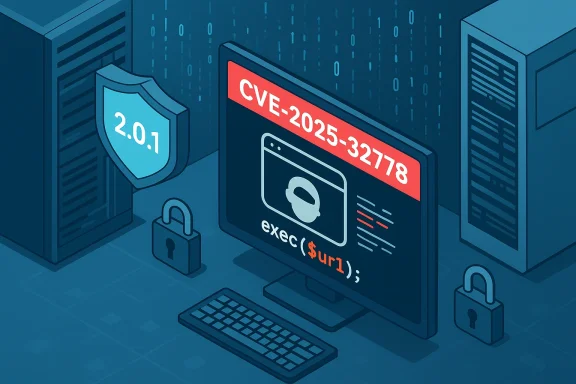
Web‑Check is an open‑source, all‑in‑one OSINT and web analysis toolkit that bundles a headless browser screenshot service among other site inspection features. In mid‑April 2025 a serious weakness was disclosed in Web‑Check’s screenshot endpoint: user‑supplied url input was passed unsanitized into a shell command via an exec() call, enabling command injection and full remote code execution on a host running the vulnerable service. The issue was assigned CVE‑2025‑32778 and the maintainers issued a patch that replaces exec() with execFile() (and released fixed package builds).This clarification is important because some links and references pointing to CVE‑2026‑32778 will return “not found” or an empty entry on Microsoft’s portal — there is no record in MSRC for that 2026 identifier at this time. The correct and widely cataloged identifier for the vulnerability described in the public advisories and commits is CVE‑2025‑32778. (msrc.microsoft.com)
What the public records show (technical summary)
- Vulnerability type: OS command injection (CWE‑78), triggered by unsanitized input used in shell invocation.
- Affected component: the
screenshotAPI — specifically code paths inscreenshot.jswheredirectChromiumScreenshotinvoked system commands. (github.com) - Affected versions: Web‑Check releases prior to the patched build (reported as versions < 2.0.0 or < 2.0.1 in different advisories). The maintainers published a patched release labeled 2.0.1. (github.com)
- Patch / mitigation: Replace use of
exec()withexecFile()(or otherwise ensure shell is not invoked with untrusted concatenated strings), or upgrade to the patched release. The related GitHub commit shows the code change that removed shell interpolation in favor of argument‑isolating APIs. (github.com) - Severity: public vulnerability databases report a critical severity rating; multiple aggregators list a high CVSS (NVD entries show the record awaiting analysis but auxiliary sources indicate a CVSS v4 base around 9.3 — reflecting network‑accessible, no‑auth RCE potential).
Why this matters: impact and attack surface
A command injection in a screenshot API is especially dangerous for several reasons:- Screenshot services frequently accept arbitrary URLs and render them in a headless browser. If untrusted input reaches a shell invocation without proper isolation, attackers can inject payloads that execute on the host OS, not just inside the renderer. This permits:
- Remote code execution (RCE) as the process user.
- Data exfiltration from the host (configuration files, SSH keys, stored credentials).
- Pivoting within internal networks if the host has access to more sensitive resources.
- The vulnerability requires no authentication in the reported case, meaning internet‑facing deployments or misconfigured internal services could be exploited directly across the network. (github.com)
- Headless services are often run in containers or on CI hosts that may have access to developer secrets, repositories, or internal services — a compromised screenshot worker can be a potent foothold. Many operators assume these helper tools are low‑risk; this incident underlines the opposite. (avd.aquasec.com)
Verification: what I checked and how the claim is supported
I verified the core technical claims against multiple independent sources:- NVD and aggregated vulnerability feeds list a record for CVE‑2025‑32778 and provide the canonical description that matches the GitHub advisory: unsanitized
urlreachingexec()and the fix to useexecFile(). NVD shows the entry for CVE‑2025‑32778 and its description. - GitHub’s security advisory and the project commit explicitly describe the vulnerability, the affected files, and the remediation commit that replaces
exec()withexecFile()(commit content and PR #243). The advisory lists the affected and patched versions and calls the issue “Remote Code Execution (RCE)”. (github.com) - Independent repositories (Aqua’s vulnerability database, PacketStorm / Vulners / cvefeed) host mirrored advisories, exploit modules, and metadata such as CVSS vectors and dates, confirming that the vulnerability was publicly disclosed and that proof‑of‑concepts and exploit modules circulated. These corroborate the seriousness and the existence of active exploit code. (avd.aquasec.com)
Note: NVD’s record in some cases may still be listed as “awaiting analysis” for metrics and vector strings even when vendor reports exist. Where NVD is incomplete, the project advisory and committed remediation provide primary verification.
Exploitability, PoC availability, and observed usage
Shortly after disclosure, exploit code and a Metasploit module were cataloged by public exploit collections and security vendors. This means:- Active, publicly available proof‑of‑concepts exist and make automated exploitation possible for attackers with minimal technical effort.
- The combination of no authentication required, network accessibility, and low attack complexity makes practical exploitation trivial where an instance is reachable.
- Because exploit modules were posted to mainstream exploit archives, opportunistic attackers and scanning bots are likely to probe the internet for exposed instances.
Detection: how to spot exploitation or vulnerable deployments
If you operate Web‑Check, a screenshot service, or any web tool that accepts URLs for server‑side rendering, take these detection steps:- Inventory and patch:
- Confirm the version of Web‑Check or any third‑party screenshot component you run. Versions reported as vulnerable precede the 2.0.1 patch. If you run an older version, schedule an immediate upgrade. (github.com)
- Where packages are not upgradable, apply the code changes that replace
exec()withexecFile()or otherwise avoid launching shells with untrusted concatenated strings. (github.com) - Log analysis:
- Search HTTP access logs for suspicious
urlparameters sent to screenshot endpoints. Look for characters that commonly appear in command injection payloads — backticks,$(sequences,;or|chains, or attempts to read local files (e.g., payloads containing/etc/passwdorcatcommands). Many exploit attempts use clearly detectable patterns. (github.com) - Monitor system and application logs for unexpected child processes launched by the screenshot worker. Unexpected
shorbashinvocations that correlate with screenshot requests are red flags. (avd.aquasec.com) - Network telemetry:
- Watch for outbound connections from screenshot hosts that are atypical for their role (reverse shells, DNS exfil channels, SSH or unusual HTTP/HTTPS streams). (avd.aquasec.com)
- Use detection signatures:
- IDS/IPS and EDR vendors rapidly published signatures tied to exploit attempts and PoCs; consult your tools’ signature updates and scanning rules for indicators referencing the screenshot endpoint or the CVE ID as soon as vendor signatures become available.
Mitigation and remediation guidance (step‑by‑step)
If you or your organization runs Web‑Check or maintains a service that accepts URLs to render pages on the server, follow these prioritized steps:- Immediate: If the screenshot endpoint is internet‑reachable and you cannot immediately patch, block external access to the screenshot API at the perimeter. Restrict access to a management network or VPN until patched. This reduces attack surface immediately. (github.com)
- Patch: Upgrade to Web‑Check 2.0.1 (or the latest release that contains the remediation), or apply the upstream commit that replaces
exec()withexecFile()and ensures proper argument isolation. Confirm the change in your deployed codebase. (github.com) - Harden: Run screenshot workers with strict least‑privilege settings:
- Containerize the service if you do not already, with limited capabilities and no mounted secrets.
- Enforce minimal file system access rights and run as a non‑privileged user.
- Use AppArmor/SELinux policies, or language/runtime sandboxes, to limit the impact of a compromised worker. (avd.aquasec.com)
- Rotate secrets: If a vulnerable host was publicly reachable before patching, assume potential compromise and rotate any credentials or tokens that the service could access (CI tokens, deployed keys, API tokens). Treat secrets as suspect until forensic validation confirms otherwise. (avd.aquasec.com)
- Detect and respond: Search logs for suspicious payloads and unusual process activity; isolate any host showing indicators and perform a forensic snapshot before remediation. If you find confirmed exploitation, follow your incident response plan and consider engaging external incident response assistance.
- Prevent future injection risks: In development practices, adopt:
- Use argument‑isolating APIs instead of shell‑invoking
exec()-style calls. - Implement allowlists for URLs or sanitize and validate inputs (accept known good formats only).
- Adopt code scanning and pre‑merge security checks to prevent reintroduction of shell‑interpolated calls. (avd.aquasec.com)
Practical remediation checklist for sysadmins (quick reference)
- Check installed Web‑Check version; if < 2.0.1, plan upgrade immediately. (github.com)
- If immediate upgrade not possible:
- Block the screenshot API with firewall rules.
- Limit access to internal networks only.
- Remove any unnecessary network exposure. (github.com)
- After patching:
- Review logs for suspicious requests to
/api/screenshotand for child process creation events. (avd.aquasec.com) - Rotate secrets accessible to the service. (avd.aquasec.com)
- Run vulnerability scans/CRL checks and confirm no residual backdoors.
Risks, uncertainties, and caveats
- MSRC absence: Microsoft’s Security Update Guide does not host an entry for CVE‑2026‑32778 — the identifier in your original MSRC link — which explains the “page not found” result. The public advisory trail and exploit cataloging reference CVE‑2025‑32778 instead. If you rely on vendor portals, check CVE year and number carefully; CVE identifiers are assigned by the CVE numbering authority and sometimes vendor portals will not contain entries for non‑Microsoft products. (msrc.microsoft.com)
- CVSS / scoring differences: Not all aggregators report identical CVSS numbers or vector strings; the project advisory, NVD, and third‑party feeds may show slight differences while the underlying impact remains high. Use the project advisory and the remediation commit as primary references for technical correctness. When NVD shows “awaiting analysis” that does not invalidate vendor advisories — it only means NVD has not completed its enrichment or scoring adjustments.
- Observed exploitation: While proof‑of‑concepts and exploit modules are public, I found no authoritative open report from a national CERT or major security vendor confirming a large, targeted exploitation campaign for this specific CVE at the time of the verification. However, the presence of public PoCs and quick exploit module publication substantially increases the risk of automated abuse; assume active scanning and opportunistic attacks. This distinction — PoC availability vs. confirmed mass exploitation — is important for incident triage and risk communication.
Why open‑source helper tools keep producing high‑impact CVEs
Two structural causes repeat across incidents like this one:- Functionality that needs to process untrusted input (screenshots, document conversions, image processing) frequently requires launching subprocesses or interacting with native tooling. If developers rely on convenience APIs that shell‑interpolate strings or do not properly use argument lists, the risk of command injection increases. The fix patterns are well known — use argument arrays, avoid shell invocation, sandbox heavy‑lifting services — yet they remain common. (github.com)
- Many helper tools are widely reused in CI/CD pipelines, developer laptops, and internal tooling — often without strict perimeter controls. Operators assume these components are “low‑value”, so they get less scrutiny, are run with broader permissions, or are left internet‑reachable. That operational posture amplifies the consequences when a RCE appears. (avd.aquasec.com)
Final assessment and recommended action for WindowsForum readers
- If you or your organization runs any instance of Web‑Check or a similar screenshot/rendering service, treat this as a high‑priority patch event: verify versions, upgrade to the patched release, and isolate any publicly reachable instances until they are updated. The risk of automated exploitation is real and immediate because public PoCs exist. (github.com)
- For teams that use third‑party developer tooling (open‑source screenshot services, CI screenshot steps, internal rendering pipelines), perform an inventory and tighten network exposure. Move helper services behind authentication and internal networks where possible, and treat them as production‑grade services for patching and monitoring. (avd.aquasec.com)
- For security teams: ensure detection rules for command injection patterns against screenshot endpoints are in place, and prioritize forensic evidence capture for any suspicious access. Update EDR/IDS signatures from vendor feeds and monitor exploit databases for new PoC updates.
- For developers: follow safe subprocess patterns — always prefer APIs that accept argument arrays, perform strict input validation and allowlisting for URL parameters, and run rendering workloads in aggressively sandboxed environments. Introduce continuous security scans that flag unsafe uses of shell‑invoking functions. (github.com)
Conclusion
The page you found at Microsoft’s portal for CVE‑2026‑32778 returned no record because the community disclosures and the project’s own advisory use the identifier CVE‑2025‑32778. That CVE documents a critical command‑injection in Web‑Check’s screenshot API that was patched in April 2025 by replacing shell‑invoking patterns with safer, argument‑isolating APIs. Multiple independent vulnerability aggregators and the project’s GitHub advisory and commit confirm the technical details and remediation steps; exploit code and Metasploit‑style modules appeared in public feeds, raising the urgency for operators to patch or isolate affected services. If you operate or rely on any URL‑rendering or screenshot service, treat this as a priority update: inventory, patch, isolate, and hunt for indicators of compromise.Source: MSRC Security Update Guide - Microsoft Security Response Center
