

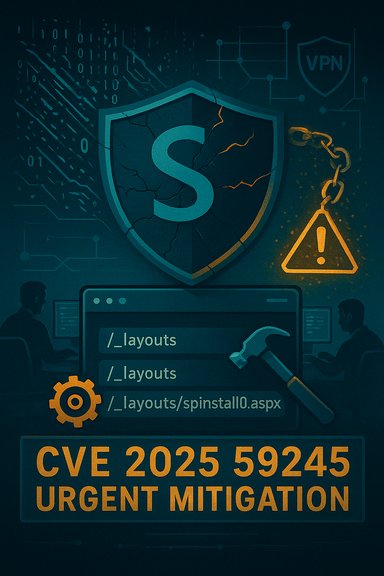
Microsoft’s advisory listing for CVE-2025-59245 describes an Elevation of Privilege issue in SharePoint Online that raises urgent operational and detection questions for administrators of Microsoft 365 tenants and hybrid SharePoint environments. The vulnerability’s public description centers on the vendor’s confidence in its existence, the technical detail available to defenders and attackers, and how that confidence affects urgency — in short: stronger confirmation of a vulnerability accelerates response and expands the set of actors who can weaponize it.
Background / Overview
SharePoint, both on‑premises and Microsoft 365’s SharePoint Online, has long been a high‑value target. Complex serialization/deserialization pathways, ViewState and layout endpoint handling, and deep integration with IIS and ASP.NET create recurring classes of flaws that enable privilege elevation or remote code execution when left unpatched. Recent 2025 incident clusters—commonly discussed under labels like “ToolShell”—combine an authentication/spoofing bypass with unsafe deserialization, producing web shells and machineKey theft that gave threat actors persistent access to SharePoint farms.The Microsoft Security Response Center (MSRC) uses the Security Update Guide to publish CVE entries including product scope and mitigation guidance. When a CVE is published there, the advisory’s content and the degree of technical detail may vary: sometimes Microsoft provides only a high‑level impact summary, sometimes detailed technical write‑ups or indicators of compromise are added after vendor validation and coordination with CERTs. The CVE “confidence” metric referenced in the user’s prompt is effectively about how certain the community and vendor are that the vulnerability exists, and how detailed the technical description is.
What the CVE label and confidence metric mean (practical view)
The confidence metric explained
- Published but low‑detail: The CVE identifier exists, but technical specifics (exploit primitive, code paths, exact attack chain) are withheld or unknown. This raises awareness but may not meaningfully increase attacker capability.
- Corroborated by research: Independent researchers publish analysis that points to a likely root cause or exploitation method. Confidence rises because attackers or defenders can reconstruct probable exploit paths.
- Vendor‑acknowledged/confirmed: Microsoft or another vendor publishes an advisory, patches, or detection guidance. This is the highest confidence tier and usually triggers patch deployments and hunting operations.
Why confidence matters for SharePoint
SharePoint’s attack surface is large and well‑documented. When a deserialization or layout endpoint issue is confirmed, attackers can often automate reconnaissance across internet‑facing SharePoint farms and quickly produce web shells that survive basic remediation. The value of the confidence metric is therefore operational: it tells administrators how likely it is that exploitation will occur in the wild and how precise the technical mitigation steps should be.Technical anatomy (what defenders should assume and verify)
Core primitives seen in 2025 SharePoint incidents
- Authentication/spoofing bypass against layout endpoints: Malicious POSTs to /_layouts/ endpoints or similar paths that exploit poor request validation and header trust logic.
- Unsafe deserialization: Deserializing attacker‑controlled objects (ViewState, custom serialized blobs) without type whitelisting, enabling gadget chains and arbitrary code invocation inside the w3wp.exe process.
- File‑write primitive leading to web‑shell deployment: The attack chain frequently ends with an ASPX web shell (e.g., spinstall0.aspx) being written into TEMPLATE\LAYOUTS, giving remote command execution and persistence.
- MachineKey theft and signed payload forgery: Web shells often exfiltrate ASP.NET machineKey values, enabling attackers to craft legitimately signed __VIEWSTATE payloads that bypass some mitigations.
What Elevation of Privilege implies here
In an Elevation of Privilege context for SharePoint Online, the key risk is that an attacker who can influence a deserialization primitive or spoof a request can escalate from a low‑privilege web user to a tenant‑level context or administrative function—depending on product architecture and the specific flaw. Even if the initial impact is limited to web process privileges, SharePoint’s integration with file stores, service accounts, and search indexers makes lateral escalation and data exposure likely in compromised environments.Verification: what to check immediately
- MSRC Security Update Guide entry and KB mapping — confirm the CVE‑to‑KB mapping for every SKU in your estate. Microsoft’s guide is authoritative for patch numbers and affected builds.
- Antimalware Scan Interface (AMSI) and endpoint defenses — ensure AMSI is enabled for SharePoint and that Defender/EDR signatures and heuristics are current. Microsoft recommends AMSI integration as a protective control for certain SharePoint exploitation patterns.
- Network exposure inventory — identify internet‑facing SharePoint instances and block or isolate public access when possible. Internet exposure is the single largest multiplier of risk.
Impact and real‑world observations
Direct impacts
- Unauthorized privilege escalation: An attacker could gain administrative‑equivalent capabilities within SharePoint or run code in the web worker process.
- Data access and exfiltration: Sensitive content, configuration files, and even secret keys (web.config or memory‑resident machineKey values) can be exposed.
- Persistence and supply chain amplification: Web shells, scheduled tasks, or tampered update catalogs can create long‑lived persistence and enable lateral movement, including ransomware deployment. Observed campaigns in 2025 used these chains to deploy Warlock ransomware in compromised environments.
Secondary consequences
- Credential harvesting (LSASS scraping, Mimikatz): Once code execution is achieved, typical post‑exploitation includes credential dumping and lateral pivoting.
- Operational downtime and reputational loss: Shared collaboration environments like SharePoint underpin business processes; disruption has immediate productivity and legal/compliance consequences.
Detection and hunting: practical checks
Quick indicators of compromise
- POSTs or unusual HTTP activity targeting /_layouts/ or other SharePoint endpoints that result in 201/200 responses where none are expected.
- New files in TEMPLATE\LAYOUTS or other served directories with suspicious names (spinstall0.aspx and variants observed in prior incidents).
- Unexpected spawns of cmd.exe, powershell.exe, or w3wp.exe activity that corresponds with file writes or network connections to unknown IPs.
- Outbound connections from SharePoint hosts to attacker‑controlled infrastructure immediately following anomalous web requests.
Hunting checklist (ranked)
- Search IIS logs for unusual POSTs to layout endpoints and for responses that returned 200/201 for file writes.
- Inspect web application directories for recently created or modified .aspx files and compare file hashes against known‑good baselines.
- Use EDR to hunt for process trees that include w3wp.exe → cmd/powershell and for behaviors consistent with credential dumps or scheduler creation.
- Check for sudden changes to machineKey values or evidence of machineKey exfiltration (e.g., exfil attempts to remote hosts).
Mitigation and remediation: immediate and medium‑term actions
Immediate (hours)
- If public‑facing and unpatched: place the instance behind a VPN or restrict inbound access to known IP ranges. If AMSI/Defender cannot be enabled quickly, consider isolating or taking the host offline until patches are applied.
- Confirm vendor KBs and patch immediately: apply Microsoft’s security updates for the affected SharePoint SKU and validate installation by checking build/KP numbers in Central Admin and via PowerShell. Cross‑check against the MSRC Security Update Guide listing for the CVE.
- Rotate ASP.NET machineKey farm‑wide and restart IIS: this invalidates stolen keys and prevents reuse of forged __VIEWSTATE payloads. Use SharePoint Central Administration or Set‑SPMachineKey / Update‑SPMachineKey in PowerShell.
Short‑term (days)
- Deploy WAF rules to block suspicious layout endpoint POST patterns: tune signatures to block known exploitation primitives until patches are fully rolled out.
- Enable AMSI/Defender on all SharePoint servers: Microsoft lists AMSI configuration as a recommended control to disrupt exploitation and post‑exploit activity.
- Full forensic review for potentially compromised servers: if the instance was public and unpatched for any time, assume compromise and hunt for web shells, scheduled tasks, custom .NET assemblies, and logs of suspicious commands.
Long‑term (weeks)
- Harden and segment management paths: prevent direct internet access to management and authoring interfaces; require conditional access and MFA for admin functions.
- Adopt least‑privilege for service accounts and remove unnecessary file system write permissions from IIS process accounts.
- Implement continuous integrity monitoring for served directories and central configuration files (web.config, machineKey storage locations).
Step‑by‑step for administrators (ordered actions)
- Inventory: enumerate every SharePoint host (on‑prem and hybrid) and record product SKU and patch level.
- Verify CVE mapping: use the MSRC Security Update Guide to map CVE‑to‑KB for each SKU and confirm which updates are required.
- Isolate internet‑facing hosts: apply network restrictions or take the service behind a VPN while you patch and hunt.
- Apply official security updates and reboot if required; validate update installation in Central Admin and via PowerShell.
- Rotate machineKey values across the farm and restart IIS on each node to invalidate stolen keys.
- Hunt for indicators of compromise outlined in the Detection section; if compromise is found, conduct a full incident response including credential resets and rebuilds from known good images.
- Monitor vendor and national CERT guidance (MSRC, CISA) for follow‑on patches and detection improvements.
Strengths and weaknesses of the public response
Notable strengths
- Rapid vendor and CERT coordination: In 2025 incident clusters, Microsoft and national CERTs (e.g., CISA) released coordinated guidance, detection rules, and patches that materially reduced broad exploitation windows when applied quickly. Those advisories also included practical hunting guidance and specific mitigations like AMSI configuration.
- Actionable tactical advice: Microsoft’s guidance has become more operational: rotate machineKey, enable AMSI, and block layout endpoint access—concrete steps admins can follow immediately.
Potential gaps and risks
- Confusion around CVE mapping: When multiple CVE identifiers, patch bypasses, and related advisories circulate (for example, 49704/53770/53771 in 2025), defenders can mis‑map CVEs to KBs. Microsoft warns to use the MSRC Security Update Guide as the authoritative mapping; relying on third‑party trackers alone has led to operational mistakes in the past.
- Limited public technical detail sacrifices defender visibility: In some cases vendor restraint (to avoid aiding attackers) means initial advisories lack the technical depth both red and blue teams need for custom detection. This increases the burden on defenders to rely on telemetry and heuristics. Where independent research corroborates the root cause, confidence grows and defenders can craft more precise detections.
- Hybrid and legacy environments remain an operational blind spot: Many organizations run mixed on‑prem and cloud configurations; guidance that applies to on‑prem may not map cleanly to hybrid topologies, requiring careful mapping and testing before enforcement.
Cross‑checking and verification: what could not be fully validated
- The user provided an MSRC link for CVE‑2025‑59245. During verification, authoritative public advisories and major incident reports in July–October 2025 discussed a family of SharePoint on‑prem deserialization and layout endpoint vulnerabilities (examples include CVE‑2025‑49704, CVE‑2025‑53770, CVE‑2025‑62204) with detailed mitigation and detection guidance from Microsoft and CISA. However, at the time of writing this piece the specific CVE string CVE‑2025‑59245 did not appear prominently in the independent public feeds indexed by the research queries, so the exact mapping of that numeric identifier to a published KB and a detailed vendor write‑up could not be verified in every external tracker. Administrators should therefore confirm the CVE‑to‑KB mapping directly in Microsoft’s Security Update Guide before relying on any third‑party summary.
- Where a CVE entry exists in MSRC but is not yet mirrored in NVD/MITRE or third‑party trackers, treat the numeric label as “vendor‑published pending normalization.” This happens occasionally and is a reason to avoid blind automation that patches or changes production controls based only on third‑party feeds.
Practical recommendations (concise)
- Prioritize: if you have internet‑facing SharePoint servers, treat confirmed SharePoint deserialization CVEs as highest priority for patching and hunting.
- Patch and validate: use MSRC Security Update Guide to install the precise KBs required for your SKU and confirm builds post‑installation.
- Rotate machineKey and restart IIS farm‑wide to invalidate stolen keys and forged ViewState payloads.
- Enable AMSI and deploy EDR protections on SharePoint hosts; if AMSI cannot be enabled immediately, restrict public exposure until it can.
- Hunt proactively: scan IIS logs for anomalous POSTs, inspect served directories for new aspx/dll files, and monitor w3wp behavior for suspicious child processes.
Conclusion
CVE‑2025‑59245 sits in a broader, active ecosystem of SharePoint vulnerabilities in 2025 where unsafe deserialization and layout‑endpoint spoofing have repeatedly been weaponized to install web shells, steal machineKey values, and deploy ransomware. The operational lesson is clear: treat high‑confidence SharePoint CVEs as urgent, patch precisely according to MSRC mappings, rotate keys, enable AMSI/EDR protections, and hunt for the telltale indicators of compromise described above. While vendor restraint in technical disclosures can slow custom detection development, coordinated advisories from Microsoft and national CERTs have matured into practical, actionable guidance — but defenders must still verify CVE‑to‑KB mappings and assume compromise for internet‑exposed servers until proven otherwise. If your environment includes SharePoint Server instances (on‑prem or hybrid) that are internet‑facing, treat the next steps as non‑optional: map, patch, rotate, hunt, and isolate. The window between published confirmation and widespread scanning is the most dangerous, and confidence in a CVE’s existence is the signal that should trigger your highest operational tempo.Source: MSRC Security Update Guide - Microsoft Security Response Center
